BerserkMode.jar
20 Aug 2026
Client Not supported Server Required Dependencies No extras listed Listed on Project page
Check the setup 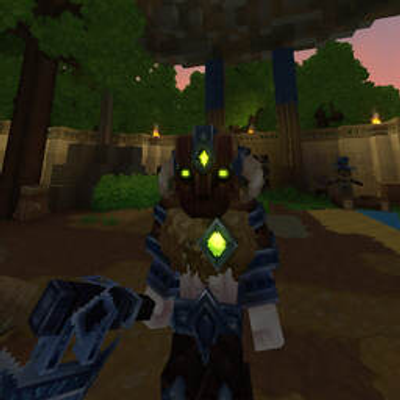
CurseForge · Hytale mod
Dynamic AI battle engine enabling Free-For-All and friendly-fire combat for NPCs
Quick answer
Berserk Mode BerserkMode.jar targets Hytale. Do not install it as a separate client mod. Enable it on the world host—the local server in singleplayer or the dedicated server in multiplayer. No required dependencies listed for this file.
Where it goes
Do not install it as a separate client mod. Enable it on the world host—the local server in singleplayer or the dedicated server in multiplayer.
Put Hytale mods on the world host or dedicated server. Singleplayer runs a local server too; Hytale does not use separate client mods.
BerserkMode.jar. Change the file and its required mods may change too.
This file does not list any required mods. Do not add a library just because a different file uses it.
This file does not list any required or optional project dependencies. Check the creator notes before changing an existing world.
Before you install it
Built for Berserk Mode BerserkMode.jar. Pick another file and the loader, install side or required mods may change.
Use BerserkMode.jar. It targets Hytale; another release may target a different game build or dependency set.
This file does not list any required mods. Do not add a library just because a different file uses it.
Do not install it as a separate client mod. Enable it on the world host—the local server in singleplayer or the dedicated server in multiplayer.
Use the “Get this file” button beside BerserkMode.jar. It opens that exact file at the source.
About this project
Berserk is a dynamic battle and AI combat control engine for Hytale. It lets you create chaotic battle royales between NPCs, turn every creature against players, or unleash full-scale faction warfare.
Disclaimer and Note:
I am not a professional developer. I create mods purely as a hobby and for fun. Because this mod hooks into early internal AI routines and combat systems, you might encounter quirks, glitches, or unexpected NPC behavior. Feel free to experiment, test it out, and leave feedback.
Modes:
Free-For-All (/berserk mode ffa): Removes all friendly-fire barriers. Every NPC considers every other living creature an enemy, resulting in massive all-out battle royales.
Player Hunt (/berserk mode player): Forces all hostile entities to prioritize and swarm players.
Classic (/berserk mode classic): Restores standard vanilla behavior and faction relations.
Features:
Damage-Gate Neutralizer: Uses safe runtime reflection to disable friendly-fire gates without corrupting world files or role definitions.
Smart Retaliation and Anti-Stuck: Fixes internal target deadlocks (such as self-targeting loops in Converge state) so damaged NPCs actively fight back instead of standing idle.
Background Auto-Sync: Automatically applies combat rules to newly spawned mobs every few seconds.
Commands:
You can use /berserk:
/berserk mode ffa - Enables Free-For-All mode (all mobs fight each other)
/berserk mode player - Enables Player-Hunt mode (mobs focus on hunting players)
/berserk mode classic - Restores default vanilla AI behavior
/berserk off - Instantly resets all combat overrides back to default
/berserk sync - Manually forces a refresh on all loaded NPCs
/berserk dumproles - Prints a list of all active NPC roles in the server console
/berserk debug on - Enables detailed diagnostic logging in the console
/berserk debug off - Disables debug logging
Project description from CurseForge.
Recent files
20 Aug 2026
Looking for an older file? The official CurseForge project page is in Resources.