Hytale version
Back to mods 
CurseForge · Hytale mod
Alec's Console!
A responsive in-game viewer for live and historical Hytale logs with lots of useful filters.
Choose a version Pick your version below, then grab the matching file.
Quick answer
Which Alec's Console! release should I use?
Latest stable file Alec's Console v1.1.2
Game version 0.6
Mod system Built-in Hytale mod system
Alec's Console! Alec's Console v1.1.2 targets 0.6. Do not install it as a separate client mod. Enable it on the world host—the local server in singleplayer or the dedicated server in multiplayer. No required dependencies listed for this file.
Where it goes
Where should Alec's Console! be installed in Hytale?
Do not install it as a separate client mod. Enable it on the world host—the local server in singleplayer or the dedicated server in multiplayer.
Separate client mod Not supported
World host / dedicated server Required
Mod system for this release Built-in Hytale mod system
Required install it here Optional supported, not mandatory Not supported do not install here Source doesn’t say do not assume
Put Hytale mods on the world host or dedicated server. Singleplayer runs a local server too; Hytale does not use separate client mods.
What else does Alec's Console! Alec's Console v1.1.2 need?
Alec's Console v1.1.2. Change the file and its required mods may change too.
This file does not list any required mods. Do not add a library just because a different file uses it.
This file does not list any required or optional project dependencies. Check the creator notes before changing an existing world.
Before you install it
Add Alec's Console! without breaking your instance.
Built for Alec's Console! Alec's Console v1.1.2. Pick another file and the loader, install side or required mods may change.
- 01
Stick to this file
Use Alec's Console v1.1.2. It targets 0.6; another release may target a different game build or dependency set.
- 02
Bring the mods it needs
This file does not list any required mods. Do not add a library just because a different file uses it.
- 03
Enable it on the world host
Do not install it as a separate client mod. Enable it on the world host—the local server in singleplayer or the dedicated server in multiplayer.
- 04
Pick the file you checked
Use the “Get this file” button beside Alec's Console v1.1.2. It opens that exact file at the source.
About this project
What does Alec's Console! add?
Alec's Console
A responsive in-game viewer for live and historical Hytale logs, rebuilt from scratch with bounded memory and page-sized UI updates.
Installation
- Download
Alec's Console v1.0.0.jar. - Put the file in the server's
mods/directory. - Start or restart the server.
Alec's Console supports Hytale Server versions >=0.5.0 <0.7.0.
Usage
Run /console as a player with:
alechilles.alecsconsole.command.console
The page can show:
- Live server logs from the current session.
- The current and previous server
.logfiles. - Release or pre-release client logs when the client files are on the same machine as the server.
Remote players cannot upload or expose their local client logs through Hytale's plugin API. The client source is therefore same-host only; ClientLogDirectory can add one explicit local directory.
Live text filtering waits 300 ms after typing stops. Selecting a historical source or file loads it once; after changing its filters, press Search or submit the search field to scan again. Results are paged, Pause/Follow freezes and resumes the live view, and selected rows expose full text for copying. Multi-select preserves display order.
Configuration
Hytale creates config.json in the plugin's data directory on first load. Defaults:
{
  "LiveCapacity": 5000,
  "PageSize": 200,
  "SearchDebounceMs": 300,
  "DiskResultLimit": 2000,
  "ClientLogDirectory": null
}
Live records, rendered rows, discovered files, pending work, historical results, and selection text all have fixed bounds. No repeating disk scan or on-disk index is used.
Build and development
Requires Java 25 and an installed Hytale release server matching gradle.properties.
./gradlew build
./gradlew runServer
The standalone jar is written under build/libs/. Release artifacts use the name Alec's Console v<version>.jar. This repository is also registered as :alecs-console in Alec's local Hytale mod workspace.
The original feature set was inspired by duke-darius/hytale-console; this implementation is an independent ground-up rebuild.
Project description from CurseForge.
Pick your setup
Alec's Console! releases for each Hytale build.
Choose the version and loader you play, then open the matching release.
Check the dependencies, then try the file in a copied instance before changing a world you care about.
Recent files
Alec's Console! releases and Hytale builds
Alec's Console v1.1.2
10 Oct 2026
Client Not supported Server Required Dependencies No extras listed Listed on Project page
Check the 0.6 setup 0.6 release
Alec's Console v1.1.1
6 Sept 2026
Client Not supported Server Required Dependencies No extras listed Listed on Project page
Check the 0.6 setup 0.6 release
Alec's Console v1.1.0
5 Sept 2026
Client Not supported Server Required Dependencies No extras listed Listed on Project page
Check the 0.6 setup 0.6 release
Alec's Console v1.0.1
27 Aug 2026
Client Not supported Server Required Dependencies No extras listed Listed on Project page
Check the 0.6 setup 0.6 release
alecsconsole-1.0.0.jar
21 Aug 2026
Client Not supported Server Required Dependencies No extras listed Listed on Project page
Check the 0.6 setup 0.6 release
Looking for an older file? The official CurseForge project page is in Resources.
 mod
mod CurseForge · Hytale
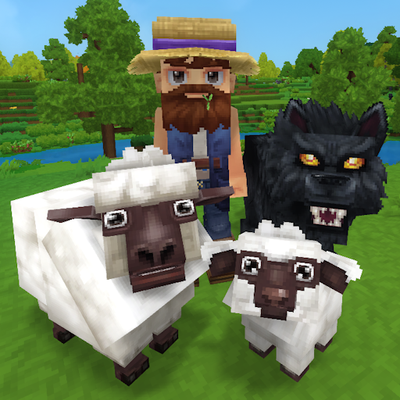
Alec's Animal Husbandry! - Taming, Breeding, Mounts, Combat Pets, Leveling, Hunger, Thirst, and more!
Tame, breed, care for, fight with, level up and more all vanilla animals. Train beasts as combat pets, breed livestock for the best harvesting efficiency, and so much more!
 mod
mod CurseForge · Hytale
Alec's Tamework!
Mob taming framework and asset patcher. Breeding, traits, leveling, tame management UI, easier interaction chains, capture/spawn items that store metadata, ownership/tamed status, lots of behavior components and more!
 mod
mod CurseForge · Hytale
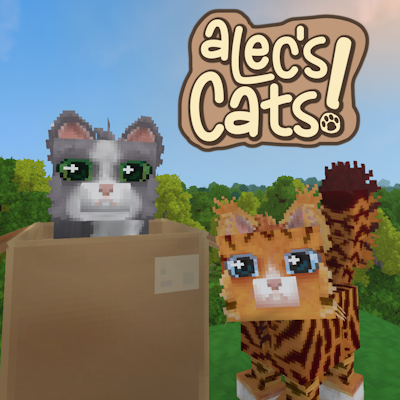
Alec's Cats!
Tame, breed, care for and team up with over 1000 possible cat variants!