Hytale version
Back to mods 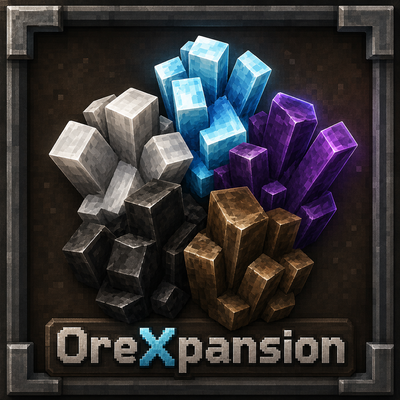
CurseForge · Hytale mod
OreXpansion
Plugin that adds Tin, Coal, Mithril, Onyxium, and Prisma to natural world generation.
Choose a version Pick your version below, then grab the matching file.
Quick answer
Which OreXpansion release should I use?
Latest stable file OreXpansion-0.6.0.jar
Game version 0.6
Mod system Built-in Hytale mod system
OreXpansion-0.6.0.jar targets 0.6. Do not install it as a separate client mod. Enable it on the world host—the local server in singleplayer or the dedicated server in multiplayer. No required dependencies listed for this file.
Where it goes
Where should OreXpansion be installed in Hytale?
Do not install it as a separate client mod. Enable it on the world host—the local server in singleplayer or the dedicated server in multiplayer.
Separate client mod Not supported
World host / dedicated server Required
Mod system for this release Built-in Hytale mod system
Required install it here Optional supported, not mandatory Not supported do not install here Source doesn’t say do not assume
Put Hytale mods on the world host or dedicated server. Singleplayer runs a local server too; Hytale does not use separate client mods.
What else does OreXpansion-0.6.0.jar need?
OreXpansion-0.6.0.jar. Change the file and its required mods may change too.
This file does not list any required mods. Do not add a library just because a different file uses it.
This file does not list any required or optional project dependencies. Check the creator notes before changing an existing world.
Before you install it
Add OreXpansion without breaking your instance.
Built for OreXpansion-0.6.0.jar. Pick another file and the loader, install side or required mods may change.
- 01
Stick to this file
Use OreXpansion-0.6.0.jar. It targets 0.6; another release may target a different game build or dependency set.
- 02
Bring the mods it needs
This file does not list any required mods. Do not add a library just because a different file uses it.
- 03
Enable it on the world host
Do not install it as a separate client mod. Enable it on the world host—the local server in singleplayer or the dedicated server in multiplayer.
- 04
Pick the file you checked
Use the “Get this file” button beside OreXpansion-0.6.0.jar. It opens that exact file at the source.
About this project
What does OreXpansion add?
This plugin adds the following ores to the natural world generation;
-Tin, found in Zone1 in fairly high abundance, similar to copper. Suggested use is for a custom recipe for bronze bars
-Coal ore, found in great abundance throughout all zones, can be used as fuel or as a base for your own custom mod recipes
-Mithril, found near the bottom of the world, the diamond of Hytale
-Prisma, found in deep oceans, also rarely in Zone2 inside of sandstone
-Onyxium, found in zone 4 inside volcanic rock, also inside gold bricks in the middle of volcanoes
Project description from CurseForge.
Pick your setup
OreXpansion releases for each Hytale build.
Choose the version and loader you play, then open the matching release.
Hytale version
0.5
1 loader buildCheck the dependencies, then try the file in a copied instance before changing a world you care about.
Recent files
OreXpansion releases and Hytale builds
OreXpansion-0.6.0.jar
27 Aug 2026
Client Not supported Server Required Dependencies No extras listed Listed on Project page
Check the 0.6 setup 0.6 release
OreXpansion-0.0.0.jar
25 Aug 2026
Client Not supported Server Required Dependencies No extras listed Listed on Project page
Check the 0.5 setup 0.5 release
OreXpansion-0.0.0.jar
24 Aug 2026
Client Not supported Server Required Dependencies No extras listed Listed on Project page
Check the 0.5 setup 0.5 release
OreXpansion-0.0.0.jar
23 Aug 2026
Client Not supported Server Required Dependencies No extras listed Listed on Project page
Check the 0.5 setup Looking for an older file? The official CurseForge project page is in Resources.
 mod
mod CurseForge · Hytale
Big Farm House Pack
A collection of all 5 of my farm building mods into one. Coop-Like buildings for Cows, Pigs, Mosshorns, Foxes, and Sheep.
 mod
mod CurseForge · Hytale
double jump!
A very simple double jump mod!
 mod
mod CurseForge · Hytale
Collection Master
Turn gathered resources into permanent progression through configurable item collections, milestones, rewards, and prestige.