
Hytale version
Back to mods 
CurseForge · Hytale mod
Masterwork
Turn ordinary crafting into masterwork craftsmanship with quality tiers and crafter signatures.
Choose a version Pick your version below, then grab the matching file.
Quick answer
Which Masterwork release matches 0.6?
Best match for your filters Masterwork-1.4.0.jar
Game version 0.6
Mod system Built-in Hytale mod system
Masterwork-1.4.0.jar targets 0.6. Do not install it as a separate client mod. Enable it on the world host—the local server in singleplayer or the dedicated server in multiplayer. No required dependencies listed for this file.
Where it goes
Where should Masterwork be installed in Hytale?
Do not install it as a separate client mod. Enable it on the world host—the local server in singleplayer or the dedicated server in multiplayer.
Separate client mod Not supported
World host / dedicated server Required
Mod system for this release Built-in Hytale mod system
Required install it here Optional supported, not mandatory Not supported do not install here Source doesn’t say do not assume
Put Hytale mods on the world host or dedicated server. Singleplayer runs a local server too; Hytale does not use separate client mods.
What else does Masterwork-1.4.0.jar need?
Masterwork-1.4.0.jar on 0.6. Every mod below is checked against that same setup.
This file does not list any required mods. Do not add a library just because a different file uses it.
This file does not list any required or optional project dependencies. Check the creator notes before changing an existing world.
Before you install it
Add Masterwork without breaking your instance.
Built for Masterwork-1.4.0.jar on 0.6. Pick another file and the loader, install side or required mods may change.
- 01
Stick to this file
Use Masterwork-1.4.0.jar. It targets 0.6; another release may target a different game build or dependency set.
- 02
Bring the mods it needs
This file does not list any required mods. Do not add a library just because a different file uses it.
- 03
Enable it on the world host
Do not install it as a separate client mod. Enable it on the world host—the local server in singleplayer or the dedicated server in multiplayer.
- 04
Pick the file you checked
Use the “Get this file” button beside Masterwork-1.4.0.jar. It opens that exact file at the source.
About this project
What does Masterwork add?
Masterwork - Grade based forging system
Forge, progress, leave your mark and become a legendary blacksmith


✨ Main Features
- Crafter's signature
- Seven Grades, each with its own border
- Graded crafts and drops
- A blacklist for any item you want out
- Built-in and third-party craft progression
- Blacksmith Hammers
- Ranking board
- Fully configurable
- Public API
- No dependencies
🧩 Addons
- Forge Souls: offer graded gear for its soul, and spend souls to restore worn pieces
For more technical language, see our documentation, there you'll find every command, configuration, permission role and the Public API for modders who want to create any integration.
✍️ Your name on every piece
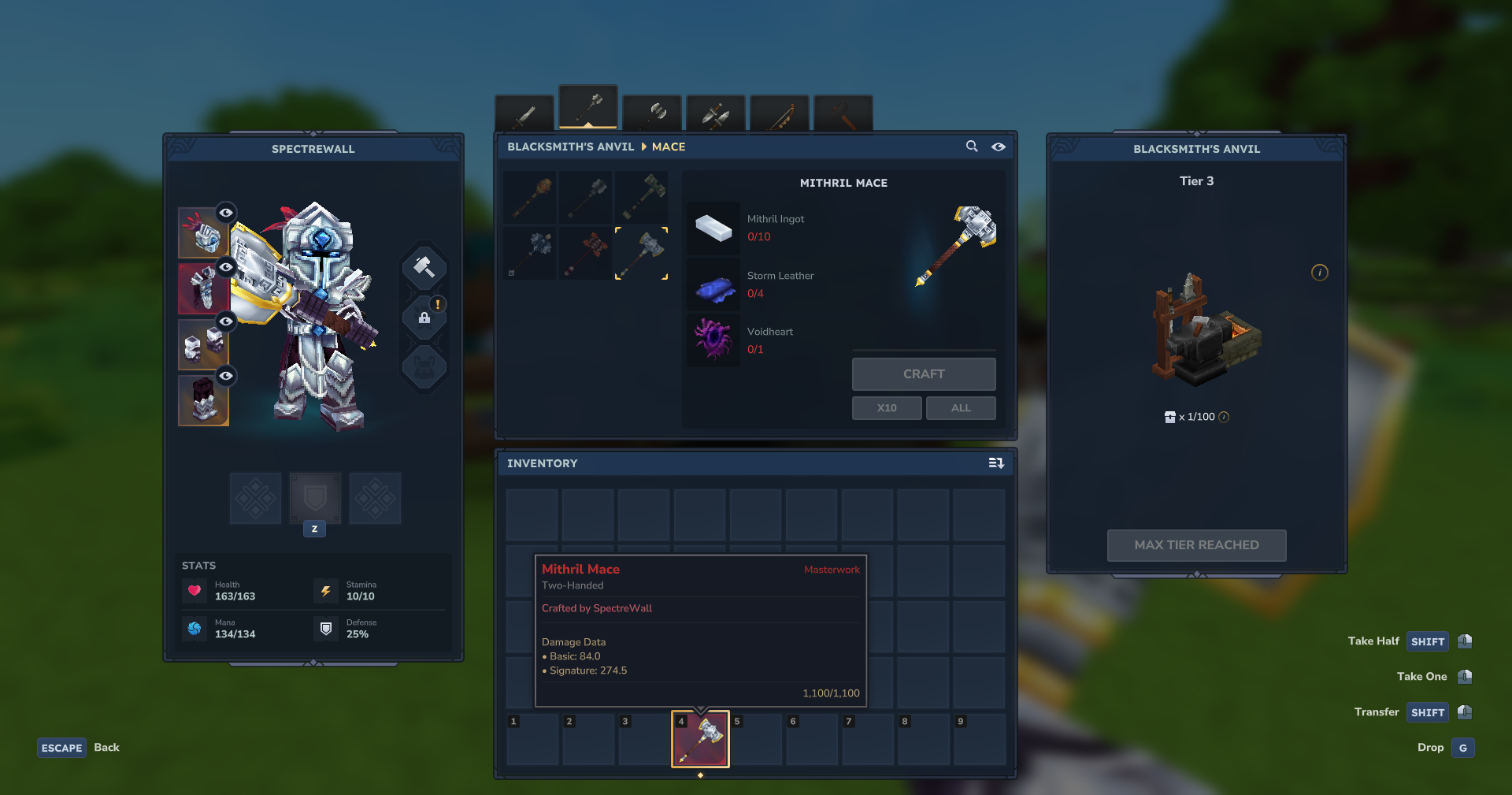
Every weapon, armor piece and tool you craft is signed with your name, and it stays signed for as long as the item exists. Trade it, drop it, leave it in a chest for a month: whoever holds it can still read who forged it. The color of your signature is yours to pick, in the Preferences tab.
🏅 The Grade ladder
A Grade is rolled the moment a craft completes. What it changes is the item itself:
| Grade | Stats | Durability |
|---|---|---|
| Masterwork | +50% | ×5.00 |
| Exquisite | +30% | ×2.00 |
| Superior | +20% | ×1.30 |
| Well-Crafted | +10% | ×1.20 |
| Adequate | +5% | ×1.10 |
| Common | baseline | baseline |
| Poor | -10% | ×0.80 |
Stats climb gently, so a top tier piece is strong without breaking your server's combat.
Durability is where the ladder really shows: a Masterwork piece lasts five times longer than a common one.
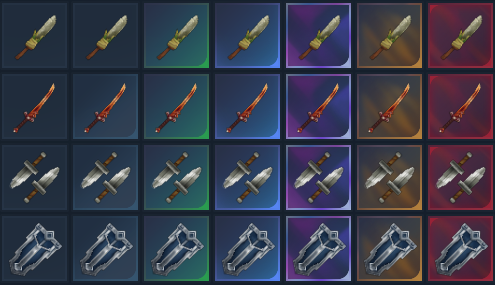
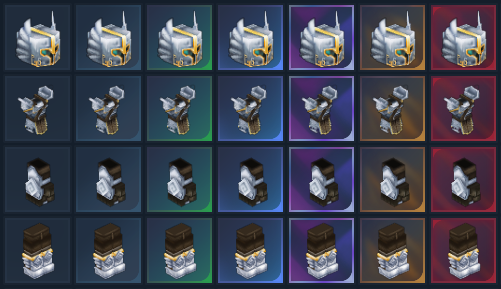
Every grade has its own border:
Stackable items, like arrows and spears, are left out of this system.
An operator can leave anything else out as well. The blacklist takes any item, searched and toggled from the Settings tab or set from a command, and a blacklisted piece is simply never graded: it keeps the stats and the border it always had.
And Grades add nothing to your item list. Each variant is marked as one and carries no recipe of its own, so no tier of an item ever shows up as an entry of its own in the creative menu or in the crafting listings.
📈 Craft progression
For a complete experience you can choose which progression system fits your server/world the best:
- Our own built-in progression system;
- MMO Skill Tree & Abilities;
- Or none.
The other popular plugins Endless Leveling and RPG Leveling are planned to be integrated SOON.
The further you progress, the better your odds of forging incredible gear, so an experienced blacksmith turns out fine pieces far more often than a newcomer.
Native:
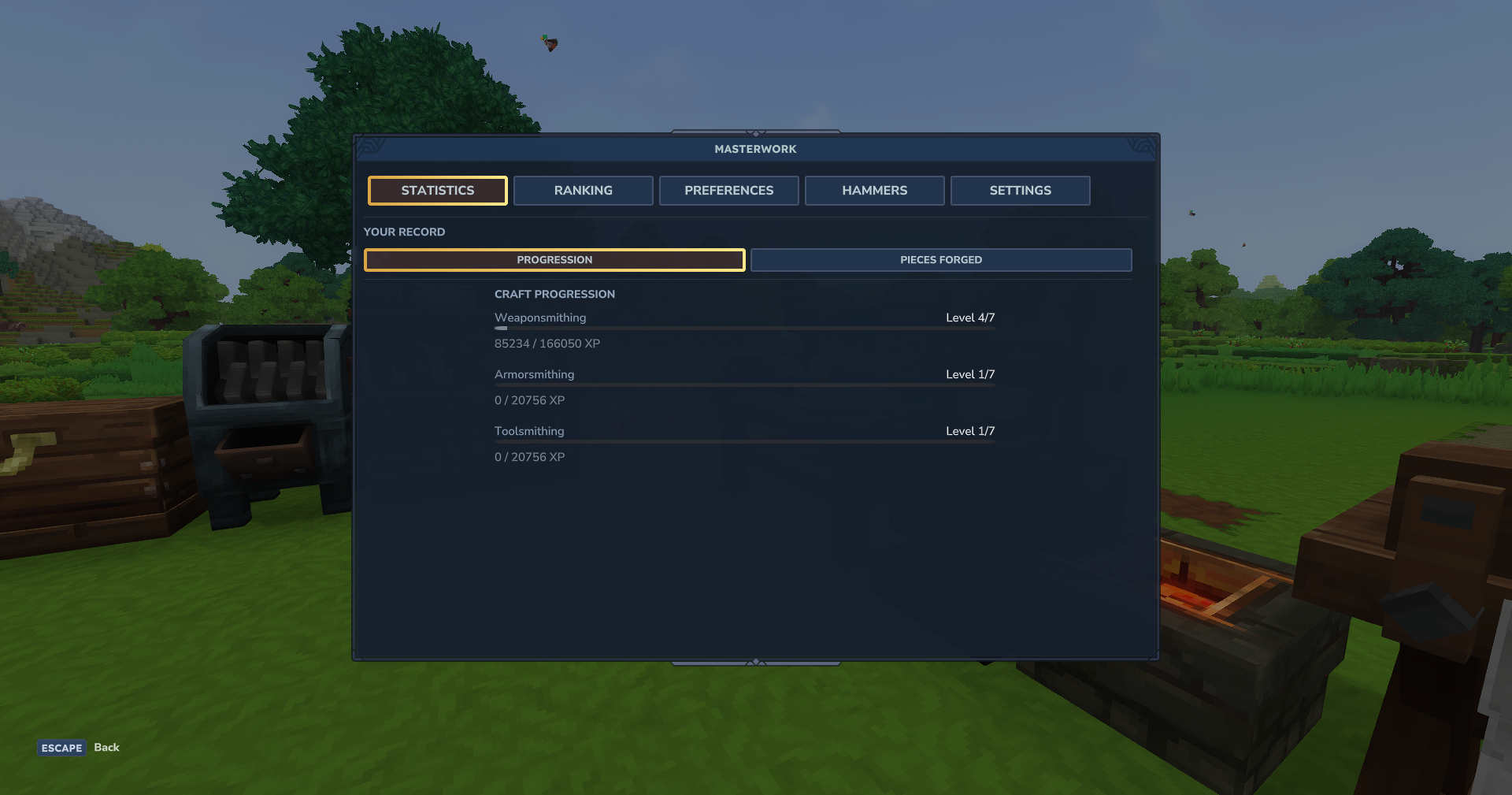
Our built-in progression gives every player three separate skills, Weaponsmithing, Armorsmithing and Toolsmithing, each one with seven levels. Every graded craft pays XP into the matching skill, and the better the gear and the longer the recipe, the more that craft is worth. Shields count toward Weaponsmithing.
MMO Skill Tree:
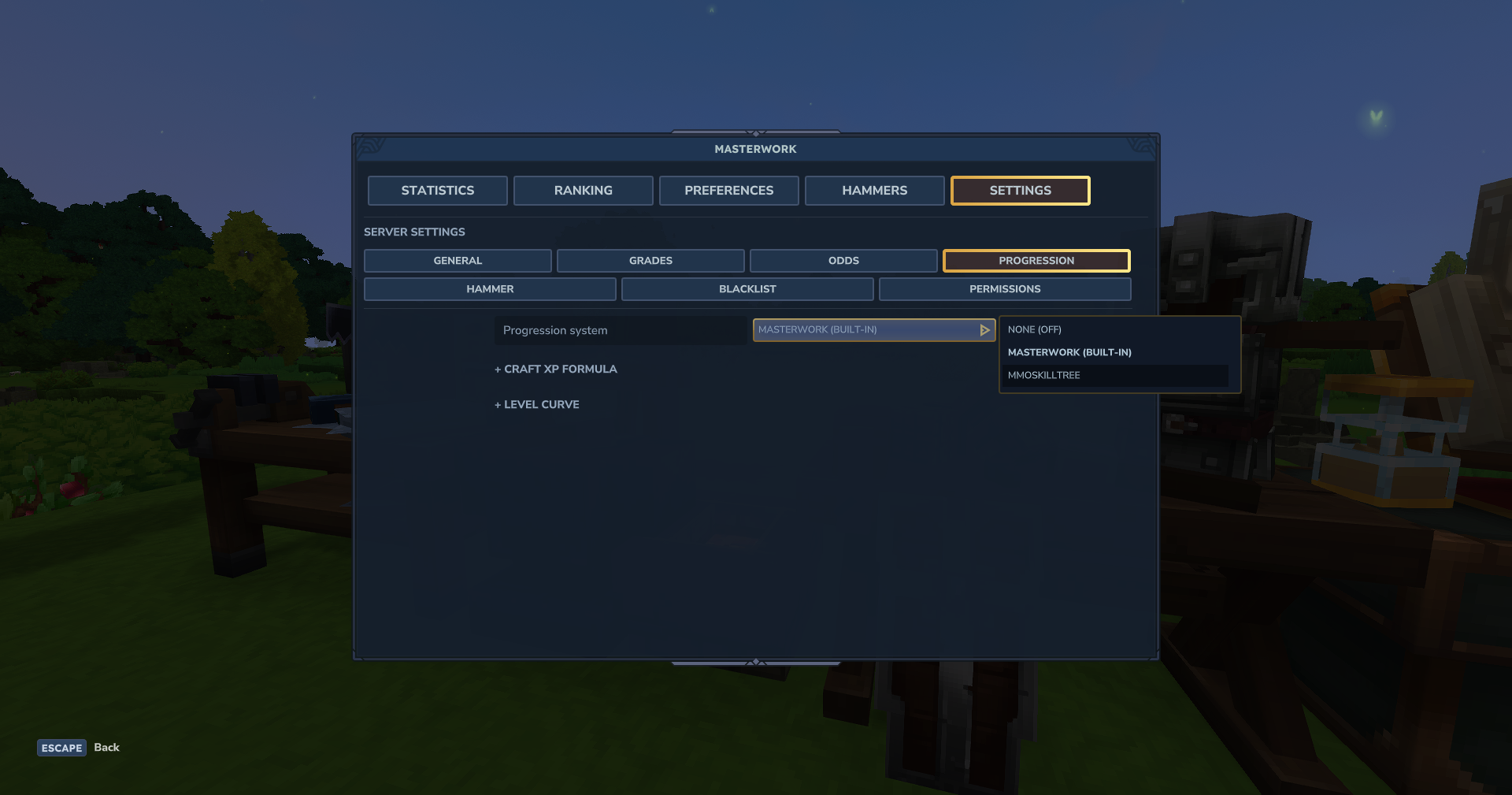
Masterwork is also fully integrated with Ziggfreed's MMO Skill Tree & Abilities plugin, and it can be selected through the Settings > Progression menu. It's ready to play without any other configuration, but optionally you can configure all the parameters yourself.
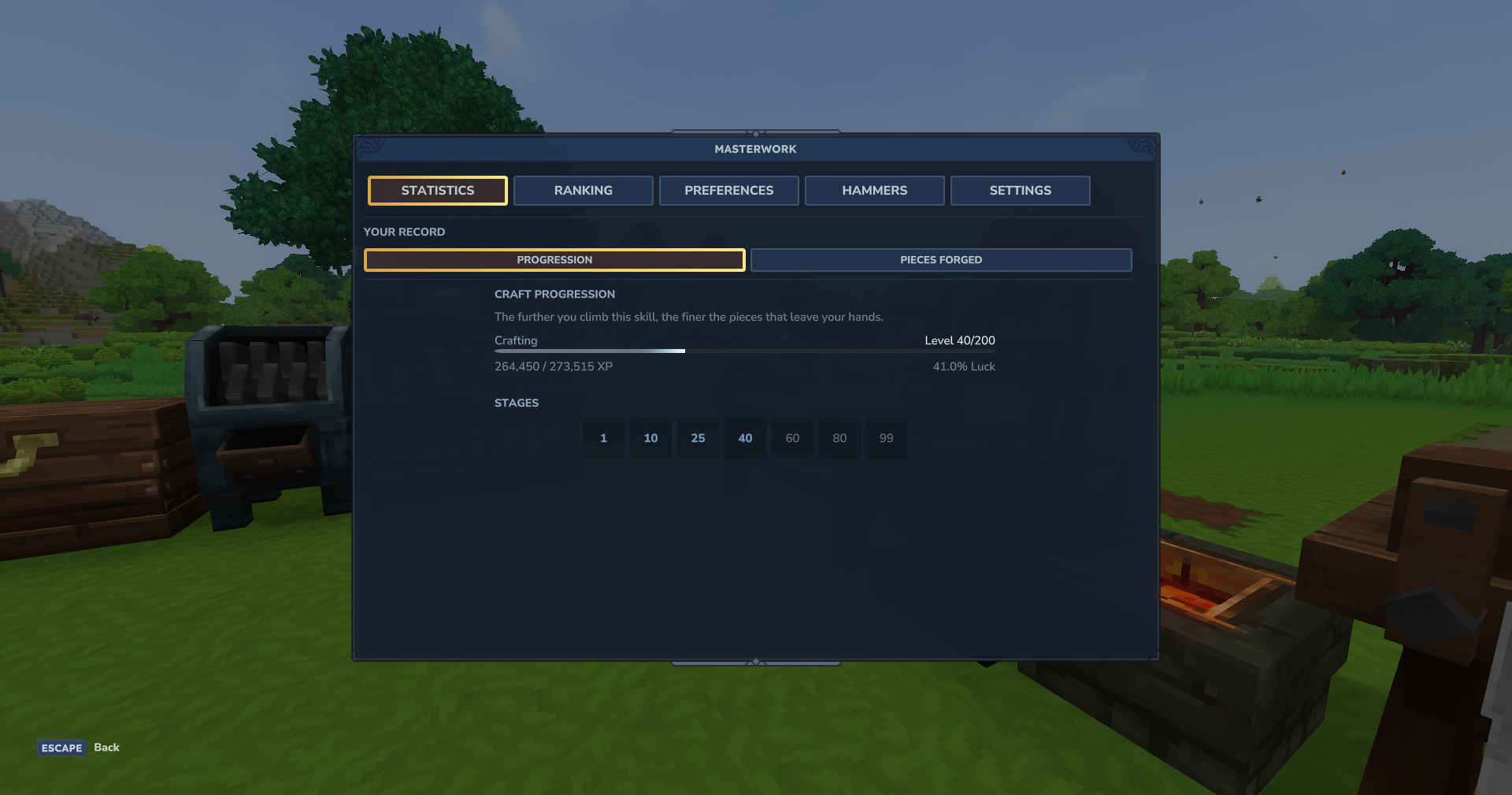
By default, we listen to their CRAFTING skill and its luck attribute to bias the grade of the crafted equipment, bringing more life to the skill and utility to luck.
🔨 Blacksmith Hammers
Four hammers, each one a hidden recipe that unlocks itself once you have earned it: the progression stage it belongs to, a piece already forged at that tier's minimum grade, and the previous hammer worn to nothing in your own hands. Keep one in your hand while you craft, and it pushes the roll toward the best grades you can currently reach, worth +15%, +25%, +50% and +100% luck by tier.
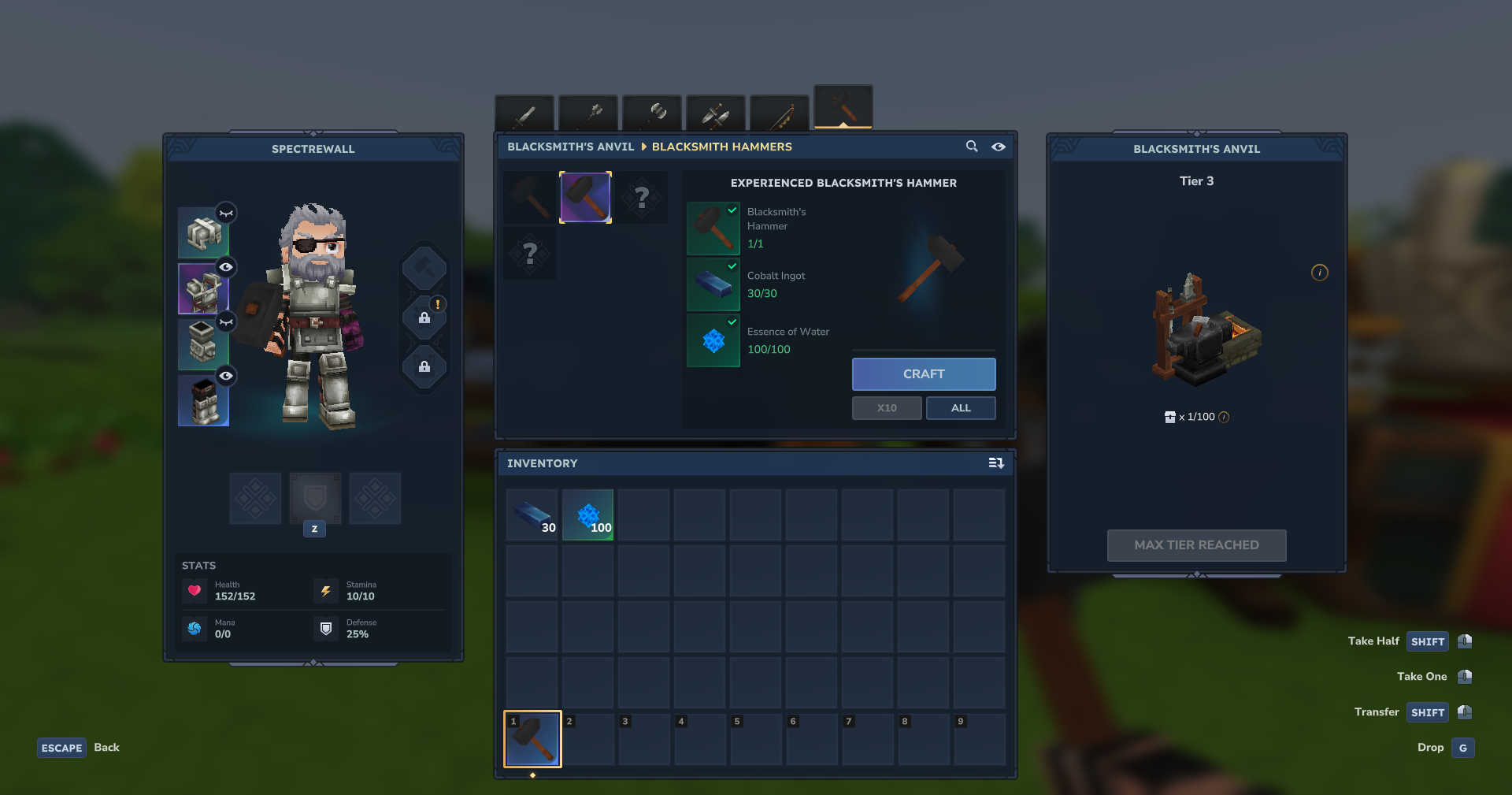
By default, a hammer is bound to the blacksmith who forged it. Pick up someone else's hammer and it goes straight back to its owner, who can claim it again in the Hammers tab.
🎁 Graded loot
Gear the world hands you is rolled a Grade of its own. The roll happens where the item spawns, so a rare piece is already glowing in its tier's color while it is still lying in the grass:
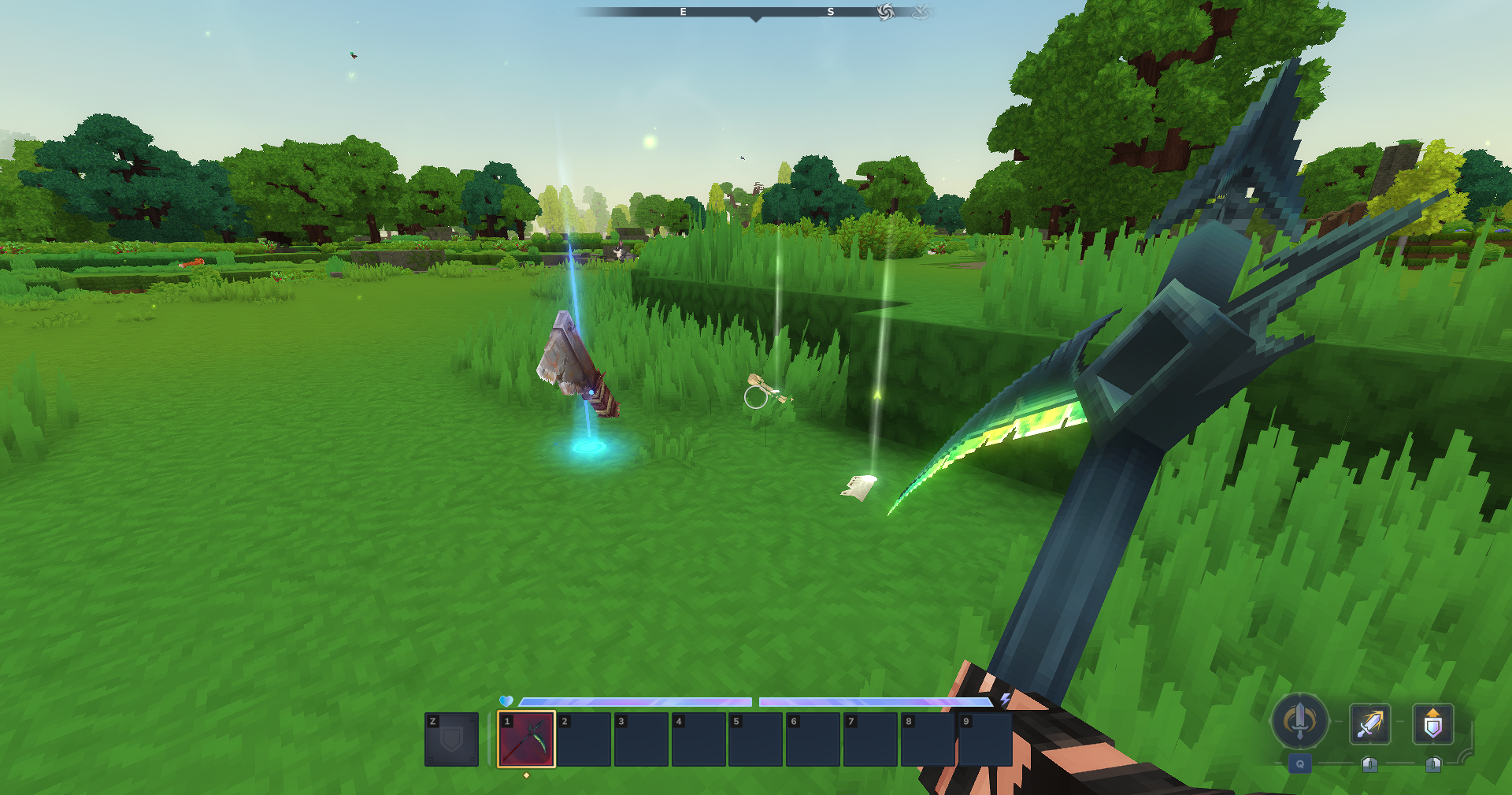
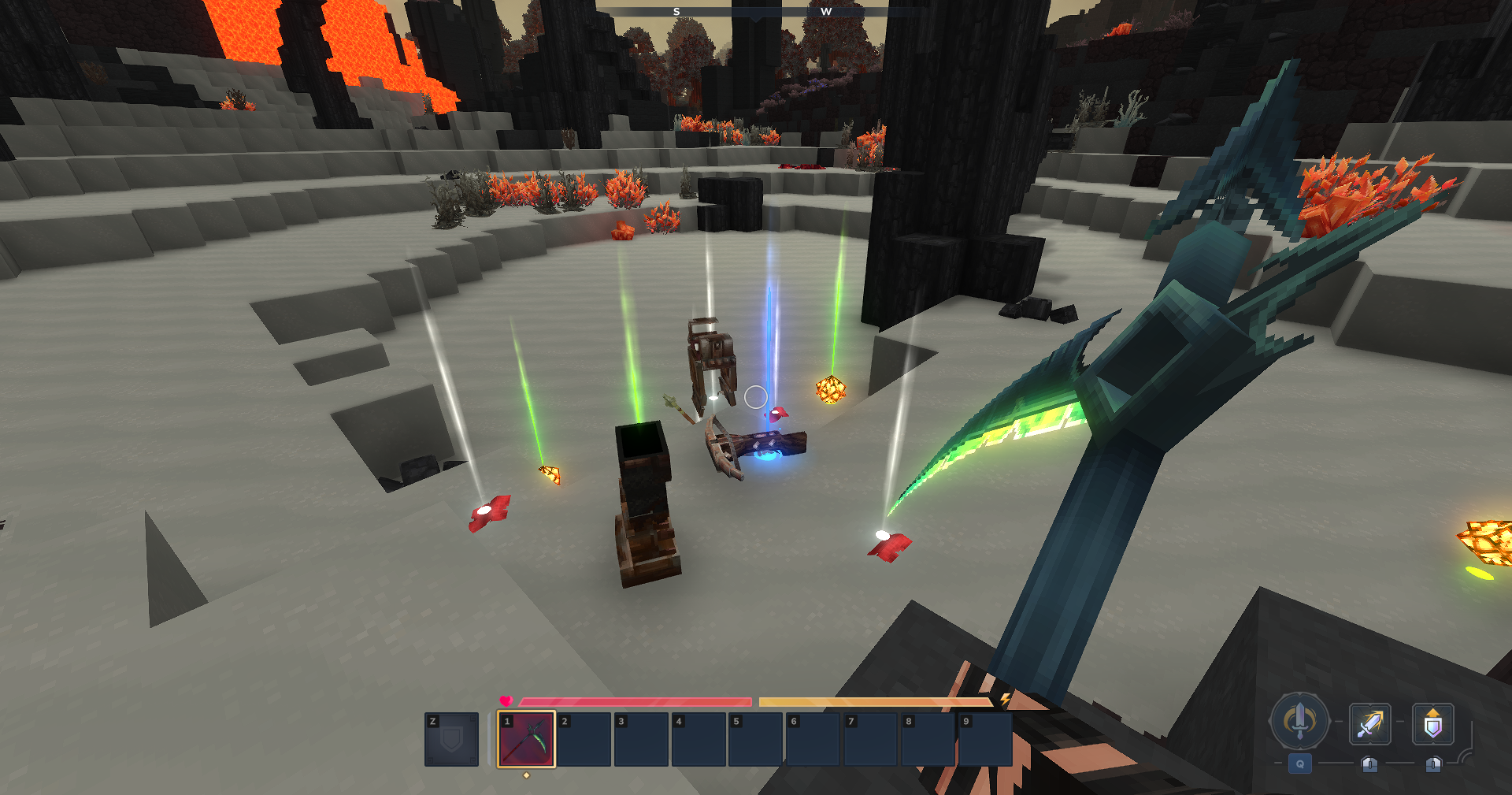
Loot has an odds table of its own, since nobody's skill is behind a drop, and the whole feature is one switch. Finding a fine piece is not the same as forging one, so it pays no XP and no ranking points.
🖥️ The /masterwork page
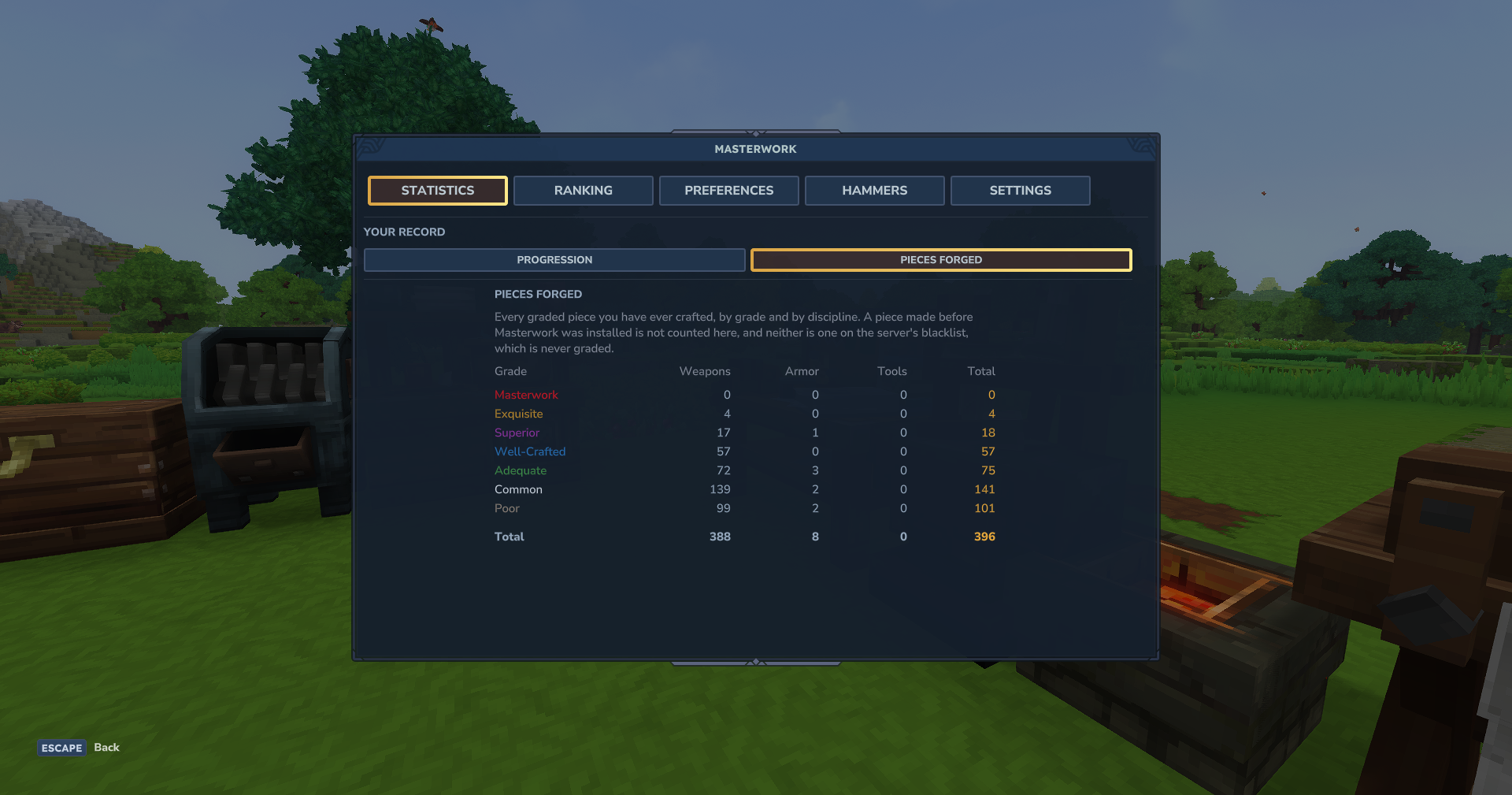
One command opens a page built out of Hytale's own UI, with five tabs:
- Statistics. Where you stand, and every graded piece you have ever forged, by grade and by discipline.
- Ranking. The server's top smiths, overall and per discipline, with your own position always below them.
- Preferences. Your notifications and the color your signature is written in.
- Hammers. The recovery stash, where a hammer of yours that ended up elsewhere comes back.
- Settings. The entire configuration, for admins, including any addon you install.
⚙️ For server operators
Everything lives in mods/Masterwork/masterwork-config.json, and every value in that file is also editable from the Settings tab of the page. Edits are staged and written on one save, with a "restore default" button beside every value you changed.
Worth knowing:
- Permissions.
masterwork.admincovers anything that writes config, and three narrower nodes sit beside it. Reading your own stats, odds and hammer stash needs no permission at all. - A blacklist. Any item can be kept out of the grade system, searched and toggled from the page.
- Hand-crafted gear does not count. A piece made from the inventory screen, with no bench, stays at the base grade and scores nothing. The crafter is told why, in chat. Switchable.
- Salvage still works. A graded piece can be dismantled exactly like the item it came from.
- The board can be hidden. Public, admin only, or off. Points keep piling up while it is off, so turning it on later still finds a history.
- Resource packs win. A pack override of an item is respected, and Masterwork scales what the pack ships.
🤝 Compatibility
- Forge Souls. A Masterwork addon that lets you fully repair your gear while keeping the game balanced.
- Simple Enchantments. Supported. An enchanted item keeps its signature, and both tooltips live together.
- MMO Skill Tree & Abilities. Supported as a progression source.
- Wan's Wonder Weapons. Left out of the grade system by default, since its pieces are designed weapons rather than gear a smith forges. One switch grades them anyway.
😢 Known incompatibilities
Romna's Quality Crafting: Incompatible.
It is the same feature built another way, and both mods would fight over every crafted item. Masterwork refuses to start beside it and says so in the console, so disable one of the two.DynamicTooltipsLib: Not recommended.
As its own page says, "This mod is now mostly redundant, as Hytale has implemented a native way to change per-item tooltips". Masterwork uses exactly that native way and writes the item description itself, so a tooltip rendered through the library can be overwritten on any item we have stamped. The server still starts, and Masterwork says so in the console.
🌐 Languages
English, Brazilian Portuguese, Spanish, French, Russian, Ukrainian and Simplified Chinese.
Heads up: every translation other than English and Brazilian Portuguese was made entirely with AI, since I'm not fluent in any of those languages.
👥 Credits
- Created by: SpectreWall
You can show your support to my projects through the link below.

📜 License
Free to use, but not open source. All rights reserved by SpectreWall.
You may run the unmodified plugin for free on any server, including monetized ones (donations, ranks, in-game purchases). You may not sell, modify, or redistribute the plugin files without the author's written permission.
Project description from CurseForge.
Pick your setup
Masterwork releases for each Hytale build.
Choose the version and loader you play, then open the matching release.
Hytale version
0.6
1 loader buildCheck the dependencies, then try the file in a copied instance before changing a world you care about.
Recent files
Masterwork releases and Hytale builds
Masterwork-1.4.0.jar
7 Oct 2026
Client Not supported Server Required Dependencies No extras listed Listed on Project page
Check the 0.6 setup 0.6 release
Masterwork-1.3.0.jar
2 Oct 2026
Client Not supported Server Required Dependencies No extras listed Listed on Project page
Check the 0.6 setup 0.6 release
Masterwork-1.2.0.jar
30 Sept 2026
Client Not supported Server Required Dependencies No extras listed Listed on Project page
Check the 0.6 setup 0.6 release
Masterwork-1.1.3.jar
5 Sept 2026
Client Not supported Server Required Dependencies No extras listed Listed on Project page
Check the 0.6 setup 0.6 release
Masterwork-1.1.0.jar
2 Sept 2026
Client Not supported Server Required Dependencies No extras listed Listed on Project page
Check the 0.6 setup 0.6 release
Masterwork-1.0.0.jar
28 Aug 2026
Client Not supported Server Required Dependencies No extras listed Listed on Project page
Check the 0.6 setup 0.6 release
Looking for an older file? The official CurseForge project page is in Resources.