Hytale version
Back to mods 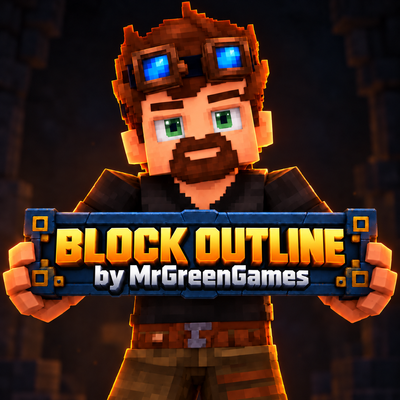
CurseForge · Hytale mod
Block Outline
Block Outline is a simple accessibility and quality-of-life mod for Hytale that gives you control over the outline displayed around the block you're targeting. /Outline - will open the GUI to allow outline customization.
Choose a version Pick your version below, then grab the matching file.
Quick answer
Which Block Outline release should I use?
Latest stable file Version 1.0 - MGG Block Outline.jar
Game version 0.6
Mod system Built-in Hytale mod system
Block Outline Version 1.0 - MGG Block Outline.jar targets 0.6. Do not install it as a separate client mod. Enable it on the world host—the local server in singleplayer or the dedicated server in multiplayer. No required dependencies listed for this file.
Where it goes
Where should Block Outline be installed in Hytale?
Do not install it as a separate client mod. Enable it on the world host—the local server in singleplayer or the dedicated server in multiplayer.
Separate client mod Not supported
World host / dedicated server Required
Mod system for this release Built-in Hytale mod system
Required install it here Optional supported, not mandatory Not supported do not install here Source doesn’t say do not assume
Put Hytale mods on the world host or dedicated server. Singleplayer runs a local server too; Hytale does not use separate client mods.
What else does Block Outline Version 1.0 - MGG Block Outline.jar need?
Version 1.0 - MGG Block Outline.jar. Change the file and its required mods may change too.
This file does not list any required mods. Do not add a library just because a different file uses it.
This file does not list any required or optional project dependencies. Check the creator notes before changing an existing world.
Before you install it
Add Block Outline without breaking your instance.
Built for Block Outline Version 1.0 - MGG Block Outline.jar. Pick another file and the loader, install side or required mods may change.
- 01
Stick to this file
Use Version 1.0 - MGG Block Outline.jar. It targets 0.6; another release may target a different game build or dependency set.
- 02
Bring the mods it needs
This file does not list any required mods. Do not add a library just because a different file uses it.
- 03
Enable it on the world host
Do not install it as a separate client mod. Enable it on the world host—the local server in singleplayer or the dedicated server in multiplayer.
- 04
Pick the file you checked
Use the “Get this file” button beside Version 1.0 - MGG Block Outline.jar. It opens that exact file at the source.
About this project
What does Block Outline add?
Commands
/outline - Opens the GUI and allows you to customize your block outline.
Features
- Custom Block Outline Colors
- Adjustable Outline Size
- Accurate Block Shapes
- Supports Partial Blocks
- Per-Player Settings
- Default Size of 3
- Multiplayer Friendly
- Accessibility Focused
Why Block Outline?
Hytale's standard block outline can sometimes be difficult to see depending on the block, lighting, or environment.
Block Outline was originally created as an accessibility improvement, but it's also useful for building, mining, exploration, and general gameplay.
Whether you want a subtle colored highlight or something that's impossible to miss, you can configure the outline to suit you.
Installation
Place the mod in your Hytale mods folder:
AppData\Roaming\Hytale\UserData\Mods
Enable Block Outline in your world's mod settings and load into the world.
Notes
Block Outline changes the visual targeting highlight only. It is intended to remain lightweight and avoid changing normal block interaction or gameplay mechanics.
Creative Mode: Hytale's original black outline may still be visible alongside the custom outline in some situations.
Consider following MrGreenGames if you enjoy this mod! 💚
🟢 Feel free to use this mod in your modpacks and videos!
If you feature the mod in a video or showcase, linking back to the original mod page in your description is greatly appreciated, but not required.
🔴 Please do not redistribute or repurpose the mod.
You may not reupload the mod to other websites, launchers, or platforms, nor reuse its models, textures, data, or other assets in separate projects.
Do not place the mod behind ad-based or redirect services such as AdFly, and do not sell the mod or include it in any paid modpack.
💚 This mod is intended to remain free and accessible to everyone.
Project description from CurseForge.
Pick your setup
Block Outline releases for each Hytale build.
Choose the version and loader you play, then open the matching release.
Check the dependencies, then try the file in a copied instance before changing a world you care about.
Recent files
Block Outline releases and Hytale builds
Version 1.0 - MGG Block Outline.jar
9 Sept 2026
Client Not supported Server Required Dependencies No extras listed Listed on Project page
Check the 0.6 setup 0.6 release
Looking for an older file? The official CurseForge project page is in Resources.
 mod
mod CurseForge · Hytale
Fullmetal Labyrinth
Adds a brand-new Labyrinth Dimension featuring a vast desert surface and an endless maze stretching deep below. Discover unique locations and face a variety of dangerous new enemies as you explore its depths!
 mod
mod CurseForge · Hytale
GlymeraStructures
Massively increases the spawn density of all structures like villages, dungeons, and encounters in your Hytale world !
 mod
mod CurseForge · Hytale
AntiWeather
No more weather