Hytale version
Back to mods 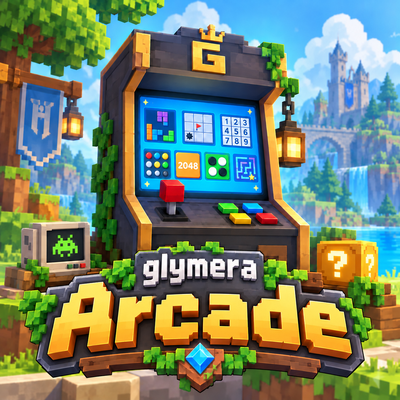
CurseForge · Hytale mod
GlymeraArcade
A glowing Arcade Cabinet with seven keyboard games in a real Hytale look: MineStack, Burrow Worm, Ore Fusion, Trap Dig, Shard Swap, Nine Runes and Vault Code. Best scores per player and server records.
Choose a version Pick your version below, then grab the matching file.
Quick answer
Which GlymeraArcade release should I use?
Latest stable file GlymeraArcade-2.0.0.jar
Game version 0.6
Mod system Built-in Hytale mod system
GlymeraArcade-2.0.0.jar targets 0.6. Do not install it as a separate client mod. Enable it on the world host—the local server in singleplayer or the dedicated server in multiplayer. No required dependencies listed for this file.
Where it goes
Where should GlymeraArcade be installed in Hytale?
Do not install it as a separate client mod. Enable it on the world host—the local server in singleplayer or the dedicated server in multiplayer.
Separate client mod Not supported
World host / dedicated server Required
Mod system for this release Built-in Hytale mod system
Required install it here Optional supported, not mandatory Not supported do not install here Source doesn’t say do not assume
Put Hytale mods on the world host or dedicated server. Singleplayer runs a local server too; Hytale does not use separate client mods.
What else does GlymeraArcade-2.0.0.jar need?
GlymeraArcade-2.0.0.jar. Change the file and its required mods may change too.
This file does not list any required mods. Do not add a library just because a different file uses it.
This file does not list any required or optional project dependencies. Check the creator notes before changing an existing world.
Before you install it
Add GlymeraArcade without breaking your instance.
Built for GlymeraArcade-2.0.0.jar. Pick another file and the loader, install side or required mods may change.
- 01
Stick to this file
Use GlymeraArcade-2.0.0.jar. It targets 0.6; another release may target a different game build or dependency set.
- 02
Bring the mods it needs
This file does not list any required mods. Do not add a library just because a different file uses it.
- 03
Enable it on the world host
Do not install it as a separate client mod. Enable it on the world host—the local server in singleplayer or the dedicated server in multiplayer.
- 04
Pick the file you checked
Use the “Get this file” button beside GlymeraArcade-2.0.0.jar. It opens that exact file at the source.
About this project
What does GlymeraArcade add?
GlymeraArcade - The Arcade Cabinet for Hytale
A glowing arcade machine for your world with seven keyboard games in a genuine Hytale look: MineStack, Burrow Worm, Ore Fusion, Trap Dig, Shard Swap, Nine Runes and Vault Code. Every game keeps your best score and shows the server record.
What is GlymeraArcade?
Place the Arcade Cabinet in your base, your tavern or your spawn town. It lights up its surroundings like a lit screen. Click it and a game list opens with your best score and the server record for every game. Press Play and the game runs in a window - you play with the keyboard, right where you stand.
All seven games are built from real Hytale textures: blocks, crystals, ores, grass and soil. No client mod, no resource pack to install.
The Games
| Game | How it works | Keys |
|---|---|---|
| MineStack | Falling pieces made of Hytale blocks (ice, hay, crystal, grass, redwood, stone brick, copper). Fill a row across the 12-wide well and it crumbles away. Every 10 rows the pieces fall faster. Some pieces carry a gold ore block - clear its row for a bonus. | A/D move, W/Q rotate, S down, Space drop, C hold, P pause |
| Burrow Worm | Steer a worm through the soil. Red crystals make it longer, gold nuggets appear for a few seconds and pay more. Every five crystals the worm gets faster and a boulder drops in. Hitting the edge, a boulder or yourself ends the run. | W A S D steer, P pause |
| Ore Fusion | Four by four slots of ore. Every move slides all ores to one side; two equal ores fuse into the next one: copper, iron, silver, gold, thorium, cobalt, adamantite, mithril, onyxium, prisma, prisma heart. A new ore appears after each move. No move left ends the game. | W A S D slide |
| Trap Dig | A meadow hides 36 traps. Dig a patch: a number tells how many traps lie in the eight patches around it. Flag the traps, dig everything else. Your first dig is always safe; digging on a number whose flags are all set digs the rest around it. | W A S D move, Space dig, F flag |
| Shard Swap | Pick a crystal shard and swap it with a neighbour. A swap only counts if it lines up three or more equal shards; they crumble, new shards fall in, chains multiply the points. 30 moves per round. | W A S D move, Space pick, then W A S D swap |
| Nine Runes | Fill the 9x9 rune board so every row, column and 3x3 box holds each rune 1 to 9 exactly once. Every puzzle has exactly one solution; choose easy, medium or hard. Clashing runes turn red; a hint reveals one rune and costs points. | W A S D move, 1-9 place, 0/X clear, H hint |
| Vault Code | The vault hides a code of four ores out of six (an ore may appear twice). Each try shows gold nuggets for ores in the right slot and silver nuggets for right ores in a wrong slot - not which ones. Crack it within ten tries; the fewer tries, the more points. | 1-6 place ore, X take back, Space try |
In every game window: R = new game after the end, M = back to the game list, Esc = close.
Best Scores
Every player's best score is saved per game, and the game list as well as every game window show the server record with the name of the player who holds it. Scores survive server restarts.
Crafting
At the Furniture Bench, Misc tab:
| Item | Ingredients |
|---|---|
| Arcade Cabinet | 10x Iron Bar, 5x Greater Essence of Life |
Both ingredients are obtainable in Adventure mode. In creative mode the cabinet sits in its own Arcade tab.
The recipe can be switched off in the config (recipeEnabled: false); ingredients, amounts, bench and tab are configurable too.
For Server Owners
mods/de.glymera_GlymeraArcade/config.json is written on the first start; an _info line in the file explains every key.
| Key | Default | Meaning |
|---|---|---|
recipeEnabled |
true | false removes the Arcade Cabinet recipe at the next server start |
recipeIronBars / ironBarItemId |
10 / Ingredient_Bar_Iron | First recipe ingredient |
recipeEssences / essenceItemId |
5 / Ingredient_Life_Essence_Concentrated | Second recipe ingredient (Greater Essence of Life) |
benchId / benchCategory |
Furniture_Bench / Furniture_Misc | Where the cabinet is crafted |
craftSeconds |
3 | Crafting time |
mineStackOreChance |
0.15 | MineStack: share of pieces that carry a gold ore block |
mineStackMinFallMs |
50 | MineStack: fastest falling speed in ms per row |
Best scores are stored in arcade_scores.json in the same folder. The recipe lives in a small asset pack (GlymeraArcadeRecipes) that the plugin writes next to the jar.
Installation
Drop GlymeraArcade-<version>.jar into your server's mods/ folder and restart. Works in singleplayer worlds as well. Requires Hytale 0.6 or newer.
Technical Notes
- All game logic runs on the server; the client only shows the window. Randomness is rolled server-side.
- The games are drawn with the engine's own window system: every cell is an image made from real Hytale block and ore textures, and only cells that change are sent. One shared background thread ticks all open game windows.
- The keyboard is read through an invisible, always-focused input field in the window. If the keys stop reacting after clicking into the window, close it (Esc) and open the game again.
- Nine Runes puzzles are generated on the fly and checked to have exactly one solution.
Project description from CurseForge.
Pick your setup
GlymeraArcade releases for each Hytale build.
Choose the version and loader you play, then open the matching release.
Check the dependencies, then try the file in a copied instance before changing a world you care about.
Recent files
GlymeraArcade releases and Hytale builds
GlymeraArcade-2.0.0.jar
18 Sept 2026
Client Not supported Server Required Dependencies No extras listed Listed on Project page
Check the 0.6 setup 0.6 release
GlymeraArcade-1.0.0.jar
16 Sept 2026
Client Not supported Server Required Dependencies No extras listed Listed on Project page
Check the 0.6 setup 0.6 release
Looking for an older file? The official CurseForge project page is in Resources.
 mod
mod CurseForge · Hytale
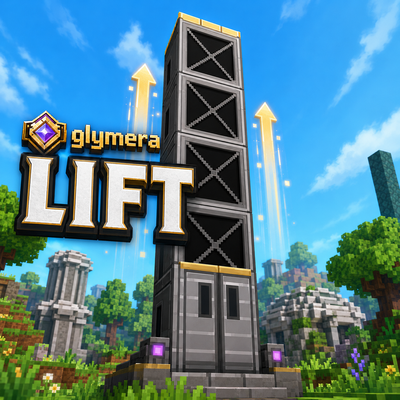
GlymeraLift
Build real elevators from a single block. Stack it, click the door, ride smoothly up or down - a genuine physical transport, no teleporting, no snapping. Directional doors, hands-free upright ride, any height.
 mod
mod CurseForge · Hytale
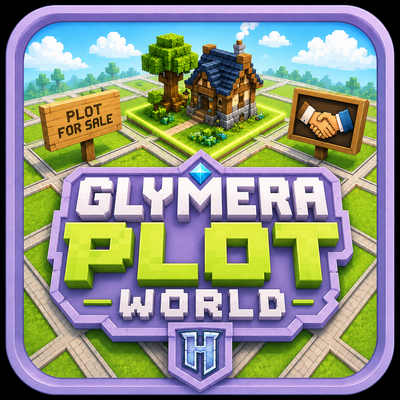
GlymeraPlotWorld
PlotSquared-style plot world for Hytale: claim & protect plots, merge any shape, per-plot weather/time, trust/visitor rights, transfer, plus creature & liquid anti-grief — all via a clickable /plot menu.
 mod
mod CurseForge · Hytale
GlymeraTNT
6 explosive blocks for Hytale — 3 spherical TNT sizes and 3 directional Tunnel TNT variants. Place, ignite with right-click or Bluestone Wire, and blast! 4-second countdown with visual effects. Craftable at Crafting Table.