Hytale version
Back to mods 
CurseForge · Hytale mod
Link
Move players between your Hytale servers with one command, using signed passes. No proxy, no database
Choose a version Pick your version below, then grab the matching file.
Quick answer
Which Link release should I use?
Latest stable file link-hytale-0.1.0-beta.2.jar
Game version 0.6
Mod system Built-in Hytale mod system
link-hytale-0.1.0-beta.2.jar targets 0.6. Do not install it as a separate client mod. Enable it on the world host—the local server in singleplayer or the dedicated server in multiplayer. No required dependencies listed for this file.
Where it goes
Where should Link be installed in Hytale?
Do not install it as a separate client mod. Enable it on the world host—the local server in singleplayer or the dedicated server in multiplayer.
Separate client mod Not supported
World host / dedicated server Required
Mod system for this release Built-in Hytale mod system
Required install it here Optional supported, not mandatory Not supported do not install here Source doesn’t say do not assume
Put Hytale mods on the world host or dedicated server. Singleplayer runs a local server too; Hytale does not use separate client mods.
What else does link-hytale-0.1.0-beta.2.jar need?
link-hytale-0.1.0-beta.2.jar. Change the file and its required mods may change too.
This file does not list any required mods. Do not add a library just because a different file uses it.
This file does not list any required or optional project dependencies. Check the creator notes before changing an existing world.
Before you install it
Add Link without breaking your instance.
Built for link-hytale-0.1.0-beta.2.jar. Pick another file and the loader, install side or required mods may change.
- 01
Stick to this file
Use link-hytale-0.1.0-beta.2.jar. It targets 0.6; another release may target a different game build or dependency set.
- 02
Bring the mods it needs
This file does not list any required mods. Do not add a library just because a different file uses it.
- 03
Enable it on the world host
Do not install it as a separate client mod. Enable it on the world host—the local server in singleplayer or the dedicated server in multiplayer.
- 04
Pick the file you checked
Use the “Get this file” button beside link-hytale-0.1.0-beta.2.jar. It opens that exact file at the source.
About this project
What does Link add?

Turn your Hytale servers into one network. Link is a free, open-source plugin that lets players move between your servers without leaving the game.
Type /play skywars in the lobby and land in a game with room. No proxy, no database, no account.
What you can build
- A lobby that sends players to your minigames
- Several lobbies that share the players between them
- A menu or NPC in your own plugin that sends players to another server
Features
- One command to play.
/play skywarssends players to a game with room./server sw-1picks a specific one. - Secure by default. Every move carries a signed pass, so players can't fake one.
- See who is where.
/servers,/playersand/findshow every server and who is on it. - Fill games, spread lobbies. Fill the busiest game that still has room, or spread players evenly over lobbies.
- Servers join on their own with Redis or a free Cloudflare Worker. Or list them in one shared file.
- Keeps working when things break. If Redis or Cloudflare goes down, players can still move.
How the pass works
Hytale moves a player by telling their game to connect to another server, and the pass travels through that game. Before the other server lets the player in, it checks that the pass:
- is signed with your network's secret, so nobody can create or change one
- names this player and this server, so nobody else can use it
- is used once, within 30 seconds, so a copied or old pass is refused
If a check fails, Link treats it as a normal join, or sends the player back to your lobby if you turn that on.
Quick start
- Put the jar in the
modsfolder of every server. - Start each server once. Link creates
mods/Link_Link/link.json. - List all your servers in that file and copy it to every server. Only
serverIdis different on each one. - Restart, then type
/serversin game.
Every setting, and the Redis and Cloudflare setups, are in the docs.
Commands
/play <group>: join the best server in a group/server <name>: go to one server/servers [group]: list the network, or one group/players [server]: who is online in the network, or on one server/find <player>: which server a player is on/link: connection status (admins)
For plugin developers
LinkPlugin.play(player, "skywars");          // matchmake into a group
LinkPlugin.send(player, "sw-1");             // to one server
LinkPlugin.servers("lobby");                 // every lobby
LinkPlugin.find("Steve");                    // which server Steve is on
See the Java API.
Links
Project description from CurseForge.
Pick your setup
Link releases for each Hytale build.
Choose the version and loader you play, then open the matching release.
Check the dependencies, then try the file in a copied instance before changing a world you care about.
Recent files
Link releases and Hytale builds
link-hytale-0.1.0-beta.2.jar
1 Oct 2026
Client Not supported Server Required Dependencies No extras listed Listed on Project page
Check the 0.6 setup 0.6 release
Looking for an older file? The official CurseForge project page is in Resources.
 mod
mod CurseForge · Hytale
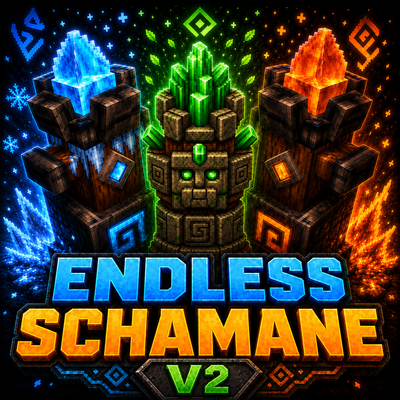
Endless_Shaman V2
adds a fully playable Shaman class to the Endless class system, focused on elemental totems, support power, area control, and scaling class progression. Shaman
 mod
mod CurseForge · Hytale
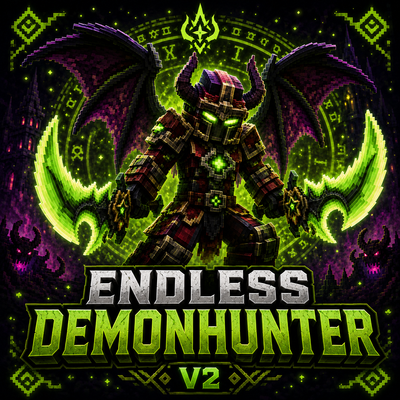
Endless Demon Hunter V2
Become a fast and aggressive Demon Hunter with powerful class abilities, demonic wings, fire attacks, and heavy area damage.
 mod
mod CurseForge · Hytale
Alec's Tamework!
Mob taming framework and asset patcher. Breeding, traits, leveling, tame management UI, easier interaction chains, capture/spawn items that store metadata, ownership/tamed status, lots of behavior components and more!