Hytale version
Back to mods 
CurseForge · Hytale mod
Mega Bench
One native crafting library with personal workbench unlocks, paid tier upgrades and original recipes.
Choose a version Pick your version below, then grab the matching file.
Quick answer
Which Mega Bench release should I use?
Latest stable file 0.2.1
Game version 0.7
Mod system Built-in Hytale mod system
Mega Bench 0.2.1 targets 0.7. Do not install it as a separate client mod. Enable it on the world host—the local server in singleplayer or the dedicated server in multiplayer. No required dependencies listed for this file.
Where it goes
Where should Mega Bench be installed in Hytale?
Do not install it as a separate client mod. Enable it on the world host—the local server in singleplayer or the dedicated server in multiplayer.
Separate client mod Not supported
World host / dedicated server Required
Mod system for this release Built-in Hytale mod system
Required install it here Optional supported, not mandatory Not supported do not install here Source doesn’t say do not assume
Put Hytale mods on the world host or dedicated server. Singleplayer runs a local server too; Hytale does not use separate client mods.
What else does Mega Bench 0.2.1 need?
0.2.1. Change the file and its required mods may change too.
This file does not list any required mods. Do not add a library just because a different file uses it.
This file does not list any required or optional project dependencies. Check the creator notes before changing an existing world.
Before you install it
Add Mega Bench without breaking your instance.
Built for Mega Bench 0.2.1. Pick another file and the loader, install side or required mods may change.
- 01
Stick to this file
Use 0.2.1. It targets 0.7; another release may target a different game build or dependency set.
- 02
Bring the mods it needs
This file does not list any required mods. Do not add a library just because a different file uses it.
- 03
Enable it on the world host
Do not install it as a separate client mod. Enable it on the world host—the local server in singleplayer or the dedicated server in multiplayer.
- 04
Pick the file you checked
Use the “Get this file” button beside 0.2.1. It opens that exact file at the source.
About this project
What does Mega Bench add?
One workshop. Your crafting library.
Mega Bench brings compatible crafting stations into one spacious native Hytale interface. Place a single workshop, pay each station's original ingredients to unlock its capability, then browse and craft its recipes from the same screen.
Hytale 0.7 · Java 25 · standard JAR mod. Current files target >=0.7.4 <0.8.0; native checks used 0.7.4. Select a matching file and read its notes. CurseForge's coarse 0.7 tag does not certify every patch.
What you can do
- Build one workshop. Craft Mega Bench at an ordinary Workbench and open it with F.
- Unlock and upgrade your stations. Pay the source station's original ingredients and tier upgrade costs. Controls stay beneath the workbench list.
- Search your crafting library. Browse original category tabs, search recipes and filter by unlocked or craftable results.
- Keep original recipe contracts. Compare inputs, output and time; choose batches of 1–16. Hytale's native crafting handles completion, cancellation and refunds.
- Keep your progress. Unlocks and tiers belong to each player in that world and survive normal save/reload and bench replacement.
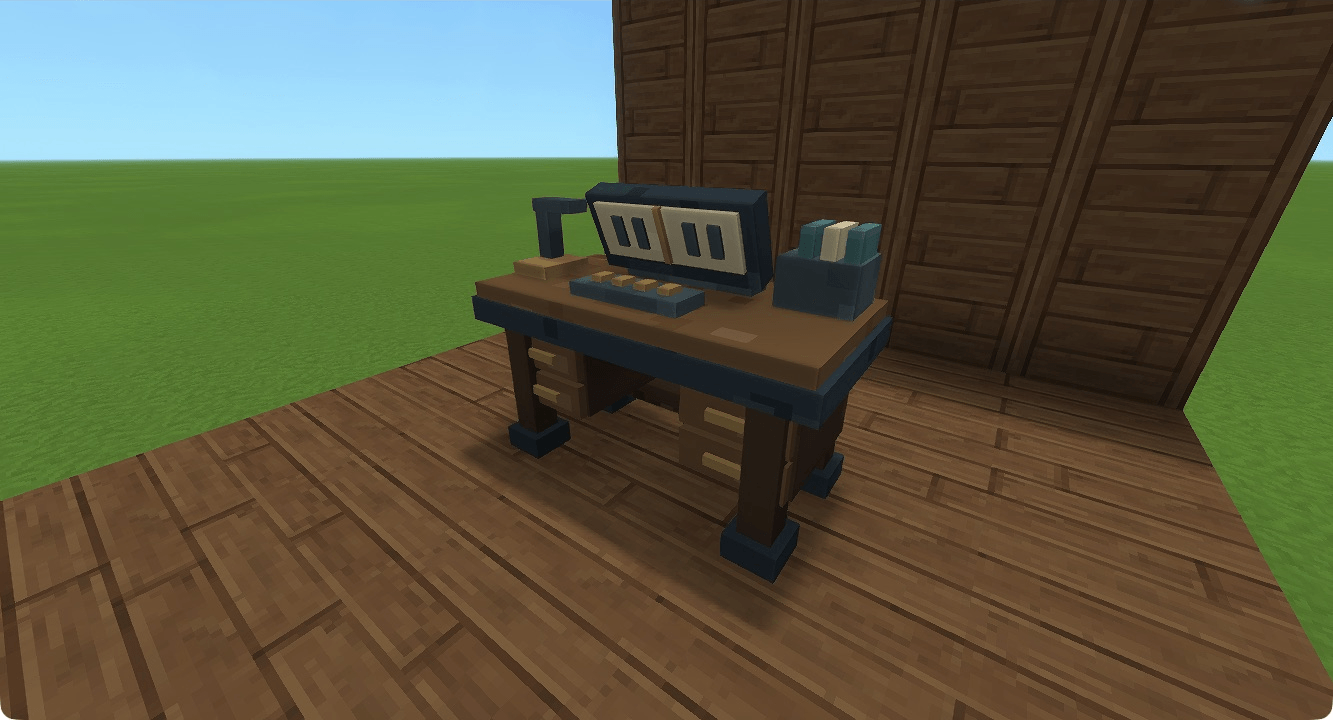
Native Hytale 0.7.4 photography in a Creative workshop set. The ordinary recipe and paid progression are described below.
Your first workshop
- At a stock Workbench, combine 8 Iron Ingots, 4 Copper Ingots and 12 wood trunks. Crafting takes 5 seconds.
- Place Mega Bench on supported ground, walk up to it and press F.
- Select Workbench on the left. Bring 4 wood trunks and 3 rock, then use Unlock workbench.
- Choose a recipe, inspect its original ingredients and output, select a quantity and use Craft.
- Workbench tier two costs 30 Copper Ingots, 20 Iron Ingots and 20 Linen Scraps, followed by the original 5-second upgrade.
Unlocking buys a capability; it does not also give a physical station. The bottom inventory is a live preview; move items through the normal inventory screen.
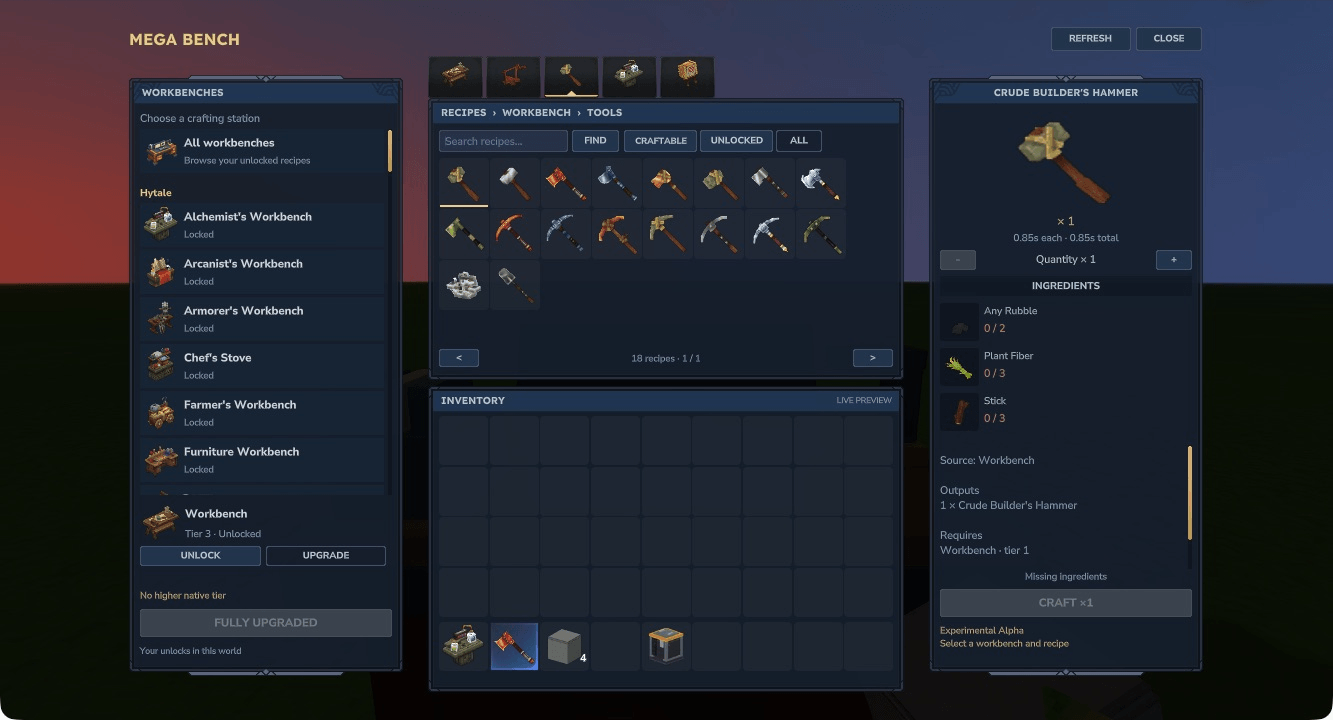
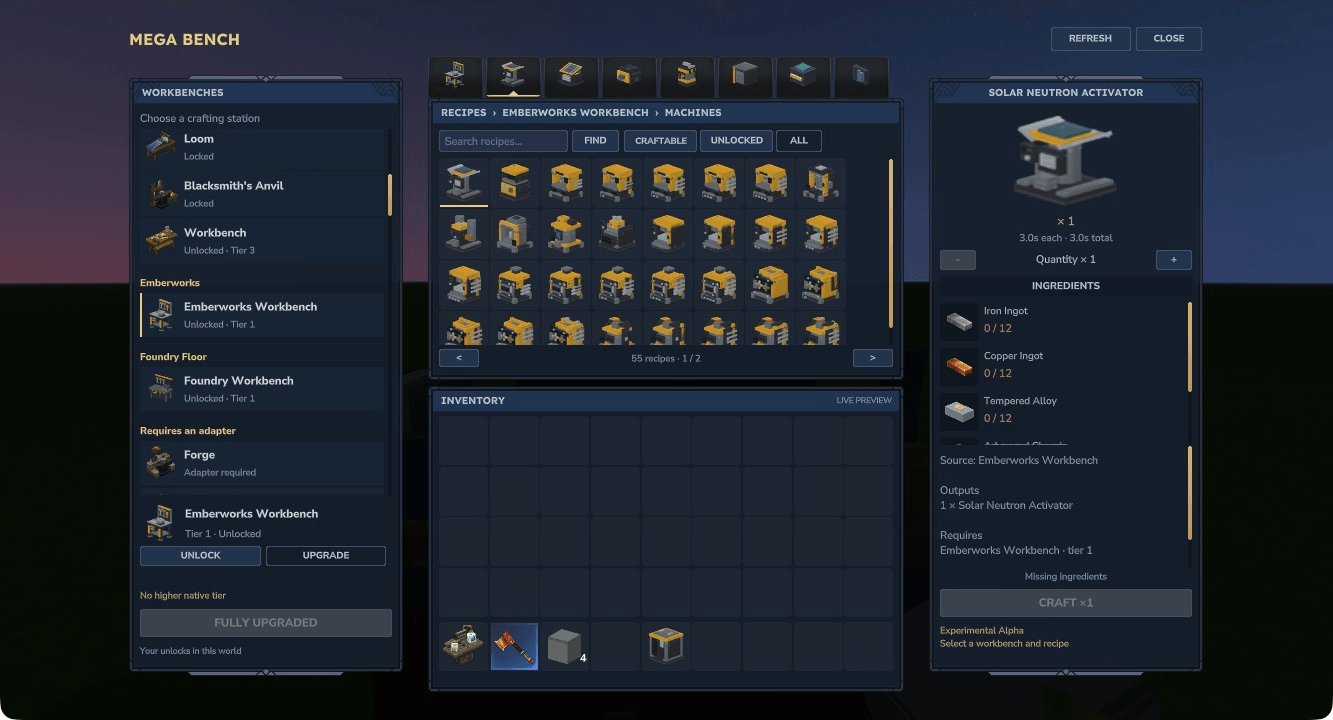
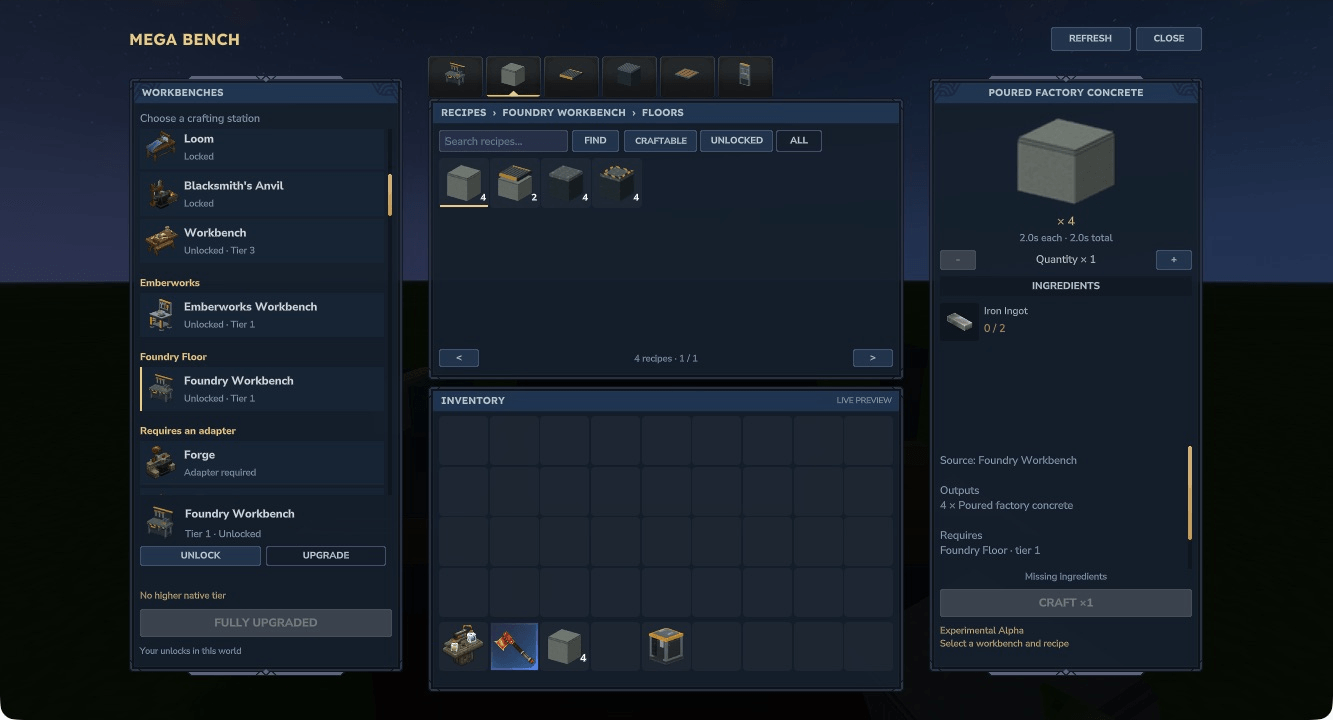
Native Hytale 0.7.4. Unlocks and upgrades sit on the left, recipes in the centre and craft details on the right.
Bring your other workbenches
Ordinary native crafting benches are discovered automatically from enabled packs, without a mod-specific dependency list. Original recipes, categories, knowledge and paid tiers are preserved. A bench without a suitable craft recipe offers an explicit hand-in of one physical bench. Server exclusions and identity overrides are available.
Stock benches, Emberworks Workbench and Foundry Floor have representative native checks. Emberworks keeps its seven original categories; neither companion mod is required. Processing/fuel stations, builder benches and special plugin interfaces need separate adapters. Automatic discovery does not guarantee every third-party station is supported.
Install and update
With the game/server stopped, put the selected Mega Bench JAR in UserData/Mods, remove older Mega Bench JARs, then enable MegaBench in the world's Mods settings. No custom launcher or separate resource ZIP is needed.
Back up complete world/player data before updating and try unfamiliar server/mod combinations in a test world. Older development access blocks may require normal breaking and replacement; saved capabilities are separate from the access block.
Limits and feedback
Scoped checks cover representative stock and companion-mod crafts, paid tiers, cancellation/refunds, generic bench discovery, hand-in, normal reload and replacement. Actual second-client multiplayer verification, human visual/listening acceptance and broader survival/crash assurance remain open. Release channel status does not claim those checks are complete.
Player guide · Workbench support · Source · Report a bug or suggest a feature
Original code and assets use the MIT License. Hytale and separately identified third-party content retain their own terms. Mega Bench is independent and is not affiliated with or endorsed by the Hytale team. The cinematic banner is promotional art; the gameplay images are native captures.
Project description from CurseForge.
Pick your setup
Mega Bench releases for each Hytale build.
Choose the version and loader you play, then open the matching release.
Check the dependencies, then try the file in a copied instance before changing a world you care about.
Recent files
Mega Bench releases and Hytale builds
0.2.1
28 Oct 2026
Client Not supported Server Required Dependencies No extras listed Listed on Project page
Check the 0.7 setup 0.7 release
0.2.0
27 Oct 2026
Client Not supported Server Required Dependencies No extras listed Listed on Project page
Check the 0.7 setup 0.7 release
0.1.2
25 Oct 2026
Client Not supported Server Required Dependencies No extras listed Listed on Project page
Check the 0.7 setup 0.7 release
0.1.1
25 Oct 2026
Client Not supported Server Required Dependencies No extras listed Listed on Project page
Check the 0.7 setup 0.7 release
0.1.0-alpha.1
23 Oct 2026
Client Not supported Server Required Dependencies No extras listed Listed on Project page
Check the 0.7 setup Looking for an older file? The official CurseForge project page is in Resources.
 mod
mod CurseForge · Hytale
Optimus Link
Build robot fleets, smelt Optimium and link Range Extenders to control your robots across a growing relay network.
 mod
mod CurseForge · Hytale
Astral Reach
Build full-size rockets, process finite propellant and begin an orbital journey to Lune.
 mod
mod CurseForge · Hytale
Map Territories
Customizable territory overlays for the worldmap.