Hytale version
Back to mods 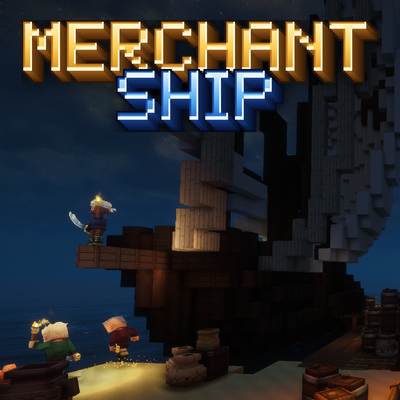
CurseForge · Hytale mod
Merchant Port
Merchant freighters dock at coastal ports to trade, and players can claim their own port, run a ship and trade across the sea.
Choose a version Pick your version below, then grab the matching file.
Quick answer
Which Merchant Port release should I use?
Latest stable file MerchantShip-1.0.0.jar
Game version 0.7
Mod system Built-in Hytale mod system
Merchant Port MerchantShip-1.0.0.jar targets 0.7. Do not install it as a separate client mod. Enable it on the world host—the local server in singleplayer or the dedicated server in multiplayer. No required dependencies listed for this file.
Where it goes
Where should Merchant Port be installed in Hytale?
Do not install it as a separate client mod. Enable it on the world host—the local server in singleplayer or the dedicated server in multiplayer.
Separate client mod Not supported
World host / dedicated server Required
Mod system for this release Built-in Hytale mod system
Required install it here Optional supported, not mandatory Not supported do not install here Source doesn’t say do not assume
Put Hytale mods on the world host or dedicated server. Singleplayer runs a local server too; Hytale does not use separate client mods.
What else does Merchant Port MerchantShip-1.0.0.jar need?
MerchantShip-1.0.0.jar. Change the file and its required mods may change too.
This file does not list any required mods. Do not add a library just because a different file uses it.
This file does not list any required or optional project dependencies. Check the creator notes before changing an existing world.
Before you install it
Add Merchant Port without breaking your instance.
Built for Merchant Port MerchantShip-1.0.0.jar. Pick another file and the loader, install side or required mods may change.
- 01
Stick to this file
Use MerchantShip-1.0.0.jar. It targets 0.7; another release may target a different game build or dependency set.
- 02
Bring the mods it needs
This file does not list any required mods. Do not add a library just because a different file uses it.
- 03
Enable it on the world host
Do not install it as a separate client mod. Enable it on the world host—the local server in singleplayer or the dedicated server in multiplayer.
- 04
Pick the file you checked
Use the “Get this file” button beside MerchantShip-1.0.0.jar. It opens that exact file at the source.
About this project
What does Merchant Port add?
 Discord support: https://discord.gg/6cmUR94bhA
MerchantShip brings sea trade to the coasts of Hytale. Merchant ports appear on palm beaches, trader ships sail in, dock at the pier, put up a market tent and trade with you, then sail away again. And now the harbour can be yours: claim an abandoned port, rebuild it, send your own ship on voyages, hire guards and trade with other players. Server-side only, no client mod needed.
- Merchant ports — coastal ports with two berths; ships of four traders (ores, explosives, leather, potions) come and go, each with its own market tent.
- Your own port — abandoned harbours appear on free coasts; place a Port Charter to claim one, talk to your captain and rebuild the port.
- Where to find an abandoned port — on palm-tree coasts by the open sea: the beaches and shores of Zone 2 and tropical islands. Never by lakes, rivers or swamps, and not in Zone 4. They appear within about 1200 blocks of players (a new search every 5 minutes), at least 384 blocks away from any other port, up to 2 per world by default. Look for a ruined harbour; it is marked on the world map as Abandoned Port.
- Your own ship — fill its hold, set what it sells and buys, and send it on voyages to other ports; it comes back with a report of what it earned.
- Trade between players — visit other players' ports, buy from their ships, and use the notice board for offers, trade orders and a port ranking.
- Grow your harbour — four port levels, a bigger hold and safe, warehouses and a flagship.
- Guards and alliances — a Guard Post with sword and bow guards you equip yourself; allied ports are welcome on your land, strangers are warned and chased off.
- Members — invite friends and give each of them their own rights: build, trade or take from the safe.
- Step-by-step guide — a small on-screen guide and a golden arrow lead a new port owner through the first steps.
- Protected and fair — ports, ships and claims are protected from griefing and explosions, every trade is all-or-nothing.
- Built for servers — light once-per-second updates, limits for everything and an admin panel with every setting.
- Works with — StructureV2, DungeonBosses, Aetherhaven and MoreBandits (all optional).
Commands
Players · alias: /mport
/port— your port menu (from anywhere for operators or a level 4 port; otherwise press F on the Port Charter)/port invite <player>//port kick <player>— manage your members/port accept//port decline//port leave— answer an invite or leave a port/port voyage— send your ship on a voyage/port returns//port directory//port info— returned goods, the port directory, a port summary/port guide— show the guide again;/port guide settingsmoves or hides it
Admins · permission: merchantship.admin · alias: /merchantship
/mship admin— admin panel: settings, ports, player ports and the guide/mship port ensure/here/abandoned— find a coastal port, place one at your feet, or spawn a claimable abandoned port/mship port arrive/summon <type>/depart— make ships arrive or leave/mship port status/where/tp— information and diagnostics/mship port level <player> [level]— show or set a player port's level
Found a bug or have a suggestion? Leave a comment or contact joszza on Discord for a faster response.
Project description from CurseForge.
Pick your setup
Merchant Port releases for each Hytale build.
Choose the version and loader you play, then open the matching release.
Check the dependencies, then try the file in a copied instance before changing a world you care about.
Recent files
Merchant Port releases and Hytale builds
MerchantShip-1.0.0.jar
9 Nov 2026
Client Not supported Server Required Dependencies No extras listed Listed on Project page
Check the 0.7 setup 0.7 release
MerchantShip-0.1.0.jar
29 Oct 2026
Client Not supported Server Required Dependencies No extras listed Listed on Project page
Check the 0.7 setup 0.7 release
Looking for an older file? The official CurseForge project page is in Resources.
 mod
CurseForge · Hytale
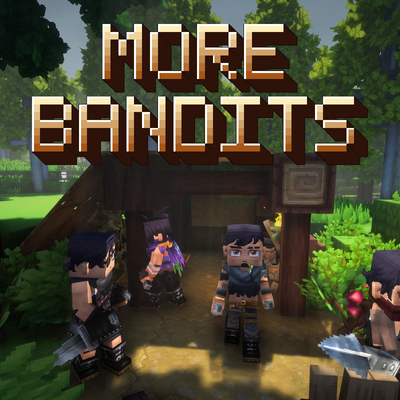
More Bandit
Forest bandit camps that set up hideouts, hunt players at night, and fight as a coordinated pack
 mod
CurseForge · Hytale
Waterfalls
Server-side waterfall effects: foam, mist, spray, ripples and a rushing sound wherever falling water hits a pool.
 mod
CurseForge · Hytale
Aurora
Server-side northern lights: shimmering auroras in six shapes and mixed colours light up the night sky above Hytale’s winter biome.