
Hytale version
Back to mods 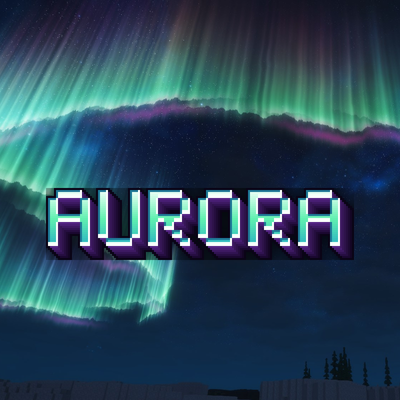
CurseForge · Hytale mod
Aurora
Server-side northern lights: shimmering auroras in six shapes and mixed colours light up the night sky above Hytale’s winter biome.
Choose a version Pick your version below, then grab the matching file.
Quick answer
Which Aurora release should I use?
Latest stable file Aurora-1.0.0.jar
Game version 0.7
Mod system Built-in Hytale mod system
Aurora-1.0.0.jar targets 0.7. Do not install it as a separate client mod. Enable it on the world host—the local server in singleplayer or the dedicated server in multiplayer. No required dependencies listed for this file.
Where it goes
Where should Aurora be installed in Hytale?
Do not install it as a separate client mod. Enable it on the world host—the local server in singleplayer or the dedicated server in multiplayer.
Separate client mod Not supported
World host / dedicated server Required
Mod system for this release Built-in Hytale mod system
Required install it here Optional supported, not mandatory Not supported do not install here Source doesn’t say do not assume
Put Hytale mods on the world host or dedicated server. Singleplayer runs a local server too; Hytale does not use separate client mods.
What else does Aurora-1.0.0.jar need?
Aurora-1.0.0.jar. Change the file and its required mods may change too.
This file does not list any required mods. Do not add a library just because a different file uses it.
This file does not list any required or optional project dependencies. Check the creator notes before changing an existing world.
Before you install it
Add Aurora without breaking your instance.
Built for Aurora-1.0.0.jar. Pick another file and the loader, install side or required mods may change.
- 01
Stick to this file
Use Aurora-1.0.0.jar. It targets 0.7; another release may target a different game build or dependency set.
- 02
Bring the mods it needs
This file does not list any required mods. Do not add a library just because a different file uses it.
- 03
Enable it on the world host
Do not install it as a separate client mod. Enable it on the world host—the local server in singleplayer or the dedicated server in multiplayer.
- 04
Pick the file you checked
Use the “Get this file” button beside Aurora-1.0.0.jar. It opens that exact file at the source.
About this project
What does Aurora add?
Discord support: https://discord.gg/6cmUR94bhA
Aurora brings northern lights to the cold north of Hytale. On clear nights glowing curtains of light appear high above the winter biome, shimmer, sway slowly and change their shape through the night. Every player nearby sees the same aurora in the same place. Server-side only, no client mod needed.
- Only in the frozen north — auroras hang over the winter biome, so you have to travel north to see them.
- Six shapes — long curtains, big S folds, spirals, calm arcs, ray bundles and several auroras scattered across the sky.
- Mixed colours — green, yellow-green, blue, violet and rare crimson nights, blended like the real thing.
- Alive — the lights shimmer, sway and slowly change their shape, every curtain looks different.
- High in the sky — rays rise far above the mountains and can be seen from a long way off.
- You decide how often — a chance per night, a fixed rhythm (every N nights), pauses between aurora nights, a guaranteed aurora after a dry spell, and shows that come and go during the night.
- Light on the server — one shared aurora per area, sent only to players who can see it, with a cap per player.
- Fully configurable — height, size, direction, shapes, colours and timing in
settings.json, reloadable in game.
Commands
Permission: northernlights.admin · aliases: /nl, /northernlights, /auroras
/nl admin— admin menu
Found a bug or have a suggestion? Leave a comment or contact joszza on Discord for a faster response.
Project description from CurseForge.
Pick your setup
Aurora releases for each Hytale build.
Choose the version and loader you play, then open the matching release.
Check the dependencies, then try the file in a copied instance before changing a world you care about.
Recent files
Aurora releases and Hytale builds
Aurora-1.0.0.jar
9 Nov 2026
Client Not supported Server Required Dependencies No extras listed Listed on Project page
Check the 0.7 setup 0.7 release
Looking for an older file? The official CurseForge project page is in Resources.
 mod
CurseForge · Hytale
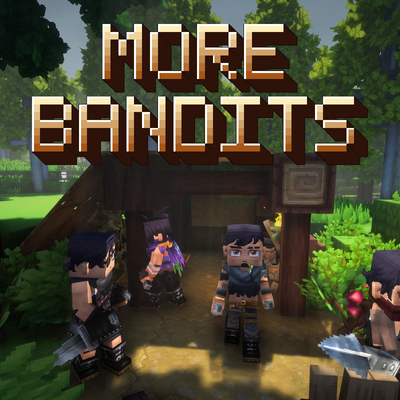
More Bandit
Forest bandit camps that set up hideouts, hunt players at night, and fight as a coordinated pack
 mod
CurseForge · Hytale
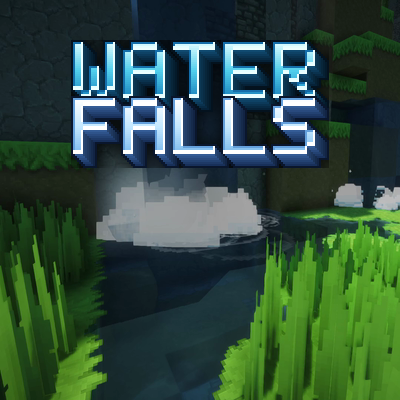
Waterfalls
Server-side waterfall effects: foam, mist, spray, ripples and a rushing sound wherever falling water hits a pool.
 mod
CurseForge · Hytale
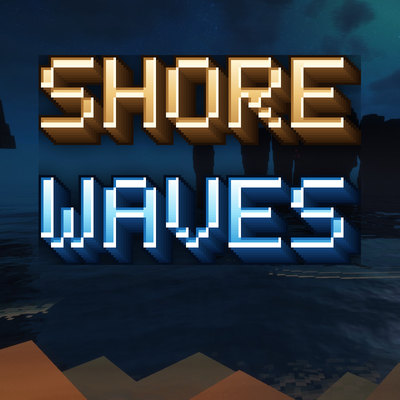
Shore Waves
Server-side pixel-art waves that roll in from the sea, break into foam and wash up onto Hytale’s beaches, bigger in storms.