Hytale version
Back to mods 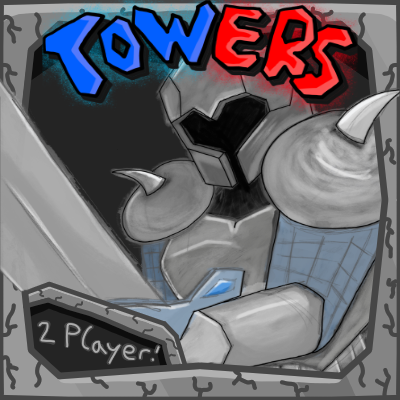
CurseForge · Hytale mod
Towers
Towers is a Player vs Player Towerdefense Minigame with 5 different Troops and a Ressource Gathering System! Destroy the Enemys Gate to Win :)
Choose a version Pick your version below, then grab the matching file.
Quick answer
Which Towers release should I use?
Latest stable file Towers-1.0.0.jar
Game version 0.7
Mod system Built-in Hytale mod system
Towers-1.0.0.jar targets 0.7. Do not install it as a separate client mod. Enable it on the world host—the local server in singleplayer or the dedicated server in multiplayer. No required dependencies listed for this file.
Where it goes
Where should Towers be installed in Hytale?
Do not install it as a separate client mod. Enable it on the world host—the local server in singleplayer or the dedicated server in multiplayer.
Separate client mod Not supported
World host / dedicated server Required
Mod system for this release Built-in Hytale mod system
Required install it here Optional supported, not mandatory Not supported do not install here Source doesn’t say do not assume
Put Hytale mods on the world host or dedicated server. Singleplayer runs a local server too; Hytale does not use separate client mods.
What else does Towers-1.0.0.jar need?
Towers-1.0.0.jar. Change the file and its required mods may change too.
This file does not list any required mods. Do not add a library just because a different file uses it.
This file does not list any required or optional project dependencies. Check the creator notes before changing an existing world.
Before you install it
Add Towers without breaking your instance.
Built for Towers-1.0.0.jar. Pick another file and the loader, install side or required mods may change.
- 01
Stick to this file
Use Towers-1.0.0.jar. It targets 0.7; another release may target a different game build or dependency set.
- 02
Bring the mods it needs
This file does not list any required mods. Do not add a library just because a different file uses it.
- 03
Enable it on the world host
Do not install it as a separate client mod. Enable it on the world host—the local server in singleplayer or the dedicated server in multiplayer.
- 04
Pick the file you checked
Use the “Get this file” button beside Towers-1.0.0.jar. It opens that exact file at the source.
About this project
What does Towers add?
If everythink works, you spawn in the world and you see an important Window that you should read! There you will find all the important Commands like /towergame start or /towergame join …
There are currently 5 Troops to play: The Lumberjack and Miner get you all the Ressources you need to defeat the enemy player. Select Troops via rightclick in a custom made Window and Hold down Leftclick (like shooting a staff) to place your troops on the field. It may be a little confusing in the beginning, but im sure that everything will be clearly fast and you and your friends have fun! To Destroy that Fun for your Friend you can choose between 3 Attacking troops: The Archer, The Knight and The Tank! On the Troop Cards you will see what each of those Troops can do but im sure the best way is to find out yourself so go and have fun! (i hope)
All the Ui,Animations,Assets and even some sounds (you will see) are made by me with awesome tools like Blockbench and i used the Indie Game "Offbeat" to make a simple Music Loop for the Gameplay. I hope you like it. The Code for this projekt was written with Ai! Sadly im not good enough yet to code the plugins needed for a minigame like this myself.
Project description from CurseForge.
Pick your setup
Towers releases for each Hytale build.
Choose the version and loader you play, then open the matching release.
Check the dependencies, then try the file in a copied instance before changing a world you care about.
Recent files
Towers releases and Hytale builds
Towers-1.0.0.jar
1 Nov 2026
Client Not supported Server Required Dependencies No extras listed Listed on Project page
Check the 0.7 setup 0.7 release
Looking for an older file? The official CurseForge project page is in Resources.
 mod
CurseForge · Hytale
Herbarium
Set out to discover the flora of Orbis, like a true Botanist, and get rewarded!
 mod
CurseForge · Hytale
Re:Heartless
✨ Re:Heartless is an MMORPG/Open World mod for Hytale inspired by Kingdom Hearts I & II, featuring Keyblades, Heartless, bosses, crafting, and more. 🌴 Explore Destiny Islands & Awakening! ➡️ https://discord.gg/3ZrXjMQVmm
 mod
CurseForge · Hytale
Jurassic Frontier: Dinosaurs and Paleontology
Dinosaur and prehistoric life mod: Hunt them, find fossils, and revive these incredible creatures using the remains of scientific experiments to make them your most loyal allies.