Hytale version
Back to mods 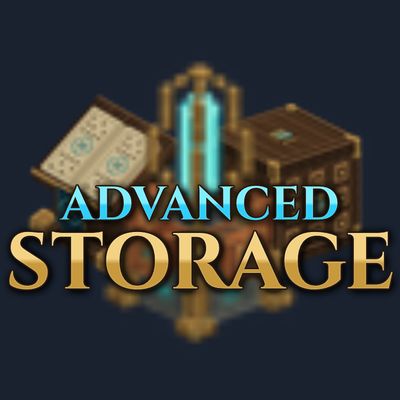
CurseForge · Hytale mod
Advanced Storage
Create magical storage networks, access your items from a single interface, and keep your resources organized without the need of chests. Advanced Storage is a Refined Storage-inspired mod, themed to fit Hytale's fantasy setting.
Choose a version Pick your version below, then grab the matching file.
Quick answer
Which Advanced Storage release matches 0.7?
Best match for your filters advanced-storage-1.0.2.jar
Game version 0.7
Mod system Built-in Hytale mod system
Advanced Storage advanced-storage-1.0.2.jar targets 0.7. Do not install it as a separate client mod. Enable it on the world host—the local server in singleplayer or the dedicated server in multiplayer. No required dependencies listed for this file.
Where it goes
Where should Advanced Storage be installed in Hytale?
Do not install it as a separate client mod. Enable it on the world host—the local server in singleplayer or the dedicated server in multiplayer.
Separate client mod Not supported
World host / dedicated server Required
Mod system for this release Built-in Hytale mod system
Required install it here Optional supported, not mandatory Not supported do not install here Source doesn’t say do not assume
Put Hytale mods on the world host or dedicated server. Singleplayer runs a local server too; Hytale does not use separate client mods.
What else does Advanced Storage advanced-storage-1.0.2.jar need?
advanced-storage-1.0.2.jar on 0.7. Every mod below is checked against that same setup.
This file does not list any required mods. Do not add a library just because a different file uses it.
This file does not list any required or optional project dependencies. Check the creator notes before changing an existing world.
Before you install it
Add Advanced Storage without breaking your instance.
Built for Advanced Storage advanced-storage-1.0.2.jar on 0.7. Pick another file and the loader, install side or required mods may change.
- 01
Stick to this file
Use advanced-storage-1.0.2.jar. It targets 0.7; another release may target a different game build or dependency set.
- 02
Bring the mods it needs
This file does not list any required mods. Do not add a library just because a different file uses it.
- 03
Enable it on the world host
Do not install it as a separate client mod. Enable it on the world host—the local server in singleplayer or the dedicated server in multiplayer.
- 04
Pick the file you checked
Use the “Get this file” button beside advanced-storage-1.0.2.jar. It opens that exact file at the source.
About this project
What does Advanced Storage add?
Advanced Storage
Create magical storage networks, access your items from a single interface, and keep your resources organized without the need of chests. Advanced Storage is a Refined Storage-inspired mod, themed to fit Hytale's fantasy setting.
Setting up the network
Connect Seal Archive → Runic Conduit → Arcane Core → Runic Conduit → Runic Catalog.
- Arcane Core: activates the network and displays its connected blocks.
- Seal Archive: holds five Storage Seals in horizontal slots.
- Runic Conduit: automatically connects blocks in all six directions.
- Runic Catalog: lets you search, sort, deposit, and withdraw items.
- Archive Transmitter: connects Traveler's Catalogs to its network through its tablet list.
- Traveler's Catalog: opens the same storage interface remotely in the same world. Right-click to open it.
- Archive Item Gate: moves items between nearby inventories and the network, with separate send and receive filters. It can also collect finished Furnace items through connected conduits.
- Arcane Item Exporter: sends items between paired Exporters on the same channel. Name each Exporter to identify it in the channel list.
- Blank Seal and Runic Book: crafting components.
Storage Seals retain their contents when removed from an Archive. They cannot be stored inside the network.
For remote access, connect an Archive Transmitter to the network, open it, and select Connect beside your tablet. Disconnect revokes that tablet's access. The link belongs to the tablet and survives death and server restarts; normal item loss rules still apply. The network must have an Arcane Core to transfer items.
Seal Capacity Tier 1 1,000 Tier 2 4,000 Tier 3 16,000 Tier 4 64,000 Tier 5 128,000 Network crafting
Install crafting tables in the ten slots below the player inventory in a Runic Catalog. Select a table using its icon and name in the left sidebar. Recipes replace the network item grid while the player inventory stays in place; Network storage switches back.
Crafting uses ingredients stored in the connected seals and delivers finished items to the player inventory. The Salvager's Workbench returns its outputs directly to the network. Recipe times, table tiers, unlocks and world Memories requirements are checked. Installed table upgrades remain on their items when removed and reinstalled. Traveler's Catalog can use the crafting tables installed on the same network.
Crafting
All eleven recipes are available at the Arcane Workbench -> Misc.
Project description from CurseForge.
Pick your setup
Advanced Storage releases for each Hytale build.
Choose the version and loader you play, then open the matching release.
Check the dependencies, then try the file in a copied instance before changing a world you care about.
Recent files
Advanced Storage releases and Hytale builds
advanced-storage-1.0.2.jar
10 Nov 2026
Client Not supported Server Required Dependencies No extras listed Listed on Project page
Check the 0.7 setup 0.7 release
advanced-storage-1.0.1.jar
6 Nov 2026
Client Not supported Server Required Dependencies No extras listed Listed on Project page
Check the 0.7 setup 0.7 release
advanced-storage-1.0.0.jar
5 Nov 2026
Client Not supported Server Required Dependencies No extras listed Listed on Project page
Check the 0.7 setup 0.7 release
advanced-storage-0.1.0-beta.jar
2 Nov 2026
Client Not supported Server Required Dependencies No extras listed Listed on Project page
Check the 0.7 setup 0.7 release
Looking for an older file? The official CurseForge project page is in Resources.
 mod
CurseForge · Hytale
nyoCards | ♣️♦️ UNO, Coup, Truco and more
Various card games such as Truco, Poker, and UNO
 mod
CurseForge · Hytale
Adaptive Skills
Level up 11 jobs and 5 stats just by playing, with perks, titles and daily challenges.
 mod
CurseForge · Hytale
Devly
Patchly Development extension for patchly utils during file fabrication