Hytale version
Back to mods 
CurseForge · Hytale mod
First Steps
A short checklist for new players with rewards for each step, and a log of where they stop.
Choose a version Pick your version below, then grab the matching file.
Quick answer
Which First Steps release should I use?
Latest stable file First Steps 1.0.1 for Update 8
Game version 0.8
Mod system Built-in Hytale mod system
First Steps 1.0.1 for Update 8 targets 0.8. Do not install it as a separate client mod. Enable it on the world host—the local server in singleplayer or the dedicated server in multiplayer. No required dependencies listed for this file.
Where it goes
Where should First Steps be installed in Hytale?
Do not install it as a separate client mod. Enable it on the world host—the local server in singleplayer or the dedicated server in multiplayer.
Separate client mod Not supported
World host / dedicated server Required
Mod system for this release Built-in Hytale mod system
Required install it here Optional supported, not mandatory Not supported do not install here Source doesn’t say do not assume
Put Hytale mods on the world host or dedicated server. Singleplayer runs a local server too; Hytale does not use separate client mods.
What else does First Steps 1.0.1 for Update 8 need?
First Steps 1.0.1 for Update 8. Change the file and its required mods may change too.
This file does not list any required mods. Do not add a library just because a different file uses it.
This file does not list any required or optional project dependencies. Check the creator notes before changing an existing world.
Before you install it
Add First Steps without breaking your instance.
Built for First Steps 1.0.1 for Update 8. Pick another file and the loader, install side or required mods may change.
- 01
Stick to this file
Use First Steps 1.0.1 for Update 8. It targets 0.8; another release may target a different game build or dependency set.
- 02
Bring the mods it needs
This file does not list any required mods. Do not add a library just because a different file uses it.
- 03
Enable it on the world host
Do not install it as a separate client mod. Enable it on the world host—the local server in singleplayer or the dedicated server in multiplayer.
- 04
Pick the file you checked
Use the “Get this file” button beside First Steps 1.0.1 for Update 8. It opens that exact file at the source.
About this project
What does First Steps add?
First Steps
A short checklist for new players, written by you, with a reward for each step. The next step stays on screen until it is done. Every step a player starts, finishes or skips is logged, so you can see where new players stop. Server-side only.
How it works
steps.txt in the mod's data directory holds one step per line: type | target | text shown to the player | reward command.
| Type | Target | Done when |
|---|---|---|
command |
guide or warp market,go market |
The player types one of those commands |
item |
Tool_Pickaxe_Crude 1 |
The player holds that many of the item, in the hotbar, storage or backpack |
play |
10 |
The player has been on the server for that many minutes |
The reward is a console command run when the step is done, with {name} replaced by the player's name. Players who joined before the mod was installed are left out, so old players are not shown a beginner's checklist.
Commands
| Command | Who | What it does |
|---|---|---|
/steps |
Players | Show the checklist and your progress |
/steps skip |
Players | Turn the checklist off for yourself |
/stepsadmin |
Operators | How many players started, finished and skipped, and which step they are on |
/stepsadmin reload |
Operators | Read steps.txt again |
/stepsadmin reset <player> |
Operators | Start an online player's checklist over |
The log
steps.jsonl next to the settings gets one line per started, finished or skipped step. Playerbase Pro reads it and shows a funnel of new players by step, next to how many left in their first minutes. First Steps works fine without Playerbase Pro.
Tested
Loaded on the real Hytale 0.7.5 server with 32 other mods and no errors, and the console commands answered. The 0.8 pre-release build loaded in bare mode. No player has run through a checklist in game yet, so the on-screen step and the rewards have not been seen by a real player.
Install: drop the jar into the server's mods/ folder and restart. Licence: MIT.
Not affiliated with, endorsed by or connected to Hypixel Studios.
Need something custom? I build small server plugins to order from $15 (fixes) and $29 (a new one-feature plugin): actuallyop.com/services. More free tools: actuallyop.com.
Updating Hytale? See which mods work with Update 8: https://playerbase-servers.molonlav3.workers.dev/update-8
Project description from CurseForge.
Pick your setup
First Steps releases for each Hytale build.
Choose the version and loader you play, then open the matching release.
Hytale version
0.7
1 loader buildCheck the dependencies, then try the file in a copied instance before changing a world you care about.
Recent files
First Steps releases and Hytale builds
First Steps 1.0.1 for Update 8
4 Nov 2026
Client Not supported Server Required Dependencies No extras listed Listed on Project page
Check the 0.8 setup 0.8 release
First Steps 1.0.0
4 Nov 2026
Client Not supported Server Required Dependencies No extras listed Listed on Project page
Check the 0.7 setup 0.7 release
Looking for an older file? The official CurseForge project page is in Resources.
 mod
CurseForge · Hytale
Living World Events
A world that's truly alive: unexpected events, epic bosses and treasures waiting to be won.
 mod
CurseForge · Hytale
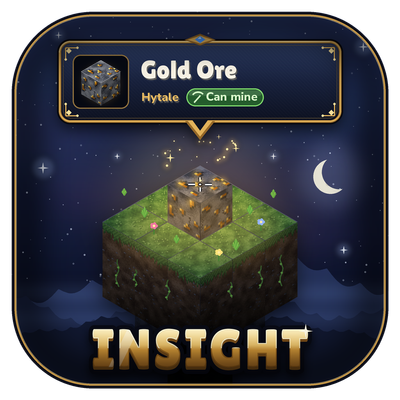
Insight
See what you’re looking at in Hytale: block and creature names, 3D icons and portraits, chest contents, workbench progress, and which mod it’s from. Clean, movable HUD with 9 sizes and a simple in-game settings menu.
 mod
CurseForge · Hytale
Scrawl
Draw arrows, icons and numbers on floors and walls with chalk, in 7 colours, with glow chalk and messages.