HalsMapper-1.0.0.jar
20 Nov 2026
Client Not supported Server Required Dependencies No extras listed Listed on Project page
Check the setup 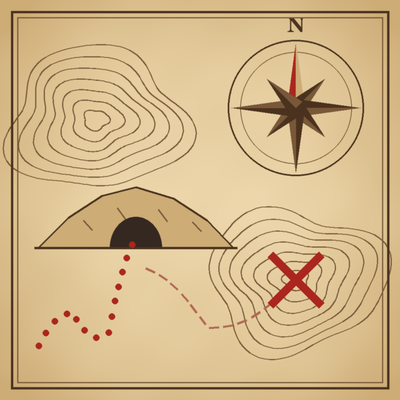
CurseForge · Hytale mod
Map information for Hytale operators and quest writers: find any ore, block, mob or prefab, routes through caves, map markers, what players changed, and treasure hunts that end in a real chest. MIT.
Quick answer
Hal's Mapper HalsMapper-1.0.0.jar targets Hytale. Do not install it as a separate client mod. Enable it on the world host—the local server in singleplayer or the dedicated server in multiplayer. No required dependencies listed for this file.
Where it goes
Do not install it as a separate client mod. Enable it on the world host—the local server in singleplayer or the dedicated server in multiplayer.
Put Hytale mods on the world host or dedicated server. Singleplayer runs a local server too; Hytale does not use separate client mods.
HalsMapper-1.0.0.jar. Change the file and its required mods may change too.
This file does not list any required mods. Do not add a library just because a different file uses it.
This file does not list any required or optional project dependencies. Check the creator notes before changing an existing world.
Before you install it
Built for Hal's Mapper HalsMapper-1.0.0.jar. Pick another file and the loader, install side or required mods may change.
Use HalsMapper-1.0.0.jar. It targets Hytale; another release may target a different game build or dependency set.
This file does not list any required mods. Do not add a library just because a different file uses it.
Do not install it as a separate client mod. Enable it on the world host—the local server in singleplayer or the dedicated server in multiplayer.
Use the “Get this file” button beside HalsMapper-1.0.0.jar. It opens that exact file at the source.
About this project
Requires CommandDeck 1.3.0 or later.
Map information for server operators, builders and quest writers. Find any ore, block, fluid, mob, spawner or prefab around you; find a way on foot through the caves; mark places on the world map; see what players have changed since the world was made; and send players on treasure hunts that end in a real chest.
Most of it is an operator's and Creative player's tool. Survival players meet it through what it makes: a treasure hunt, a set of directions, a marker on their map.
Finders. /hm find ore copper lists the nearest copper, by distance and direction, from your own level outward. Also any block (stone), fluids, live mobs, spawners and prefabs (ruins, mineshafts, camps). Add mark to put the results on your map.
The cave network. In the background, Hal's Mapper surveys the land around players: every chamber, tunnel, dead end and cave mouth, and how they join. Nothing to set up, and a world's survey is kept between restarts.
Routes through caves. /hm route to <x y z or marker> finds a way on foot from where you stand to the place you name, through the caves the survey has mapped, and tells you how far it is and how much climbing it takes. /hm route show marks the way on your map.
Describe here. /hm describe tells you about the space you're standing in: a large, low chamber, a narrow tunnel, and what's in it.
A Treasure Hunt quest (with the Quest Generator). Hal's Mapper picks a cave site 48 to 96 blocks away and a route into it, and the chest of treasure waits at the end. It's offered in every player's Quest Log, and an operator can start it for anyone with /hm hunt:
With Generous Operator too, the treasure is inside the chest. In a new world, or where there's no cave near, the chest is hidden out in the open instead.
Map markers. /hm mark add <label> marks where you stand, for you, your operators or everyone. Markers from other mods (quests) show up on the same map.
What's changed. /hm changes reports what players have built or dug near you since the world was generated, worked out by regenerating the chunk in memory and comparing. Natural change (plants, leaves, fluids, snow) is left out.
Light on the server. All of its work runs in small slices through CommandDeck's work scheduler and worker threads, so a survey or a long search never stalls the game.
mods folder (singleplayer: %APPDATA%\Hytale\UserData\Mods\)./hm. The survey starts on its own around players.Optional: the Quest Generator (for the Treasure Hunt quest) and Generous Operator (treasure inside the quest's chest).
| Command | What it does |
|---|---|
/hm |
Lists the commands you can use |
/hm find <ore, stone, fluid, mob, spawner, prefab> <what or any> |
The nearest matches. Options: radius, up, down, exposed or all, mark |
/hm route to <x y z or marker> |
A way on foot through the caves, from where you stand; /hm route show marks it on your map |
/hm describe |
Describes the space you're standing in |
/hm mark add <label>, list, remove, share |
Your map markers |
/hm changes [radius] |
What players have changed nearby since the world was made |
/hm hunt [player] [easy or medium] |
Starts the Treasure Hunt quest for you or a player (needs the Quest Generator) |
/hm map route |
Draws map sheets of your last route |
/hm scan status |
How far the survey has got |
/hm network export <radius> |
The cave network as a graph file |
Permissions: operators (halsmapper.op) have everything. Creative players get the finders, describe, changes and their own markers, and each of those can be switched off. Survival players get nothing directly: hunts, directions and markers reach them through quests or an operator.
In mods/Hledjolf_HalsMapper/config.json: which tools Creative players get, whether they see buried ores, how far the survey reaches and how much memory it may use, marker limits per player and per mod, and the default directions style.
Other mods can ask Hal's Mapper for places through its API, halsmapper.places:
Every call is asynchronous and never blocks the game. Without Hal's Mapper installed, the API simply isn't there. The Quest Generator's treasure quests use it.
Treasure maps as pictures. /hm map route draws your last route as top-down map sheets (PNG files): plain, worn, or with false trails to mislead, for printing or a server website.
Hard treasure hunts (words only, with landmarks you have to recognise), landmarks named by other mods, and treasure maps drawn in the game.
MIT. Bundling it in a modpack is fine: keep the license with it.
Project description from CurseForge.
Recent files
20 Nov 2026
Looking for an older file? The official CurseForge project page is in Resources.
 mod
The building blocks and scaffolding for quests and quest chains: steps, gates and links between quests, a Quest Log, rewards through Generous Operator, and an in-game quest constructor. MIT.
 mod
Gives your world a named calendar. /date answers "Sunday, October 21, Year 1, Autumn". Gregorian, harvest, Old Icelandic or your own months, with seasons announced as they change. Server-side only: players install nothing. MIT.
 mod
One-click gifts for server operators. Pick a player or everyone online, pick a kit, press Give. Kits from catalogs any mod can ship, optional limits, and a log of every gift. Built on CommandDeck. MIT.