Minecraft version
Back to mods 
CurseForge · Minecraft mod
Pine
New wood in Minecraft's Taiga! Adding gorgeous starter blocks, while remaining grounded in the vanilla feel.
Choose a version Pick your version below, then grab the matching file.
Quick answer
Which Pine release should I use?
Latest stable file [1.21.9] Pine 2.0
Game version 1.21.9
Loader Fabric
Pine [1.21.9] Pine 2.0 targets 1.21.9 with Fabric. The project page does not say whether this file belongs on the client, dedicated server, or both. No extra mods listed for this file.
Where it goes
Is Pine required on the client, server, or both?
The project page does not say whether this file belongs on the client, dedicated server, or both.
Client Source doesn’t say
Dedicated server Source doesn’t say
Loader for this release Fabric
Required install it here Optional supported, not mandatory Not supported do not install here Source doesn’t say do not assume
The source does not explicitly classify this release as client-only or server-only.
What else does Pine [1.21.9] Pine 2.0 need?
[1.21.9] Pine 2.0. Change the file and its required mods may change too.
This file does not list any required mods. Do not add a library just because a different file uses it.
This file does not list any required or optional mods.
Before you install it
Add Pine without breaking your instance.
Built for Pine [1.21.9] Pine 2.0. Pick another file and the loader, install side or required mods may change.
- 01
Stick to this file
Use [1.21.9] Pine 2.0. It targets 1.21.9 with Fabric; another release may have different loader, side or dependency requirements.
- 02
Bring the mods it needs
This file does not list any required mods. Do not add a library just because a different file uses it.
- 03
Put it on the correct side
The project page does not say whether this file belongs on the client, dedicated server, or both.
- 04
Pick the file you checked
Use the “Get this file” button beside [1.21.9] Pine 2.0. It opens that exact file at the source.
About this project
What does Pine add?
🍂 Pine
Pine adds a new wood type to Minecraft! With a brand new tree & exciting new blocks, the feel of vanilla is kept while also majorly improving on it's early game resources available to the Taiga!
🎨 Blocks
The new blocks are tailored to work well with Minecraft's existing palette, while also expanding it's limits. Pine Logs perfectly blend with Minecraft's earthy tones, such as Bricks & Terracotta. Pine Planks offer a contrast to Spruce's dark brown, while also blending in with the whiter blocks such as Snow, Diorite & Quartz. 
🌲 Trees
Pine trees can be found in the Taiga. Grounded in their vanilla look, they expand upon the look of the biome by adding more contrast and variation. Old Growth Forests will also feature a mega variant of the Pine tree. 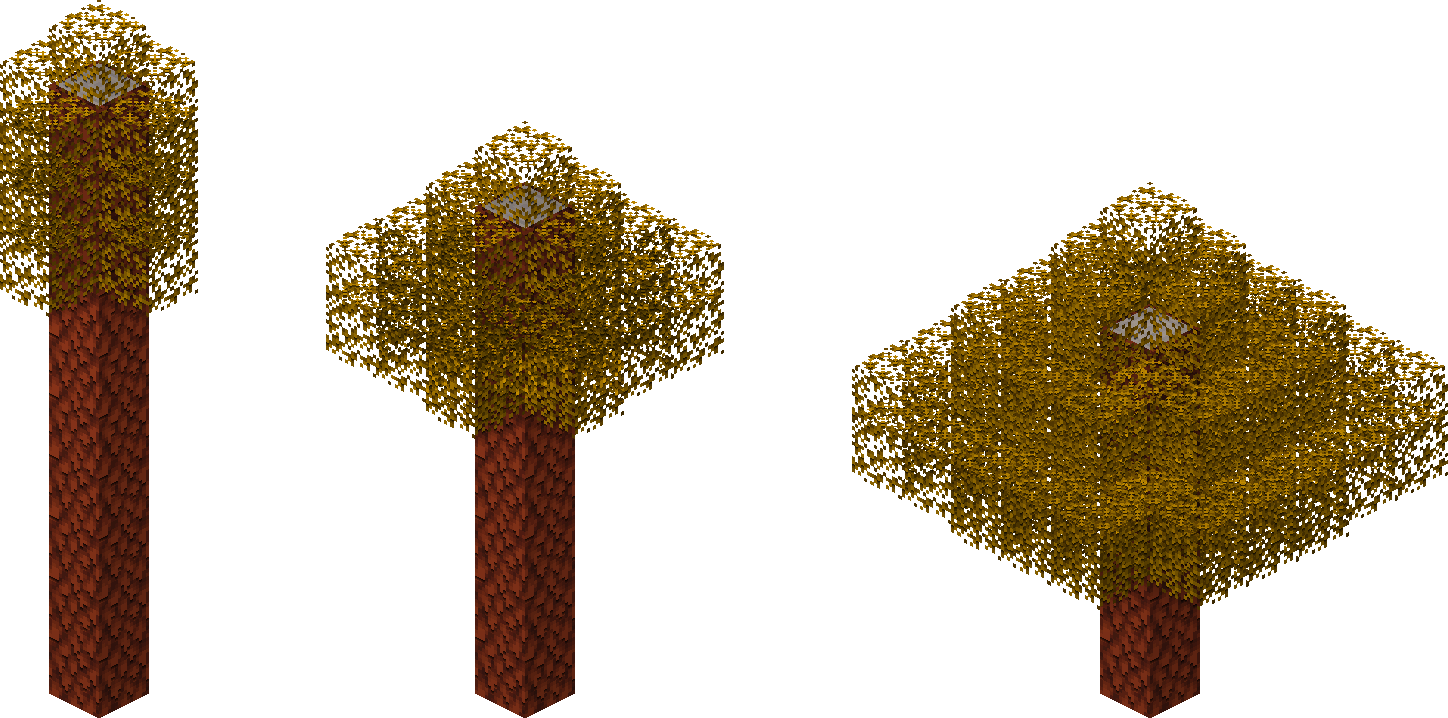
🛋️ Doors & Trapdoors
With its ornamental & see-through textures, both Pine Doors and Pine Trapdoors are perfectly suitable for the extra detail used on walls & lights, giving them a massive decorative purpose beyond their normal utilitarian use. 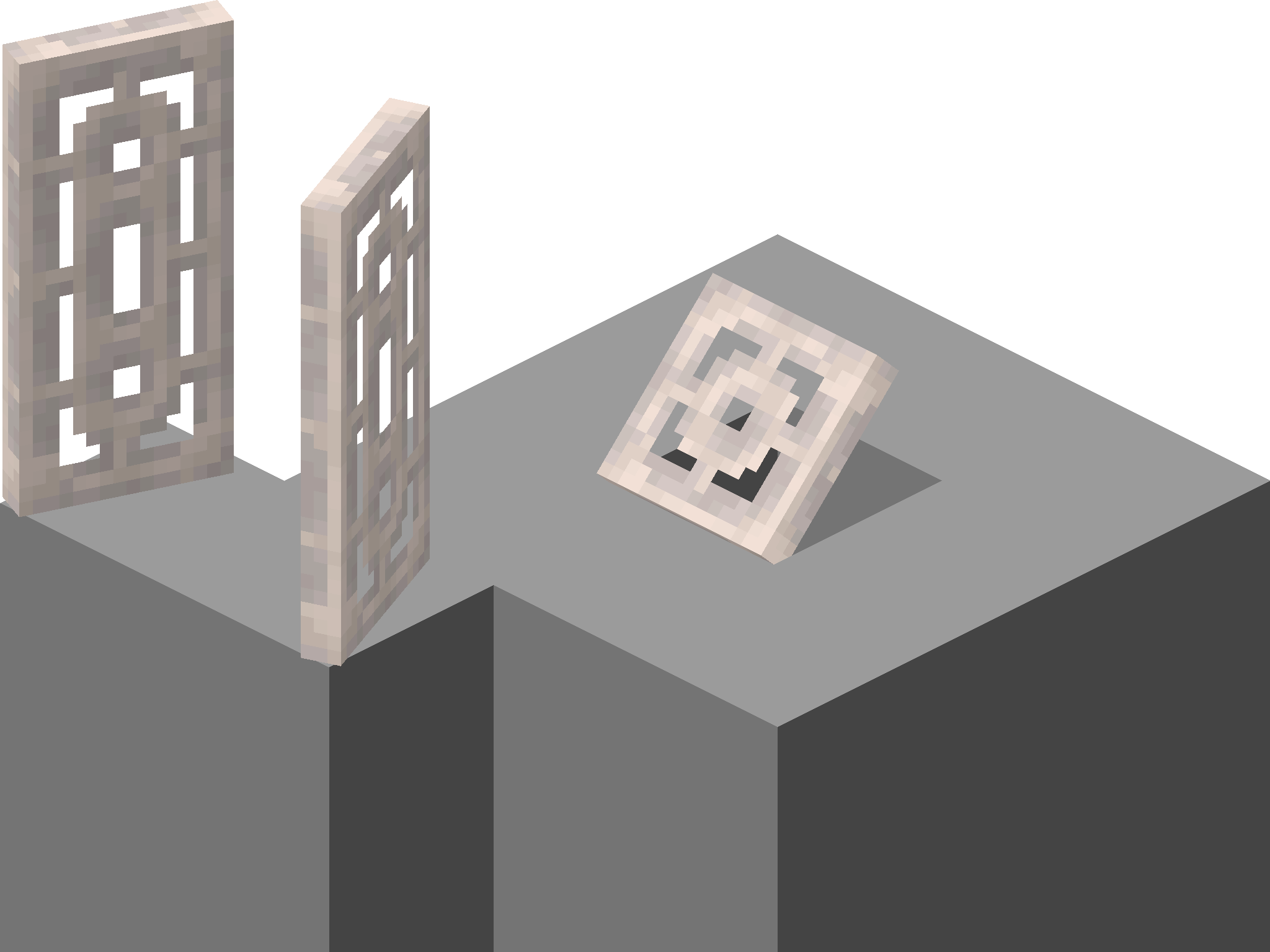
Project description from CurseForge.
Pick your setup
Pine by Minecraft version and loader
Choose the version and loader you play, then open the matching release.
Minecraft version
1.21.8
1 loader buildMinecraft version
1.21.7
1 loader buildMinecraft version
1.21.6
1 loader buildMinecraft version
1.21.5
1 loader buildMinecraft version
1.21.4
1 loader buildMinecraft version
1.21
1 loader buildMinecraft version
1.20.6
1 loader buildMinecraft version
1.20.5
1 loader buildCheck the dependencies, then try the file in a copied instance before changing a world you care about.
Recent files
Pine versions and loaders
[1.21.9] Pine 2.0
pine-2.0+1.21.9.jar
30 Sept 2025
Client Source doesn’t say Server Source doesn’t say Dependencies No extras listed Listed on Release listing
Check the 1.21.9 · Fabric setup Fabric1.21.9 release
[1.21.6] Pine 2.0
pine-2.0+1.21.6.jar
18 Jun 2025
Client Source doesn’t say Server Source doesn’t say Dependencies 1 required · 1 unchecked Listed on Release listing
Check the 1.21.8 · Fabric setup Fabric1.21.81.21.71.21.6 release
[1.21.5] Pine 2.0
pine-2.0+1.21.5.jar
25 Mar 2025
Client Source doesn’t say Server Source doesn’t say Dependencies No extras listed Listed on Release listing
Check the 1.21.5 · Fabric setup 1.21.5Fabric release
[1.21.4] Pine 1.0
pine-2.0+1.21.4.jar
3 Dec 2024
Client Source doesn’t say Server Source doesn’t say Dependencies No extras listed Listed on Release listing
Check the 1.21.4 · Fabric setup Fabric1.21.4 release
[1.21.x] Pine 1.2
pine-1.2+1.21.jar
13 Jun 2024
Client Source doesn’t say Server Source doesn’t say Dependencies 1 required · 1 unchecked Listed on Release listing
Check the 1.21 · Fabric setup 1.21Fabric release
[1.20.5-1.20.6] Pine 1.1
pine-1.1+1.20.5.jar
29 May 2024
Client Source doesn’t say Server Source doesn’t say Dependencies No extras listed Listed on Release listing
Check the 1.20.6 · Fabric setup 1.20.5Fabric1.20.6 release
Looking for an older file? The official CurseForge project page is in Resources.
 mod
CurseForge · Minecraft
Rich Vanilla
A WIP in-depth revamp and reimagining of the vanilla experience
 mod
CurseForge · Minecraft
StarFallCraft
Meteors fall at night, and that's only the beginning: starmetal, the Astral Realm, bosses, a casino with star wishes, cars, rockets to three asteroid belts and the final Starfall Nexus.
 mod
CurseForge · Minecraft
Better Revive X PlayerRevive
Connects Better Revive with PlayerRevive, providing a clean handoff between both revival systems while preventing repeated bleed-out and death loops.