Minecraft version
Back to mods 
CurseForge · Minecraft mod
Fake FPS
🚀 Our feature allows you to easily set up custom FPS for an optimized gaming experience
Choose a version Pick your version below, then grab the matching file.
Quick answer
Which Fake FPS release should I use?
Latest stable file fake_fps-1.1.9-neoforge-1.21.4.jar
Game version 1.21.4
Loader NeoForge
Fake FPS fake_fps-1.1.9-neoforge-1.21.4.jar targets 1.21.4 with NeoForge. The project page does not say whether this file belongs on the client, dedicated server, or both. No extra mods listed for this file.
Where it goes
Is Fake FPS required on the client, server, or both?
The project page does not say whether this file belongs on the client, dedicated server, or both.
Client Source doesn’t say
Dedicated server Source doesn’t say
Loader for this release NeoForge
Required install it here Optional supported, not mandatory Not supported do not install here Source doesn’t say do not assume
The source does not explicitly classify this release as client-only or server-only.
What else does Fake FPS fake_fps-1.1.9-neoforge-1.21.4.jar need?
fake_fps-1.1.9-neoforge-1.21.4.jar. Change the file and its required mods may change too.
This file does not list any required mods. Do not add a library just because a different file uses it.
This file does not list any required or optional mods.
Before you install it
Add Fake FPS without breaking your instance.
Built for Fake FPS fake_fps-1.1.9-neoforge-1.21.4.jar. Pick another file and the loader, install side or required mods may change.
- 01
Stick to this file
Use fake_fps-1.1.9-neoforge-1.21.4.jar. It targets 1.21.4 with NeoForge; another release may have different loader, side or dependency requirements.
- 02
Bring the mods it needs
This file does not list any required mods. Do not add a library just because a different file uses it.
- 03
Put it on the correct side
The project page does not say whether this file belongs on the client, dedicated server, or both.
- 04
Pick the file you checked
Use the “Get this file” button beside fake_fps-1.1.9-neoforge-1.21.4.jar. It opens that exact file at the source.
About this project
What does Fake FPS add?
Display Fake FPS! 🚀
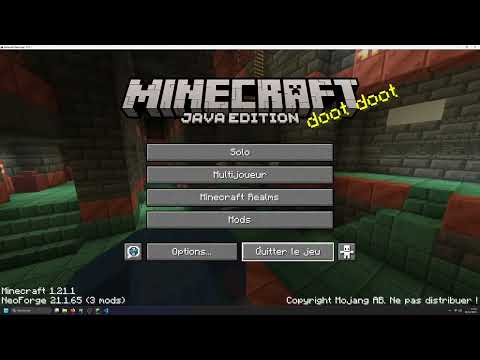
This client-side mod allows you to display a fake and customizable FPS counter at the top of your Minecraft screen! Ideal for fun, videos, or simply to prank your friends into believing you have 1000 FPS! 😉
⚙️ How does it work?
The "Fake FPS Mod" is a purely client-side mod, meaning it only needs to be installed on your Minecraft game, not on the server. Here's how it works:
- 📝 Configuration: When you launch the game for the first time with the mod, a configuration file named
fake_fps.jsonis created in theconfig/oas_work/folder. - 📖 Reading the configuration file: The mod reads this
fake_fps.jsonfile to determine:- ⏱️
fps_min: The minimum value of fake FPS to be displayed (by default, this value needs to be configured in thefake_fps.jsonfile). - 🚀
fps_mx: The maximum value of fake FPS to be displayed (by default, this value needs to be configured in thefake_fps.jsonfile). - ✅
activated: If the value istrue, the display of fake FPS is activated. Iffalse, it is deactivated (by default, to be configured in thefake_fps.jsonfile).
- ⏱️
- 🎲 Random Generation: The mod then generates a random FPS value every second, between the
fps_minandfps_mxvalues you have configured. - 📊 Display: This fake FPS value is displayed in the top left corner of your screen in-game.
🎮 How to use it?
- 🛠️ Configuration (recommended):
- 📂 Locate the configuration file: After launching Minecraft with the mod at least once, go to the
config/oas_work/folder in your Minecraft directory. Open thefake_fps.jsonfile with a text editor. - ✏️ Modify the settings:
"fps_min": ... ,: Replace...with the minimum value of fake FPS you want to display."fps_mx": ... ,: Replace...with the maximum value of fake FPS you want to display. Make surefps_mxis greater thanfps_min."activated": ...: Replace...withtrueto activate the display of fake FPS, orfalseto deactivate it.
- 💾 Save the
fake_fps.jsonfile. - 🔄 Restart your Minecraft game for the changes to take effect.
- 📂 Locate the configuration file: After launching Minecraft with the mod at least once, go to the
📌 Important Points:
- 💻 Client-Side ONLY: This mod is client-side only. It should not be installed on the server.
- ⚙️ Customizable Configuration: You can easily adjust the range of fake FPS displayed via the
fake_fps.jsonfile. - 📍 Configuration File: The
fake_fps.jsonfile is located in theconfig/oas_work/folder of your Minecraft installation. - ⚠️ Purely Visual: This mod does not modify your real FPS in any way. It just displays a fake value for the display.
Project description from CurseForge.
Pick your setup
Fake FPS by Minecraft version and loader
Choose the version and loader you play, then open the matching release.
Minecraft version
1.21.1
1 loader buildMinecraft version
1.20.4
1 loader buildCheck the dependencies, then try the file in a copied instance before changing a world you care about.
Recent files
Fake FPS versions and loaders
fake_fps-1.2.0-neoforge-1.21.4.jar
17 Mar 2025
Client Source doesn’t say Server Source doesn’t say Dependencies No extras listed Listed on Release listing
Check the 1.21.4 · NeoForge setup 1.21.4NeoForge beta
fake_fps-1.1.9-neoforge-1.21.4.jar
13 Mar 2025
Client Source doesn’t say Server Source doesn’t say Dependencies No extras listed Listed on Release listing
Check the 1.21.4 · NeoForge setup 1.21.4NeoForge release
fake_fps-1.2.0-neoforge-1.21.4.jar
23 Feb 2025
Client Source doesn’t say Server Source doesn’t say Dependencies No extras listed Listed on Release listing
Check the 1.21.4 · NeoForge setup 1.21.4NeoForge release
fake_fps-1.1.0-neoforge-1.21.4.jar
16 Feb 2025
Client Source doesn’t say Server Source doesn’t say Dependencies No extras listed Listed on Release listing
Check the 1.21.4 · NeoForge setup 1.21.4NeoForge release
fake_fps-1.0.8-neoforge-1.21.1.jar
26 Jan 2025
Client Source doesn’t say Server Source doesn’t say Dependencies No extras listed Listed on Release listing
Check the 1.21.1 · NeoForge setup NeoForge1.21.1 release
fake_fps-1.0.5-neoforge-1.21.1.jar
31 Dec 2024
Client Source doesn’t say Server Source doesn’t say Dependencies No extras listed Listed on Release listing
Check the 1.21.1 · NeoForge setup NeoForge1.21.1 release
fake_fps-1.0.4-1-neoforge-1.21.1.jar
14 Nov 2024
Client Source doesn’t say Server Source doesn’t say Dependencies No extras listed Listed on Release listing
Check the 1.21.1 · NeoForge setup NeoForge1.21.1 release
fake_fps-1.0.3-neoforge-1.21.1.jar
11 Nov 2024
Client Source doesn’t say Server Source doesn’t say Dependencies No extras listed Listed on Release listing
Check the 1.21.1 · NeoForge setup NeoForge1.21.1 release
fake_fps-1.0.2-neoforge-1.21.1.jar
5 Nov 2024
Client Source doesn’t say Server Source doesn’t say Dependencies No extras listed Listed on Release listing
Check the 1.21.1 · NeoForge setup NeoForge1.21.1 release
fake_fps-1.0.1-neoforge-1.21.1.jar
13 Oct 2024
Client Source doesn’t say Server Source doesn’t say Dependencies No extras listed Listed on Release listing
Check the 1.21.1 · NeoForge setup NeoForge1.21.1 beta
fake_fps-1.0.0-neoforge-1.20.4.jar
29 May 2024
Client Source doesn’t say Server Source doesn’t say Dependencies No extras listed Listed on Release listing
Check the 1.20.4 · NeoForge setup NeoForge1.20.4 release
Looking for an older file? The official CurseForge project page is in Resources.