Cloth Config API (Fabric/Forge/NeoForge) Needed by Near World Spawn near_world_spawn-1.0.1+1.21.3.jar
requiredMatching file found Matched file: [Fabric 1.21.2/3] v16.0.143
CurseForge · Minecraft mod
Customize the way your world spawn is set
Quick answer
Near World Spawn near_world_spawn-1.0.1+1.21.3.jar targets 1.21.3 with Fabric. The project page does not say whether this file belongs on the client, dedicated server, or both. All 2 required mods have matching files.
Where it goes
The project page does not say whether this file belongs on the client, dedicated server, or both.
The source does not explicitly classify this release as client-only or server-only.
near_world_spawn-1.0.1+1.21.3.jar. Change the file and its required mods may change too.
Install Cloth Config API (Fabric/Forge/NeoForge), Fabric API first. We found matching files for this game-version and loader setup.
We only count dependency files that match this setup. A file for another loader does not fill the gap.
Before you install it
Built for Near World Spawn near_world_spawn-1.0.1+1.21.3.jar. Pick another file and the loader, install side or required mods may change.
Use near_world_spawn-1.0.1+1.21.3.jar. It targets 1.21.3 with Fabric; another release may have different loader, side or dependency requirements.
Install Cloth Config API (Fabric/Forge/NeoForge), Fabric API first. We found matching files for this game-version and loader setup.
The project page does not say whether this file belongs on the client, dedicated server, or both.
Use the “Get this file” button beside near_world_spawn-1.0.1+1.21.3.jar. It opens that exact file at the source.
About this project


NO PORT TO FORGE PLANNED! (but feel free to port it by yourself and link it)
This mod allows you to change the way the worldspawn is set! Whether a player is joining an old server for the first time or a player died with no spawn point set, this player will roll the dice to set a new world spawn location. The random location is chosen in an area around the online players that you can customize.
For a better experience with the mod, its configuration can be changed directly in-game through new commands!
This is a short description, full description below.
Do I need it on my server? Yes. This mod is server side, so you don't need it on your client
Can I include it in my modpack? Yes, you are free to include this mod into your modpack
For any other things: Feel free to share your experience, problems, enhancement ideas in the Discord server, or directly creating issues on the GitHub
If the changing area is enabled (the main purpose of the mod), when a player joins a server for the first time or dies without a spawn point set, a new worldspawn is randomly set around alive and online players from the Overworld.
Note that if no other player is found, last worldspawn will be used.
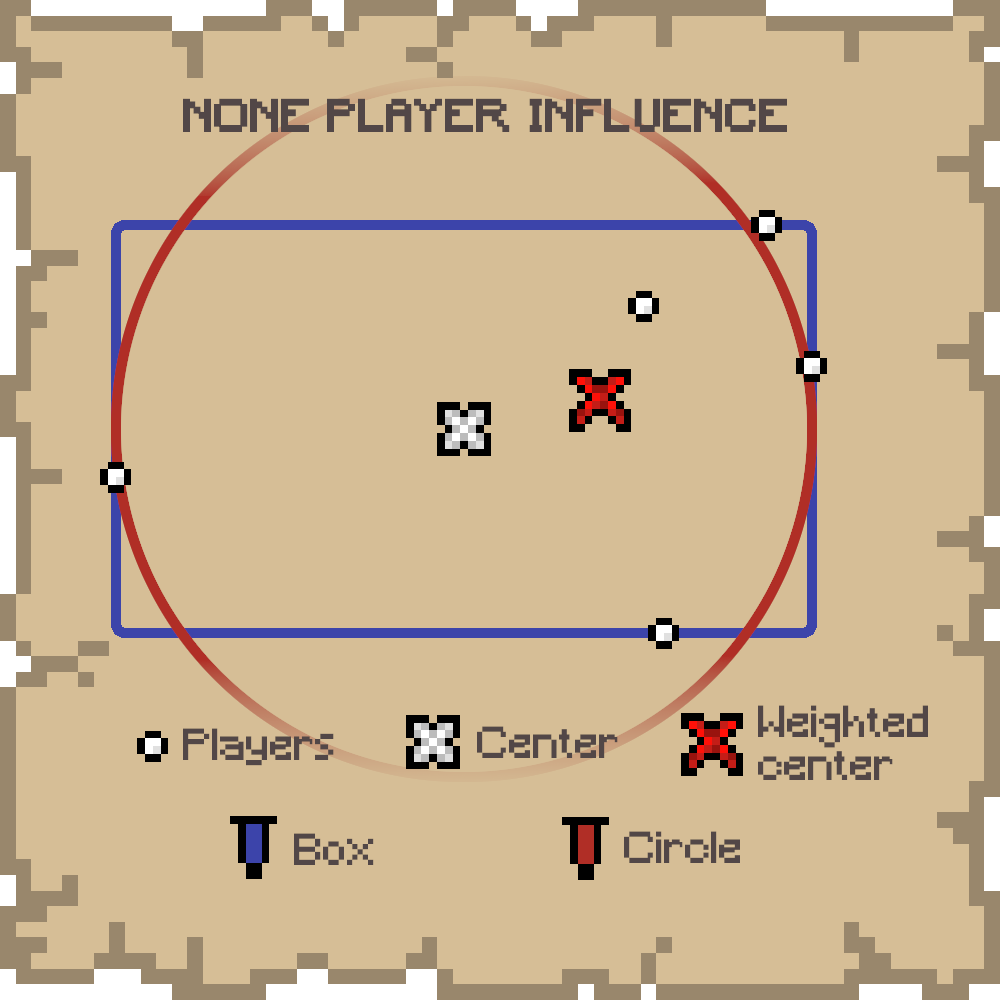
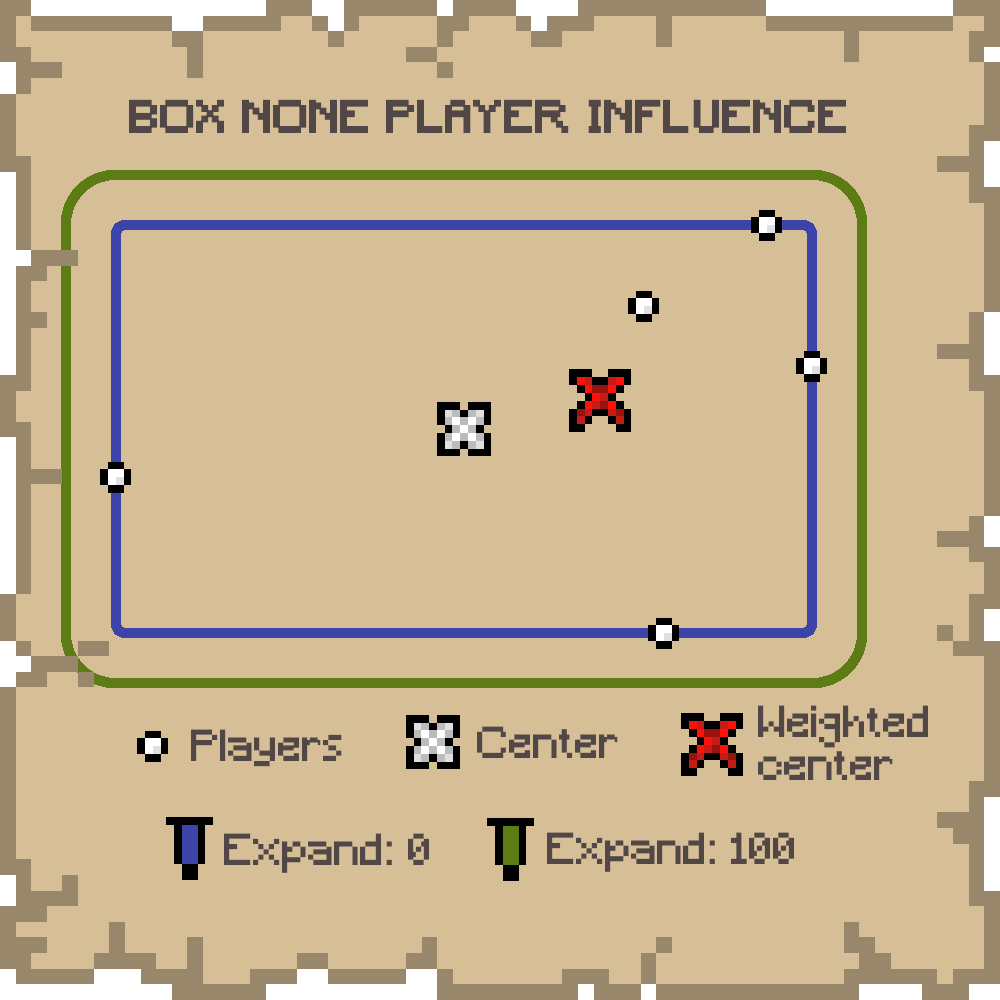
The shape of the area from which a random position is chosen may not necessarily contains every player. This is only the case for the BOX shape. If the player influence is different from NONE, even the BOX may not contain every player.
If only only one other player is found, the shape is necessarily a point. So, unless an expand is set, the worldspawn will be set to the other player's position.
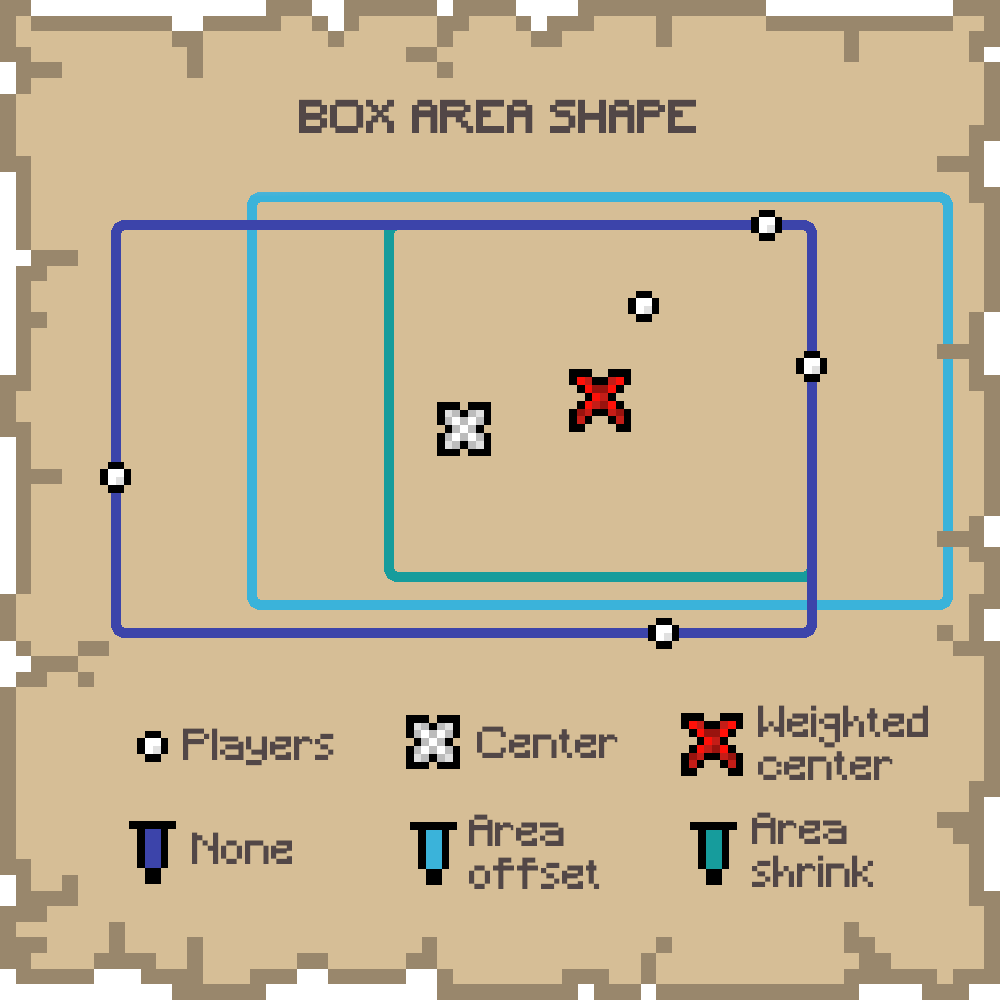
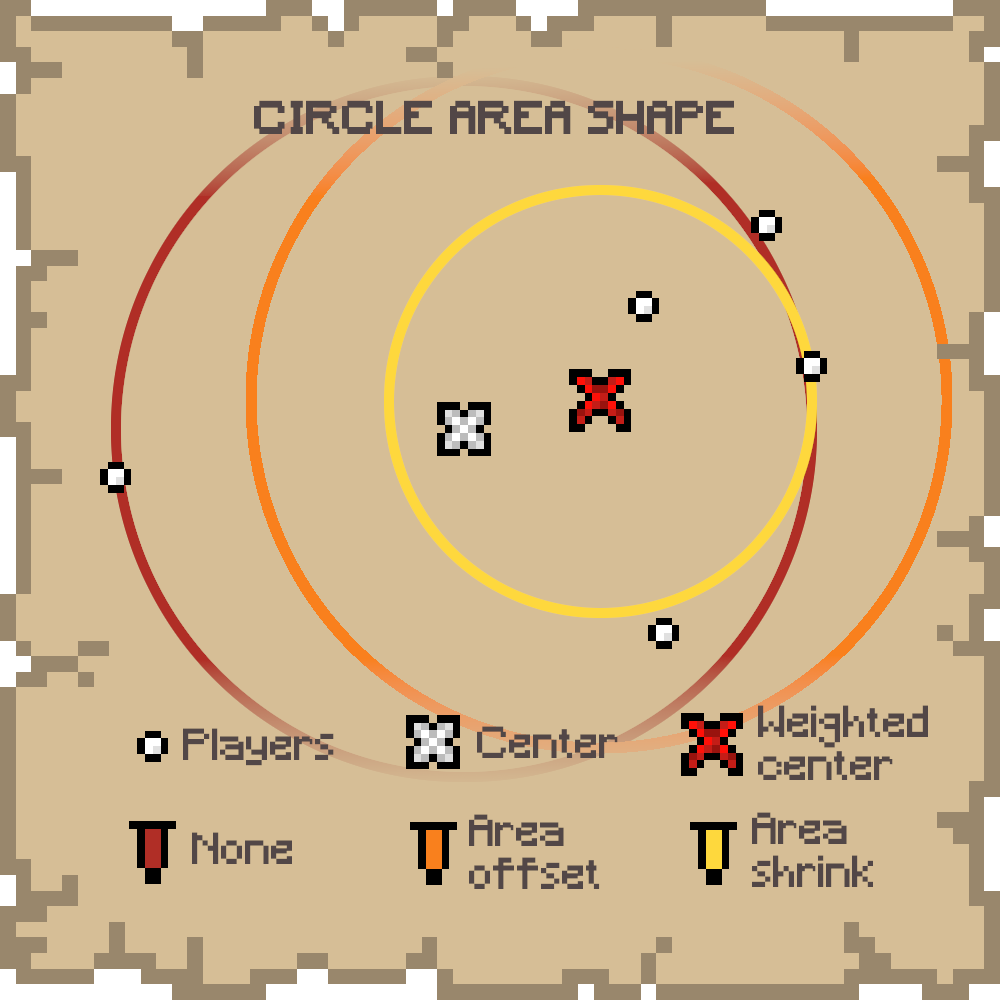
To avoid the area being too big (with too much "empty space") or too far from players, a player influence can be set. This means if there are more players in one side of the shape, the world spawn will be more likely on this side.
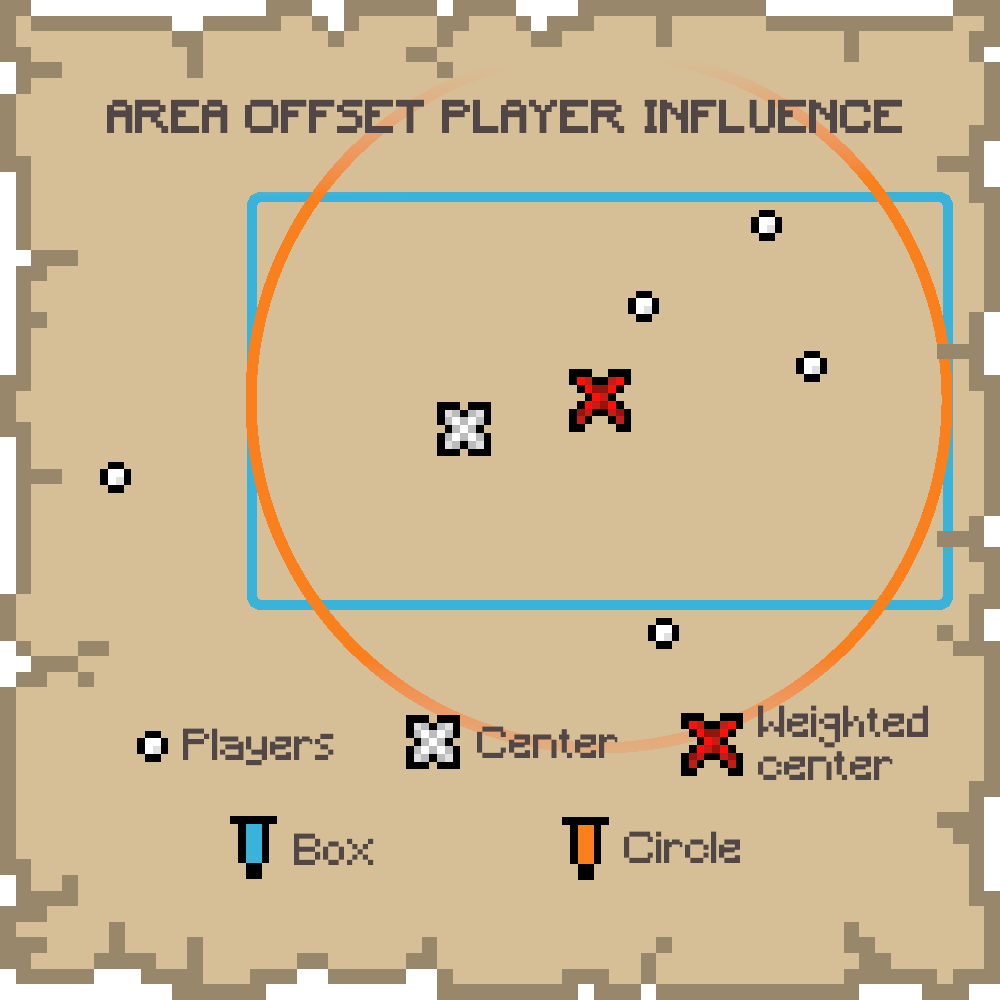
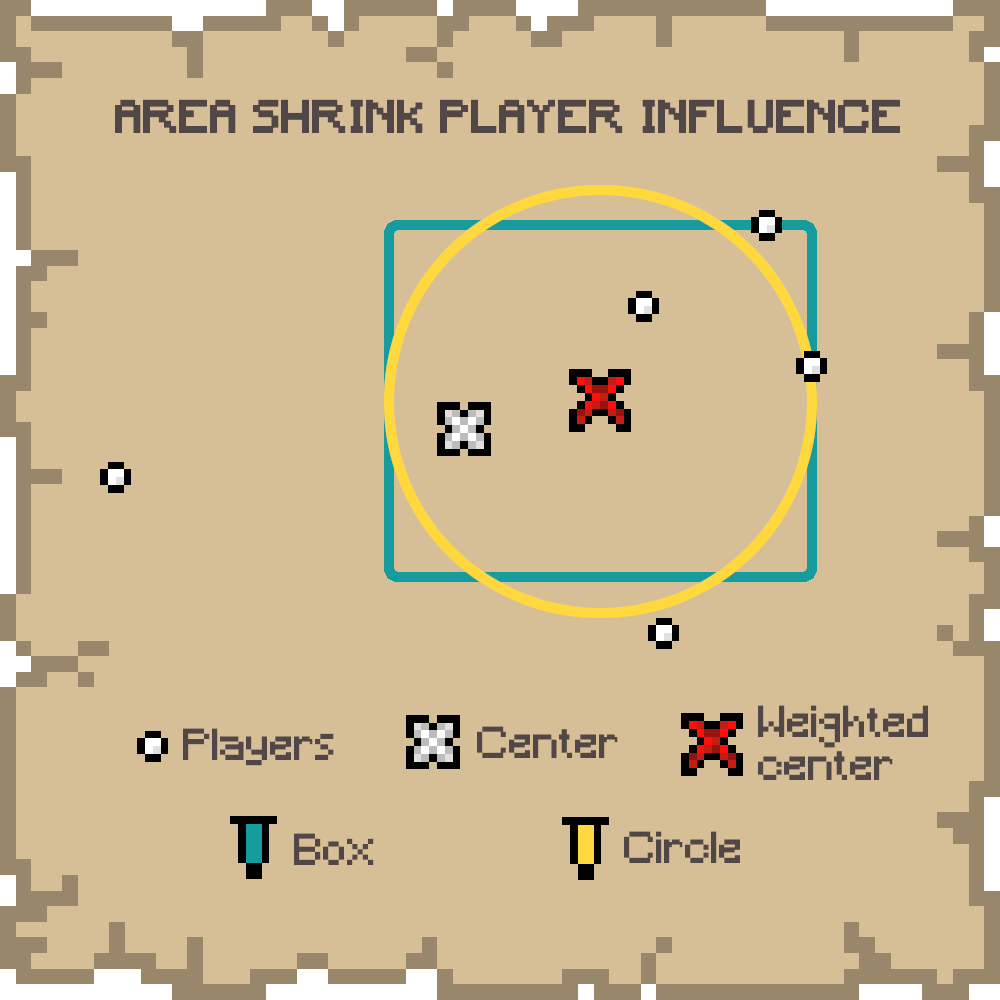
The area, no matter the shape or the player influence, may be too small if you want to encourage a bit of running, even though this mod aims to avoid loooong runs. So, you can set an expand value that will expand the shape of this number of blocks in every direction.
In Minecraft, worldspawn chunks are always loaded. Having a worldspawn that can change might be annoying if you plan to setup always loaded machines. Also, it could possibly create lags if your server is not very efficient and your worldspawn chunk radius (future gamerule) is too big.
To avoid this, you can set the (0,0,0) to be the position used for the worldspawn chunks with an option of the mod. You can always update this behavior with the command, but note that the change will be effective only after someone joins or dies.
Commands require level 2 of permission.
/worldspawn-modded/worldspawn-modded <enabled>/worldspawn/worldspawn (box|circle) <expand> (none|area_offset|area_shrink)/worldspawn-areashape/worldspawn-areashape (box|circle)/worldspawn-playerinfluence/worldspawn-playerinfluence (none|area_offset|area_shrink)/worldspawn-expand/worldspawn-expand <expand>/spawnchunks Print whether the worldspawn chunks use the (0,0,0) or the last worlspawn position/spawnchunks (fixed|worldspawn) Set whether we want the worldspawn chunks to use the (0,0,0) or the last worlspawn position<enabled> is a boolean value, and <expand> is a positive integer.
Project description from CurseForge.
Pick your setup
Choose the version and loader you play, then open the matching release.
Check the dependencies, then try the file in a copied instance before changing a world you care about.
Recent files
10 Dec 2024
10 Dec 2024
19 Jul 2024
10 Jul 2024
Looking for an older file? The official CurseForge project page is in Resources.
 mod
A Server-side mod that changes the MOTD on an interval from a list of strings.
 mod
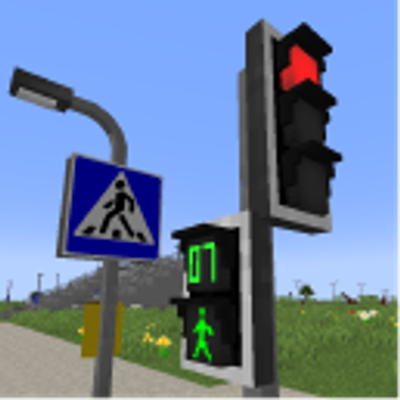
Client-side addon for TrafficCraft by MrJulsen. Adds a countdown timer overlay to traffic lights. Three-section lights show the timer on the yellow segment, two-section lights show it on the currently unlit segment, single-section lights are skipped.
 mod
Adds 4 Marvel ores (Titanium, Vibranium, Adamantium, Uru) and iconic weapons like Mjolnir, Stormbreaker, Captain America's Shield, and Black Panther armor!
