Titanium Needed by RePortality-1.20.1-1.0.1.jar
requiredMatching file found Matched file: titanium-1.20.1-3.8.37.jar
CurseForge · Minecraft mod
A fork of Portality in 1.20.1
Quick answer
RePortality-1.20.1-1.0.1.jar targets 1.20.1 with Forge. The project page does not say whether this file belongs on the client, dedicated server, or both. All 1 required mods have matching files.
Where it goes
The project page does not say whether this file belongs on the client, dedicated server, or both.
The source does not explicitly classify this release as client-only or server-only.
RePortality-1.20.1-1.0.1.jar. Change the file and its required mods may change too.
Install Titanium first. We found matching files for this game-version and loader setup.
We only count dependency files that match this setup. A file for another loader does not fill the gap.
Before you install it
Built for RePortality-1.20.1-1.0.1.jar. Pick another file and the loader, install side or required mods may change.
Use RePortality-1.20.1-1.0.1.jar. It targets 1.20.1 with Forge; another release may have different loader, side or dependency requirements.
Install Titanium first. We found matching files for this game-version and loader setup.
The project page does not say whether this file belongs on the client, dedicated server, or both.
Use the “Get this file” button beside RePortality-1.20.1-1.0.1.jar. It opens that exact file at the source.
About this project
Reportality is a fork of Portality in 1.20.1
RePortality requires Titanium and CTM(optional)
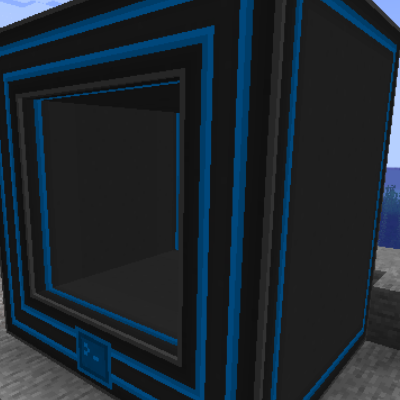
To start with Portality you will need to to craft a couple of Portal Controllers and a bunch of frames. You will need to make structure like this:

A 3x3(or bigger) hollow of frames and the controller will sit in the bottom row center of it. Then you will need to make it 2 blocks deep. (You will only need to add a controller in the first row). The controller will need power to operate!

Then you can open the GUI and handle Portal calls from there. That portal can't do interdimensional teleports, for that you will need an Interdimensional Module placed instead of a Frame Block.
You can change the icon of a portal of how by Shift+Right Clicking with a block in your hand. 
There are different types of modules that can transfer items/fluids/energy between connected portals. Just make sure the they have the correct type for input and output! When the modules are present they will transfer stuff from the input type to the output type, you can connect any pipe to them but they won't pull or push anthing. They dont have a GUI but they have a small buffer.

Project description from CurseForge.
Pick your setup
Choose the version and loader you play, then open the matching release.
Check the dependencies, then try the file in a copied instance before changing a world you care about.
Recent files
19 Jul 2024
16 Jul 2024
Looking for an older file? The official CurseForge project page is in Resources.
 mod
Lightweight and highly accurate Metrics (not just FPS!) with a fully customizable HUD
 mod
Unofficial multiplayer support for Voxy: servers send distant terrain and far-away players to clients. Also fills Xaero's World Map and JourneyMap, and works with Distant Horizons servers. The same mod as Voxy Server Side.
 mod
Proximity voice chat for Bedrock & Java players via Simple Voice Chat. No client mods, easy setup, browser-based voice & Velocity support!