
Minecraft version
Back to mods 
CurseForge · Minecraft mod
Biome Replacer Neoforge
A quick way to get rid of a biome. Useful for tweaking datapack-based generators (like Terralith) that don't have a convenient configuration
Choose a version Pick your version below, then grab the matching file.
Quick answer
Which Biome Replacer Neoforge release should I use?
Latest stable file biome_replacer_forge-1.3-forge.jar
Game version 1.20.1
Loader Forge
Biome Replacer Neoforge biome_replacer_forge-1.3-forge.jar targets 1.20.1 with Forge. The project page does not say whether this file belongs on the client, dedicated server, or both. No extra mods listed for this file.
Where it goes
Is Biome Replacer Neoforge required on the client, server, or both?
The project page does not say whether this file belongs on the client, dedicated server, or both.
Client Source doesn’t say
Dedicated server Source doesn’t say
Loader for this release Forge
Required install it here Optional supported, not mandatory Not supported do not install here Source doesn’t say do not assume
The source does not explicitly classify this release as client-only or server-only.
What else does Biome Replacer Neoforge biome_replacer_forge-1.3-forge.jar need?
biome_replacer_forge-1.3-forge.jar. Change the file and its required mods may change too.
This file does not list any required mods. Do not add a library just because a different file uses it.
This file does not list any required or optional mods.
Before you install it
Add Biome Replacer Neoforge without breaking your instance.
Built for Biome Replacer Neoforge biome_replacer_forge-1.3-forge.jar. Pick another file and the loader, install side or required mods may change.
- 01
Stick to this file
Use biome_replacer_forge-1.3-forge.jar. It targets 1.20.1 with Forge; another release may have different loader, side or dependency requirements.
- 02
Bring the mods it needs
This file does not list any required mods. Do not add a library just because a different file uses it.
- 03
Put it on the correct side
The project page does not say whether this file belongs on the client, dedicated server, or both.
- 04
Pick the file you checked
Use the “Get this file” button beside biome_replacer_forge-1.3-forge.jar. It opens that exact file at the source.
About this project
What does Biome Replacer Neoforge add?
This mod has been offically merged with Biome Replacer Please go there to download.



Server-side mod for precise biome control
Overview
Biome Replacer lets you control biome distribution without changing terrain generation. Replace any biome with another while preserving the landscape's shape and only changing biome-specific features like colors, mob spawns, and vegetation.
Use Cases:
- Remove unwanted biomes
- Fix mod compatibility issues
- Enhance almost-perfect world seeds
- Create custom world experiences
- Complement worldgen mods like Terralith
Features
- Simple Biome Swapping: Replace biomes with an easy rule system
- Tag Support: Replace entire biome categories at once
- Server-Side: No client installation needed
- Easy Config: Simple properties file with intuitive syntax
Experimental Features
- Chance based replacement: Replace any percentage of a biome
Compatibility
- Works With: Vanilla biomes and most datapack biomes (including Terralith)
- Limited Support: TerraBlender, Biolith or Lithosphere biomes (use their native options instead)
- Generally Compatible: Works with most worldgen mods (report issues here)
Setup
- Install the mod on your server (or client if your playing singleplayer)
- Run the server once to generate config
- Find
biome_replacer.propertiesin theconfigfolder - Add your replacement rules
Configuration
Basic Replacement
minecraft:dark_forest > minecraft:cherry_grove
Tag-Based Replacement
#minecraft:is_forest > minecraft:desert
Options
# Disable chat notifications
muteChatInfo = true
Examples
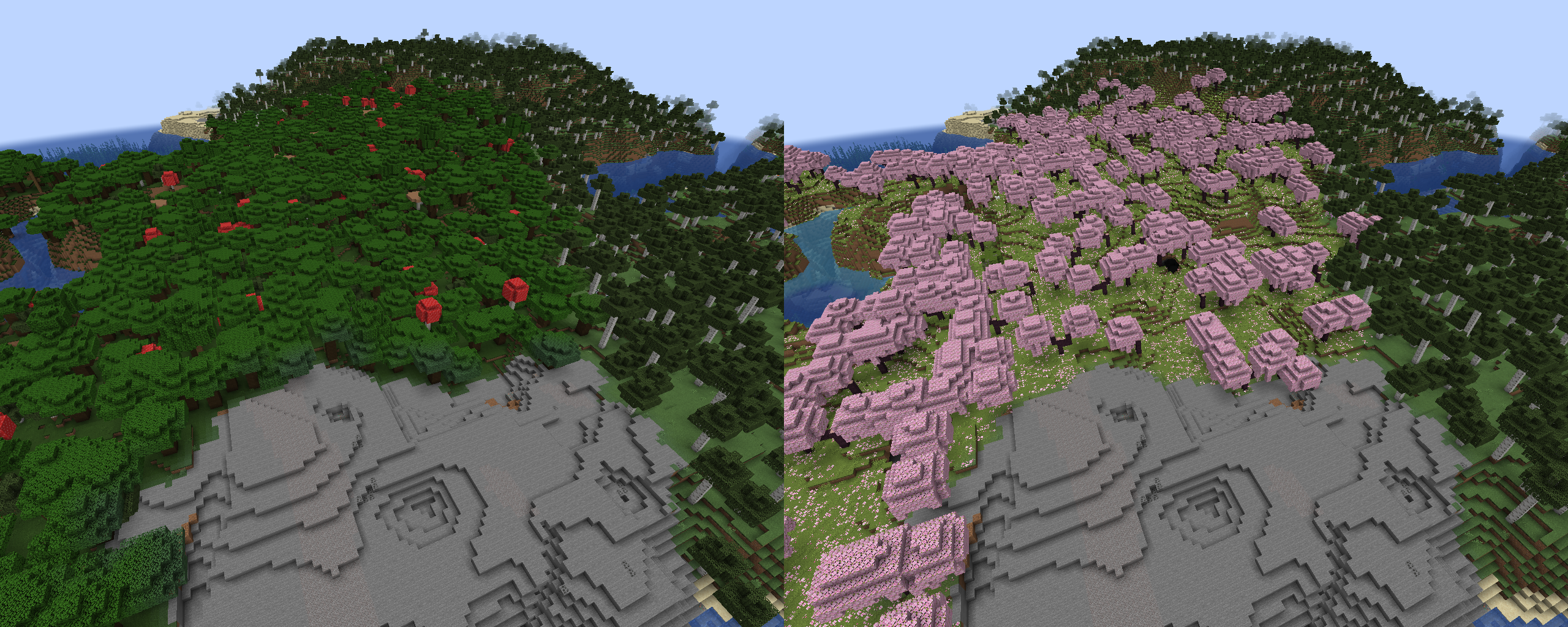
Forest to Cherry Grove
Config:
minecraft:dark_forest > minecraft:cherry_grove
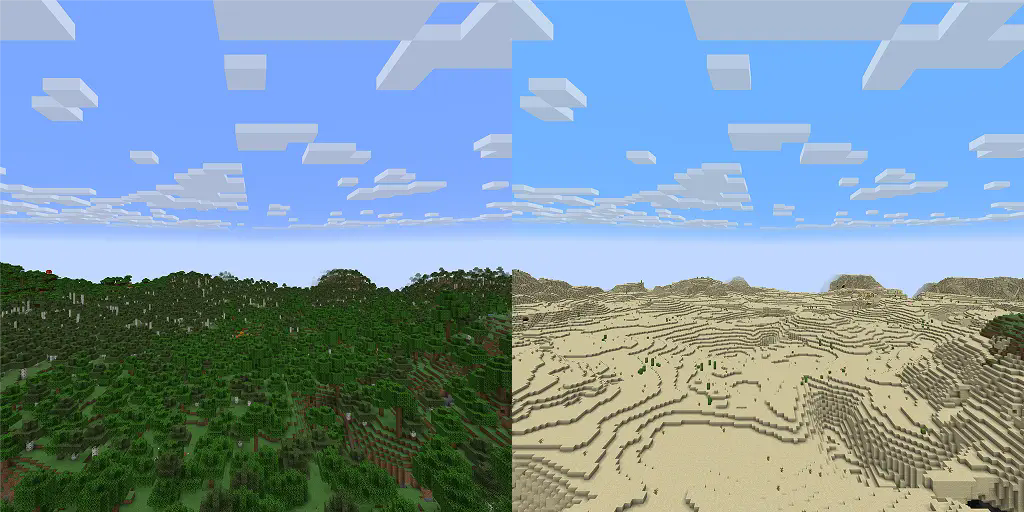
All Forests to Desert
Config:
#minecraft:is_forest > minecraft:desert
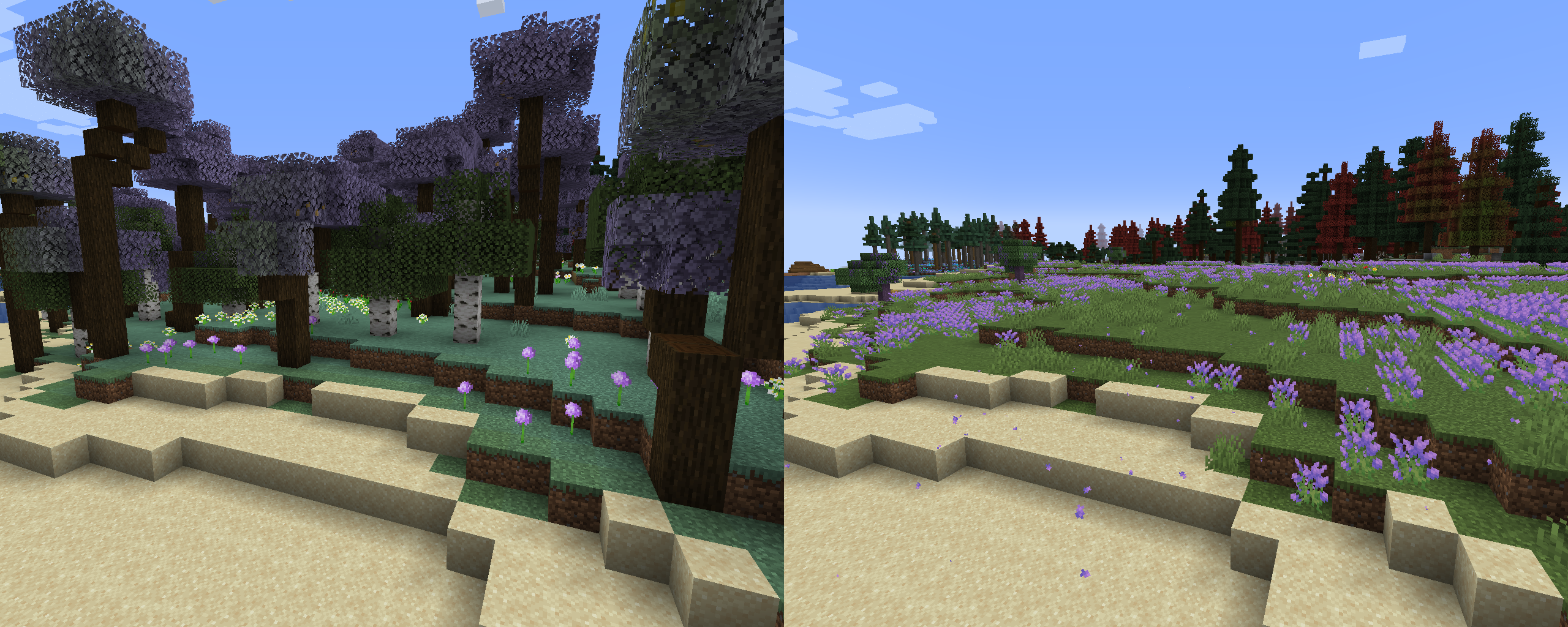
Mod Integration
Config:
terralith:lavender_forest > aurorasdeco:lavender_plains
terralith:lavender_valley > aurorasdeco:lavender_plains
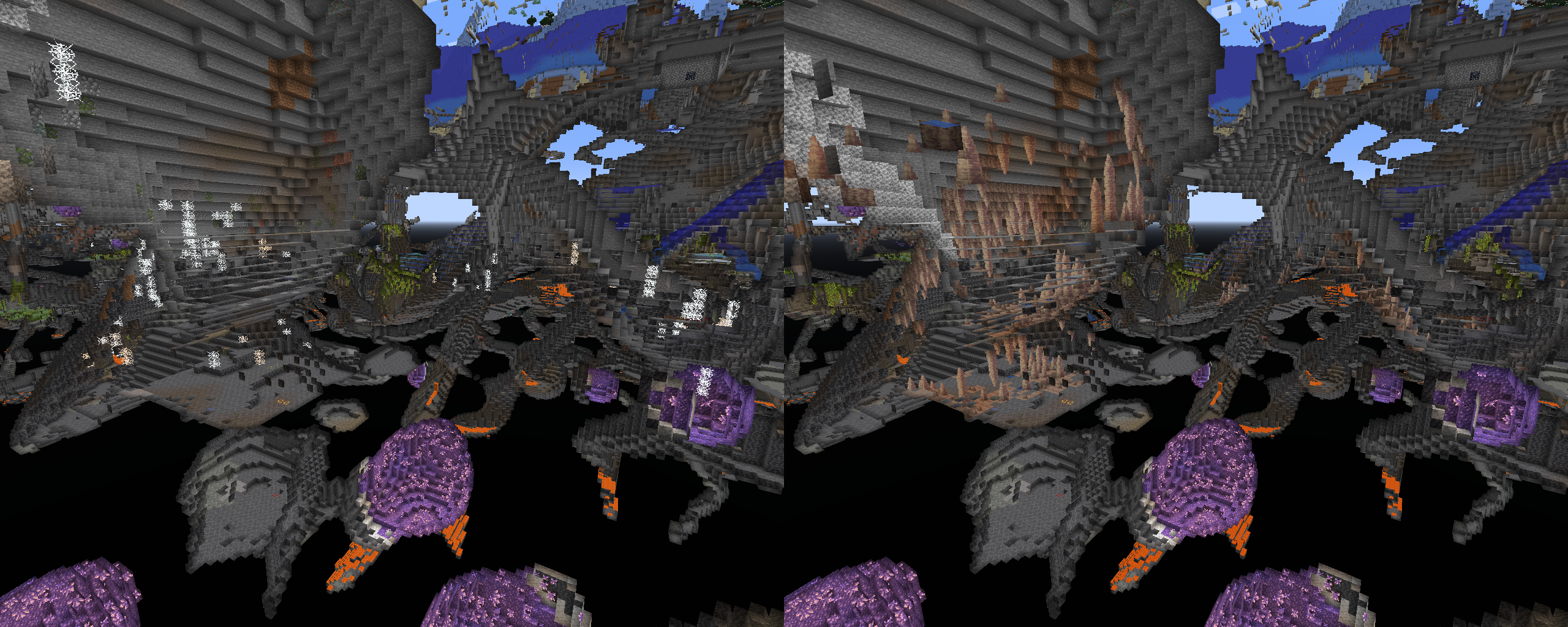
Fixing Problem Biomes
Config:
terralith:cave/infested_caves > minecraft:dripstone_caves
Resources
Project description from CurseForge.
Pick your setup
Biome Replacer Neoforge by Minecraft version and loader
Choose the version and loader you play, then open the matching release.
Minecraft version
1.21
1 loader buildMinecraft version
1.20.1
1 loader buildCheck the dependencies, then try the file in a copied instance before changing a world you care about.
Recent files
Biome Replacer Neoforge versions and loaders
biome_replacer_forge-1.3-forge.jar
13 Mar 2025
Client Source doesn’t say Server Source doesn’t say Dependencies No extras listed Listed on Release listing
Check the 1.20.1 · Forge setup 1.20.1Forge release
1.31 - 1.21.1
biome_replacer_neoforge-1.21.1.jar
13 Mar 2025
Client Source doesn’t say Server Source doesn’t say Dependencies No extras listed Listed on Release listing
Check the 1.21.1 · NeoForge setup NeoForge1.21.1 release
biome_replacer_neoforge-1.21.jar
5 Aug 2024
Client Source doesn’t say Server Source doesn’t say Dependencies No extras listed Listed on Release listing
Check the 1.21.1 · NeoForge setup 1.21NeoForge1.21.1 release
Looking for an older file? The official CurseForge project page is in Resources.
 mod
CurseForge · Minecraft
Lanternverse
Become a Lantern in Minecraft, wield the power of your ring, master incredible abilities, and embark on an epic quest-filled journey across the Lanternverse!
 mod
CurseForge · Minecraft
CobbletwoClient
This is a client optional mod only made for Cobbletwo server
 mod
CurseForge · Minecraft
One Piece: The Will of Dirt
Set sail in a Minecraft world built around One Piece. Pick your race, eat a Devil Fruit, train your Haki, build your own ship and form a crew, then head for the Red Line and the Grand Line beyond it.