Cobweb Needed by Server Sided Portals [NeoForge - 26.1] Server Sided Portals v2.2.1
requiredMatching file found Matched file: [NeoForge - 26.1] Cobweb v1.4.0
CurseForge · Minecraft mod
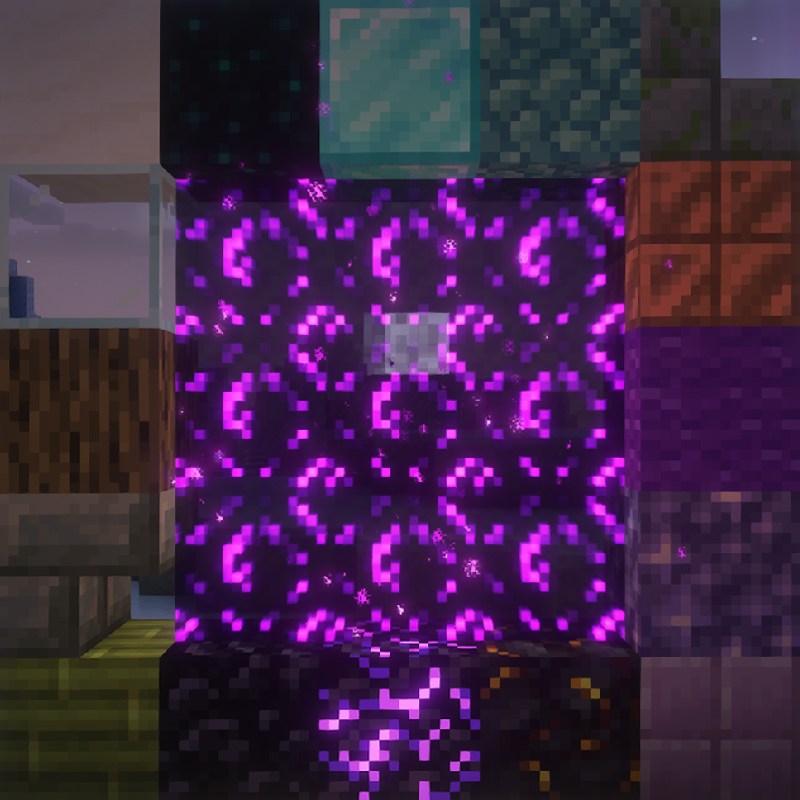
Create custom portals and dimensions compatible with any client!
Quick answer
Server Sided Portals [NeoForge - 26.1] Server Sided Portals v2.2.1 targets 26.1, 26.1.1, 26.1.2 with NeoForge. The project page does not say whether this file belongs on the client, dedicated server, or both. All 1 required mods have matching files.
Where it goes
The project page does not say whether this file belongs on the client, dedicated server, or both.
The source does not explicitly classify this release as client-only or server-only.
[NeoForge - 26.1] Server Sided Portals v2.2.1. Change the file and its required mods may change too.
Install Cobweb first. We found matching files for this game-version and loader setup.
We only count dependency files that match this setup. A file for another loader does not fill the gap.
Before you install it
Built for Server Sided Portals [NeoForge - 26.1] Server Sided Portals v2.2.1. Pick another file and the loader, install side or required mods may change.
Use [NeoForge - 26.1] Server Sided Portals v2.2.1. It targets 26.1, 26.1.1, 26.1.2 with NeoForge; another release may have different loader, side or dependency requirements.
Install Cobweb first. We found matching files for this game-version and loader setup.
The project page does not say whether this file belongs on the client, dedicated server, or both.
Use the “Get this file” button beside [NeoForge - 26.1] Server Sided Portals v2.2.1. It opens that exact file at the source.
About this project



This is a mod API that provides easily customizable and server-sided portals to any custom dimension.
This mod is required server side only, and is thus compatible with any client, Vanilla included.
This mod can be used as a dependency for another mod/datapack, or bundled in a modpack with a custom datapack or with mods that require it.
Check out the usage details below or on the Wiki!
For detailed examples, check out the Wiki.
There, you'll find step-by-step guides for creating custom dimensions, portal frames, igniters, and additional tweaks!
Making use of this mod with a datapack is easy! Just follow these simple steps:
dimension_portal_frame, replacing dimension with your dimension name. You can include multiple blocks or even other tags!dimension_portal_igniter, replacing dimension with your dimension name, for items that can ignite the portal. You can also use multiple items or tags.That's it! Load your datapack alongside this mod, and your dimensions and portals are ready to use.
You're free to add multiple dimensions, each with unique portal frames and igniters!
Since v2.1.0, you can further customize your dimensions by setting specific gamemodes for players entering them or defining custom entry points other than the Overworld.
Check out the Wiki for details.
Integrating this API into your mod is straightforward:
resources/data/mod_id/.If you prefer giving users the choice to enable or disable your datapack, consider using Cobweb static datapack API.
Creating a mod (rather than a datapack) allows you to add extra functionality and enhance your custom dimensions further.
Additionally, this API provides several helpful utility methods. Explore the Javadoc for detailed documentation on these methods.
| Mod | Loader | Compatibility |
|---|---|---|
| Crying Portals | All | Incompatible |
| Immersive Portals | All | Incompatible |
| BetterNether | Fabric | Compatible |
| Very Many Players | Fabric | Compatible with use_async_portals=false |
| Canary | Forge | Compatible with fast portals disabled |
| Mod | Loader | Requirement |
|---|---|---|
| Cobweb | All | Required |
Feel free to use this mod for any modpack or video, just be sure to give credit and possibly link here.
This project is published under the Crystal Nest Community License v1.







Project description from CurseForge.
Pick your setup
Choose the version and loader you play, then open the matching release.
Showing the newest 12 of 18 game versions. Older files are in the list below.
Check the dependencies, then try the file in a copied instance before changing a world you care about.
Recent files
server-sided-portals-neoforge-26.1-2.2.1.jar
6 Apr 2026
server-sided-portals-fabric-26.1-2.2.1.jar
6 Apr 2026
server-sided-portals-neoforge-1.21.11-2.2.1.jar
3 Feb 2026
server-sided-portals-fabric-1.21.11-2.2.1.jar
3 Feb 2026
server-sided-portals-fabric-1.21.10-2.2.1.jar
3 Feb 2026
server-sided-portals-neoforge-1.21.10-2.2.1.jar
3 Feb 2026
server-sided-portals-fabric-1.21.6-2.2.1.jar
3 Feb 2026
server-sided-portals-neoforge-1.21.6-2.2.1.jar
3 Feb 2026
server-sided-portals-fabric-1.21-2.2.1.jar
3 Feb 2026
server-sided-portals-neoforge-1.21-2.2.1.jar
3 Feb 2026
server-sided-portals-neoforge-1.21.11-2.2.0.jar
31 Dec 2025
server-sided-portals-fabric-1.21.11-2.2.0.jar
31 Dec 2025
Looking for an older file? The official CurseForge project page is in Resources.
 mod
A growing collection of quality-of-life tweaks, bug fixes, and cross-mod integrations for modpack creators!
 mod
Every tooltip, more modern, sharper, cleaner.
 mod
A grand strategy mod that fills the world with nations, cities, characters, ships, and people. Inspired by Ancient Warfare 2.