Minecraft version
Back to mods 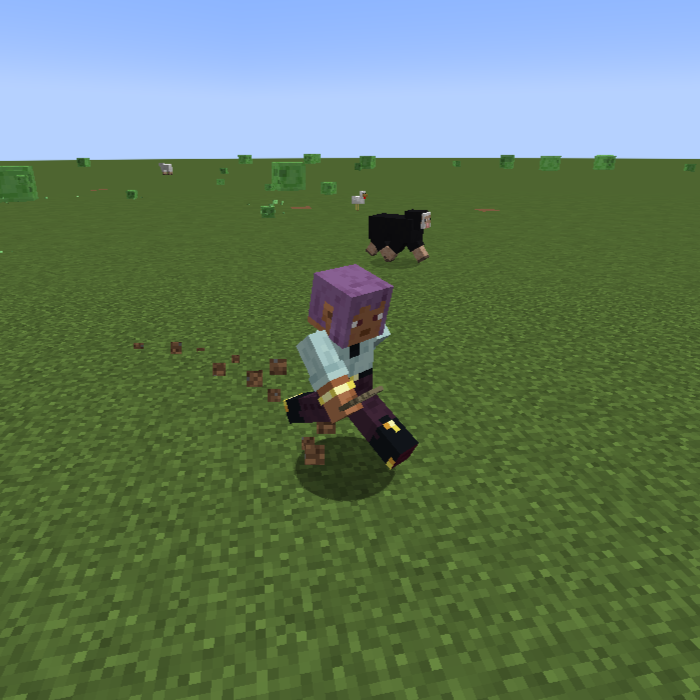
CurseForge · Minecraft mod
Open Third Person
An open source third person camera control mod
Choose a version Pick your version below, then grab the matching file.
Quick answer
Which Open Third Person release matches 1.20.1 Forge?
Best match for your filters openthirdperson-1.20.1-1.0.0.jar
Game version 1.20.1
Loader Forge
Open Third Person openthirdperson-1.20.1-1.0.0.jar targets 1.20.1 with Forge. The project page does not say whether this file belongs on the client, dedicated server, or both. No extra mods listed for this file.
Where it goes
Is Open Third Person required on the client, server, or both?
The project page does not say whether this file belongs on the client, dedicated server, or both.
Client Source doesn’t say
Dedicated server Source doesn’t say
Loader for this release Forge
Required install it here Optional supported, not mandatory Not supported do not install here Source doesn’t say do not assume
The source does not explicitly classify this release as client-only or server-only.
What else does Open Third Person openthirdperson-1.20.1-1.0.0.jar need?
openthirdperson-1.20.1-1.0.0.jar on 1.20.1 Forge. Every mod below is checked against that same setup.
This file does not list any required mods. Do not add a library just because a different file uses it.
This file does not list any required or optional mods.
Before you install it
Add Open Third Person without breaking your instance.
Built for Open Third Person openthirdperson-1.20.1-1.0.0.jar on 1.20.1 Forge. Pick another file and the loader, install side or required mods may change.
- 01
Stick to this file
Use openthirdperson-1.20.1-1.0.0.jar. It targets 1.20.1 with Forge; another release may have different loader, side or dependency requirements.
- 02
Bring the mods it needs
This file does not list any required mods. Do not add a library just because a different file uses it.
- 03
Put it on the correct side
The project page does not say whether this file belongs on the client, dedicated server, or both.
- 04
Pick the file you checked
Use the “Get this file” button beside openthirdperson-1.20.1-1.0.0.jar. It opens that exact file at the source.
About this project
What does Open Third Person add?
Open Third Person is an open source enhancement for the third person camera.
Locked Free Camera
When in third person, you are able to move the camera around freely while holding the middle mouse button (can be rebound). This lets you position the camera exactly where you want it without interfering with the normal movement controls.

Cardinal Camera
The cardinal mode allows to move in 8 directions using the regular movement keys. Your player will automatically face the way you're moving. Using the camera button (default middle mouse) will force your player to look where your camera is looking.

Smooth Transition and Separate Vehicle Camera

Config Options
- camera: VANILLA, LOCKED_FREE, CARDINAL
- ride_camera: VANILLA, LOCKED_FREE, CARDINAL
- smooth_transition: Smoothly transition between normal and ride camera
- cam_sens: Changes the sensitivity for moving the camera around
- cam_dist: Changes the distance the camera is from the player
- cardinal_global: Uses 8 compass directions if true. False uses 8 directions based on the current direction the player is facing
- cardinal_auto_look: Left and right clicks move your player to look in the camera direction
Project description from CurseForge.
Pick your setup
Open Third Person by Minecraft version and loader
Choose the version and loader you play, then open the matching release.
Minecraft version
1.21
2 loader buildsMinecraft version
1.20.4
1 loader buildMinecraft version
1.20.3
1 loader buildMinecraft version
1.20.2
1 loader buildMinecraft version
1.20.1
2 loader buildsCheck the dependencies, then try the file in a copied instance before changing a world you care about.
Recent files
Open Third Person versions and loaders
openthirdperson-1.20.1-1.0.0.jar
6 Oct 2024
Client Source doesn’t say Server Source doesn’t say Dependencies No extras listed Listed on Release listing
Check the 1.20.1 · Forge setup 1.20.1Forge release
Looking for an older file? The official CurseForge project page is in Resources.
 mod
CurseForge + Modrinth · Minecraft
Touhou Little Maid: Beacon
A addon mod for Touhou Little Maid which makes your maid a mobile beacon.
 mod
CurseForge · Minecraft
Villager Trading Overhaul
A fully client-side mod that enhances vanilla villager trading screen with mod supports
 mod
CurseForge · Minecraft
Bubie
The little CRT robot from bubie.gg as your helper: it chops trees, digs, quarries, farms and mines, then stores everything in your chest.