Minecraft version
Back to mods 
CurseForge · Minecraft mod
Fair Trade
Fair Trade mod adds currencies and other trade utilities, which would be useful for Multiplayer.
Choose a version Pick your version below, then grab the matching file.
Quick answer
Which Fair Trade release should I use?
Latest stable file fair_trade-neoforge-1.21.1-1.3.2.1.jar
Game version 1.21.1
Loader NeoForge
Fair Trade fair_trade-neoforge-1.21.1-1.3.2.1.jar targets 1.21.1 with NeoForge. The project page does not say whether this file belongs on the client, dedicated server, or both. No extra mods listed for this file.
Where it goes
Is Fair Trade required on the client, server, or both?
The project page does not say whether this file belongs on the client, dedicated server, or both.
Client Source doesn’t say
Dedicated server Source doesn’t say
Loader for this release NeoForge
Required install it here Optional supported, not mandatory Not supported do not install here Source doesn’t say do not assume
The source does not explicitly classify this release as client-only or server-only.
What else does Fair Trade fair_trade-neoforge-1.21.1-1.3.2.1.jar need?
fair_trade-neoforge-1.21.1-1.3.2.1.jar. Change the file and its required mods may change too.
This file does not list any required mods. Do not add a library just because a different file uses it.
This file does not list any required or optional mods.
Before you install it
Add Fair Trade without breaking your instance.
Built for Fair Trade fair_trade-neoforge-1.21.1-1.3.2.1.jar. Pick another file and the loader, install side or required mods may change.
- 01
Stick to this file
Use fair_trade-neoforge-1.21.1-1.3.2.1.jar. It targets 1.21.1 with NeoForge; another release may have different loader, side or dependency requirements.
- 02
Bring the mods it needs
This file does not list any required mods. Do not add a library just because a different file uses it.
- 03
Put it on the correct side
The project page does not say whether this file belongs on the client, dedicated server, or both.
- 04
Pick the file you checked
Use the “Get this file” button beside fair_trade-neoforge-1.21.1-1.3.2.1.jar. It opens that exact file at the source.
About this project
What does Fair Trade add?

Fair Trade mod adds currencies and other trade utilities, which would be useful for Multiplayer.
- It is recommended that you play this mod in multiplayer! :)
Main Features/Description:
1. Coins, Cash, and Currency ID

This mod adds Coins, and cash into the game, which can be used in Multiplayer SMPs to trade with players. You can craft these coins using a "Currency Template" which has a randomly generated Currency ID that gets transferred to the crafted coin or cash. You can use the Currency ID of a coin or cash to determine whether a coin is fraudulent or real using a tool called Currency Validator. A group of players in an SMP must agree on what Currency IDs are acceptable to trade with and reject any other coinage or paper cash with a different Currency ID. The value of each currency will be determined by the players in a multiplayer world.
2. Currency Printer, Money Counter, and Vending Machine

[The 3D Model and texture of the blocks are made by RealSkullface ]
The Currency Printer is a block that is used in conjunction with a Currency Template, currency material, and a redstone pulse to craft a currency (aka print money). The Money Counter can count the amount of money you give it, it could also be used to do addition, subtraction, and multiplication with currencies as it saves the total value it counts until you reset it or break the block. The Vending Machine is a block you can insert items to be sold, and can put in your currency of choice. The Vending Machine is also password protected, and you can make it give away things for free if desired.
Questions & Answers:
Q1) Does this support versions 1.16.5 / 1.12.2 / 1.18.2 / 1.19.2?
A1) No, it doesn't.
Q2) When is the Fabric version?
A2) I'm sorry little one... (translation: no.)
Q3) Can I use it in a modpack?
A3) Sure, why not? It's free advertising.
Q4) Can I upload a let's play video on this mod?
A4) Sure, why not? It's free advertising. <s>(2.0)</s>
Q5) Where can I report bugs?
A5) Either leave it in the comments section or contact me on Discord.
Q6) Will there be updates?
A6) There will probably be updates, but I won't promise anything.
Q7) Is this useful in a Single-player world?
A7) No, it's not.
Q8) What game mode should I play first?
A8) Survival, but of course you would not be any benefits if in single-player.
Q9) What's the best way to play the mod?
A9) It is best to play the mod in multiplayer survival. Please invite your friends to play the mod with you. :)
Q10) Where is ALIT: Magitech?! I WANT IT NOW!
A10) Calm down, ALIT: Magitech will come someday. Just wait until the day comes since it will be many times larger than ALIT: Sunlight Zombie. Join the Discord server for more information (the invite link can be found at the start of the mod description)
Q11) How are you?
A11) Bread 👍
Project description from CurseForge.
Pick your setup
Fair Trade by Minecraft version and loader
Choose the version and loader you play, then open the matching release.
Minecraft version
1.20.1
1 loader buildCheck the dependencies, then try the file in a copied instance before changing a world you care about.
Recent files
Fair Trade versions and loaders
fair_trade-neoforge-1.21.1-1.3.2.1.jar
26 Aug 2026
Client Source doesn’t say Server Source doesn’t say Dependencies No extras listed Listed on Release listing
Check the 1.21.1 · NeoForge setup 1.21.1NeoForge release
fair_trade-neoforge-1.21.1-1.3.2.jar
26 Aug 2026
Client Source doesn’t say Server Source doesn’t say Dependencies No extras listed Listed on Release listing
Check the 1.21.1 · NeoForge setup 1.21.1NeoForge release
fair_trade-1.20.1-1.3.2.jar
26 Aug 2026
Client Source doesn’t say Server Source doesn’t say Dependencies No extras listed Listed on Release listing
Check the 1.20.1 · Forge setup 1.20.1Forge release
fair_trade-neoforge-1.21.1-1.3.1.1.jar
27 Apr 2026
Client Source doesn’t say Server Source doesn’t say Dependencies No extras listed Listed on Release listing
Check the 1.21.1 · NeoForge setup 1.21.1NeoForge release
fair_trade-neoforge-1.21.1-1.3.1.jar
23 Apr 2026
Client Source doesn’t say Server Source doesn’t say Dependencies No extras listed Listed on Release listing
Check the 1.21.1 · NeoForge setup 1.21.1NeoForge release
fair_trade-1.20.1-1.3.1.jar
5 Mar 2026
Client Source doesn’t say Server Source doesn’t say Dependencies No extras listed Listed on Release listing
Check the 1.20.1 · Forge setup 1.20.1Forge release
fair_trade-1.20.1-1.3.0.jar
24 Feb 2026
Client Source doesn’t say Server Source doesn’t say Dependencies No extras listed Listed on Release listing
Check the 1.20.1 · Forge setup 1.20.1Forge release
fair_trade-1.20.1-1.2.0.jar
14 Aug 2025
Client Source doesn’t say Server Source doesn’t say Dependencies No extras listed Listed on Release listing
Check the 1.20.1 · Forge setup 1.20.1Forge release
fair_trade-1.20.1-1.1.0.jar
22 Aug 2024
Client Source doesn’t say Server Source doesn’t say Dependencies No extras listed Listed on Release listing
Check the 1.20.1 · Forge setup 1.20.1Forge release
fair_trade-1.20.1-1.0.0.jar
19 Aug 2024
Client Source doesn’t say Server Source doesn’t say Dependencies No extras listed Listed on Release listing
Check the 1.20.1 · Forge setup 1.20.1Forge release
Looking for an older file? The official CurseForge project page is in Resources.
 mod
CurseForge · Minecraft
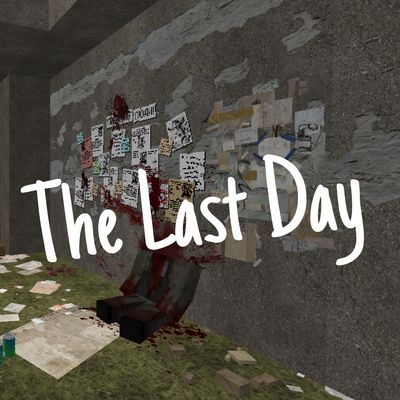
The Last Day
A post-apocalyptic decoration mod that adds immersive props and environmental details for building realistic wasteland scenes.
 mod
CurseForge · Minecraft
AfterCritical
AfterCritical is a tech mod. The main storyline is a complete nuclear industry chain: starting with a hand-hammered iron plate, you build machines, mine uranium, refine fuel, start reactors, generate power with steam, and finally light up the tokamak.
 mod
CurseForge · Minecraft
Singulo
Tech progression from thermocouples to rotating black holes: physics-inspired machines, multiblocks, wormholes and gravity tools.