PneumaticCraft: Repressurized Optional for More Create Burners moreburners-1.20.1-0.3.5.jar
optionalMatching file found Matched file: pneumaticcraft-repressurized-6.0.23+mc1.20.1.jar

CurseForge · Minecraft mod
A Create addons that adds more burners.
Quick answer
More Create Burners moreburners-1.20.1-0.3.5.jar targets 1.20.1 with Forge. The project page does not say whether this file belongs on the client, dedicated server, or both. All 1 required mods have matching files.
Where it goes
The project page does not say whether this file belongs on the client, dedicated server, or both.
The source does not explicitly classify this release as client-only or server-only.
moreburners-1.20.1-0.3.5.jar. Change the file and its required mods may change too.
Install Create first. We found matching files for this game-version and loader setup. 5 come through another mod in the chain.
5 extra mods were pulled in by other dependencies. Indented rows show who needs each one. We only count dependency files that match this setup. A file for another loader does not fill the gap.
Before you install it
Built for More Create Burners moreburners-1.20.1-0.3.5.jar. Pick another file and the loader, install side or required mods may change.
Use moreburners-1.20.1-0.3.5.jar. It targets 1.20.1 with Forge; another release may have different loader, side or dependency requirements.
Install Create first. We found matching files for this game-version and loader setup. 5 come through another mod in the chain.
The project page does not say whether this file belongs on the client, dedicated server, or both.
Use the “Get this file” button beside moreburners-1.20.1-0.3.5.jar. It opens that exact file at the source.
About this project
Note: Version 0.3.2 is only for Create 6.0+ and is not compatible with Create 0.5 !!!
The mod’s goal is to add different kinds of burners that links with different kinds of popular mods.
Create is the mandatory dependency, while others are optional so that future players can choose which burners to use.
Which uses Ember. Embers Rekindled is required as a dependency.
You can place the Dwarven Burner below a Basin or Boiler to replace the Blaze Burner, and it supports all recipes from other Create Addons that use these two types. However, it cannot be used as a heat source for the Encased Fan.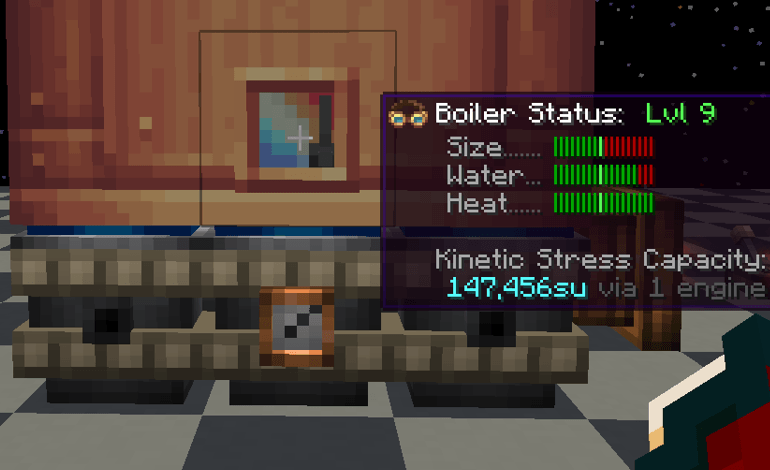
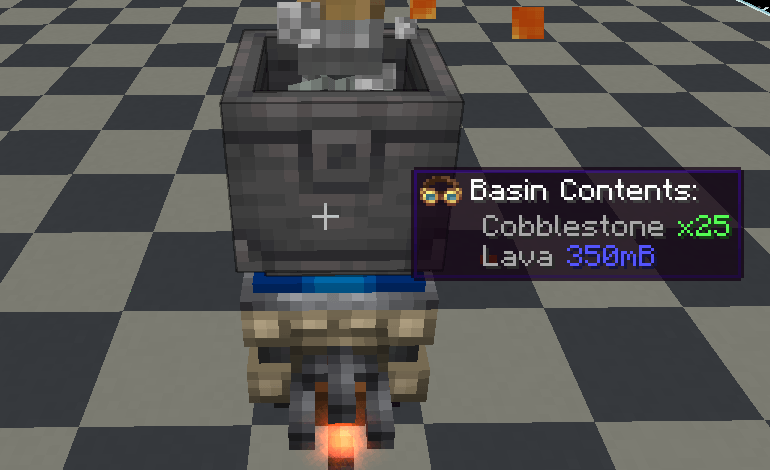
To make the Dwarven Burner work, you need to place an Ember Receiver or Ember Funnel on any side of the Dwarven Burner (preferably not on the top). It will consume Ember to convert it into Heat.
In version 0.0.3 and above, the Dwarven Burner can only reach the Heated state; to achieve the Super-Heated state, you will need to use Atmospheric Bellows.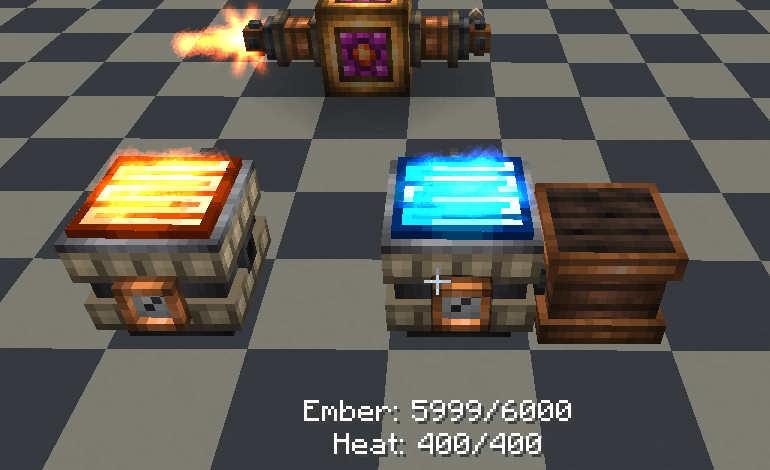
At the same time, the Dwarven Burner supports using the Ember Dial to check the remaining Ember and Heat values. (Support for Engineer's Goggles will be added in version 0.1.0).
The Atmospheric Bellows can increase the temperature limit of the Dwarven Burner in front of it to reach Super-Heated status, and this effect can apply to up to three adjacent Dwarven Burners simultaneously.
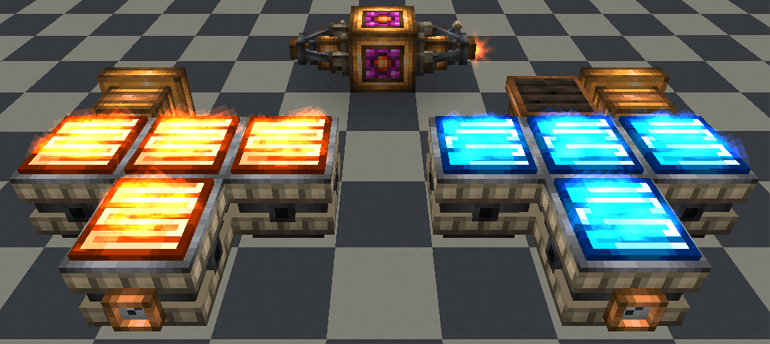
If you want to build a 2x2 or 3x3 heating area, such as a Boiler, you only need to provide Ember to one Dwarven Burner, and it will transfer Ember to all connected Dwarven Burners. Of course, you can also set Ember inputs for all Burners.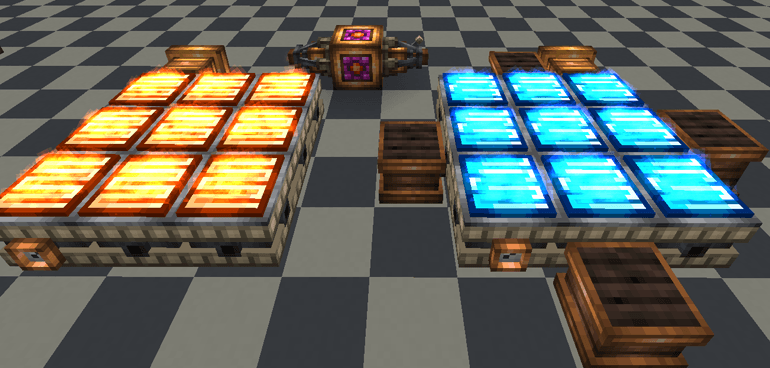
You can also see the color changes of the Burner related to the recipes in JEI.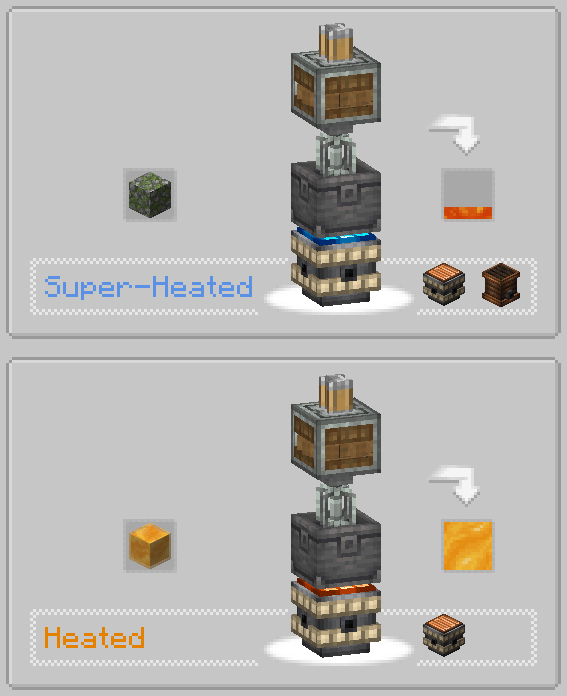
Once it reaches the maximum temperature, as long as the Ember supply is not stopped, it will remain in the Super-Heated state. If you stop the Ember supply, it will slowly lower in temperature to the No-Heating state after the stored Ember is exhausted.
You will need to add a mod capable of generating FE, as MoreBurner does not include any energy-generating devices.
While wearing Engineer's Goggles, you can check the status of the Induction Heater.
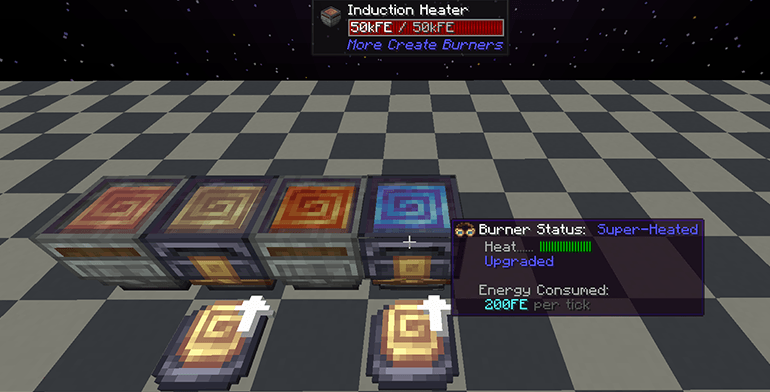
By default, it only reaches the Heated state, and you will need to install a Heat Upgrade to achieve the Super-Heated state.
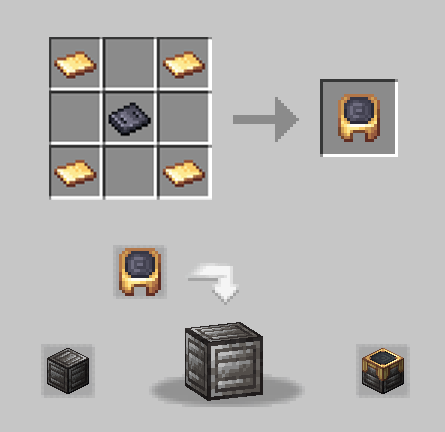
Copper Coil is used to craft the Induction Heater, and Resistance Coil is used to craft the Heat Upgrade.
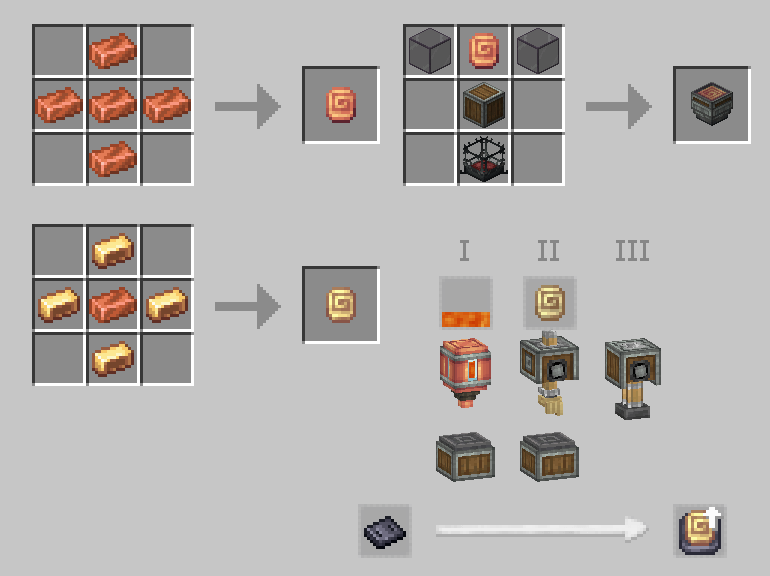
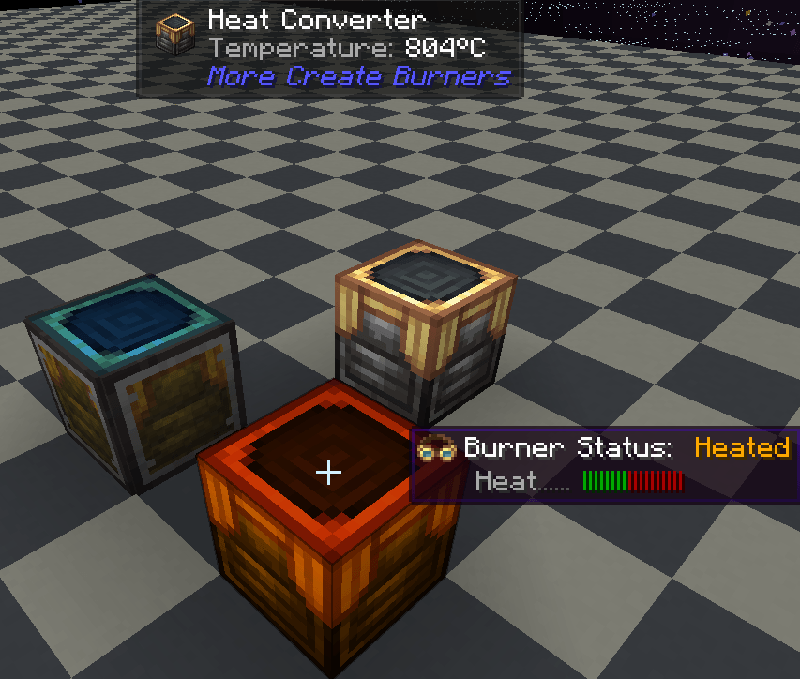
Convert PneumaticCraft heat into Create heat.
Exoflame comes from Botania.
Its original purpose was to provide fuel and accelerate Furnaces, but now it can be applied to Blaze Burners.
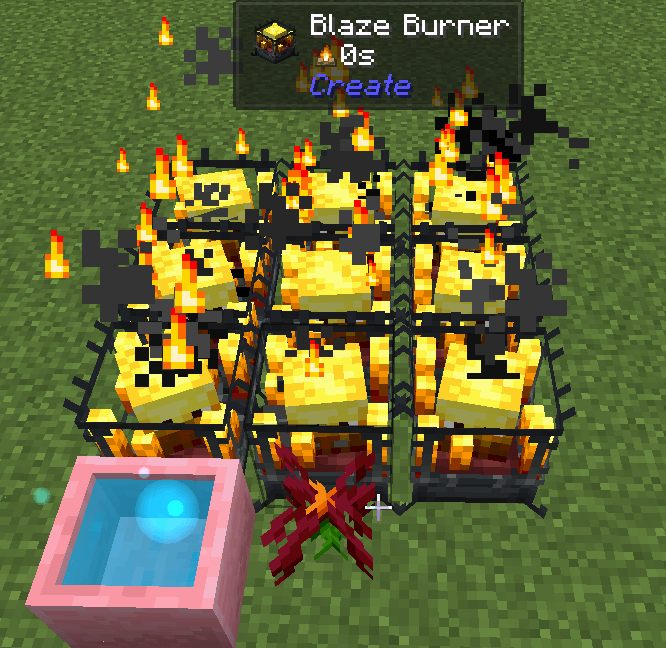
It can supply fuel to up to nine Blaze Burners within an 11x11 range to reach the heated state or maintain one Blaze Burner in the super-heated state.
When the duration of the Blaze Cake ends, Exoflame will keep the Blaze Burner in the super-heated state.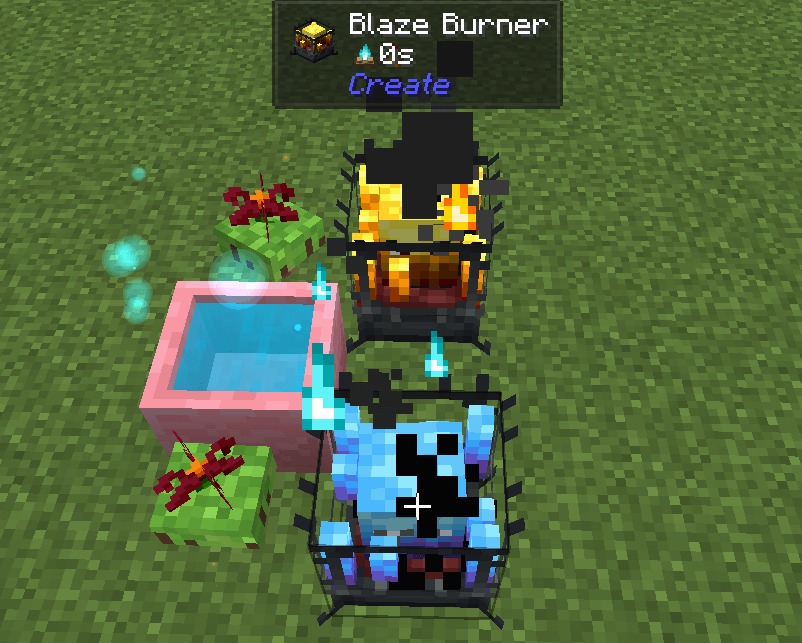
If there is only one Exoflame and multiple Blaze Burners, it will prioritize adding fuel to other Blaze Burners rather than maintaining the super-heated state.
Tips:
Provide mana at last or place Exoflames after placing all the burners can prevent flickering.
You can also adjust some properties related to More Burner in the Config.
Join our Discord channel for the latest updates, to report any bugs, or to share your thoughts!
https://discord.gg/5grQ3jnhYZ
Project description from CurseForge.
Pick your setup
Choose the version and loader you play, then open the matching release.
Check the dependencies, then try the file in a copied instance before changing a world you care about.
Recent files
30 Dec 2025
3 Oct 2025
7 Jul 2025
1 Jun 2025
1 Jun 2025
26 May 2025
26 May 2025
23 May 2025
7 Mar 2025
19 Jan 2025
19 Jan 2025
moreburners-0.3.0.jar
7 Jan 2025
Looking for an older file? The official CurseForge project page is in Resources.
 mod
A mod that adds some new tools for Tinkers' Construct.
 mod
Add missing items to Mystical Agradditions and Mystical Extended Tiers
 mod
Adds (Really) challenging End-Game recipes for Create’s Creative Machines and Aeronautics items.