Mod Menu Optional for Houdini Block [Fabric] 26.2-3.1.1
optionalMatching file found Matched file: v20.0.3 for 26.2
CurseForge · Minecraft mod
A magical block that doesn't trigger block updates when broken!
Quick answer
Houdini Block [Fabric] 26.2-3.1.1 targets 26.2 with Fabric. The project page does not say whether this file belongs on the client, dedicated server, or both. All 3 required mods have matching files.
Where it goes
The project page does not say whether this file belongs on the client, dedicated server, or both.
The source does not explicitly classify this release as client-only or server-only.
[Fabric] 26.2-3.1.1. Change the file and its required mods may change too.
Install ChimericLib, Architectury API, Fabric API first. We found matching files for this game-version and loader setup. 2 come through another mod in the chain.
2 extra mods were pulled in by other dependencies. Indented rows show who needs each one. We only count dependency files that match this setup. A file for another loader does not fill the gap.
Before you install it
Built for Houdini Block [Fabric] 26.2-3.1.1. Pick another file and the loader, install side or required mods may change.
Use [Fabric] 26.2-3.1.1. It targets 26.2 with Fabric; another release may have different loader, side or dependency requirements.
Install ChimericLib, Architectury API, Fabric API first. We found matching files for this game-version and loader setup. 2 come through another mod in the chain.
The project page does not say whether this file belongs on the client, dedicated server, or both.
Use the “Get this file” button beside [Fabric] 26.2-3.1.1. It opens that exact file at the source.
About this project




This mod adds a new block which makes it possible to do things that could previously only be done with a tool like the debug stick or commands.
The inspiration for Houdini Block comes from builders who find novel ways to use the different blockstates of various blocks (such as fences which appear connected, even when they shouldn't), as well as videos of so-called "Minecraft Dominoes", where builders exploited bugs in older versions of the game to create floating blocks like sand, gravel, and concrete powder, then triggered a cascade where the blocks fall in sequence like dominoes.
Note: Shift + right-click in the air to cycle between the modes

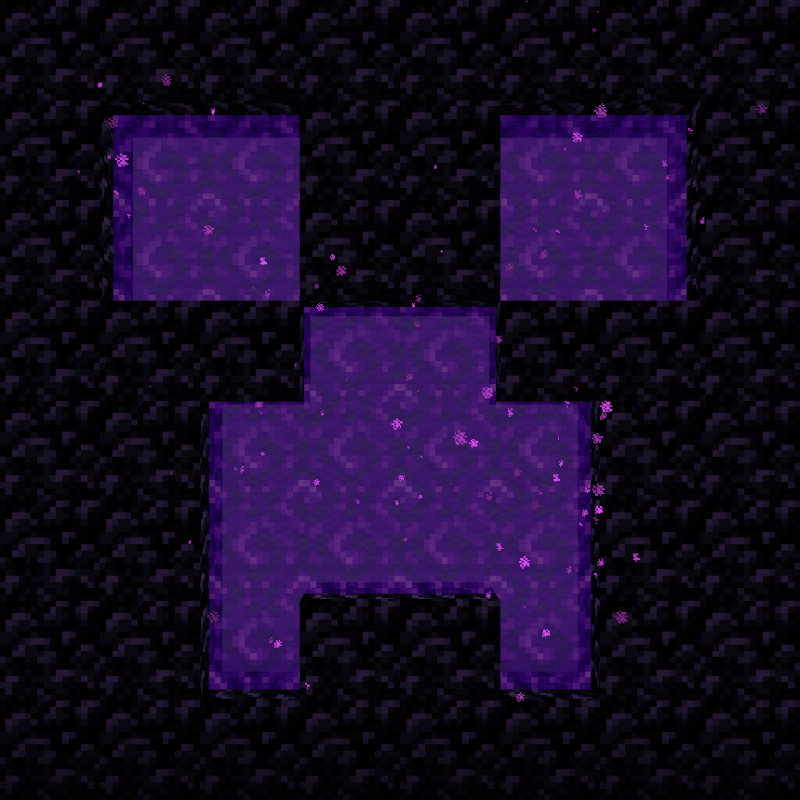
What's with the name and lame texture?
Well, it's a magical block that's basically the inverse of a redstone block. One tells other blocks "do a thing", and the other says "don't do anything".
This seems like a bad idea. Won't this be super easy to exploit and make (insert difficult/fun thing here) boring and trivial?
Maybe, but you could say that about a lot of mods. The intent here is not necessarily to create an "easy button", but rather to provide a way for builders to do things that might normally be achievable only in creative with something like the debug stick. You also don't have to use the Houdini block for absolutely everything; it's up to you how much you want to let a tool like this into your game play. I recognize that this mod won't fit everyone's personal play style, and that's fine! The ability to make those kind of choices for yourself is one of the best things about this game.
This mod is released under the MIT license. The full text of the license can be found here.
Have questions? Want to see what else I am working on? Check out our Discord server!

Project description from CurseForge.
Pick your setup
Choose the version and loader you play, then open the matching release.
Check the dependencies, then try the file in a copied instance before changing a world you care about.
Recent files
houdiniblock-fabric-26.2-3.1.1.jar
17 Oct 2026
houdiniblock-neoforge-26.2-3.1.0.jar
17 Oct 2026
houdiniblock-fabric-26.2-3.0.0.jar
28 Jul 2026
houdiniblock-neoforge-26.2-3.0.0.jar
28 Jul 2026
houdiniblock-neoforge-26.1.2-2.0.0.jar
28 Jul 2026
houdiniblock-fabric-26.1.2-2.0.0.jar
28 Jul 2026
houdiniblock-fabric-1.2.0.jar
12 Dec 2024
houdiniblock-neoforge-1.2.0.jar
12 Dec 2024
houdiniblock-fabric-1.1.0.jar
19 Oct 2024
houdiniblock-neoforge-1.1.0.jar
19 Oct 2024
Looking for an older file? The official CurseForge project page is in Resources.
 mod
A mod that modifies various vanilla HUD elements, such as the bossbar, action bar, sidebar / scoreboard, hotbar, title / subtitle, and more. By Polyfrost, best with OneClient.
 mod
Fabric mod for fetching items from Carpet fake players and checking storage counts in Litematica’s Material List.
 mod
A quality-of-life overhaul for your inventory.

