
Minecraft version
Back to mods 
CurseForge · Minecraft mod
Simple Clouds
Cloud overhaul mod adding new cloud types, breathtaking visuals, and localized weather in an ambient/aesthetic way
Choose a version Pick your version below, then grab the matching file.
Quick answer
Which Simple Clouds release should I use?
beta file 0.7.3+1.21.1
Game version 1.21.1
Loader NeoForge
Simple Clouds 0.7.3+1.21.1 targets 1.21.1 with NeoForge. The project page does not say whether this file belongs on the client, dedicated server, or both. No extra mods listed for this file.
Where it goes
Is Simple Clouds required on the client, server, or both?
The project page does not say whether this file belongs on the client, dedicated server, or both.
Client Source doesn’t say
Dedicated server Source doesn’t say
Loader for this release NeoForge
Required install it here Optional supported, not mandatory Not supported do not install here Source doesn’t say do not assume
The source does not explicitly classify this release as client-only or server-only.
What else does Simple Clouds 0.7.3+1.21.1 need?
0.7.3+1.21.1. Change the file and its required mods may change too.
This file does not list any required mods. Do not add a library just because a different file uses it.
This file does not list any required or optional mods.
Before you install it
Add Simple Clouds without breaking your instance.
Built for Simple Clouds 0.7.3+1.21.1. Pick another file and the loader, install side or required mods may change.
- 01
Stick to this file
Use 0.7.3+1.21.1. It targets 1.21.1 with NeoForge; another release may have different loader, side or dependency requirements.
- 02
Bring the mods it needs
This file does not list any required mods. Do not add a library just because a different file uses it.
- 03
Put it on the correct side
The project page does not say whether this file belongs on the client, dedicated server, or both.
- 04
Pick the file you checked
Use the “Get this file” button beside 0.7.3+1.21.1. It opens that exact file at the source.
About this project
What does Simple Clouds add?
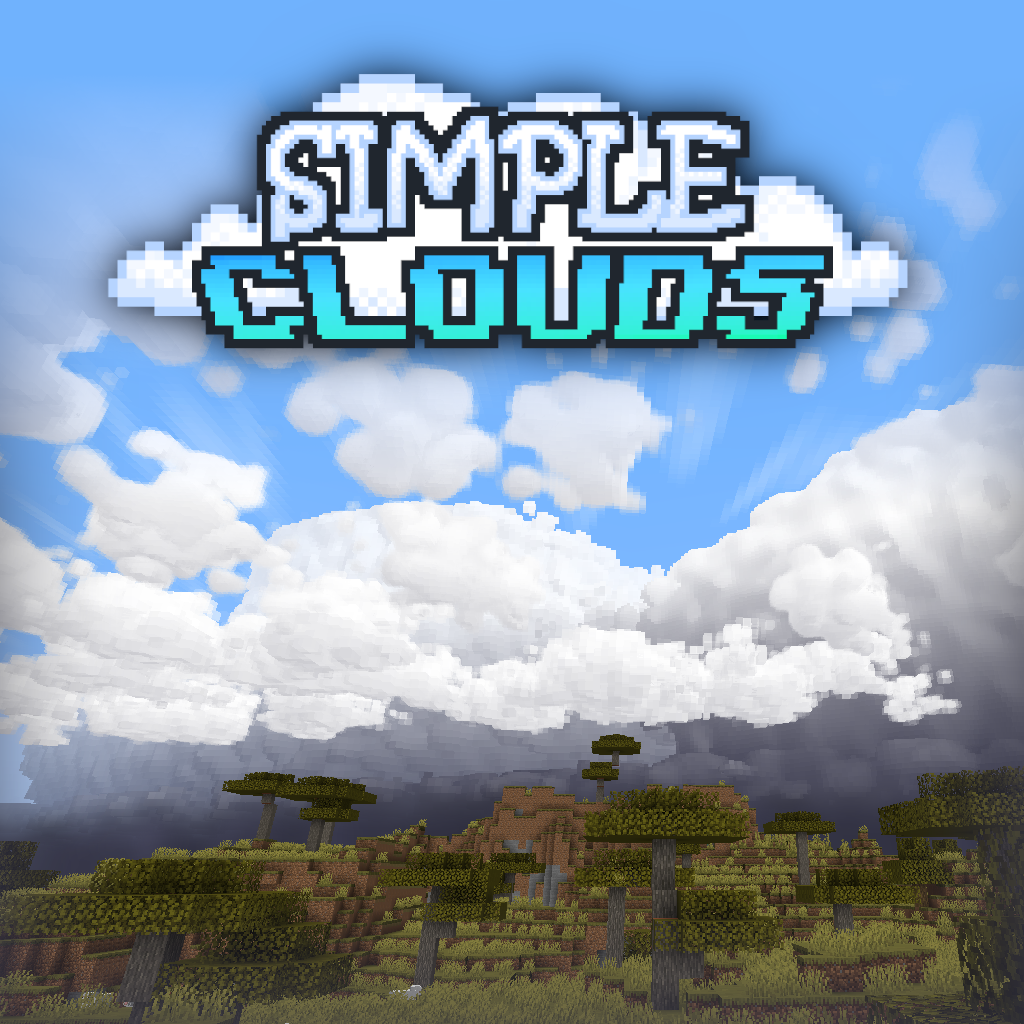



Simple Clouds is a cloud rendering overhaul mod for Minecraft: Java Edition, adding new cloud types, breathtaking visuals, and localized weather. It attempts to mimic real-life weather and cloud formations in a stylized, ambient, and aesthetic way that is meant to build on to the vanilla Minecraft experience.
Simple Clouds is currently in open BETA, and you may experience bugs, crashes, and instability. There are still lots of features I want to implement.
- Overhauled cloud system
- 7 unique cloud types based on their real-life counterparts
- Clouds span over 20,000 blocks and use LODs to increase performance
- ”Storm fog” (as I’ve coined it) appears under stormy clouds, making them look super threatening from a distance
- Localized weather effects
- Rain and snow now only appear under clouds with precipitation, with their rendering completely overhauled
- Custom lightning and delayed thunder which can be seen up close and from a distance
- More to come!
Although Simple Clouds adds cloud types based on their real-life counterparts, Simple Clouds is by no means meant to be a realistic representation of the complex weather phenomenon that happens every day. It is purely a stylized and aesthetic version of what happens in real life.
Simple Clouds can either be loaded client-side only, or included on the server-side for synchronization between players on multiplayer and for local weather effects (rain/lightning under stormy clouds). Certain limitations exist when using the mod client-side only, which is when you connect to a server that does not have Simple Clouds installed:
Client-Side Only Limitations
- Localized weather is disabled and the vanilla, global weather system will be used.
- Cloud positions are not saved and the seed is randomized each time you login to a world. A custom cloud seed can be used that will keep the clouds the same each time you login if wanted.
Server-Side Capabilities
With Simple Clouds is installed on the server-side (singleplayer or connecting to a multiplayer server with Simple Clouds), you will have:
- Localized weather + effects when under stormy clouds
- Cloud saving/synchronization with a unique seed per world
Customizability
Simple Clouds has multiple configs to customize different aspects of the mod, ranging from performance to preference. You can access the config via the light blue S in the options screen.
Simple Clouds also has a built-in cloud editor, which can be accessed in the main config menu. You can customize existing or create your own cloud types, and export them for use in datapacks/resourcepacks. Documentation available on GitHub.
Ports
Simple Clouds is currently only available for Forge (1.20.1) and NeoForge (1.21+). Please don’t ask for a Fabric port or backports to older versions. Versions for newer versions of the game will come when they are ready.
How Does It Work?
Simple Clouds works by using compute shaders to generate the clouds in semi-realtime. It does this by iterating over a grid of voxels, testing each cube against layers of 3D noise, and adding vertices to create the clouds. This work is done on the GPU which handles parallel tasks such as these more efficiently than the CPU.
Despite being super fast, Simple Clouds can still have a noticeable effect on your frames, especially if you have an older GPU. The client config has options for fine-tweaking the mod to see if you can get something that works well for your system. In general, systems with more modern GPUs should handle Simple Clouds with ease. I’m constantly looking for new ways to make this mod more performant, so it may get better over time.
Modpack Use
Simple Clouds can be used in whatever modpack you so desire, though please be aware of potential compatibility issues.

Project description from CurseForge.
Pick your setup
Simple Clouds by Minecraft version and loader
Choose the version and loader you play, then open the matching release.
Minecraft version
1.21
1 loader buildMinecraft version
1.20.1
1 loader buildCheck the dependencies, then try the file in a copied instance before changing a world you care about.
Recent files
Simple Clouds versions and loaders
0.7.3+1.21.1
simpleclouds-0.7.3+1.21.1-all.jar
26 Aug 2025
Client Source doesn’t say Server Source doesn’t say Dependencies No extras listed Listed on Release listing
Check the 1.21.1 · NeoForge setup NeoForge1.21.1 beta
0.7.3+1.20.1-forge
simpleclouds-0.7.3+1.20.1-forge-all.jar
26 Aug 2025
Client Source doesn’t say Server Source doesn’t say Dependencies No extras listed Listed on Release listing
Check the 1.20.1 · Forge setup 1.20.1Forge beta
0.7.2+1.20.1-forge
simpleclouds-0.7.2+1.20.1-forge-all.jar
21 Jul 2025
Client Source doesn’t say Server Source doesn’t say Dependencies No extras listed Listed on Release listing
Check the 1.20.1 · Forge setup 1.20.1Forge beta
0.7.1+1.20.1-forge
simpleclouds-0.7.1+1.20.1-forge-all.jar
28 Jun 2025
Client Source doesn’t say Server Source doesn’t say Dependencies No extras listed Listed on Release listing
Check the 1.20.1 · Forge setup 1.20.1Forge beta
0.7+1.20.1-forge
simpleclouds-0.7+1.20.1-forge-all.jar
23 Jun 2025
Client Source doesn’t say Server Source doesn’t say Dependencies No extras listed Listed on Release listing
Check the 1.20.1 · Forge setup 1.20.1Forge beta
0.6.3+1.21
simpleclouds-0.6.3+1.21-all.jar
14 Oct 2024
Client Source doesn’t say Server Source doesn’t say Dependencies No extras listed Listed on Release listing
Check the 1.21.1 · NeoForge setup 1.21NeoForge1.21.1 beta
0.6.3+1.20.1-forge
simpleclouds-0.6.3+1.20.1-forge-all.jar
14 Oct 2024
Client Source doesn’t say Server Source doesn’t say Dependencies No extras listed Listed on Release listing
Check the 1.20.1 · Forge setup 1.20.1Forge beta
Looking for an older file? The official CurseForge project page is in Resources.