Sparkweave Engine Needed by Velvet 0.5.1+NeoForge
requiredMatching file found Matched file: 0.510.0+NeoForge

CurseForge · Minecraft mod
A Fabric & NeoForge library to help with shader usage, based off of Satin
Quick answer
Velvet 0.5.1+NeoForge targets 1.21.1 with NeoForge. The project page does not say whether it belongs on the client. The project page does not say whether it belongs on the dedicated server. All 2 required mods have matching files.
Where it goes
The project page does not say whether it belongs on the client. The project page does not say whether it belongs on the dedicated server.
The source does not explicitly classify this release as client-only or server-only.
0.5.1+NeoForge. Change the file and its required mods may change too.
Install Sparkweave Engine, Sparkweave Engine first. We found matching files for this game-version and loader setup.
We only count dependency files that match this setup. A file for another loader does not fill the gap.
Before you install it
Built for Velvet 0.5.1+NeoForge. Pick another file and the loader, install side or required mods may change.
Use 0.5.1+NeoForge. It targets 1.21.1 with NeoForge; another release may have different loader, side or dependency requirements.
Install Sparkweave Engine, Sparkweave Engine first. We found matching files for this game-version and loader setup.
The project page does not say whether it belongs on the client. The project page does not say whether it belongs on the dedicated server.
Use the “Get this file” button beside 0.5.1+NeoForge. It opens that exact file at the source.
About this project

Velvet is a multiloader library for making and using your own OpenGL shaders based off of Satin. I highly suggest supporting the Satin developers, but don't pester them with bug reports if you're using Velvet.
For documentation, Satin's wiki will provide you with everything. Some class and method names are difference, as Velvet renames them to match Mojmap names.
If your project is Fabric only, please use Satin instead.
You can add Velvet by putting the following in your build.gradle:
repositories {
	maven {
		name = "Up-Mods & Cammie's Corner"
		url = "https://maven.uuid.gg/releases"
	}
}
For Fabric (Ignore this if you're only using NeoForge):
dependencies {
	modImplementation "dev.cammiescorner.velvet:Velvet-Common:${velvet_version}"
	modImplementation "dev.cammiescorner.velvet:Velvet-Fabric:${velvet_version}"

	// If you want to jar-in-jar Velvet
	include "dev.cammiescorner.velvet:Velvet-Common:${velvet_version}"
	include "dev.cammiescorner.velvet:Velvet-Fabric:${velvet_version}"
}
For NeoForge:
dependencies {
	implementation "dev.cammiescorner.velvet:Velvet-Common:${velvet_version}"
	implementation "dev.cammiescorner.velvet:Velvet-NeoForge:${velvet_version}"

	// If you want to jar-in-jar Velvet
	jarJar(dev.cammiescorner.velvet:Velvet-Common:${velvet_version}) {
		transitive = false
		version {
			strictly "[${velvet_version},)"
			prefer ${velvet_version}
		}
	}
	jarJar(dev.cammiescorner.velvet:Velvet-NeoForge:${velvet_version}) {
		transitive = false
		version {
			strictly "[${velvet_version},)"
			prefer ${velvet_version}
		}
	}
}
Then add the library version to your gradle.properties file:
# Velvet version
velvet_version=0.x.x
Or your libs.versions.toml file if you're using one of those instead:
# Velvet version
velvet_version = "0.x.x"
For the latest version of Velvet, please check the GitHub Releases.


Project description from CurseForge.
Pick your setup
Choose the version and loader you play, then open the matching release.
Check the dependencies, then try the file in a copied instance before changing a world you care about.
Recent files
Velvet-NeoForge-0.5.1.jar
12 Jan 2026
Velvet-Fabric-0.5.1.jar
12 Jan 2026
Velvet-NeoForge-0.5.0.jar
6 Dec 2024
Velvet-Fabric-0.5.0.jar
6 Dec 2024
Looking for an older file? The official CurseForge project page is in Resources.
 mod
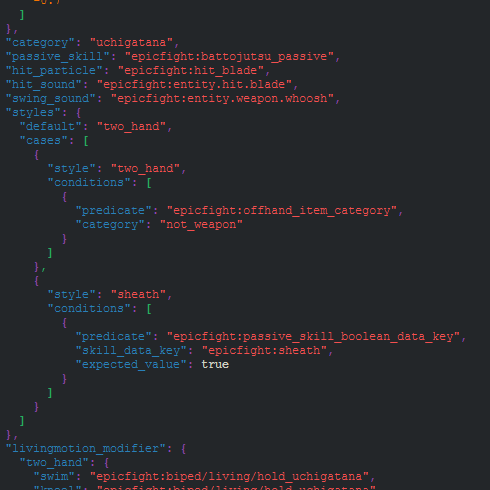
modAllows you to add Passive Skills to categories in datapacks, as well as use SkillDatakeys in Styles, Charged Attakcs and a few other things.
 mod
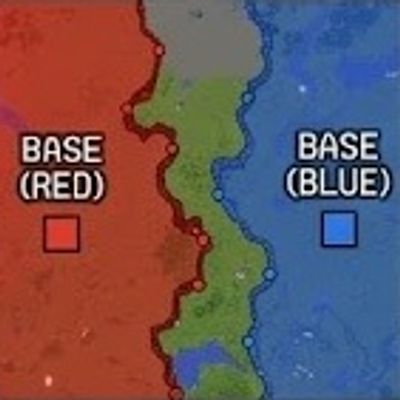
mod"Real-time dynamic frontline and territory control system powered by strategic flag points for tactical combat servers."
 mod
modAutomatically uploads schematics to CreateMod.com and makes it easier to download them!