MidnightLib Needed by Player Radar playernotifier-1.9.1.jar
requiredMatching file found Matched file: MidnightLib 1.9.3 - Fabric 26.2
CurseForge · Minecraft mod
Get notified when players are near.
Quick answer
Player Radar playernotifier-1.9.1.jar targets 26.1, 26.1.1, 26.1.2 with Fabric. The project page does not say whether it belongs on the client. The project page does not say whether it belongs on the dedicated server. All 2 required mods have matching files.
Where it goes
The project page does not say whether it belongs on the client. The project page does not say whether it belongs on the dedicated server.
The source does not explicitly classify this release as client-only or server-only.
playernotifier-1.9.1.jar. Change the file and its required mods may change too.
Install MidnightLib, Fabric API first. We found matching files for this game-version and loader setup.
We only count dependency files that match this setup. A file for another loader does not fill the gap.
Before you install it
Built for Player Radar playernotifier-1.9.1.jar. Pick another file and the loader, install side or required mods may change.
Use playernotifier-1.9.1.jar. It targets 26.1, 26.1.1, 26.1.2 with Fabric; another release may have different loader, side or dependency requirements.
Install MidnightLib, Fabric API first. We found matching files for this game-version and loader setup.
The project page does not say whether it belongs on the client. The project page does not say whether it belongs on the dedicated server.
Use the “Get this file” button beside playernotifier-1.9.1.jar. It opens that exact file at the source.
About this project


Get notified when a player is within your loaded chunks. Fully client-side.
You can choose between a chat message, a message above the hotbar, and/or a sound indicator.
It is highly recommended you install MidnightLib, as the config will NOT WORK without MidnightLib installed.
To prevent some players from being picked up in the radar, or to only make specific players get picked up, use /radarlist. The usage is:
/radarlist add <player> - Add a player to the list by their username./radarlist remove <player> - Remove a player from the list by their username./radarlist mode - Returns the current radar mode./radarlist mode (blacklist|whitelist) - Sets the current radar mode./radarlist uuid add <uuid> - Add a player to the list by their UUID./radarlist uuid remove <uuid> - Remove a player from the list by their UUID./radarlist toggle - Toggles the radar on or off.Using blacklist mode will prevent any user in the list from being detected.
Using whitelist mode will only allow users in the list to be detected.
The whitelist and blacklist are two separate lists; they do not share the same data.
Some servers may consider this a cheat or a hack. I do not encourage hacking. Please check with your server owner or a moderator before using this mod.
Found a bug or issue? Or want to suggest a feature? Submit an issue here.
Project description from CurseForge.
Pick your setup
Choose the version and loader you play, then open the matching release.
Showing the newest 12 of 35 game versions. Older files are in the list below.
Check the dependencies, then try the file in a copied instance before changing a world you care about.
Recent files
29 Jul 2026
22 Oct 2025
13 Oct 2025
13 Oct 2025
playernotifier-1.7.0.jar
26 Sept 2025
26 Sept 2025
5 Sept 2025
5 Sept 2025
12 Jun 2025
12 Jun 2025
1 Jun 2025
1 Jun 2025
Looking for an older file? The official CurseForge project page is in Resources.
 mod
modOptimizes Ender IO conduits with customizable tick intervals and smart algorithms to maximize endgame logistics.
 mod
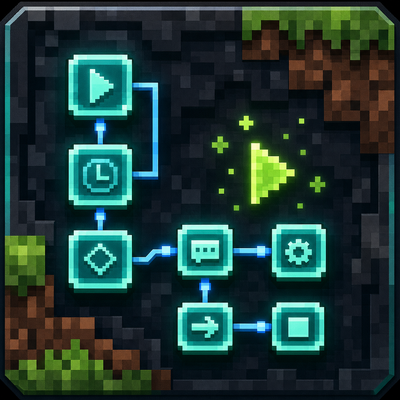
modLitemacro is a visual Minecraft macro builder for Fabric. It lets you build macros with drag-and-drop components, true/false logic, failed paths, item pickers, keybinds, import/export, and Discord notifications.
 mod
modthis is a friendly building mod that adds decorative blocks to expand building palette while staying true to the game's original style.
