Minecraft version
Back to mods 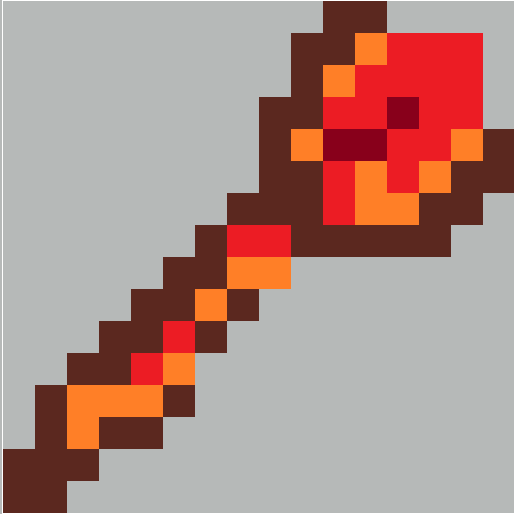
CurseForge · Minecraft mod
Josh's Magic Staffs
Adds 15 New Elemental Staffs!
Choose a version Pick your version below, then grab the matching file.
Quick answer
Which Josh's Magic Staffs release should I use?
Latest stable file magicstaffs-1.21.6.jar
Game version 1.21.6
Loader Fabric
Josh's Magic Staffs magicstaffs-1.21.6.jar targets 1.21.6 with Fabric. The project page does not say whether this file belongs on the client, dedicated server, or both. No extra mods listed for this file.
Where it goes
Is Josh's Magic Staffs required on the client, server, or both?
The project page does not say whether this file belongs on the client, dedicated server, or both.
Client Source doesn’t say
Dedicated server Source doesn’t say
Loader for this release Fabric
Required install it here Optional supported, not mandatory Not supported do not install here Source doesn’t say do not assume
The source does not explicitly classify this release as client-only or server-only.
What else does Josh's Magic Staffs magicstaffs-1.21.6.jar need?
magicstaffs-1.21.6.jar. Change the file and its required mods may change too.
This file does not list any required mods. Do not add a library just because a different file uses it.
This file does not list any required or optional mods.
Before you install it
Add Josh's Magic Staffs without breaking your instance.
Built for Josh's Magic Staffs magicstaffs-1.21.6.jar. Pick another file and the loader, install side or required mods may change.
- 01
Stick to this file
Use magicstaffs-1.21.6.jar. It targets 1.21.6 with Fabric; another release may have different loader, side or dependency requirements.
- 02
Bring the mods it needs
This file does not list any required mods. Do not add a library just because a different file uses it.
- 03
Put it on the correct side
The project page does not say whether this file belongs on the client, dedicated server, or both.
- 04
Pick the file you checked
Use the “Get this file” button beside magicstaffs-1.21.6.jar. It opens that exact file at the source.
About this project
What does Josh's Magic Staffs add?
UPDATE: The 1.21.6 release of this mod now contains two new staffs: The Bewitching Staff, and The Necromancer Staff
Thank you so much to everyone who gave this mod a shot, I hope you liked it! I had so much fun making this and if you enjoyed it, you should follow the account to see what I put out next :)
This mod is designed to make the typical minecraft progression more fun and give you little side-goals to make things interesting, and give a use to super underused items like lightning rods and phantom membrane. Enjoy :)
Staffs have an extra ability by holding SHIFT + right click (and another secret one by punching a mob).
STAFFS:
Wind:
- Right Click: Wind blast
- Shift+Right Click: Create a wind circle around you
- Crafting recipe: Surround a stick with phantom membrane
Fire:
- Right Click: Flamethrower
- Shift+Right Click: Fireball
- Passive: Takes fire damage for you
- Crafting recipe: Surround a stick with blaze powder
Water:
- Right Click: Place water
- Shift+Right Click: Recieve water buffs for a short time
- Passive: Takes drowning damage for you
- Crafting recipe: Combine a stick and a heart of the sea
Ice:
- Right Click: Ice beam
- Shift+Right Click: Blizzard
- Passive: Takes freeze damage for you
- Crafting recipe: Surround a stick with snowballs
Forest:
- Right Click: Bone meal
- Shift+Right Click: Restore 1 hunger
- Crafting recipe: Surround a stick with bone meal
Heal:
- Right Click: Heal beam
- Shift+Right Click: Heal yourself
- Crafting recipe: Surround a stick with ghast tears
Wither:
- Right Click: Wither beam
- Shift+Right Click: Shoot wither skull
- Passive: Takes wither damage for you
- Crafting recipe: Combine a stick with a wither skull
Gravity:
- Right Click: Gravity beam that levitates mobs
- Shift+Right Click: Take no fall damage for 10 seconds
- Crafting recipe: Surround a stick with amethyst shards
Redstone:
- Right Click: Redstone beam to place an invisible redstone power source from up to 40 blocks away
- Crafting recipe: Surround a stick with redstone
Electric:
- Right Click: Electrifies mobs, causing them to zap nearby mobs
- Shift+Right Click: Same ability but the electricity spreads like a disease
- Passive: Takes lightning damage for you
- Crafting recipe: Surround a stick with lightning rods on the top 3 and bottom 3, and 2 iron ingots on the sides
Storm:
- Right Click: Summon lightning on a mob
- Shift+Right Click: Summon lightning around you
- Passive: Takes lightning and fire damage for you
- Crafting recipe: Surround a stick entirely with lightning rods
Lava:
- Right Click: Spawn lava on a mob (dissapears when you spawn a second block of lava)
- Shift+Right Click: Spawn a 3x3 grid of dissapearing lava on a mob
- Passive: Takes lava and fire damage for you
- Crafting recipe: Surround a stick with 4 lava buckets (top/bottom middle, left/right middle)
Cloaking:
- Right Click: Turn invisible for a short time
- Shift+Right Click: Turn invisible for a short time and get a speed boost
- Crafting recipe: Surround a stick with golden carrots
Ender:
- Right Click: Teleports a mob to you
- Shift+Right Click: Teleports you to the block you click on (range of 40 blocks)
- Crafting recipe: Surround a stick with 4 eyes of ender (top, bottom, middle left/right)
Warden:
- Right Click: Shoots a sonic boom
- Shift+Right Click: Places a sculk catalyst
- Crafting recipe: Combine a stick and a sculk catalyst
1.21.6 Fabric Only:
Bewitching:
- Right Click: Bewitch any mob to fight for you for a short time (only works if there are other mobs to fight)
- Crafting recipe: Surround a stick with 4 golden apples (top, bottom, middle left/right)
Necromancer:
- Right Click: Summon a friendly zombie to fight on your behalf for 2 and a half minutes
- Crafting recipe: Place one stick in the middle, one wither skull at the top, and bones at the bottom, middle left and middle right
Project description from CurseForge.
Pick your setup
Josh's Magic Staffs by Minecraft version and loader
Choose the version and loader you play, then open the matching release.
Minecraft version
1.21.5
1 loader buildMinecraft version
1.21.4
1 loader buildMinecraft version
1.21.3
1 loader buildMinecraft version
1.21.2
1 loader buildMinecraft version
1.21.1
2 loader buildsMinecraft version
1.21
2 loader buildsMinecraft version
1.20.6
1 loader buildMinecraft version
1.20.5
1 loader buildMinecraft version
1.20.4
1 loader buildMinecraft version
1.20.3
1 loader buildMinecraft version
1.20.2
1 loader buildShowing the newest 12 of 14 game versions. Older files are in the list below.
Check the dependencies, then try the file in a copied instance before changing a world you care about.
Recent files
Josh's Magic Staffs versions and loaders
magicstaffs-1.21.6.jar
21 Jun 2025
Client Source doesn’t say Server Source doesn’t say Dependencies No extras listed Listed on Release listing
Check the 1.21.6 · Fabric setup Fabric1.21.6 release
magicstaffs-neoforge-1.21.1.jar
18 Apr 2025
Client Source doesn’t say Server Source doesn’t say Dependencies No extras listed Listed on Release listing
Check the 1.21.1 · NeoForge setup 1.21NeoForge1.21.1 release
magicstaffs-1.21.5.jar
2 Apr 2025
Client Source doesn’t say Server Source doesn’t say Dependencies No extras listed Listed on Release listing
Check the 1.21.5 · Fabric setup 1.21.5Fabric release
magicstaffs-1.20.jar
2 Apr 2025
Client Source doesn’t say Server Source doesn’t say Dependencies No extras listed Listed on Release listing
Check the 1.20 · Fabric setup Fabric1.20 release
magicstaffs-1.20.1.jar
2 Apr 2025
Client Source doesn’t say Server Source doesn’t say Dependencies No extras listed Listed on Release listing
Check the 1.20.1 · Fabric setup Fabric1.20.1 release
magicstaffs-1.20.2.jar
2 Apr 2025
Client Source doesn’t say Server Source doesn’t say Dependencies No extras listed Listed on Release listing
Check the 1.20.2 · Fabric setup 1.20.2Fabric release
magicstaffs-1.20.3.jar
2 Apr 2025
Client Source doesn’t say Server Source doesn’t say Dependencies No extras listed Listed on Release listing
Check the 1.20.3 · Fabric setup Fabric1.20.3 release
magicstaffs-1.20.4.jar
2 Apr 2025
Client Source doesn’t say Server Source doesn’t say Dependencies No extras listed Listed on Release listing
Check the 1.20.4 · Fabric setup Fabric1.20.4 release
magicstaffs-1.20.5.jar
2 Apr 2025
Client Source doesn’t say Server Source doesn’t say Dependencies No extras listed Listed on Release listing
Check the 1.20.5 · Fabric setup 1.20.5Fabric release
magicstaffs-1.20.6.jar
2 Apr 2025
Client Source doesn’t say Server Source doesn’t say Dependencies No extras listed Listed on Release listing
Check the 1.20.6 · Fabric setup Fabric1.20.6 release
magicstaffs-1.21.jar
2 Apr 2025
Client Source doesn’t say Server Source doesn’t say Dependencies No extras listed Listed on Release listing
Check the 1.21 · Fabric setup 1.21Fabric release
magicstaffs-1.21.1.jar
2 Apr 2025
Client Source doesn’t say Server Source doesn’t say Dependencies No extras listed Listed on Release listing
Check the 1.21.1 · Fabric setup Fabric1.21.1 release
Looking for an older file? The official CurseForge project page is in Resources.
 mod
CurseForge + Modrinth · Minecraft
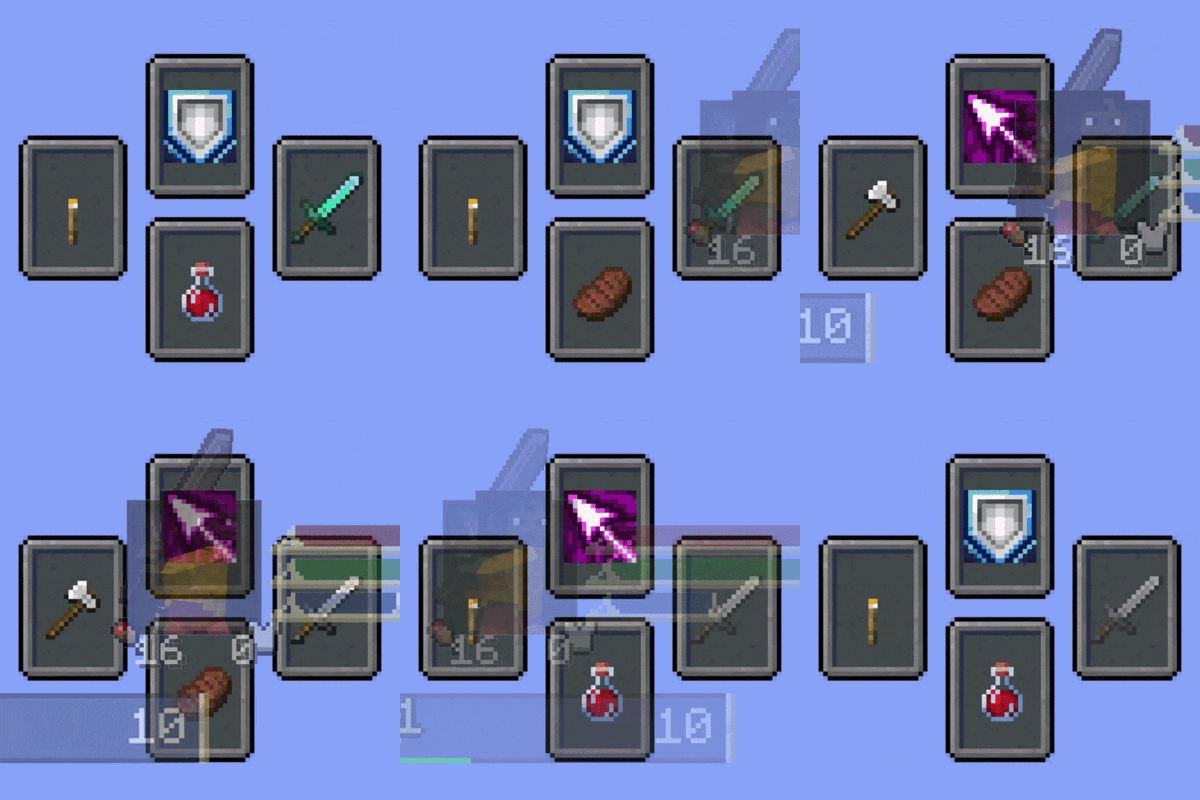
Souls Combat HUD
Adds a soulslike HUD featuring equipment slots, boss bar, status gauges and team display.
 mod
CurseForge · Minecraft
Sparrow's Homestead Chronicles
Standalone adventure journal featuring quests, XP progression, a customizable HUD, and an adventure library for Minecraft 1.21.1.
 mod
CurseForge · Minecraft
Wanderers Across Worlds
Companions from every world, brought to life in Minecraft, a living party that fights, feels, remembers, and forms bonds of its own. Download characters in-game (no dependencies.)