Free camera API Needed by Camera Anim neo-1.21.3-1.3.1
requiredNo matching file
CurseForge · Minecraft mod
In game camera animations maker and loader.
Quick answer
Camera Anim neo-1.21.3-1.3.1 targets 1.21.3, 1.21.4 with NeoForge. Installation on the client is optional. Installation on the dedicated server is optional. 1 required mod needs a matching file.
Where it goes
Installation on the client is optional. Installation on the dedicated server is optional.
The source marks this as usable on both the client and server.
neo-1.21.3-1.3.1 on 1.21.4 NeoForge. Every mod below is checked against that same setup.
Install Free camera API first, but 1 required mod has no matching file for this setup. Do not mix loader builds to force a match.
We only count dependency files that match this setup. A file for another loader does not fill the gap.
Before you install it
Built for Camera Anim neo-1.21.3-1.3.1 on 1.21.4 NeoForge. Pick another file and the loader, install side or required mods may change.
Use neo-1.21.3-1.3.1. It targets 1.21.3, 1.21.4 with NeoForge; another release may have different loader, side or dependency requirements.
Install Free camera API first, but 1 required mod has no matching file for this setup. Do not mix loader builds to force a match.
Installation on the client is optional. Installation on the dedicated server is optional.
Use the “Get this file” button beside neo-1.21.3-1.3.1. It opens that exact file at the source.
About this project
In game camera anim maker and loader.
This mod only modifies the player's camera and does not modify the entity pos. 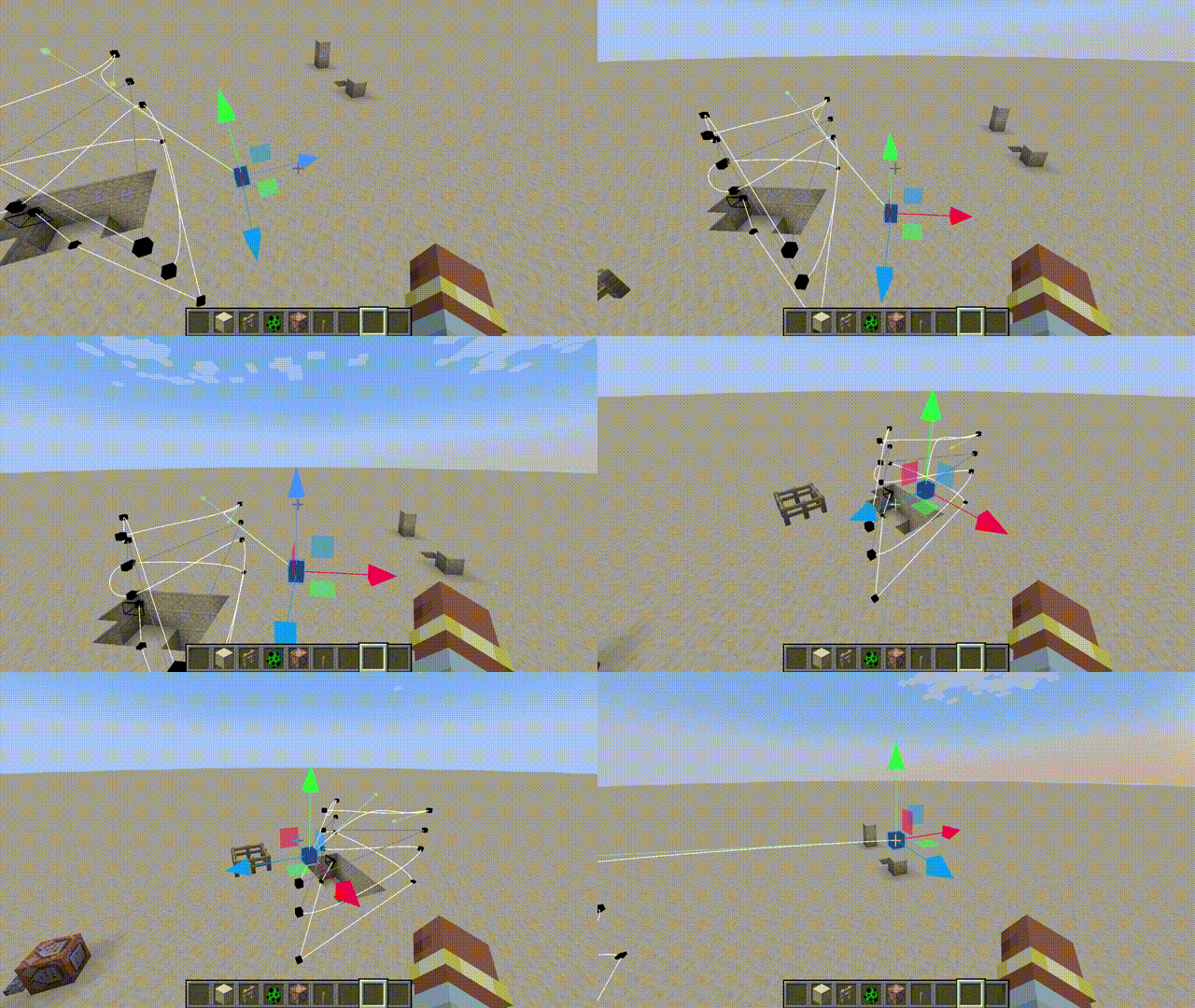
Switch to Edit Mode .
Create you path.
Save to server.
Use following command to make the specified player play the animation.
/cameraanim play <player> <path id>
Project description from CurseForge.
Pick your setup
Choose the version and loader you play, then open the matching release.
Check the dependencies, then try the file in a copied instance before changing a world you care about.
Recent files
camera_anim-neo-1.21.3-1.3.1.jar
27 Apr 2025
1 Mar 2025
4 Feb 2025
camera_anim-1.21.3-1.2.0.jar
22 Jan 2025
camera_anim-1.21.3-1.1.0.jar
7 Jan 2025
camera_anim-1.21.3-1.0.1.jar
5 Jan 2025
Looking for an older file? The official CurseForge project page is in Resources.
 mod
A Minecraft mod that adds customizable timestamps to chat!
 mod
Compare armor, weapons and tools with your equipped gear right in the tooltip: stat changes, damage per second, durability and enchantments.
 mod
Give a wolf a friend's scent band, read its behavior at trail forks, and help it pick up the trail again beyond the river.