Fabric Language Kotlin Needed by cubium-1.1.2.jar
requiredMatching file found Matched file: Fabric Language Kotlin 1.14.2+kotlin.2.4.21

CurseForge · Minecraft mod
A client-side Minecraft mod that integrates a Chromium-based browser directly into the game, allowing you to access websites without tabbing out.
Quick answer
cubium-1.1.2.jar targets 1.21.2-Snapshot, 1.21.4, 1.21.3 with Fabric. The project page does not say whether this file belongs on the client, dedicated server, or both. All 3 required mods have matching files.
Where it goes
The project page does not say whether this file belongs on the client, dedicated server, or both.
The source does not explicitly classify this release as client-only or server-only.
cubium-1.1.2.jar. Change the file and its required mods may change too.
Install Fabric Language Kotlin, MCEF (Minecraft Chromium Embedded Framework), Fabric API first. We found matching files for this game-version and loader setup.
We only count dependency files that match this setup. A file for another loader does not fill the gap.
Before you install it
Built for cubium-1.1.2.jar. Pick another file and the loader, install side or required mods may change.
Use cubium-1.1.2.jar. It targets 1.21.2-Snapshot, 1.21.4, 1.21.3 with Fabric; another release may have different loader, side or dependency requirements.
Install Fabric Language Kotlin, MCEF (Minecraft Chromium Embedded Framework), Fabric API first. We found matching files for this game-version and loader setup.
The project page does not say whether this file belongs on the client, dedicated server, or both.
Use the “Get this file” button beside cubium-1.1.2.jar. It opens that exact file at the source.
About this project
Cubium is a client-side Minecraft mod that integrates a Chromium-based browser directly into the game. With Cubium, you can browse the web seamlessly without ever needing to tab out. The browser can be opened at any time using the B key (default, customizable in settings).
The Cubium Mod is no longer updated regularly on CurseForge. Please use Modrinth to get the latest versions.
Cubium uses the MCEF library. Make sure to install it together with the mod.
You will also need the Fabric API and the Fabric Language Kotlin for the mod to work.
If you want to use Quilt, you'll need to use the Quilted Fabric API instead of the Fabric API, and the Quilt Kotlin Libraries instead of the Fabric Language Kotlin.
If you have just 1 minute, I'd appreciate it if you could answer these 4 quick questions:
Thank you!
Cubium works seamlessly with the TMYK mod by fingerguns83. TMYK allows you to easily access wiki links by typing /wiki [search term], or simply /wiki to look up information about blocks, entities, or fluids you're currently looking at.
If you need help, you can check the wiki for additional information and guides, join our Discord server here, or open an issue on GitHub here.
Search Engine Selection (Order randomized): 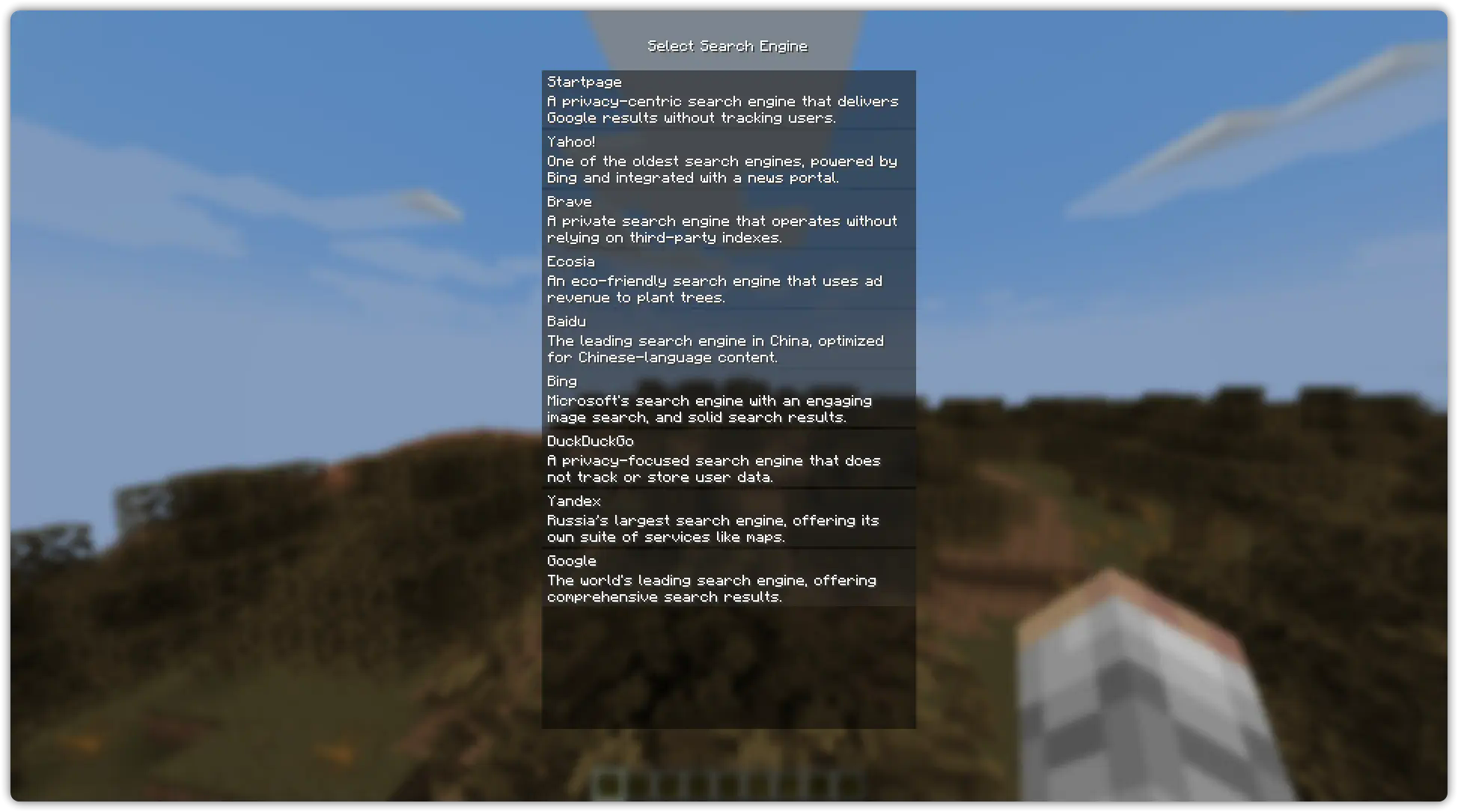
Browser Example (On the Wikipedia Main Page): 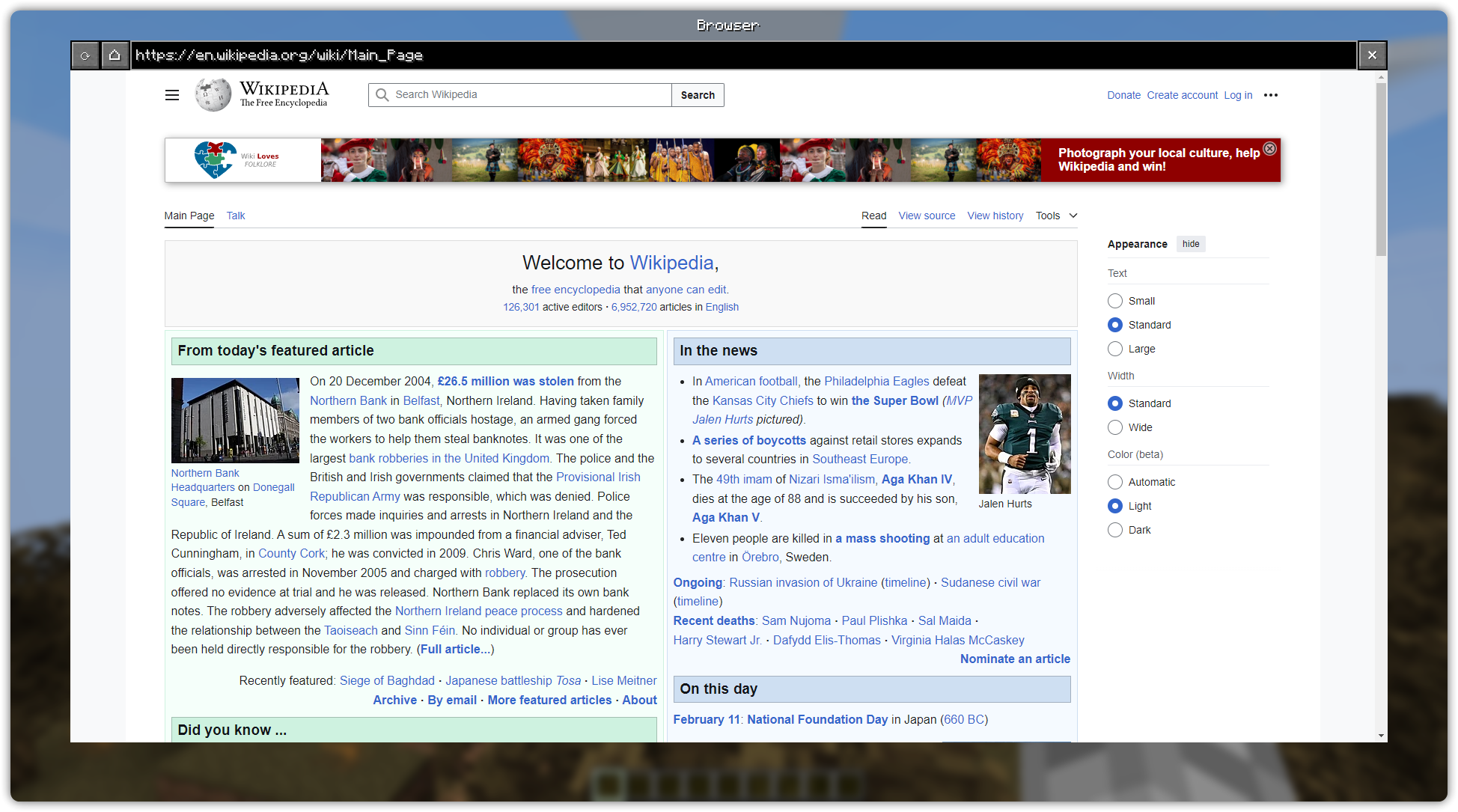
Picture in Picture Example (On YouTube): 
Project description from CurseForge.
Pick your setup
Choose the version and loader you play, then open the matching release.
Check the dependencies, then try the file in a copied instance before changing a world you care about.
Recent files
29 Mar 2025
cubium-1.1.1.jar
24 Mar 2025
cubium-1.1.0.jar
1 Mar 2025
cubium-1.0.2.jar
21 Feb 2025
cubium-1.0.1.jar
17 Feb 2025
cubium-1.0.0.jar
10 Feb 2025
Looking for an older file? The official CurseForge project page is in Resources.
 mod
A mod that lets you see the in-game time as a clean HUD element!
 mod
A server-side Double Jump enchantment for boots. Fully configurable jump strengths, max levels, and anvil book upgrades. No client mod required!
 mod
StalDayZ-System PROTOTYPE deep alpha