Minecraft version
Back to mods 
CurseForge · Minecraft mod
Munkeys World Boss
Setup a WORLD BOSS on your server or your singleplayer world! Super configurable!
Choose a version Pick your version below, then grab the matching file.
Quick answer
Which Munkeys World Boss release should I use?
Latest stable file munkeysworldboss-1.0.0-forge-1.20.1.jar
Game version 1.20.1
Loader Forge
Munkeys World Boss munkeysworldboss-1.0.0-forge-1.20.1.jar targets 1.20.1 with Forge. The project page does not say whether this file belongs on the client, dedicated server, or both. No extra mods listed for this file.
Where it goes
Is Munkeys World Boss required on the client, server, or both?
The project page does not say whether this file belongs on the client, dedicated server, or both.
Client Source doesn’t say
Dedicated server Source doesn’t say
Loader for this release Forge
Required install it here Optional supported, not mandatory Not supported do not install here Source doesn’t say do not assume
The source does not explicitly classify this release as client-only or server-only.
What else does Munkeys World Boss munkeysworldboss-1.0.0-forge-1.20.1.jar need?
munkeysworldboss-1.0.0-forge-1.20.1.jar. Change the file and its required mods may change too.
This file does not list any required mods. Do not add a library just because a different file uses it.
This file does not list any required or optional mods.
Before you install it
Add Munkeys World Boss without breaking your instance.
Built for Munkeys World Boss munkeysworldboss-1.0.0-forge-1.20.1.jar. Pick another file and the loader, install side or required mods may change.
- 01
Stick to this file
Use munkeysworldboss-1.0.0-forge-1.20.1.jar. It targets 1.20.1 with Forge; another release may have different loader, side or dependency requirements.
- 02
Bring the mods it needs
This file does not list any required mods. Do not add a library just because a different file uses it.
- 03
Put it on the correct side
The project page does not say whether this file belongs on the client, dedicated server, or both.
- 04
Pick the file you checked
Use the “Get this file” button beside munkeysworldboss-1.0.0-forge-1.20.1.jar. It opens that exact file at the source.
About this project
What does Munkeys World Boss add?
WorldBoss - Automatic Boss Events
WorldBoss is a server-side Forge mod that creates scheduled boss events in your Minecraft world. Add excitement and challenge to your server with customizable boss spawns that occur at regular intervals!
Features
- Automatic boss spawning at configurable intervals
- Support for any vanilla or modded mob that has a spawn egg
- Custom command-based boss spawning for complex setups
- Server-wide announcements when bosses spawn
- Persistent configuration that survives server restarts
- Simple and intuitive commands
Commands
All commands can be accessed using either /worldboss or the shorthand /wb
/wb select- Add a boss to the pool by holding its spawn egg/wb setspawn <x> <y> <z>- Set where bosses will spawn/wb interval <minutes>- Set how often bosses spawn/wb forcespawn- Spawn a boss immediately/wb toggle- Enable/disable the spawning system/wb list- Show all configured bosses/wb remove- Remove a boss from the pool (hold its spawn egg)/wb rename <oldName> <newName>- Give a boss a custom name/wb register [command] bossname- Register a custom command to spawn a boss/wb unregister <bossname>- Remove a custom command boss
Getting Started
- Install the mod on your server (client installation not required)
- Use
/wb setspawnto set where bosses will appear - Hold a spawn egg of the mob you want as a boss and use
/wb select - Use
/wb intervalto set how often bosses should spawn (default: 60 minutes) - The system will now automatically spawn bosses at the specified interval!
Custom Command Bosses
Want to spawn something more complex than a basic mob? Use command-based bosses!
Example:
/wb register [summon wither ~ ~ ~ {CustomName:'{"text":"The Doom Bringer"}',Health:500f}] DoomBringer
This will register a custom Wither boss with 500 health and a custom name.
Configuration
All settings are automatically saved to config/worldboss/worldboss.json and persist through server restarts.
Configuration includes:
- Boss pool (both spawn egg and command-based bosses)
- Custom boss names
- Spawn location
- Spawn interval
- System enabled/disabled state
Requirements
- Minecraft Forge
- Server-side only (clients don't need the mod)
- Permissions level 2 for admin commands
Support
Found a bug or need help? You can:
- Join our Discord server
- Comment on this CurseForge page
Project description from CurseForge.
Pick your setup
Munkeys World Boss by Minecraft version and loader
Choose the version and loader you play, then open the matching release.
Check the dependencies, then try the file in a copied instance before changing a world you care about.
Recent files
Munkeys World Boss versions and loaders
munkeysworldboss-1.0.0-forge-1.20.1.jar
7 Feb 2025
Client Source doesn’t say Server Source doesn’t say Dependencies No extras listed Listed on Release listing
Check the 1.20.1 · Forge setup 1.20.1Forge release
Looking for an older file? The official CurseForge project page is in Resources.
 mod
CurseForge · Minecraft
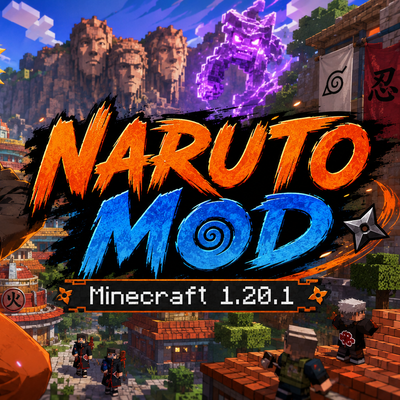
Naruto Shinobi Nations
Adds Naruto-inspired chakra abilities, jutsu attacks, and shinobi combat features to Minecraft.
 mod
CurseForge · Minecraft
SnoobKid's Zombie Hordes - Only Zombies
This mod makes zombies the only hostile mobs that spawn. It is useful for vanilla-friendly zombie apocalypse modpacks.
 mod
Modrinth · Minecraft
Sniffer period
The mod adds the old days when the great lizards of the “sniffing period” still dominated the earth. While Sniffers were in a very large population on the planet