Cobblemon Needed by Cobblemon Smartphone cobblemon_smartphone-neoforge-1.1.5.jar
requiredMatching file found Matched file: Cobblemon v1.8.1 ~ NeoForge

CurseForge · Minecraft mod
A smartphone with cobblemon integration for quick and portable functions like team healing, open your pc and your ender chest.
Quick answer
Cobblemon Smartphone cobblemon_smartphone-neoforge-1.1.5.jar targets 1.21.1 with NeoForge. The project page does not say whether this file belongs on the client, dedicated server, or both. All 2 required mods have matching files.
Where it goes
The project page does not say whether this file belongs on the client, dedicated server, or both.
The source does not explicitly classify this release as client-only or server-only.
cobblemon_smartphone-neoforge-1.1.5.jar. Change the file and its required mods may change too.
Install Cobblemon, Kotlin for Forge first. We found matching files for this game-version and loader setup. 1 comes through another mod in the chain.
1 extra mod was pulled in by another dependency. Indented rows show who needs each one. We only count dependency files that match this setup. A file for another loader does not fill the gap.
Before you install it
Built for Cobblemon Smartphone cobblemon_smartphone-neoforge-1.1.5.jar. Pick another file and the loader, install side or required mods may change.
Use cobblemon_smartphone-neoforge-1.1.5.jar. It targets 1.21.1 with NeoForge; another release may have different loader, side or dependency requirements.
Install Cobblemon, Kotlin for Forge first. We found matching files for this game-version and loader setup. 1 comes through another mod in the chain.
The project page does not say whether this file belongs on the client, dedicated server, or both.
Use the “Get this file” button beside cobblemon_smartphone-neoforge-1.1.5.jar. It opens that exact file at the source.
About this project

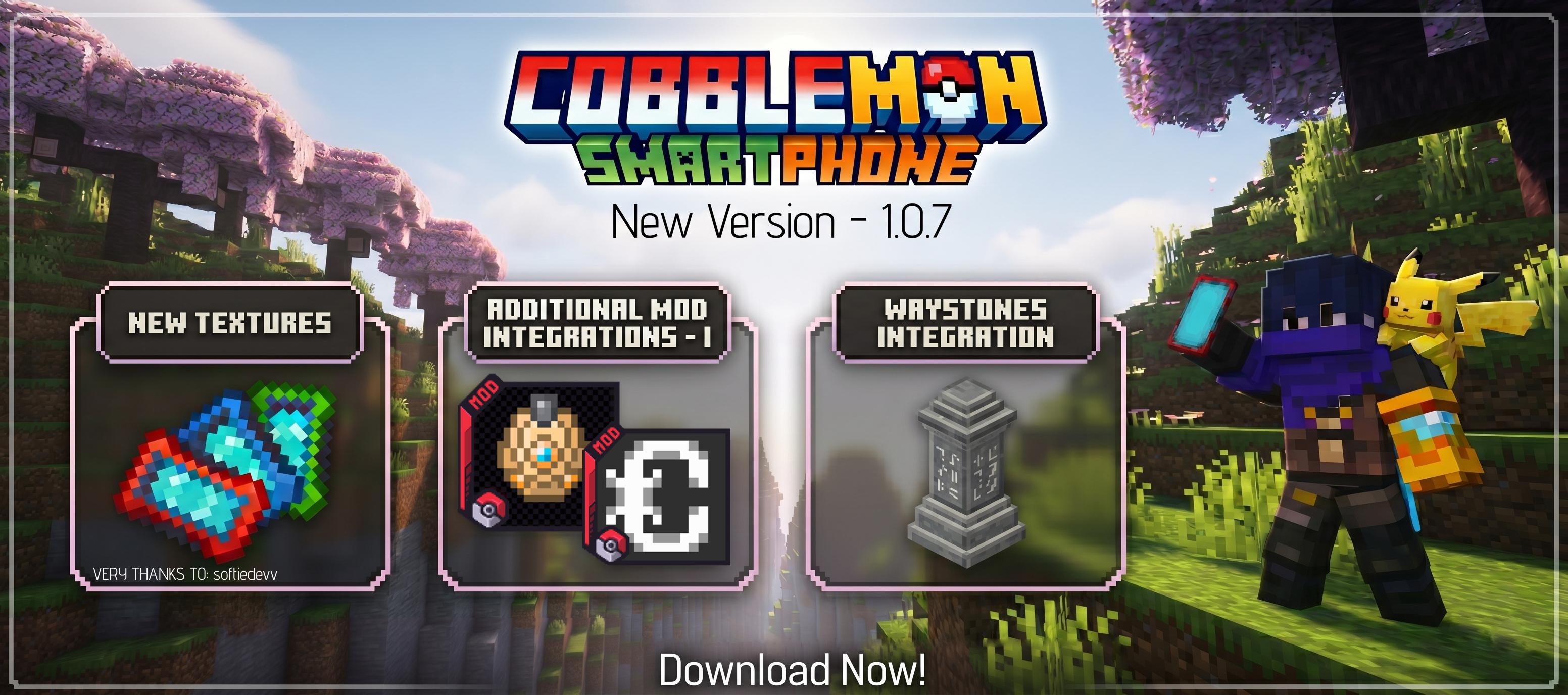
A Cobblemon addon that adds customizable smartphones to enhance your Pokémon training experience in Cobblemon!
The smartphone comes with an expanding list of features that can be fully customized and toggled in the configuration:
C) to quick-scan Pokémon.The social system is a full in-game social media platform:
/social commands./social ban <player> [posts|dms|all] - Ban a player from social features/social unban <player> - Unban a player/social delete <id> - Delete a postThe mod seamlessly integrates with Trinkets, Curios and Accessories, allowing you to equip the smartphone in special slots instead of keeping it in your main inventory.
You can enable or disable any of the features in the config/cobblemon_smartphone.json config file:
enableHeal - Toggle the healing featureenablePC - Toggle PC accessenableCloud - Toggle Ender Chest accessenablePokedex - Toggle Pokedex accessenableScanner - Toggle the Pokedex scannerenablePokenav - Toggle the Pokenav integrationenableWaystone - Toggle the Waystones integrationenableCobbleDollars - Toggle CobbleDollars shop accessenablePokeInfo - Toggle Pokemon WikienableGps - Toggle GPS biome trackerenableStructureCompass - Toggle Structure CompassenableCrafting - Toggle portable crafting tableenableTomsStorage - Toggle Tom's Storage remote accessenableRefinedStorage - Toggle Refined Storage accessenableAE2 - Toggle Applied Energistics 2 accessenableFishingnav - Toggle FishingNav accessenableRctTrainerCard - Toggle RCT trainer cardenableSocial - Toggle the social networkenableCalls - Toggle voice calls (requires Simple Voice Chat)enableQuickActions - Toggle quick action hotkeysCustomize the cooldown times for each feature to maintain game balance:
Toggle individual sections in the Pokemon Wiki:
showBaseStats - Show base statsshowAbilities - Show abilitiesshowEvolution - Show evolution chainsshowTraining - Show training datashowSpawning - Show spawn informationshowBreeding - Show breeding datashowTypeDefenses - Show type defensesshowLevelMoves - Show level-up movesshowLearnableMoves - Show learnable moves (TMs, TRs, tutors)maxSearchRadius - Maximum search radius in blocks (default: 10000)searchRadiusChunks - Search radius in chunks (default: 100)skipKnownStructures - Skip already discovered structures (default: false)maxPosts - Maximum posts stored (default: 1000)maxPostLength - Maximum characters per post (default: 280)feedPageSize - Posts per feed page (default: 20)maxMessagesPerThread - Maximum messages per DM thread (default: 500)maxMessageLength - Maximum characters per message (default: 280)messagePageSize - Messages per DM page (default: 30)threadPageSize - DM threads per page (default: 30)callRingTimeoutSeconds - Call ring timeout (default: 30)Pokenav (Addon)

Waystone (Addon)

| Upgrade | Required Item | Required Mod |
|---|---|---|
| PokeNav | Pokenav | CobbleNav |
| FishingNav | FishingNav | CobbleNav |
| Waystone | Warp Stone | Waystones |
| Tom's Storage | Adv. Terminal Link | Tom's Storage |
| Refined Storage | Wireless Transmitter | Refined Storage |
| AE2 Terminal | Wireless Access Point | Applied Energistics 2 |
| GPS | Compass | - |
| Structure Compass | Recovery Compass | - |
| Crafting | Crafting Table | - |
Create your action for smartphone: https://rapidmesck.gitbook.io/cobblemon-smartphone
Special Thanks: Thank you very much, ThievishJoke, for your contribution and also for being our first contributor.
ThievishJoke github: https://github.com/ThievishJoke
Special Thanks: A huge thank you to softiedevv for the incredible new item art!
Softiedevv youtube: https://www.youtube.com/@dasoftieguy
Special Thanks: Thank you very much, p1nero, for your contribution to the project with your addition and localization.
P1nero curseforge: https://www.curseforge.com/members/p1nero/projects
P1nero github: https://github.com/P1neapplell0
Project description from CurseForge.
Pick your setup
Choose the version and loader you play, then open the matching release.
Check the dependencies, then try the file in a copied instance before changing a world you care about.
Recent files
10 Oct 2026
10 Oct 2026
27 Sept 2026
27 Sept 2026
6 Sept 2026
6 Sept 2026
7 Aug 2026
7 Aug 2026
16 Jul 2026
16 Jul 2026
14 Jul 2026
14 Jul 2026
Looking for an older file? The official CurseForge project page is in Resources.
 mod
modBrings PMWeather wind, aerodynamic forces, and tornado effects to Create Aeronautics, with support for Sable physics.
 mod
modServer tools as commands and menus
 mod
modA bridge between minecraft chat and discord