Minecraft version
Back to mods 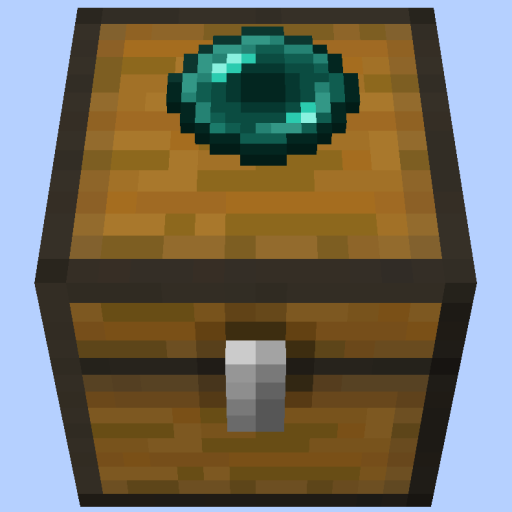
CurseForge · Minecraft mod
Pepsi's Remote Chests
Remote chests that teleport items!
Choose a version Pick your version below, then grab the matching file.
Quick answer
Which Pepsi's Remote Chests release should I use?
Latest stable file remote-chests-1.0.0
Game version 1.21.8, 1.21.5, 1.21.4
Loader Fabric, Forge, NeoForge
Pepsi's Remote Chests remote-chests-1.0.0 targets 1.21.8, 1.21.5, 1.21.4 with Fabric, Forge, NeoForge. The project page does not say whether this file belongs on the client, dedicated server, or both. No extra mods listed for this file.
Where it goes
Is Pepsi's Remote Chests required on the client, server, or both?
The project page does not say whether this file belongs on the client, dedicated server, or both.
Client Source doesn’t say
Dedicated server Source doesn’t say
Loader for this release Fabric, Forge, NeoForge
Required install it here Optional supported, not mandatory Not supported do not install here Source doesn’t say do not assume
The source does not explicitly classify this release as client-only or server-only.
What else does Pepsi's Remote Chests remote-chests-1.0.0 need?
remote-chests-1.0.0. Change the file and its required mods may change too.
This file does not list any required mods. Do not add a library just because a different file uses it.
This file does not list any required or optional mods.
Before you install it
Add Pepsi's Remote Chests without breaking your instance.
Built for Pepsi's Remote Chests remote-chests-1.0.0. Pick another file and the loader, install side or required mods may change.
- 01
Stick to this file
Use remote-chests-1.0.0. It targets 1.21.8, 1.21.5, 1.21.4 with Fabric, Forge, NeoForge; another release may have different loader, side or dependency requirements.
- 02
Bring the mods it needs
This file does not list any required mods. Do not add a library just because a different file uses it.
- 03
Put it on the correct side
The project page does not say whether this file belongs on the client, dedicated server, or both.
- 04
Pick the file you checked
Use the “Get this file” button beside remote-chests-1.0.0. It opens that exact file at the source.
About this project
What does Pepsi's Remote Chests add?
Info
You'll need at least two chests, two item frames, an ender pearl, paper, and an anvil. One chest will be your 'source' chest, while the other will be your 'destination' chest.
Ender pearl (source) chests are chests that transport items to the paper (destination) chests on a given item channel.
The name given to the ender pearl and paper will be the item channel. This is how you specify where exactly you want the items to go. This way, you can have multiple instances of remote chests.
Items will be transported from a source chest to the closest destination chest of the same channel. It transports a stack/slot every 8 ticks.
It has overflow protection so don't worry about putting too much in. It will only transport items when it can.
You can have MULTIPLE source/destination chests that have the same channel. The source chests' items always go to the nearest same-channel destination chest.
It works cross-dimensions, too! Perfect for mods like Easy Multi Item Sorter
The source chest and destination chest must be in loaded chunks to function!
How to build a remote chest
- Place these chests according to how you want the flow of your items to be 2) Place an item frame on the top side of both chests 3) Rename both the ender pearl and the paper any same name with the anvil. The name will be the 'item channel' 4) Stick the ender pearl in the source chest (where items will transport from) 5) Stick the paper in the destination chest (where items will transport to)
And you're done building a remote chest.
Embed Removed: https://www.youtube-nocookie.com/embed/PqoCQ3_SlEQ
See my other mods
Project description from CurseForge.
Pick your setup
Pepsi's Remote Chests by Minecraft version and loader
Choose the version and loader you play, then open the matching release.
Minecraft version
26.1.2
4 loader buildsMinecraft version
26.1.1
4 loader buildsMinecraft version
26.1
4 loader buildsMinecraft version
1.21.11
4 loader buildsMinecraft version
1.21.10
4 loader buildsMinecraft version
1.21.9
4 loader buildsMinecraft version
1.21.8
4 loader buildsMinecraft version
1.21.7
4 loader buildsMinecraft version
1.21.6
4 loader buildsMinecraft version
1.21.5
4 loader buildsMinecraft version
1.21.4
4 loader buildsShowing the newest 12 of 14 game versions. Older files are in the list below.
Check the dependencies, then try the file in a copied instance before changing a world you care about.
Recent files
Pepsi's Remote Chests versions and loaders
remote-chests-1.0.0
remote-chests-1.0.0.jar
22 Feb 2025
Client Source doesn’t say Server Source doesn’t say Dependencies No extras listed Listed on Release listing
Check the 26.2 · Fabric setup Fabric1.21.81.21.51.21.4 release
Looking for an older file? The official CurseForge project page is in Resources.
 mod
mod CurseForge · Minecraft
Auto Shulker Inventory Loader
A Minecraft Fabric and NeoForge mod that automatically stores items in shulker boxes within your inventory when the main inventory becomes full.
 mod
mod CurseForge · Minecraft
ShulkerSorter
Sort, merge and label your shulker boxes with a single keypress.
 mod
mod Modrinth · Minecraft
KeybindsGalore (HVB007)
I Learnt how to code Java for the explicit purpose of updating this mod. it took me bashing my head against my laptop for a week, But in the end I got it to work. Now Keybinds galore is updated to 1.20, with updated and clarified code.