Puzzles Lib Needed by Dyed Flames v26.3.0-mc26.3.x+fabric
requiredMatching file found Matched file: v26.3.9-mc26.3.x+fabric
CurseForge · Minecraft mod
Bring your burns to life with colorful, source-matching flames and flashy fire effects.
Quick answer
Dyed Flames v26.3.0-mc26.3.x+fabric targets 26.3 with Fabric. The project page does not say whether this file belongs on the client, dedicated server, or both. All 3 required mods have matching files.
Where it goes
The project page does not say whether this file belongs on the client, dedicated server, or both.
The source does not explicitly classify this release as client-only or server-only.
v26.3.0-mc26.3.x+fabric. Change the file and its required mods may change too.
Install Puzzles Lib, Forge Config API Port, Fabric API first. We found matching files for this game-version and loader setup. 4 come through another mod in the chain.
4 extra mods were pulled in by other dependencies. Indented rows show who needs each one. We only count dependency files that match this setup. A file for another loader does not fill the gap.
Before you install it
Built for Dyed Flames v26.3.0-mc26.3.x+fabric. Pick another file and the loader, install side or required mods may change.
Use v26.3.0-mc26.3.x+fabric. It targets 26.3 with Fabric; another release may have different loader, side or dependency requirements.
Install Puzzles Lib, Forge Config API Port, Fabric API first. We found matching files for this game-version and loader setup. 4 come through another mod in the chain.
The project page does not say whether this file belongs on the client, dedicated server, or both.
Use the “Get this file” button beside v26.3.0-mc26.3.x+fabric. It opens that exact file at the source.
About this project







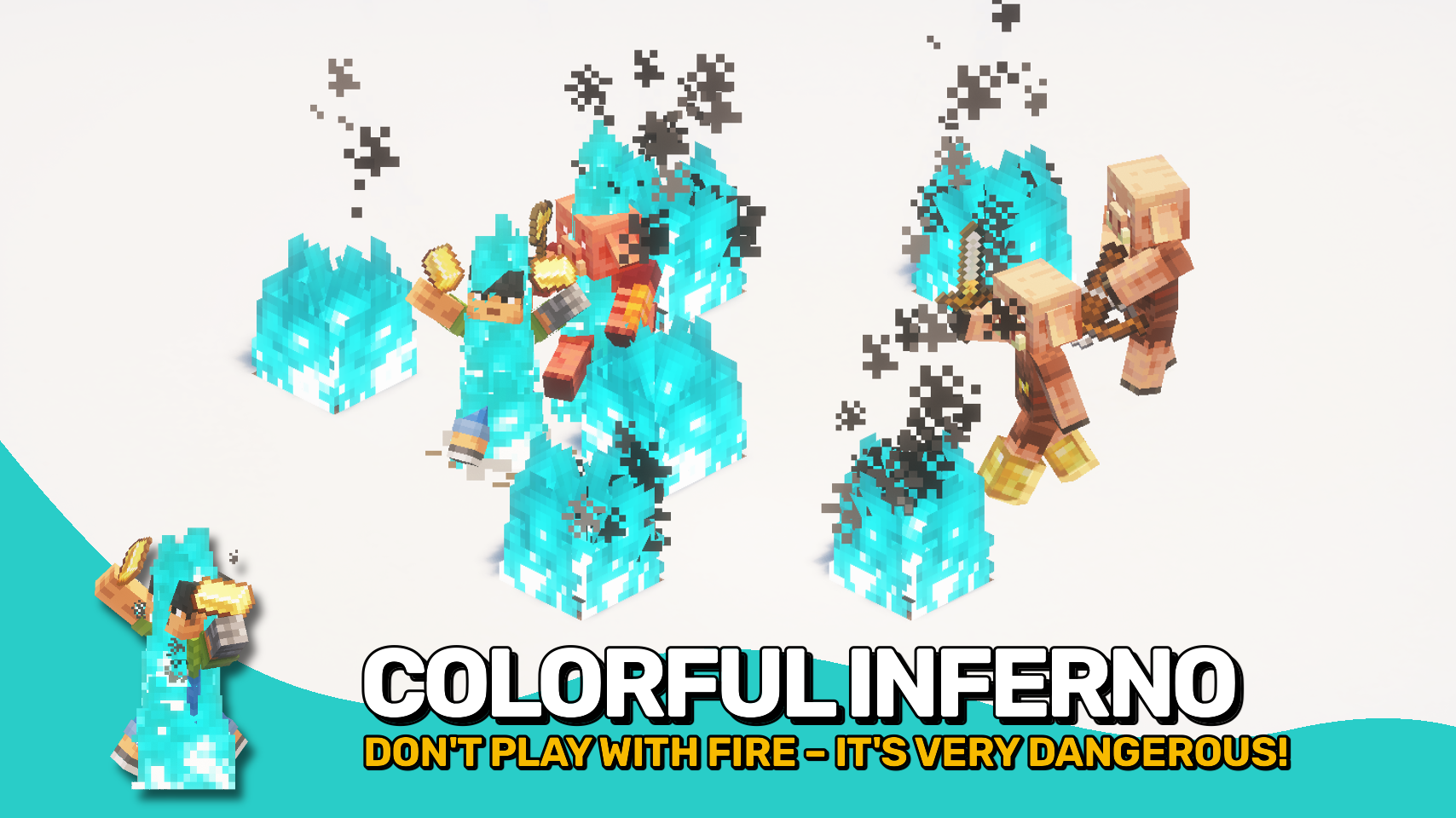
Dyed Flames gives burning mobs a fiery makeover! No more boring orange flames. 🔥 Now the fire matches the source. Blue soul fire? Blue soul flames. Modded fire or fluids? Fully supported. No gameplay impact, just eye candy. ✨
Burning mobs also emit colorful smoke trails and matching flame particles as they panic or pose. 🌈 It’s flashy, fun, and fully customizable. Whether you’re in the Nether or a modded dimension filled with fiery fluids, this mod brings the heat your way. 🌋
Need support for custom fire types? It’s fully data driven. ⚙️ Just add a few lines of JSON to the built in block data map at dyedflames:fire_types. No hardcoding, no hassle.


⏩ INSTALLATION REQUIRED ON CLIENT & REQUIRED ON SERVER
⏩ REQUIRES PUZZLES LIB TO BE INSTALLED (FABRIC & NEOFORGE)
⏩ REQUIRES FABRIC API TO BE INSTALLED (FABRIC)
⏩ REQUIRES FORGE CONFIG API PORT TO BE INSTALLED (FABRIC)

If available for a mod, configuration is possible directly from in-game using the mod menu (requires Mod Menu by Prospector to be installed on Fabric).
For manual configuration using an external text editor all files are found at .minecraft/config, named as MOD_ID-client.toml, MOD_ID-common.toml, or MOD_ID-server.toml, depending on the type of config. Not all types might exist for a mod, if any at all.
 |
 |
|
|---|---|---|
 |
 |
|
 |
 |
|
 |
 |
|
 |
 |
|

© 2026 @heyitsfuzs. All rights reserved. This page was last edited on 11 September 2026, at 06:44 (UTC).
Project description from CurseForge.
Pick your setup
Choose the version and loader you play, then open the matching release.
Showing the newest 12 of 13 game versions. Older files are in the list below.
Check the dependencies, then try the file in a copied instance before changing a world you care about.
Recent files
dyedflames-v26.3.0-mc26.3.x+fabric.jar
24 Sept 2026
dyedflames-v26.3.0-mc26.3.x+neoforge.jar
24 Sept 2026
DyedFlames-v26.2.0-mc26.2.x-Fabric.jar
18 Jun 2026
DyedFlames-v26.2.0-mc26.2.x-NeoForge.jar
18 Jun 2026
DyedFlames-v26.1.0-mc26.1.x-Fabric.jar
26 Apr 2026
DyedFlames-v26.1.0-mc26.1.x-NeoForge.jar
26 Apr 2026
DyedFlames-v21.11.0-mc1.21.11-Fabric.jar
17 Dec 2025
DyedFlames-v21.11.0-mc1.21.11-NeoForge.jar
17 Dec 2025
DyedFlames-v21.10.0+mc1.21.10-Fabric.jar
8 Oct 2025
DyedFlames-v21.10.0+mc1.21.10-NeoForge.jar
8 Oct 2025
DyedFlames-v21.9.0+mc1.21.9-Fabric.jar
5 Oct 2025
DyedFlames-v21.9.0+mc1.21.9-NeoForge.jar
5 Oct 2025
Looking for an older file? The official CurseForge project page is in Resources.
 mod
modA Minecraft mod that brings the complete Tiny Takeover drop to older Minecraft versions!
 mod
modThree tiers of soil-enrichment blocks (Enriched Dirt, Enriched Sand, Super Enriched Dirt) that passively speed up crop growth, plus Bean Fairies: rare night visitors that fully grow your crops, or come for sure when you use Fairy Dust.
 mod
modA addon mod for Create and Kaleidoscope Tavern to make it easy for players to automate their taverns.
