Minecraft version
Back to mods 
CurseForge · Minecraft mod
Saro's Region Protector
Simple flag-based region protection with whitelist
Choose a version Pick your version below, then grab the matching file.
Quick answer
Which Saro's Region Protector release should I use?
Latest stable file Saro's Region Protector 1.1
Game version 1.20.1
Loader Forge
Saro's Region Protector 1.1 targets 1.20.1 with Forge. The project page does not say whether this file belongs on the client, dedicated server, or both. No extra mods listed for this file.
Where it goes
Is Saro's Region Protector required on the client, server, or both?
The project page does not say whether this file belongs on the client, dedicated server, or both.
Client Source doesn’t say
Dedicated server Source doesn’t say
Loader for this release Forge
Required install it here Optional supported, not mandatory Not supported do not install here Source doesn’t say do not assume
The source does not explicitly classify this release as client-only or server-only.
What else does Saro's Region Protector 1.1 need?
Saro's Region Protector 1.1. Change the file and its required mods may change too.
This file does not list any required mods. Do not add a library just because a different file uses it.
This file does not list any required or optional mods.
Before you install it
Add Saro's Region Protector without breaking your instance.
Built for Saro's Region Protector 1.1. Pick another file and the loader, install side or required mods may change.
- 01
Stick to this file
Use Saro's Region Protector 1.1. It targets 1.20.1 with Forge; another release may have different loader, side or dependency requirements.
- 02
Bring the mods it needs
This file does not list any required mods. Do not add a library just because a different file uses it.
- 03
Put it on the correct side
The project page does not say whether this file belongs on the client, dedicated server, or both.
- 04
Pick the file you checked
Use the “Get this file” button beside Saro's Region Protector 1.1. It opens that exact file at the source.
About this project
What does Saro's Region Protector add?
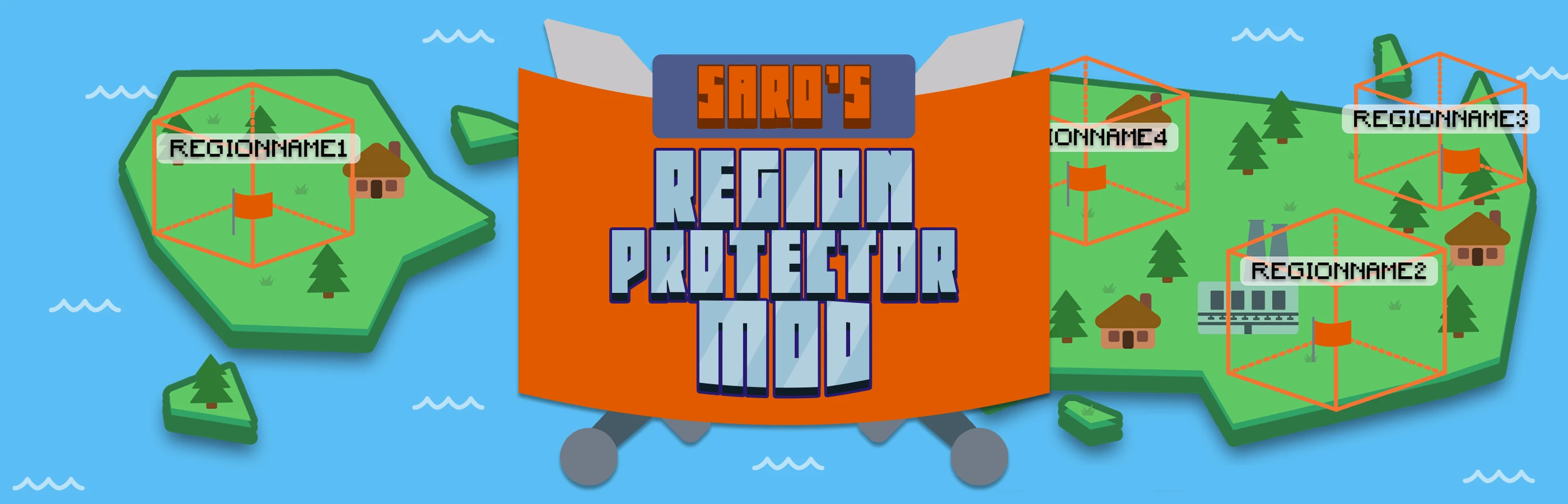
Saro's Region Protector is a comprehensive region protection mod for Minecraft Forge 1.20.1. It allows players to create protected regions in the world where various actions can be controlled through a flexible flag system.

- Simple Region Creation: Select two corners with the Protector tool to define your region
- Granular Protection Control: 16 different protection flags to fine-tune what is allowed in your region
- User Management: Add trusted players who can bypass protection
- Visual Selection: See your selection in real-time before confirming
- Multi-Dimension Support: Create regions in any dimension
- Server-Side Storage: All regions are saved server-side and synchronized to clients
Getting Started
Creating a Region
- Craft or obtain the Protector item (found in the Tools & Utilities creative tab)
- Right-click on a block to select the first corner of your region
- Right-click on another block to select the second corner
- Enter a name for your region in the GUI that appears
- Configure protection flags and add trusted users as needed
- Click "Save" to create your protected region
Managing Regions
- Edit an Existing Region: Right-click on a block within the region with the Protector tool
- Edit Protection Flags: Shift + Right-click on a block within the region with the Protector tool
- Add Trusted Users: In the region management GUI, click "Toggle Users" and add player names

Saro's Region Protector offers 16 different protection flags to control what actions are allowed in your regions:
General Flags
 BUILD: Controls whether blocks can be mined or placed
 INTERACT: Controls whether doors, levers, etc. can be used
Specific Flags
 BLOCK_BREAK: Controls whether blocks can be broken
 BLOCK_PLACE: Controls whether blocks can be placed
 DAMAGE_ANIMALS: Controls whether players can harm friendly animals
 CHEST_ACCESS: Controls whether inventories can be accessed
 RIDE: Controls whether vehicles (including animals) can be mounted
 PVP: Controls whether player versus player combat is permitted
 SLEEP: Controls whether sleeping in a bed is permitted
 RESPAWN_ANCHORS: Controls whether respawn anchors can be activated
 TNT: Controls whether TNT detonation or block damage is permitted
 VEHICLE_PLACE: Controls whether vehicles (boats, minecarts) can be placed
 VEHICLE_DESTROY: Controls whether vehicles can be destroyed
 LIGHTER: Controls whether flint and steel or a fire charge can be used
 ITEM_FRAME: Controls whether item frames can be interacted with
 FIREWORK_DAMAGE: Controls whether fireworks can deal damage to entities
When a flag is set to true, the corresponding action is blocked for non-trusted players. When set to false, the action is allowed for all players.

Saro's Region Protector is designed for Minecraft Forge 1.20.1. It should be compatible with most other mods, but conflicts may occur with other region protection or claim mods.

Project Support & Usage
Hosting: For the best performance, I recommend using BisectHosting linked in the banner.
Modpacks: You are free to include my work in any modpack. Please ensure proper credit is given by providing a link to this project page.
Project description from CurseForge.
Pick your setup
Saro's Region Protector by Minecraft version and loader
Choose the version and loader you play, then open the matching release.
Check the dependencies, then try the file in a copied instance before changing a world you care about.
Recent files
Saro's Region Protector versions and loaders
Saro's Region Protector 1.1
sarosregionprotector-1.1.jar
29 Apr 2025
Client Source doesn’t say Server Source doesn’t say Dependencies No extras listed Listed on Release listing
Check the 1.20.1 · Forge setup 1.20.1Forge release
Saro's Region Protector 1.0
sarosregionprotector-1.0.0.jar
29 Apr 2025
Client Source doesn’t say Server Source doesn’t say Dependencies No extras listed Listed on Release listing
Check the 1.20.1 · Forge setup 1.20.1Forge release
Looking for an older file? The official CurseForge project page is in Resources.
 mod
CurseForge · Minecraft
TLM Formation Tactics
Squad management, formation follow, tactical HUD and Black Hawk airdrop for Touhou Little Maid.
 mod
CurseForge · Minecraft
Smart_Crafter_MCdestined
Smart Crafter is a lightweight, vanilla-friendly automation mod that upgrades the vanilla Crafter into a true set-and-forget auto-crafter—no redstone clocks required, and no more accidentally emptying your crafting template!
 mod
CurseForge · Minecraft
Unresolved Mod Fixes
Carefully tested, configurable fixes for unresolved mod bugs and cross-mod compatibility conflicts.