Minecraft version
Back to mods 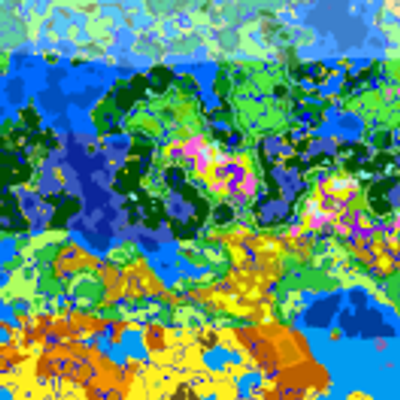
CurseForge · Minecraft mod
Temperature Bands
Modifies world generation to place biomes into repeating temperature bands. Compatible with most worldgen mods. Now with humidity based on proximity to river and/or ocean too!
Choose a version Pick your version below, then grab the matching file.
Quick answer
Which Temperature Bands release should I use?
Latest stable file 3.0.1-NeoForge-1.21.1
Game version 1.21.1
Loader NeoForge
Temperature Bands 3.0.1-NeoForge-1.21.1 targets 1.21.1 with NeoForge. The project page does not say whether this file belongs on the client, dedicated server, or both. No extra mods listed for this file.
Where it goes
Is Temperature Bands required on the client, server, or both?
The project page does not say whether this file belongs on the client, dedicated server, or both.
Client Source doesn’t say
Dedicated server Source doesn’t say
Loader for this release NeoForge
Required install it here Optional supported, not mandatory Not supported do not install here Source doesn’t say do not assume
The source does not explicitly classify this release as client-only or server-only.
What else does Temperature Bands 3.0.1-NeoForge-1.21.1 need?
3.0.1-NeoForge-1.21.1. Change the file and its required mods may change too.
This file does not list any required mods. Do not add a library just because a different file uses it.
This file does not list any required or optional mods.
Before you install it
Add Temperature Bands without breaking your instance.
Built for Temperature Bands 3.0.1-NeoForge-1.21.1. Pick another file and the loader, install side or required mods may change.
- 01
Stick to this file
Use 3.0.1-NeoForge-1.21.1. It targets 1.21.1 with NeoForge; another release may have different loader, side or dependency requirements.
- 02
Bring the mods it needs
This file does not list any required mods. Do not add a library just because a different file uses it.
- 03
Put it on the correct side
The project page does not say whether this file belongs on the client, dedicated server, or both.
- 04
Pick the file you checked
Use the “Get this file” button beside 3.0.1-NeoForge-1.21.1. It opens that exact file at the source.
About this project
What does Temperature Bands add?
🌡️ About
Don't like how cold and hot or wet and dry biomes are kinda randomly placed? This mod changes world generation to place biomes into repeating temperature bands, or "climate zones" if you prefer. New in 3.0 is the "Refined Humidity" algorithm that places wetter biomes closer to oceans and/or rivers (which is faster AND nicer than the previous advanced humidity from 2.0), or you can use the simpler and faster "humidity bands" option which run perpendicular to the temperature bands.
There is a new Discord for CosmicDan's Minecraft Mods! Here you can be notified of mod updates or new mod releases, share config presets, get support from CosmicDan and other users/players, or just chat about Minecraft and mods in general. Permanent invite link: discord.gg/pRMVJsz39D
📜 Changelogs (Update history)
3.0.x
- NEW: Refined Humidity as the new default humidity algorithm. Much more accurate, balanced, *and* faster than the previous "Advanced Humidity" algorithm.
- IMPORTANT: If upgrading from an old version, please start the game once with new version, then quit and delete or update the mod config file (temperaturebands-common.toml) to use the new humidityAlgorithm value (3)
- Note 1: Advanced Humidity is still an option, and previous worlds using it will keep using it.
- Note 2: Has different settings compared to the previous Advanced Humidity algorithm, so be sure to check out the new config entries if you want to tune it.
- Note 3: AI was used to optimize this algorithm, but not to actually create it. See the "AI Disclosure" section on mod description page for details.
- NEW: Added a "Stronghold override" section to the config, which allows you to customize "search" range and spawn calculation logic for performance purposes (when creating a new world).
- NEW: For clients, Stronghold calculation progress is shown on the loading screen. Can be disabled via config if needed (e.g. maybe it can conflict with some other kind of custom loading screen mods).
- Note: These two Stronghold functions are especially useful for Lithosphere and other heavy worldgen mods, where creating a new world can seem to be stuck at 0% for a few minutes (it was almost definitely because of Stronghold calculations; now you'll see that progress and have the option to simplify it).
- NEW: Added a new "Euclidean Fast" distanceFunction which is now the default.
- IMPORTANT: If upgrading from an old version, please start the game once with new version, then quit and delete or update the mod config file (temperaturebands-common.toml) to use the new distanceFunction value (3)
- IMPROVED: World Preview benchmarking feature changed to work with the "Unofficial Port" version on CurseForge (it's an updated fork of the original)
- OPTIMIZED: General performance improvement worldgen speed when benchmarking not enabled. Also removed the measuring and showing of cache hit/miss stats as part of that (it caused too much overhead, and isn't particularly useful anyway).
- OPTIMIZED: Lots of other small things (general code cleanups and refactors)
- VERSION: Dropped 26.1.2, it will be replaced with 26.3 once it's ready (worldgen internals were significantly overhauled in 26.3 so it may take some time)
- VERSION: Dropped 1.19.2. Not very popular, and Refined Humidity isn't compatible with 1.19.2 anyway - so 3.0 would be mostly pointless compared to 2.2.0).
2.2.0
- NEW: Added "band limit" settings. Can be used to make a certain temperature band extend forever, providing a "soft world border" of sorts (which could compliment real world borders). Thanks to himlico for the initial suggestion.
- OPTIMIZED: Better default config for advanced humidity, now it's faster *and* much more accurate, the previous defaults were quite bad actually (apologies). Specifically, "humidityResolution" and "climateSamplerResolution" were adjusted and their comments were also updated.
- NOTE: It is highly recommended to delete your default mod config if updating, or at least update these two changed values - "humidityResolution" and "climateSamplerResolution" - to the new defaults. If regenerating a world, remember to set 'copyConfigOnRecreateWorld' to false to use the current mod config (instead of previous world config).
- IMPROVED: The "noiseFactor" setting now supports a percentage value, with the new default being 0.05, which is 5% of the current bandSize (and almost identical to the original default). New percentage values scale better when bandSize is changed. Thanks to Anluckie for suggestion.
- IMPROVED: Preliminary support for "Custom Biome Parameters" (not yet released) under advanced humidity, or other mods that might change river/ocean biome parameters.
- FIX: Potential integer overflow for World Preview benchmark numbers, now the cache values shouldn't go into negative anymore.
- FIX: Crash fix for new worlds on dedicated server (along with general improvements to world creation/loading process, esp. for multithreaded environments). Thanks to snowtyler for reporting.
- IMPROVED: Added default values to config comments for numbered entries (was only required for 1.20.1 and below). Thanks to Anluckie for suggestion.
2.1.0
- OPTIMIZED: [Relevant to 1.20.1+ only] Major climate sampler [advanced humidity] speed increase, measured at over 200% (!!!) faster on average. We now skip Temperature and Humidity noise generation completely (because Rivers/Oceans don't care about those parameters) along with an early-abort to skip extra sampling once we've already determined that a River/Ocean definitely doesn't exist at a given point. Doesn't apply to 1.19.2 version since it doesn't support advanced humidity.
- OPTIMIZED: [Relevant to 1.20.1+ only] Removed all climate prefetching features/config since it doesn't actually provide any benefit at all after the above optimization.
- FIX: [Relevant to 1.20.1+ only] Fix crash with BCLib and BetterX mods, and any other mods with similar bad ports - these mods are calling "createAccess" on world load instead of "validateAndCreateAccess" which is technically wrong for 1.20.1 and above. Fix wasn't necessary for 1.19.2 version.
2.0.x
- NEW: Humidity settings that modify biome placement even more. The default (for 1.20.1 and later only, see FAQ for why) is the "advanced" algorithm that calculates humidity based on proximity to rivers and/or oceans. The other "simple" option generates bands that are perpendicular to temperature bands. Existing worlds will keep their vanilla humidity, see the "Upgrading" section on mod description page for more info.
- OPTIMIZED: The core system was completely rewritten to replace the temperature/humidity density functions and check for success/failure instead of dynamically modifying them and assuming they worked. More robust, more reliable, more gooder. Most of the below changes are made possible thanks to this rewrite.
- NEW: Ability to blacklist/whitelist dimensions. The default config will exclude The Nether and The End. This new default will only apply to NEW worlds, see the "Upgrading" section on mod description page for more info.
- NEW: Benchmark option if World Preview is installed. See config for usage, results are written to log/console.
- IMPROVED: When recreating a world, the Temperature Bands config will now properly copy from the old world by default. This function can be disabled to make world recreation use the current mod defaults, see the "Upgrading" section on mod description page for more info.
- IMPROVED: Better compatibility with worldgen mods. Tested with Larion, Tectonic and Lithosphere - they *really* work now, and it should work with every worldgen mod (assuming they still use Density Functions that are named "temperature" and "humidity").
- IMPROVED: Solved compatibility with C2ME, and probably other performance mods.
- IMPROVED: More config options, better comments and reworked defaults.
- VERSION: Latest branch moved to 26.1.2, dropping 1.21.5 (was previous latest) and 1.18.2 versions (too much backport work and no longer popular anyway)
- [2.0.2] FIX: Solved crash caused by trying to process "fake" levels (from e.g. Supplementaries mod and/or Moonlight Lib)
- [2.0.2] FIX: Properly handle dimension data for runtime-generated dimensions that re-use the overworld noise router
- [2.0.3] FIX: Improved support for naughty mods that replace the Overworld BiomeSource with one that doesn't inherit from the original MultiNoise type (e.g. Blueprint library)
- [2.0.3] FIX: Skip World Preview benchmarks for in-game preview screen (eliminates log spam)
- [2.0.4] FIX: Further improve compatibility with mods that change vanilla BiomeSource (especially when C2ME is installed)
- [2.0.4] FIX: Crash fix for dedicated servers
1.0.0
- Initial release
⭐ Highlights
- Modifies worldgen to place biomes into repeating temperature bands from coldest through to hottest, back to coldest, and so on;
- NEW: Additionally modifies biome placement to put high humidity biomes closer to rivers and/or oceans (default, configurable);
- NEW: Dimension blacklist/whitelist. By default, The Nether and The End are blacklisted;
- NEW: Ability to set band "limits" which makes a certain band continue forever, for e.g. two Coldest bands with a single Hottest band (configurable) to simulate an earth-like world;
- NEW: Ability to tweak how Stronghold spawns are calculated, which can help make New World creation much faster on other heavy worldgen mods (e.g. Lithosphere);
- Compatible with most worldgen mods (see Compatibility section for details);
- Each world will remember its own settings, the mod config file will only apply to new worlds;
- Configurable band size, choice of vertical bands, and many more fine-tuning settings;
- By default the world spawn (near origin; i.e. block X,Z coordinates 0,0) will act like a "northern hemisphere temperate zone start", meaning cold is North and hot is South (NOTE: Only guaranteed on vanilla worldgen, some mods e.g. Larion and Tectonic are much more random with origin - see Tips section to solve this with another mod);
- Ability to benchmark chunk generation if "World Preview (Unofficial Port)" is installed.
🏷️ Usage & Config
After installing the mod, simply start Minecraft to let the config generate. Jump into a NEW world if you're happy with the default config, as detailed below. By default each band is about 2048 blocks wide on average, and the player will start "above the equator" with cold biomes North and warm biomes South, but this can all be changed in config.
The config is very extensive with lengthy comments that detail all features and worthwhile considerations. It's highly recommended to read it all once.
Rather than showing the config files here in CurseForge which is difficult to format, you can view the default configs on GitHub:
- Config for latest [26.3] [NOT YET UPDATED, will do that when 26.3 port is finished]
- Config for 1.21.1
- Config for 1.20.1
💡 Tips
- World Preview mod allows you to preview settings before making the world. Highly recommended if you want to tune configs.
- Biome Spawn Point might be desired if using some worldgen mods like Tectonic or Larion, which have their own idea about initial world spawn (rather than origin).
⤴️ Upgrading
New versions of the mod may add new features, these new features will be configurable but WILL NOT apply to existing worlds (to avoid world generation issues). Easiest way to "upgrade" is to simply set the config "copyConfigOnRecreateWorld" to false, (re)start Minecraft, and Recreate your old world. In some cases, however, you may want to retroactively apply the new changes to the old world. Here's the easiest way to do that (be sure to read this whole section before starting):
- Upgrade to the new version of Temperature Bands;
- Start Minecraft, generate a new world, then Save and Quit (no need to quit the whole game);
- Browse to your instance Save folder. If you don't know how to do this, I can't help sorry - do a web search;
- Each folder here are your worlds. Inside, there will be a 'temperaturebands.prop' file - this is a plain text file with the Temperature Bands config for that world;
- You can "simply" open these files with Notepad (or whatever) and compare the prop file contents from the newly-generated world with your old world, and copy-and-paste the appropriate new lines over.
You can of course backup your existing world if you want to be careful. Now, sometimes you don't need to copy the lines EXACTLY, you might want to change them. You may have already noticed that each line in this prop file already corresponds to a setting in the usual (default world) config, so it's important not to change anything in the prop unless you're absolutely sure. Here I will detail new config options and any tips regarding them:
2.0.0
Added config entries "configDimBlacklist" and "configDimBlacklistAsWhitelist". You can read about these in the Usage & Config section above, but they should be mostly self-explanatory. A couple important notes regarding these, though:
- The "configDimBlacklist" lists blacklisted dimensions, with each dimension entry separated by commas. Do NOT remove the '' characters, these are necessary. I.e. the default of "configDimBlacklist=minecraft:the_nether,minecraft:the_end" is correct.
- If you do end up moving the blacklist over to your old world, you may need to delete those dimensions or chunks so they regenerate correctly. You can delete the whole dimensions by deleting the "DIM1" and "DIM-1" folders inside your save folder (make sure you've saved and quit your world first).
- The "configDimBlacklistAsWhitelist" option is not strictly necessary to copy if you want to keep it as a blacklist, since the default is already false.
- You can verify the blacklist worked by looking at the log after loading into a world - you'll see something like "Using dimension blacklist: minecraft:the_nether,minecraft:the_end" (or whitelist instead of blacklist if you set configDimBlacklistAsWhitelist to true).
✔️ Compatibility and Known Issues
The mod should be compatible with most world generator mods, since in modern Minecraft they are often based on datapacks which still use vanilla-style noise functions. This includes the following (personally tested, confirmed working in 2.1.0+):
- Tectonic and/or Terralith;
- Larion World Generation;
- Lithosphere; (NOTE: Lithosphere is notoriously expensive, please see the FAQ for tips if it's too slow for your system)
...everything should work with most worldgen mods, as long as they still use DensityFunctions that are named "temperature" and "humidity". Do note that the default mod config might not be ideal for some mods, though - read the config comments for details. Most notable is vanillaNoiseOverride.
The following are examples of worldgen mods that are NOT compatible, because they completely replace Minecraft generation with their own system (i.e. they don't use the vanilla NoiseRouter and/or vanilla DensityFunctions):
- TerraFirmaCraft;
No support will be added for these incompatible mods. Please report any and all other issues not mentioned so I can improve the mod 😁
Other mods
- C2ME is supported, at least with my testing on the latest versions of the mods (0.4.x+ for NeoForge and Fabric). HOWEVER, abandoned and outdated forks of C2ME (such as the 0.2.x versions for Forge 1.20.1) cannot work with Refined/Advanced humidity - you will likely experience extremely slow worldgen speed. Either remove C2ME, or switch to Simple Humidity to restore normal operation.
- World Preview is supported but only the updated "Unofficial Port" version. It should respect 'copyConfigOnRecreateWorld'.
- Seed Viewer is NOT supported, at least at the current time of writing. When you first open Seed Viewer screen, you'll see that it has a warning about only working with worldgen changes defined in datapacks but not changes from mods. If or when Seed Viewer supports mod-changed worldgen, it should work automatically.
🤖 AI Disclosure
Since version 3.0.0, Google Gemini has been used on parts of this mod. AI use was limited to specific features, and *only* for catching hard-to-find bugs or for micro-optimizations to performance. AI was *not* used to write any original code; it was only asked for specific fixes and/or performance optimizations to the code that I already wrote myself.
Specifically, for your reference, the following features were touched by Gemini, along with a description of what Gemini actually did. If you have some ethical/moral beliefs against AI-augmented programming but still want to use the mod, you can just avoid these features:
- Refined Humidity algorithm, specifically the catching of complicated edge-case bugs regarding my original math. Before Gemini changes, the algorithm had some minor artifacts as it would report false-positives/negatives when searching for oceans/rivers.
🛎️ Support
Hopefully, the mod is simple enough to use, but you are encouraged to:
- Report any bugs you find;
- Report any incompatibilities with other mods;
- Request any features you want to see
...so I can keep improving the mod 😊 be sure to mention your loader (e.g. Forge, Fabric) and Minecraft version too!
⁉️ FAQ / Troubleshooting
Q. Can I use this in my modpack?
A. Of course! As long as you consider reporting any mod compatibility issues, and feature/config requests too 😁
Q. Does this mod slow down world generation?
A. With the default settings, yes, though it should still be more than playable. But if you're using a heavy worldgen mod like Lithosphere and don't have a beefy system, you might experience slow chunk generation. The default config is tuned for vanilla-like behaviour; if you must keep your worldgen mod but need faster chunk generation you can read the Temperature Bands config comments and decide on what things you want to change to regain some performance (at the cost of accuracy or details).
Q. Can I make World Preview faster?
A. Yes, assuming you're using Refined/Advanced Humidity, which is the main reason for slowing it down. In the World Preview settings menu (wrench icon on Preview tab), go to the "Resolution" page and change "samples per chunk" to something lower (instead of auto). This will result in lower preview quality, but it will be faster.
Q. The "Stronghold spawn calculation in progress" screen takes to long, how to speed up?
A. Check the Stronghold config section :)
Q. Is X worldgen mod compatible?
A. If it only adds new biomes, yes. If it actually changes worldgen and is not listed above in Compatibility, probably - try it out! Would appreciate reporting your results 😊 remember you can use World Preview mod to make testing quicker. You should see log messages when temperature/humidity function replacement succeeds or fails for a given dimension.
Q. Can you make the border between temperature bands more organic rather than just "wavy lines"?
A. Not really, no. Doing so would require a separate mod/datapack that actually changes biome parameters to fit into those transition zones (and/or adds new biomes that go between them). This *might* be something I am working on, though 😉 Note regarding Oceans, there is no such biome as "Warm Deep Ocean" but Warm Oceans can still get as deep as the non-Warm deep variants.
Q. It's still too slow, or my PC freezes!
A. First, make sure you're on the latest version. Secondly, don't use Advanced Humidity - it is slow and obsolete by Refined Humidity. Apart from that, try tuning the config - especially if you're using a heavy worldgen mod like Lithosphere. The comments in the config should explain everything, but suffice it to say that the river part is the most expensive so you can start there (e.g. reducing subsample count and/or search distance for rivers).
Q. Can you add a port for Minecraft version X?
A. I will only support popular modding versions since it's a lot of work to maintain so many versions. If I've missed a version, please let me know in the comments (along with some examples of major content mods or modpacks that exist for this version). Otherwise, another modder has made a similar mod (though it's closed source/proprietary) called 'Natural Temperature' which has some other versions supported, you can try there.
Also note that I will no longer support versions lower than 1.20.1 due to older MC versions having incompatible worldgen internals (i.e. a lack of multithreading); you can still use older versions of this mod - they work fine but lack the newer mod features.
Q. I have another question...
A. ...ask away in the comments :)
🕹️ CosmicDan's Mods
Sleeping Overhaul 2
Replaces skip-to-day on sleep with a time lapse, and more!
Simple Day Length Extender
A simple, highly-compatible mod to extend the length of day and/or night.
Temperature Bands
Modifies world generation to place biomes into repeating temperature bands. Compatible with most worldgen mods.
Project description from CurseForge.
Pick your setup
Temperature Bands by Minecraft version and loader
Choose the version and loader you play, then open the matching release.
Minecraft version
1.21.1
2 loader buildsMinecraft version
1.20.1
2 loader buildsMinecraft version
1.19.2
2 loader buildsCheck the dependencies, then try the file in a copied instance before changing a world you care about.
Recent files
Temperature Bands versions and loaders
3.0.1-NeoForge-1.21.1
TemperatureBands-3.0.1-NeoForge-1.21.1.jar
22 Nov 2026
Client Source doesn’t say Server Source doesn’t say Dependencies No extras listed Listed on Release listing
Check the 1.21.1 · NeoForge setup 1.21.1NeoForge release
3.0.1-Fabric-1.21.1
TemperatureBands-3.0.1-Fabric-1.21.1.jar
22 Nov 2026
Client Source doesn’t say Server Source doesn’t say Dependencies No extras listed Listed on Release listing
Check the 1.21.1 · Fabric setup Fabric1.21.1 release
3.0.1-Forge-1.20.1
TemperatureBands-3.0.1-Forge-1.20.1.jar
22 Nov 2026
Client Source doesn’t say Server Source doesn’t say Dependencies No extras listed Listed on Release listing
Check the 1.20.1 · Forge setup 1.20.1Forge release
3.0.1-Fabric-1.20.1
TemperatureBands-3.0.1-Fabric-1.20.1.jar
22 Nov 2026
Client Source doesn’t say Server Source doesn’t say Dependencies No extras listed Listed on Release listing
Check the 1.20.1 · Fabric setup Fabric1.20.1 release
2.2.0-Forge-1.19.2
TemperatureBands-2.2.0-Forge-1.19.2.jar
27 Jul 2026
Client Source doesn’t say Server Source doesn’t say Dependencies No extras listed Listed on Release listing
Check the 1.19.2 · Forge setup Forge1.19.2 release
2.2.0-Fabric-1.19.2
TemperatureBands-2.2.0-Fabric-1.19.2.jar
27 Jul 2026
Client Source doesn’t say Server Source doesn’t say Dependencies No extras listed Listed on Release listing
Check the 1.19.2 · Fabric setup Fabric1.19.2 release
2.2.0-Forge-1.20.1
TemperatureBands-2.2.0-Forge-1.20.1.jar
27 Jul 2026
Client Source doesn’t say Server Source doesn’t say Dependencies No extras listed Listed on Release listing
Check the 1.20.1 · Forge setup 1.20.1Forge release
2.2.0-Fabric-1.20.1
TemperatureBands-2.2.0-Fabric-1.20.1.jar
27 Jul 2026
Client Source doesn’t say Server Source doesn’t say Dependencies No extras listed Listed on Release listing
Check the 1.20.1 · Fabric setup Fabric1.20.1 release
2.2.0-NeoForge-1.21.1
TemperatureBands-2.2.0-NeoForge-1.21.1.jar
27 Jul 2026
Client Source doesn’t say Server Source doesn’t say Dependencies No extras listed Listed on Release listing
Check the 1.21.1 · NeoForge setup 1.21.1NeoForge release
2.2.0-Fabric-1.21.1
TemperatureBands-2.2.0-Fabric-1.21.1.jar
27 Jul 2026
Client Source doesn’t say Server Source doesn’t say Dependencies No extras listed Listed on Release listing
Check the 1.21.1 · Fabric setup Fabric1.21.1 release
2.2.0-NeoForge-26.1.2
TemperatureBands-2.2.0-NeoForge-26.1.2.jar
27 Jul 2026
Client Source doesn’t say Server Source doesn’t say Dependencies No extras listed Listed on Release listing
Check the 26.1.2 · NeoForge setup NeoForge26.1.2 release
2.2.0-Fabric-26.1.2
TemperatureBands-2.2.0-Fabric-26.1.2.jar
27 Jul 2026
Client Source doesn’t say Server Source doesn’t say Dependencies No extras listed Listed on Release listing
Check the 26.1.2 · Fabric setup Fabric26.1.2 release
Looking for an older file? The official CurseForge project page is in Resources.
 mod
CurseForge · Minecraft
Trails & Tales Backport
1.20 Trails & Tales on 1.12.2: cherry groves, archaeology, the sniffer and camels, armor trims, armadillos and wolf armor, and more.
 mod
CurseForge · Minecraft
Game Drops Backport
Minecraft's 26.x game drops on 1.12.2: new baby mobs, the golden dandelion, sulfur caves and the sulfur cube, and more.
 mod
CurseForge · Minecraft
Wild Reaches
Nature and exploration expansion: new biomes, 30+ flowers, four wood types, butterflies, baskets and wicker crafts. A Forge 1.21.1 port of Terra Incognita. Requires TerraBlender.