Just Enough Items (JEI) Optional for Mech Trowel mechtrowel-1.5.0-26.3-neoforge.jar
optionalMatching file found Matched file: 31.17.0.109 for NeoForge 26.3
CurseForge · Minecraft mod
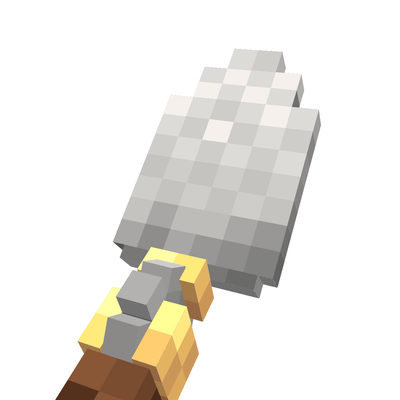
A Trowel+ that randomizes/ shuffle blocks with customizable palettes. Includes building wand functionality. Works with Create/Copycats+, FramedBlocks & Chipped
Quick answer
Mech Trowel mechtrowel-1.5.0-26.3-neoforge.jar targets 26.3 with NeoForge. The project page does not say whether this file belongs on the client, dedicated server, or both. No extra mods listed for this file.
Where it goes
The project page does not say whether this file belongs on the client, dedicated server, or both.
The source does not explicitly classify this release as client-only or server-only.
mechtrowel-1.5.0-26.3-neoforge.jar. Change the file and its required mods may change too.
This file does not list any required mods. Do not add a library just because a different file uses it.
17 extra mods were pulled in by other dependencies. Indented rows show who needs each one. We only count dependency files that match this setup. A file for another loader does not fill the gap.
Before you install it
Built for Mech Trowel mechtrowel-1.5.0-26.3-neoforge.jar. Pick another file and the loader, install side or required mods may change.
Use mechtrowel-1.5.0-26.3-neoforge.jar. It targets 26.3 with NeoForge; another release may have different loader, side or dependency requirements.
This file does not list any required mods. Do not add a library just because a different file uses it.
The project page does not say whether this file belongs on the client, dedicated server, or both.
Use the “Get this file” button beside mechtrowel-1.5.0-26.3-neoforge.jar. It opens that exact file at the source.
About this project
A easy to use trowel to randomize which blocks to place, but with many advance options if you want it.
It's got 3 modes you can switch between with R:
Quick - Just places random blocks from your hotbar (like other trowel/shuffle mods)
Palette - Uses custom palettes you make with percentage for each block
Wand - Places multiple connected blocks at once (needs an upgrade item or change config)
Palettes - You can make up to 25 palettes with 28 blocks each. Set percentages for how often each block gets placed. Hold ALT to quickly switch between them.
Gradients - You can blend between multiple palettes to create smooth transitions. Has a GUI where you can set it up with different sections and blend modes. Works great with wand mode.
Rotation Settings - Lock blocks to face certain directions, control how stairs and slabs get placed.
Replace Mode - Replaces blocks instead of just placing on empty spaces. You can configure which blocks it's allowed to replace in the config or just disable replace mode entirely.
Wand Mode - Like other building wand mods but uses your palette blocks. Can place up to 64 blocks at once (or 128 with the upgrade). Has undo for the last 3 actions. Offhand can be used to change where blocks should be placed (Like on a grassblock instead of other palette blocks, work with replace too).
"G" - opens the palette GUI. "R" - switches trowel modes. "ALT" - for quick palette menu. "V" - for replace toggle.
I have made a seperate mod to make it work with deployers and rollers on trains and contraptions, so this mod dont need required dependencies: https://www.curseforge.com/minecraft/mc-mods/create-randomize-filters
Project description from CurseForge.
Pick your setup
Choose the version and loader you play, then open the matching release.
Check the dependencies, then try the file in a copied instance before changing a world you care about.
Recent files
20 Oct 2026
20 Oct 2026
11 Sept 2026
11 Sept 2026
22 May 2026
11 May 2026
11 May 2026
11 May 2026
25 Apr 2026
3 Apr 2026
31 Mar 2026
31 Mar 2026
Looking for an older file? The official CurseForge project page is in Resources.
 mod
Lightweight and customizable support for elytra trims, patterns and dyes
 mod
A Jojo's Bizarre Adventure mod that interprets the world and power system of the anime into the world of Minecraft. ( JJBA )
 mod
Makes monster spawners harvestable with silk touch and placeable with stored mob