
Minecraft version
Back to mods 
CurseForge · Minecraft mod
Mob Vision
Mob Vision Glowing mobs near player
Choose a version Pick your version below, then grab the matching file.
Quick answer
Which Mob Vision release should I use?
Latest stable file mobvision-1.1.jar
Game version 1.17.1, 1.18.1, 1.19.3
Loader Fabric, Forge, NeoForge
Mob Vision mobvision-1.1.jar targets 1.17.1, 1.18.1, 1.19.3 with Fabric, Forge, NeoForge. The project page does not say whether this file belongs on the client, dedicated server, or both. No extra mods listed for this file.
Where it goes
Is Mob Vision required on the client, server, or both?
The project page does not say whether this file belongs on the client, dedicated server, or both.
Client Source doesn’t say
Dedicated server Source doesn’t say
Loader for this release Fabric, Forge, NeoForge
Required install it here Optional supported, not mandatory Not supported do not install here Source doesn’t say do not assume
The source does not explicitly classify this release as client-only or server-only.
What else does Mob Vision mobvision-1.1.jar need?
mobvision-1.1.jar. Change the file and its required mods may change too.
This file does not list any required mods. Do not add a library just because a different file uses it.
This file does not list any required or optional mods.
Before you install it
Add Mob Vision without breaking your instance.
Built for Mob Vision mobvision-1.1.jar. Pick another file and the loader, install side or required mods may change.
- 01
Stick to this file
Use mobvision-1.1.jar. It targets 1.17.1, 1.18.1, 1.19.3 with Fabric, Forge, NeoForge; another release may have different loader, side or dependency requirements.
- 02
Bring the mods it needs
This file does not list any required mods. Do not add a library just because a different file uses it.
- 03
Put it on the correct side
The project page does not say whether this file belongs on the client, dedicated server, or both.
- 04
Pick the file you checked
Use the “Get this file” button beside mobvision-1.1.jar. It opens that exact file at the source.
About this project
What does Mob Vision add?


Mob Vision
Easily spot mobs around you, even through walls.
This pack highlights all nearby mobs within a 25-block radius.
Features:
- Applies the glowing effect to all nearby non-player mobs
- Works whether holding an item or with an empty hand
- Updates automatically in real time
Compatibility:
- Minecraft Java Edition 1.17 and above
- Works in both singleplayer and multiplayer
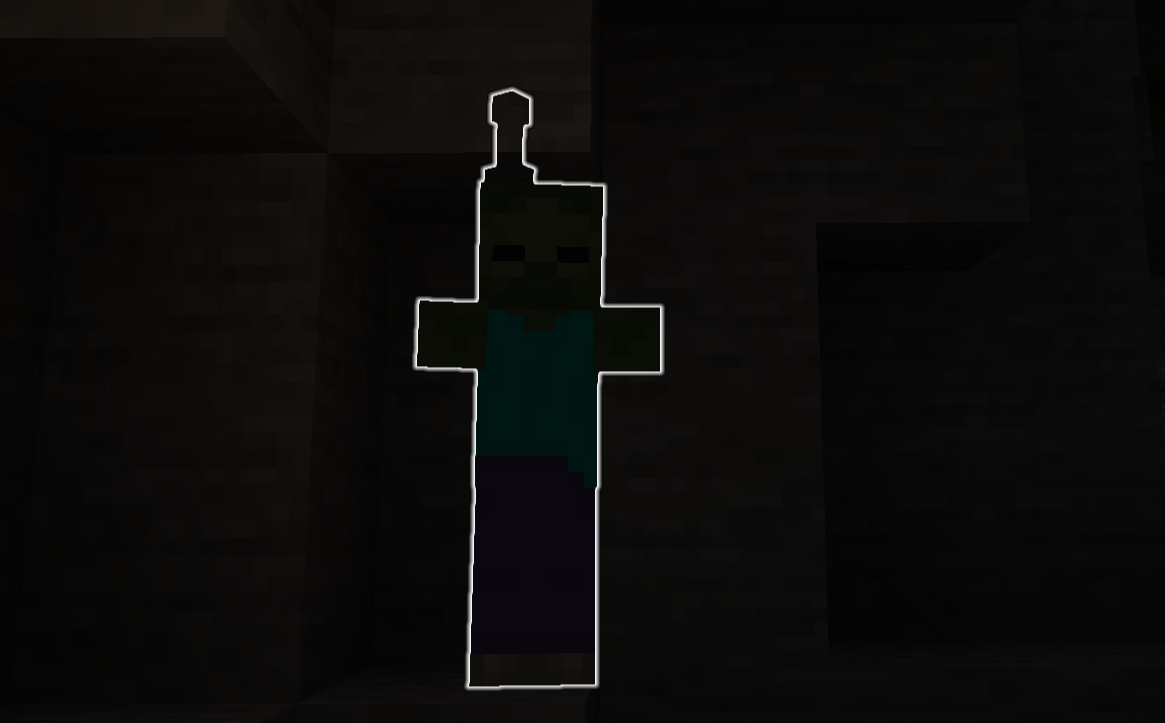
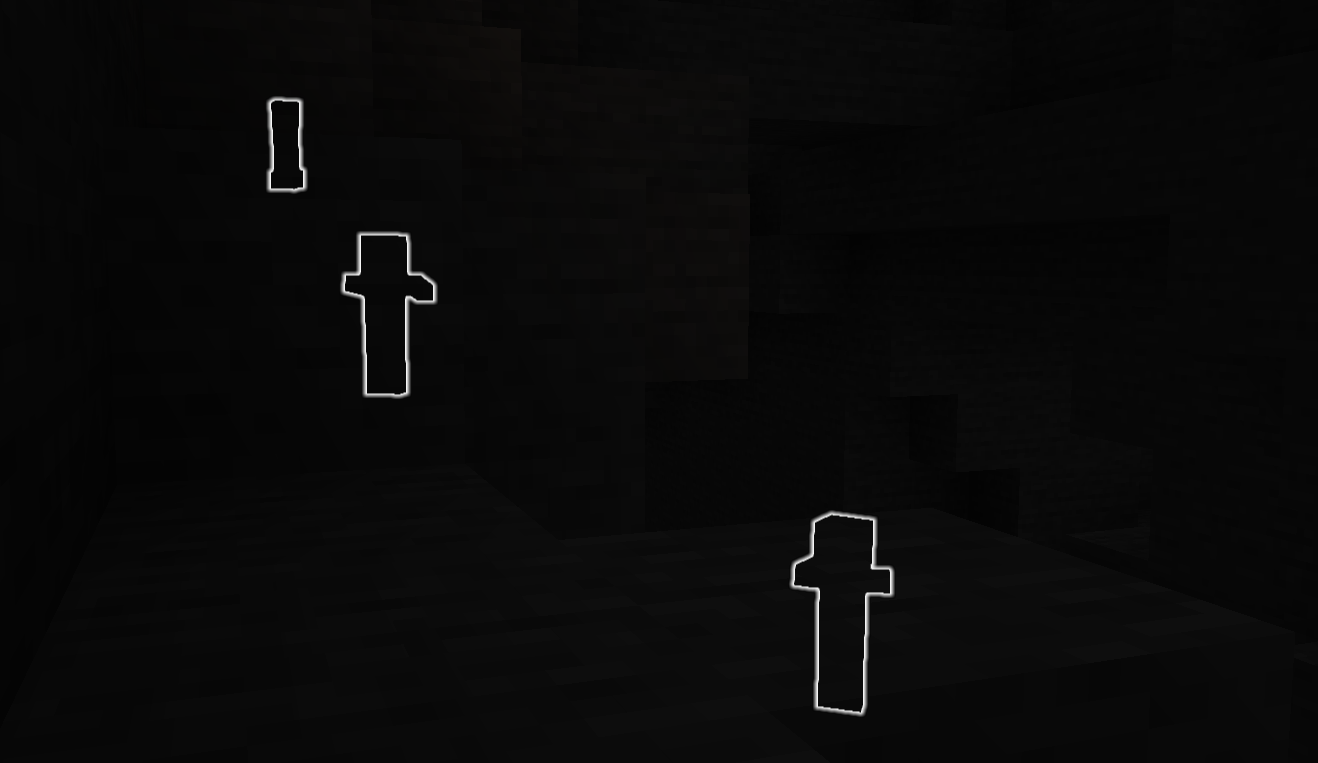
Project description from CurseForge.
Pick your setup
Mob Vision by Minecraft version and loader
Choose the version and loader you play, then open the matching release.
Minecraft version
1.21.5
4 loader buildsMinecraft version
1.21.4
4 loader buildsMinecraft version
1.21.3
4 loader buildsMinecraft version
1.21.2
4 loader buildsMinecraft version
1.21.1
4 loader buildsMinecraft version
1.21
4 loader buildsMinecraft version
1.20.6
4 loader buildsMinecraft version
1.20.5
4 loader buildsMinecraft version
1.20.4
4 loader buildsMinecraft version
1.20.3
4 loader buildsMinecraft version
1.20.2
4 loader buildsShowing the newest 12 of 24 game versions. Older files are in the list below.
Check the dependencies, then try the file in a copied instance before changing a world you care about.
Recent files
Mob Vision versions and loaders
mobvision-1.1.jar
7 Apr 2026
Client Source doesn’t say Server Source doesn’t say Dependencies No extras listed Listed on Release listing
Check the 1.20.4 · Fabric setup 1.17.11.18.11.19.31.20.2 release
mobvision-1.0.jar
27 Jun 2025
Client Source doesn’t say Server Source doesn’t say Dependencies No extras listed Listed on Release listing
Check the 1.21.6 · Fabric setup 1.17.11.19.31.20.21.21 release
Looking for an older file? The official CurseForge project page is in Resources.
 mod
CurseForge · Minecraft
Epicawaken Grappling Hook
Epicawaken Grappling Hook is an Epic Fight grappling hook mod built around high-speed movement and combat mobility, featuring fast pulling, entity dragging, tap-to-air-dash, and hold-to-web-swinging.
 mod
Modrinth · Minecraft
Frieren: Eternal magic
A minecraft mod that adds magic based on the anime frieren
 mod
Modrinth · Minecraft
Date Your Mares
You can date any mare of your choice; they can fight alongside you. There are some pony OCs a part of this mod. :3