TerraBlender Optional for NovoAtlas 1.1.1+1.20.1
optionalNo matching file

CurseForge · Minecraft mod
A data-driven image based world generator for Minecraft.
Quick answer
NovoAtlas 1.1.1+1.20.1 targets 1.20, 1.20.1 with Forge. Do not install it on the client. It must be installed on the dedicated server. No extra mods listed for this file.
Where it goes
Do not install it on the client. It must be installed on the dedicated server.
This file is marked server-only.
1.1.1+1.20.1 on Forge. Every mod below is checked against that same setup.
This file does not list any required mods. Do not add a library just because a different file uses it.
We only count dependency files that match this setup. A file for another loader does not fill the gap.
Before you install it
Built for NovoAtlas 1.1.1+1.20.1 on Forge. Pick another file and the loader, install side or required mods may change.
Use 1.1.1+1.20.1. It targets 1.20, 1.20.1 with Forge; another release may have different loader, side or dependency requirements.
This file does not list any required mods. Do not add a library just because a different file uses it.
Do not install it on the client. It must be installed on the dedicated server.
Use the “Get this file” button beside 1.1.1+1.20.1. It opens that exact file at the source.
About this project
A data-driven image based world generator for Minecraft. This mod allows you to paint a world's height map and biome map, and then import that to a datapack and allow the Minecraft world generator to fill in the rest of the details!
NovoAtlas is based on Atlas by itsmiir, used under its CC0 license and with permission from the original author. It features several improvements including: Updated for 1.21+, NeoForge support, improved structure-terrain blending, improved underwater cave generation, cave biome maps, and a few other minor tweaks and additions.
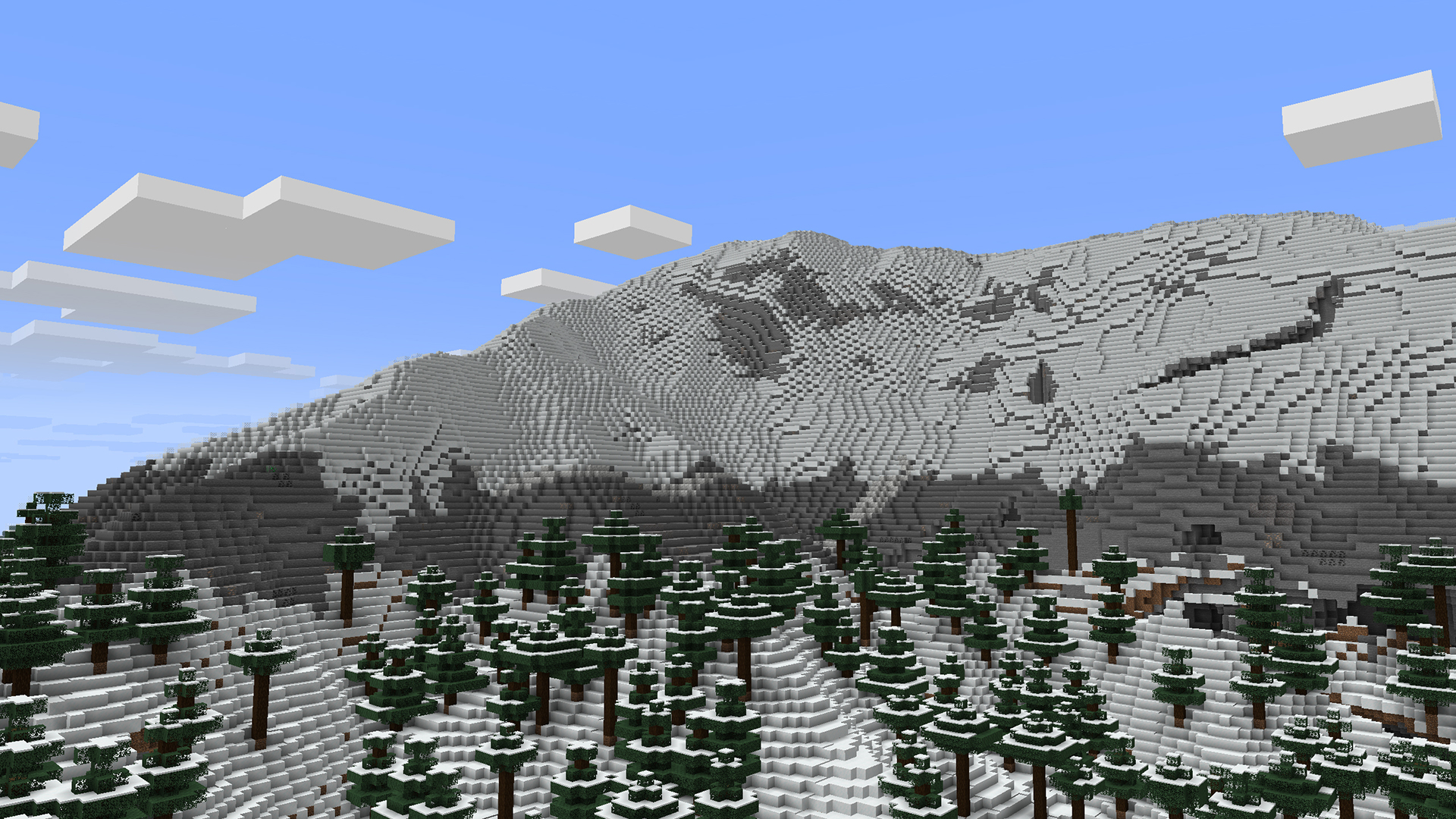
The repository wiki describes in detail how to use this mod to create your own worlds/dimensions. But, heres the quick rundown:
.png height map. To create maps, I would highly recommend using WorldPainter, as it is purpose-built for Minecraft map making and has an option to export a height map. You can also get heightmaps of Earth from a variety of websites, here's a few that I've found (though not tested with NovoAtlas):
.png with 8-bit RGBA encoding. For cave biomes, you can create separate maps for each "layer" of the world.Example datapacks are builtin with the mod, but can also be downloaded separately from the releases page.
NovoAtlas supports the use of custom biomes in its generated dimensions.
This mod will not affect dimensions that are not created using the NovoAtlas generator. However, some world generation features utilized by other mods may not be fully compatible with NovoAtlas dimensions. By nature, NovoAtlas replaces the terrain shape and biome placement logic of the world generator with its own image-supplied logic. Most biomes decorations (including structures, features, and surface rules) should work with NovoAtlas dimensions without any problem, though some noise features, like custom terrain and cave shapes, may not.
Specific mod compatibility notes from mods that I have tested:
If you're having trouble with the mod, you can join my Discord and make a post in the #help-and-support forum.
I do not have time or capacity to develop new features or fix issues for old versions myself; any backports of the mod will only be supported by community contribution. If you want a feature or fix backported, please submit a PR on GitHub (or create a fork). You can also get 1.19 and 1.20.1 versions of the original Atlas mod by itsmiir (Fabric only).
Project description from CurseForge.
Pick your setup
Choose the version and loader you play, then open the matching release.
Showing the newest 12 of 21 game versions. Older files are in the list below.
Check the dependencies, then try the file in a copied instance before changing a world you care about.
Recent files
novoatlas-forge-1.1.1+1.20.1.jar
3 Dec 2025
novoatlas-forge-1.1.1+1.20.1.jar
3 Dec 2025
novoatlas-forge-1.1.0+1.20.1.jar
21 Jul 2025
novoatlas-forge-1.1.0+1.20.1.jar
21 Jul 2025
Looking for an older file? The official CurseForge project page is in Resources.
 mod
modCentralizes world generation, structures, beacon areas, and teleport permissions.
 mod
modKineticArmory is the Kinetic armor-set and dynamic-condition mod for modpack authors and server administrators. It provides a complete workflow for armor-set definitions
 mod
modIndependent Kinetic addon for item bans and unification, drop protection, recoverable cleanup, protected areas, and creative inventory management.