Create Needed by Create: Colored create_colored-1.1.4+1.21.1.jar
requiredMatching file found Matched file: Create 6.0.10 for mc1.21.1

CurseForge · Minecraft mod
An addon for the create mod that adds colored pipes and tanks
Quick answer
Create: Colored create_colored-1.1.4+1.21.1.jar targets 1.21.1 with NeoForge. The project page does not say whether this file belongs on the client, dedicated server, or both. All 1 required mods have matching files.
Where it goes
The project page does not say whether this file belongs on the client, dedicated server, or both.
The source does not explicitly classify this release as client-only or server-only.
create_colored-1.1.4+1.21.1.jar. Change the file and its required mods may change too.
Install Create first. We found matching files for this game-version and loader setup.
We only count dependency files that match this setup. A file for another loader does not fill the gap.
Before you install it
Built for Create: Colored create_colored-1.1.4+1.21.1.jar. Pick another file and the loader, install side or required mods may change.
Use create_colored-1.1.4+1.21.1.jar. It targets 1.21.1 with NeoForge; another release may have different loader, side or dependency requirements.
Install Create first. We found matching files for this game-version and loader setup.
The project page does not say whether this file belongs on the client, dedicated server, or both.
Use the “Get this file” button beside create_colored-1.1.4+1.21.1.jar. It opens that exact file at the source.
About this project
(W.I.P.)
Create: Colored aims to add variants to various blocks in create.
Fluid pipes in all 16 dye colors, they also don't connect between each other! (unless they are forced to) 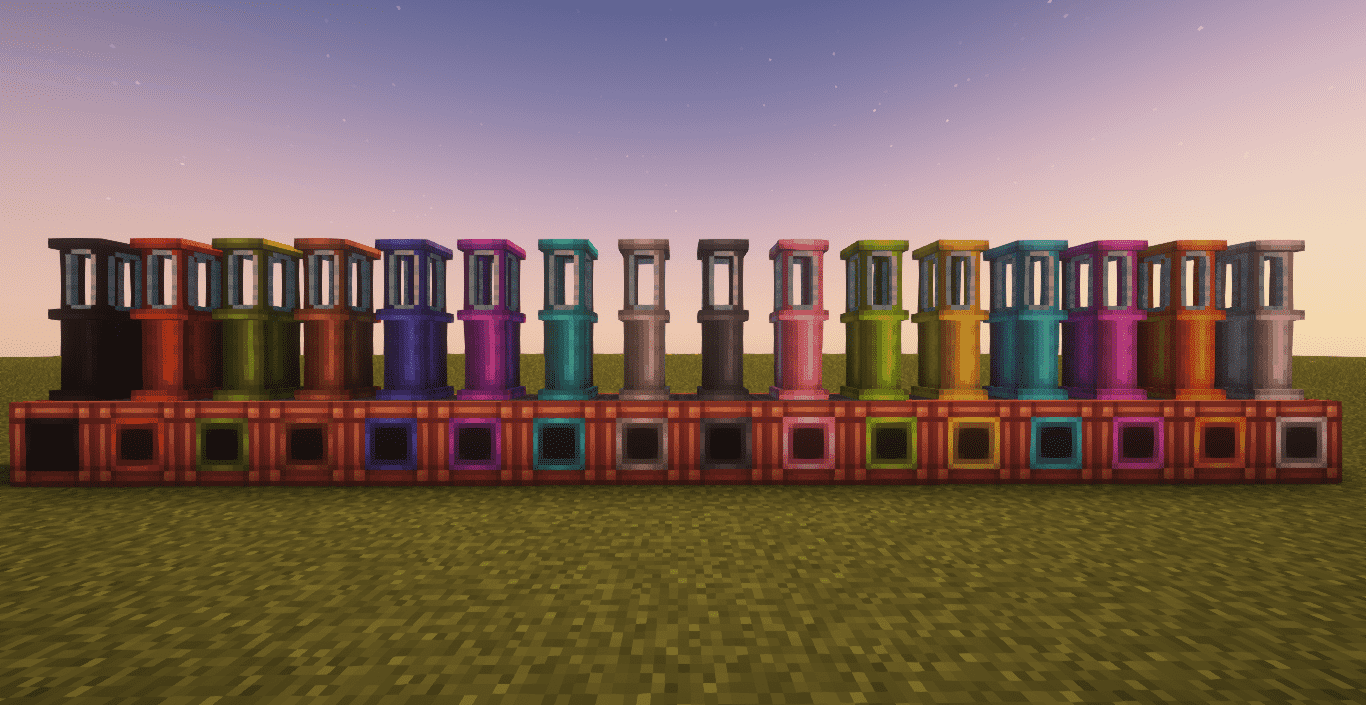 Image taken using Complementary Shaders - Reimagined
Tanks in all 16 dye colors too! 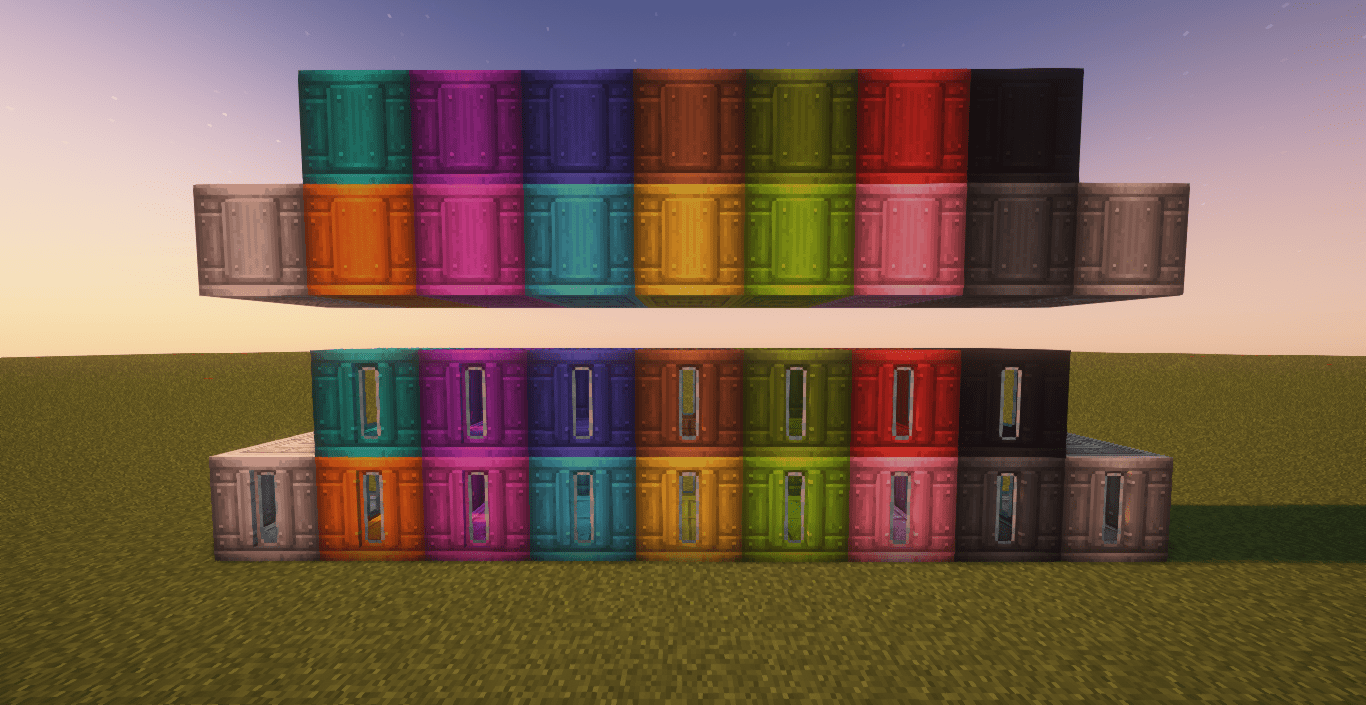 Colored pipes don't connect to tanks of different colors! (unless they are forced to)
 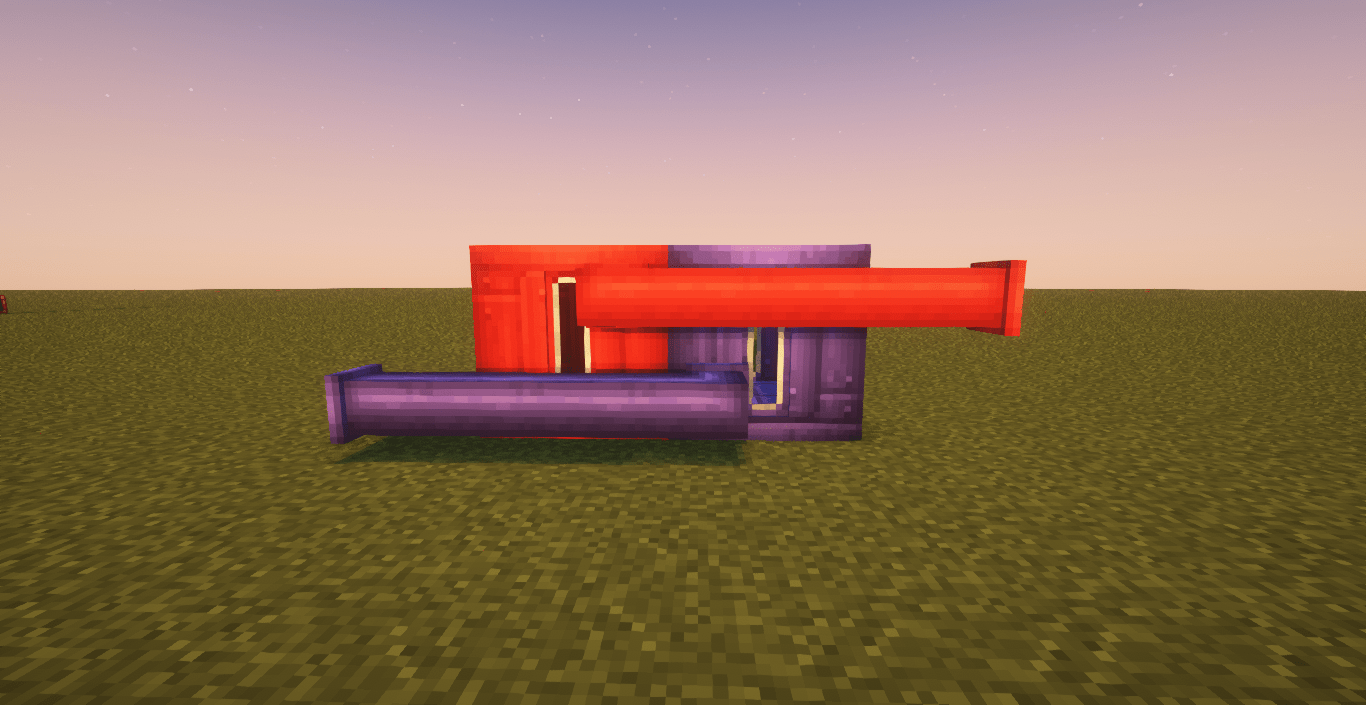 Image taken using Complementary Shaders - Reimagined
I hope you enjoy the colored variants!
Project description from CurseForge.
Pick your setup
Choose the version and loader you play, then open the matching release.
Check the dependencies, then try the file in a copied instance before changing a world you care about.
Recent files
24 Apr 2026
1 Jul 2025
Looking for an older file? The official CurseForge project page is in Resources.
 mod
modHighlight nearby inventories containing an item, and restock items from or deposit items to them directly from your inventory.
 mod
modHalfbright allows Minecraft to be brighter without looking worse. The better alternative to Fullbright / Gamma Utils Mods.
 mod
modMine nine crystal families, trade up at the Crystal Exchange, then forge gear or perform the mystery rituals.