Cloth Config API (Fabric/Forge/NeoForge) Needed by starhud-26.2-2.5.2.jar
requiredMatching file found Matched file: [Fabric 26.2] v26.2.155

CurseForge · Minecraft mod
Display fancy HUDs in your game.
Quick answer
starhud-26.2-2.5.2.jar targets 26.2 with Fabric. The project page does not say whether this file belongs on the client, dedicated server, or both. All 2 required mods have matching files.
Where it goes
The project page does not say whether this file belongs on the client, dedicated server, or both.
The source does not explicitly classify this release as client-only or server-only.
starhud-26.2-2.5.2.jar on Fabric. Every mod below is checked against that same setup.
Install Cloth Config API (Fabric/Forge/NeoForge), Cloth Config API first. We found matching files for this game-version and loader setup.
We only count dependency files that match this setup. A file for another loader does not fill the gap.
Before you install it
Built for starhud-26.2-2.5.2.jar on Fabric. Pick another file and the loader, install side or required mods may change.
Use starhud-26.2-2.5.2.jar. It targets 26.2 with Fabric; another release may have different loader, side or dependency requirements.
Install Cloth Config API (Fabric/Forge/NeoForge), Cloth Config API first. We found matching files for this game-version and loader setup.
The project page does not say whether this file belongs on the client, dedicated server, or both.
Use the “Get this file” button beside starhud-26.2-2.5.2.jar. It opens that exact file at the source.
About this project
A Minecraft mod that display HUDs in a more fancy way…
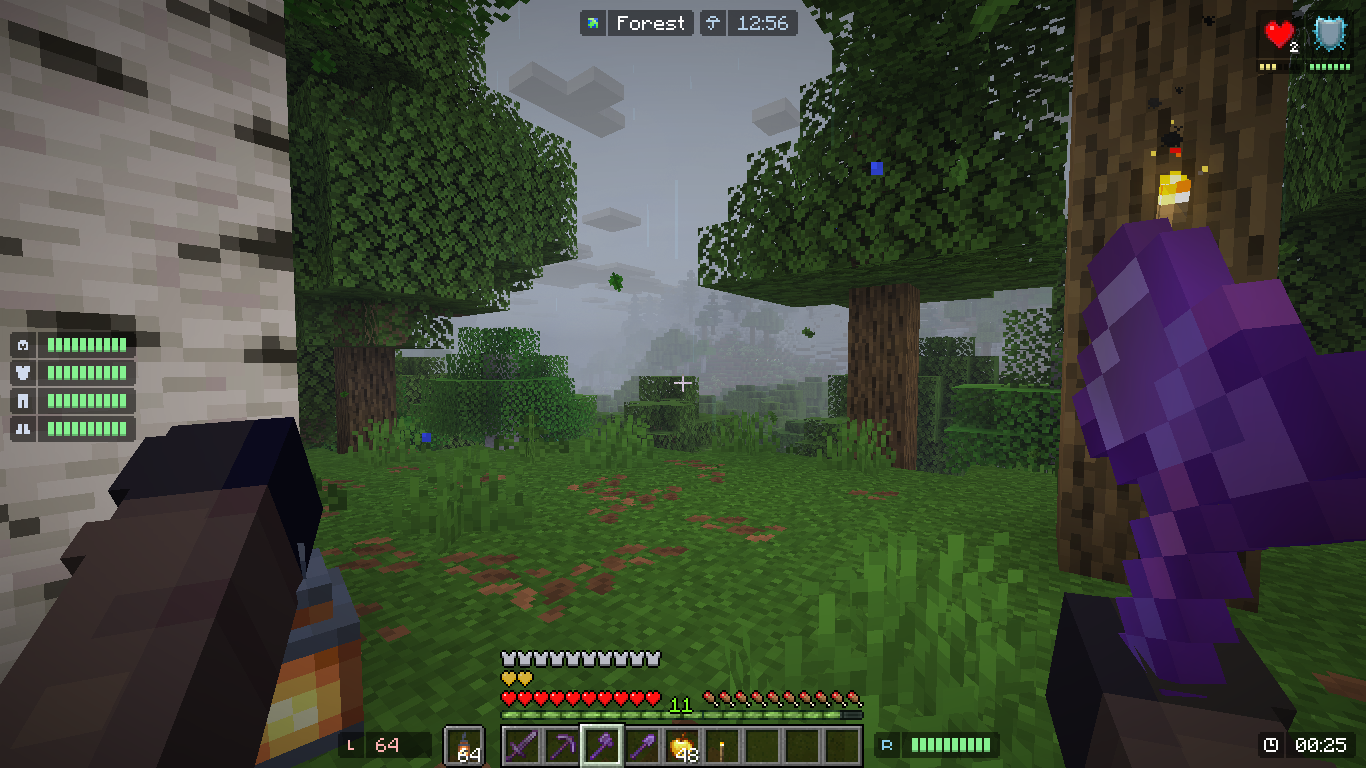
Mods used in this picture (Modrinth): Visual Effects+ recommended mods.
FEATURES
Armor Durability HUD Coordinate & Nether Coordinate HUD Cardinal Direction and Horizontal Yaw HUD Ping HUD (Disabled in Singleplayer) FPS HUD System & InGame Clock (also shows world weather) Biome Indicator HUD (and Dimension Indicator) Inventory HUD (Disabled by default) Hand Items Indicator HUD Status Effect HUD Day Counter HUD Targeted Crosshair HUD TPS HUD Speed HUD HUD Placement and Color Customization Conditional HUD Placement and Toggle Grouping System
And more to come... (hopefully)
Configuring the HUD
Edit HUD Screen (2.0.0)
In order to open this screen, by default you need to press RIGHT SHIFT in game.
The basic thing you can do, is just to CLICK on a HUD Box (displayed with border), and then drag the HUD around.
If you wanted to know more you can press the "Help" Button displayed with "?" on the button. This will display many keybind for your convenience.
If you wanted to see more information regarding your HUD, you can press the "More Options" Button displayed with "+" on the button. This will display the currently selected HUD information. And you can adjust them accordingly.
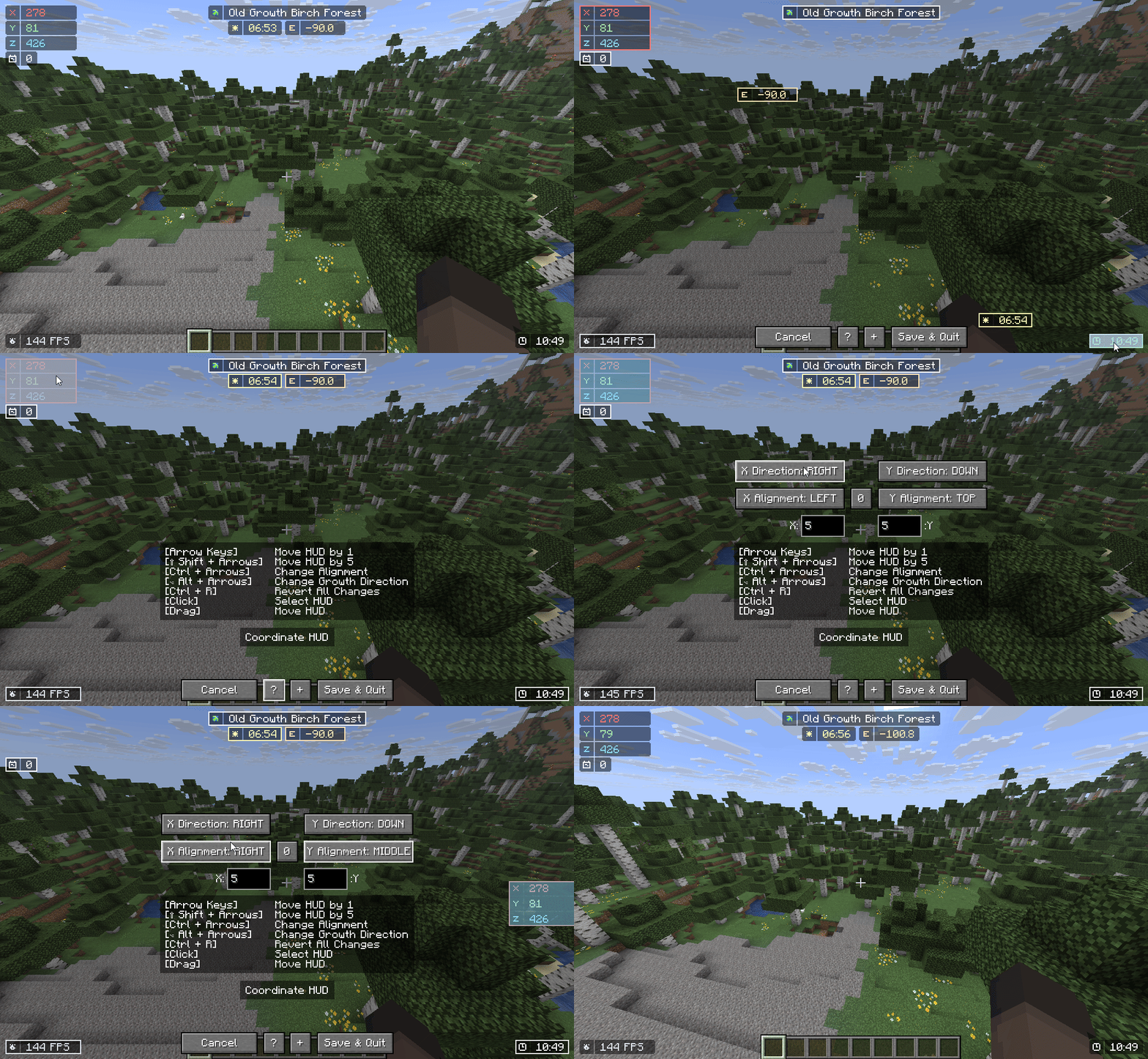
Configuration Screen
You need Mod Menu To access the configuration screen.
Set The HUD Location using X and Y Point.
(+X to move The HUD to the right, -X to the left)
(+Y to move the HUD to the bottom, -Y to the top)
Set the HUD Vertical / Horizontal Allignment so that the display will be consistent upon resizing.
Setting this will place your HUD DEFAULT location to the allignment specified.
Add a new Condition rule if your HUD is being overlapped by minecraft' HUD.
You can either: Disable the rendering, or move the HUD away.
If the HUD' texture length changes dynamically, you can set the Texture Growth Direction. It's better to set the direction to be the OPPOSITE of your HUD allignment.
(Ex: Allignment: LEFT, so you put Growth Direction to the RIGHT and vice versa).
Bonus Tip: It is recommended to use Pastel Colors for the HUD.
Performance Concern
Yes, this mod DOES reduce your FPS. Worst case, IF EVERY HUD is rendered, you will have 40% FPS loss (60% if you are on 1.20.1 or 1.21.1 and didn't use ImmediatelyFast).
I highly recommend using ImmediatelyFast if you want even more performance from using this mod. based on my testing, the HUD is 1.5x faster when using ImmediatelyFast.
HUD Performance (Worst → Best)
Performance Tips (2.2.0+)
Combine Background on Group HUD (enable background for group hud), this combines the child's background.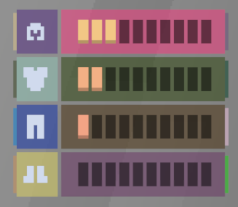
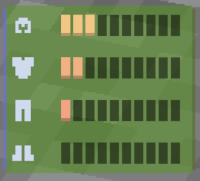
(16 draw calls -> 3 draw calls!) Set the "Icon to Info Gap" To 0 or lower, this will combine the background in icon and info.

(4 draw calls -> 3 draw calls!) Disable "Draw Background Rounded", this will change the background from a rounded rectangle, to a rectangle. 
(3 draw calls -> 1 draw call!) Set a Condition for your HUD. Maybe only render them on a server? or only render them when a specific mod is loaded? The Condition feature allow you to dynamically toggle the hud based on conditions.
Disable any HUD you rarely / never used.
For Support or Suggestions: Discord | Github
Most colors: Color Hunt
HUD design: MCC Island, Origin Realms
HUD colors: Atom Material Icons
Status Effect HUD: Status Effect Bars, Simple HUD Enhanced
Targeted Crosshair HUD: Jade, WTHIT
TPS tracking: MiniHUD
Project description from CurseForge.
Pick your setup
Choose the version and loader you play, then open the matching release.
Showing the newest 12 of 16 game versions. Older files are in the list below.
Check the dependencies, then try the file in a copied instance before changing a world you care about.
Recent files
4 Jul 2026
11 Apr 2026
11 Apr 2026
11 Apr 2026
11 Apr 2026
11 Apr 2026
11 Apr 2026
11 Apr 2026
11 Apr 2026
29 Mar 2026
29 Mar 2026
29 Mar 2026
Looking for an older file? The official CurseForge project page is in Resources.
 mod
modA true engine-level Mixin mod that lets you freeze, slow down, and manipulate time using tiered pocket watches and socketable temporal runes.
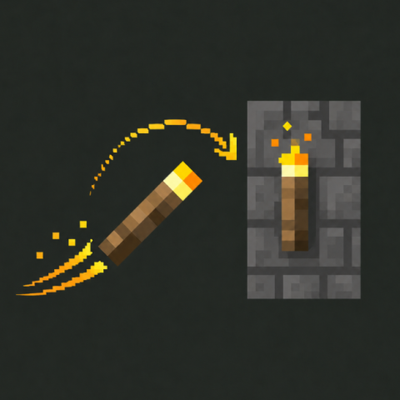 mod
modThrow your torches! Left‑click to hurl a torch that arcs through the air and sticks wherever it lands.
 mod
modAdds a simple climbable rope. One click to place, one shift-click to drop an entire column to the ground.