Minecraft version
Back to mods 
CurseForge · Minecraft mod
adding everything that was not added
this mod adds things that would hardly appear in the game
Choose a version Pick your version below, then grab the matching file.
Quick answer
Which adding everything that was not added release should I use?
Latest stable file everything_that_was_not_added-2.2-neoforge-1.21.1.jar
Game version 1.21.1
Loader NeoForge
adding everything that was not added everything_that_was_not_added-2.2-neoforge-1.21.1.jar targets 1.21.1 with NeoForge. The project page does not say whether this file belongs on the client, dedicated server, or both. No extra mods listed for this file.
Where it goes
Is adding everything that was not added required on the client, server, or both?
The project page does not say whether this file belongs on the client, dedicated server, or both.
Client Source doesn’t say
Dedicated server Source doesn’t say
Loader for this release NeoForge
Required install it here Optional supported, not mandatory Not supported do not install here Source doesn’t say do not assume
The source does not explicitly classify this release as client-only or server-only.
What else does adding everything that was not added everything_that_was_not_added-2.2-neoforge-1.21.1.jar need?
everything_that_was_not_added-2.2-neoforge-1.21.1.jar. Change the file and its required mods may change too.
This file does not list any required mods. Do not add a library just because a different file uses it.
This file does not list any required or optional mods.
Before you install it
Add adding everything that was not added without breaking your instance.
Built for adding everything that was not added everything_that_was_not_added-2.2-neoforge-1.21.1.jar. Pick another file and the loader, install side or required mods may change.
- 01
Stick to this file
Use everything_that_was_not_added-2.2-neoforge-1.21.1.jar. It targets 1.21.1 with NeoForge; another release may have different loader, side or dependency requirements.
- 02
Bring the mods it needs
This file does not list any required mods. Do not add a library just because a different file uses it.
- 03
Put it on the correct side
The project page does not say whether this file belongs on the client, dedicated server, or both.
- 04
Pick the file you checked
Use the “Get this file” button beside everything_that_was_not_added-2.2-neoforge-1.21.1.jar. It opens that exact file at the source.
About this project
What does adding everything that was not added add?
This mod adds things that would hardly appear in the game officially for various reasons.
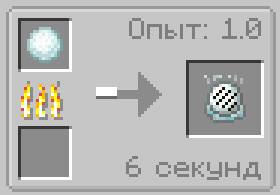
Fried snow - not a very nutritious food, but it adds variety to the diet.
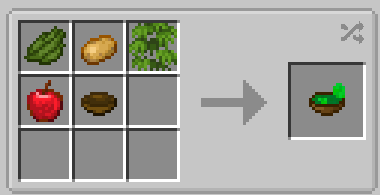
Vegetable Puree - tasty and filling, everything you need to avoid being mediocre food.
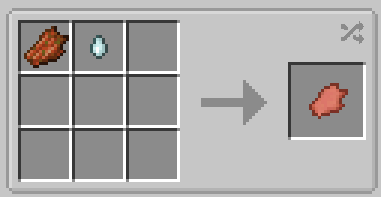
Regenerated flesh - use healing tears of ghast to reverse the rot. Tastes like chicken.
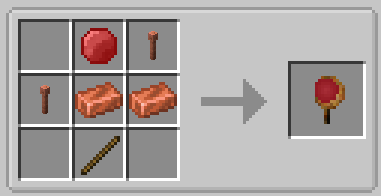
Thunder staff - when hitting an entity, it causes a thunderstorm. It has low durability and replenishes it with experience.
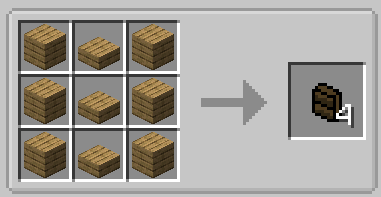
Shelves - you can put six stacks of any items in them
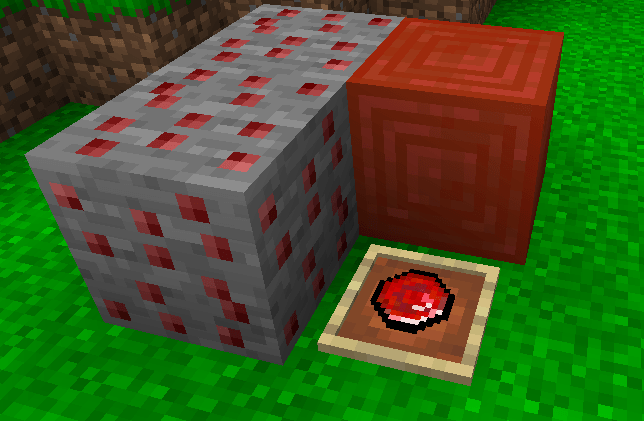
Ruby - spawns underground in the Apple Orchard biome and is used in crafting.
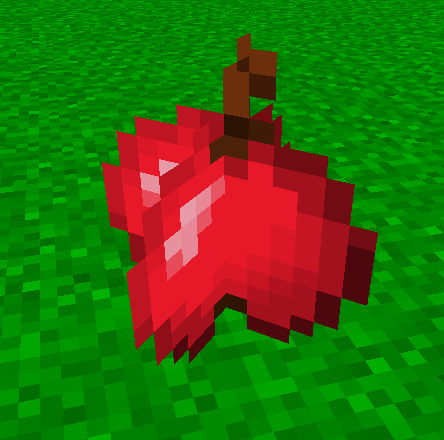
Apple - can be found in the Apple Orchard biome lying under the trees.
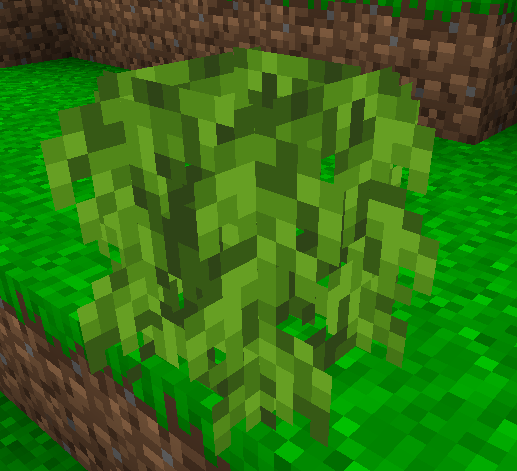
Ivy bush - grows up every time at a random time and nothing can influence it.
Apple Orchard - a biome where apple trees grow and in the caves where rubies can be found. Has bright green grass and blue water.
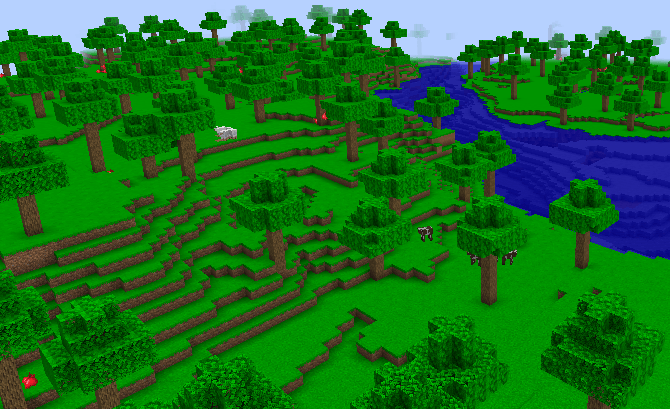
Project description from CurseForge.
Pick your setup
adding everything that was not added by Minecraft version and loader
Choose the version and loader you play, then open the matching release.
Check the dependencies, then try the file in a copied instance before changing a world you care about.
Recent files
adding everything that was not added versions and loaders
everything_that_was_not_added-2.2-neoforge-1.21.1.jar
19 Jul 2025
Client Source doesn’t say Server Source doesn’t say Dependencies No extras listed Listed on Release listing
Check the 1.21.1 · NeoForge setup NeoForge1.21.1 release
everything_that_was_not_added-2.1-neoforge-1.21.1.jar
19 Jul 2025
Client Source doesn’t say Server Source doesn’t say Dependencies No extras listed Listed on Release listing
Check the 1.21.1 · NeoForge setup NeoForge1.21.1 release
everything_that_was_not_added-2.0-neoforge-1.21.1.jar
18 Jul 2025
Client Source doesn’t say Server Source doesn’t say Dependencies No extras listed Listed on Release listing
Check the 1.21.1 · NeoForge setup NeoForge1.21.1 release
everything_that_was_not_added-1.1-neoforge-1.21.1.jar
18 Jul 2025
Client Source doesn’t say Server Source doesn’t say Dependencies No extras listed Listed on Release listing
Check the 1.21.1 · NeoForge setup NeoForge1.21.1 release
everything_that_was_not_added-1.0-neoforge-1.21.1.jar
18 Jul 2025
Client Source doesn’t say Server Source doesn’t say Dependencies No extras listed Listed on Release listing
Check the 1.21.1 · NeoForge setup NeoForge1.21.1 release
Looking for an older file? The official CurseForge project page is in Resources.
 mod
CurseForge · Minecraft
Cos-warshipgirl
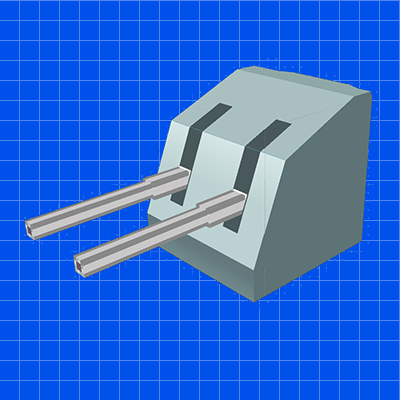
CreateBigConnon heavy weapon held by the player — used to extend the player’s ranged firepower when CBC is present, in a lightweight manner.
 mod
CurseForge · Minecraft
SHAuth
This mod provides a more advanced way to protect your server. It is used on servers that have online-mode to false in order to prevent account stealing and player coordinate leakage.
 mod
CurseForge · Minecraft
Signboards
Satisfactory-style item signs from 1x1 to 4x4. Show items, colored emoji, text and numbers to label your storage and farms.