Minecraft version
Back to mods 
CurseForge · Minecraft mod
Petroleum
Want Better Fuel Options in Minecraft? Here you go.
Choose a version Pick your version below, then grab the matching file.
Quick answer
Which Petroleum release should I use?
Latest stable file Petrol Mod-1.0.0.jar
Game version 1.20.1
Loader Forge
Petroleum Petrol Mod-1.0.0.jar targets 1.20.1 with Forge. The project page does not say whether this file belongs on the client, dedicated server, or both. No extra mods listed for this file.
Where it goes
Is Petroleum required on the client, server, or both?
The project page does not say whether this file belongs on the client, dedicated server, or both.
Client Source doesn’t say
Dedicated server Source doesn’t say
Loader for this release Forge
Required install it here Optional supported, not mandatory Not supported do not install here Source doesn’t say do not assume
The source does not explicitly classify this release as client-only or server-only.
What else does Petroleum Petrol Mod-1.0.0.jar need?
Petrol Mod-1.0.0.jar. Change the file and its required mods may change too.
This file does not list any required mods. Do not add a library just because a different file uses it.
This file does not list any required or optional mods.
Before you install it
Add Petroleum without breaking your instance.
Built for Petroleum Petrol Mod-1.0.0.jar. Pick another file and the loader, install side or required mods may change.
- 01
Stick to this file
Use Petrol Mod-1.0.0.jar. It targets 1.20.1 with Forge; another release may have different loader, side or dependency requirements.
- 02
Bring the mods it needs
This file does not list any required mods. Do not add a library just because a different file uses it.
- 03
Put it on the correct side
The project page does not say whether this file belongs on the client, dedicated server, or both.
- 04
Pick the file you checked
Use the “Get this file” button beside Petrol Mod-1.0.0.jar. It opens that exact file at the source.
About this project
What does Petroleum add?
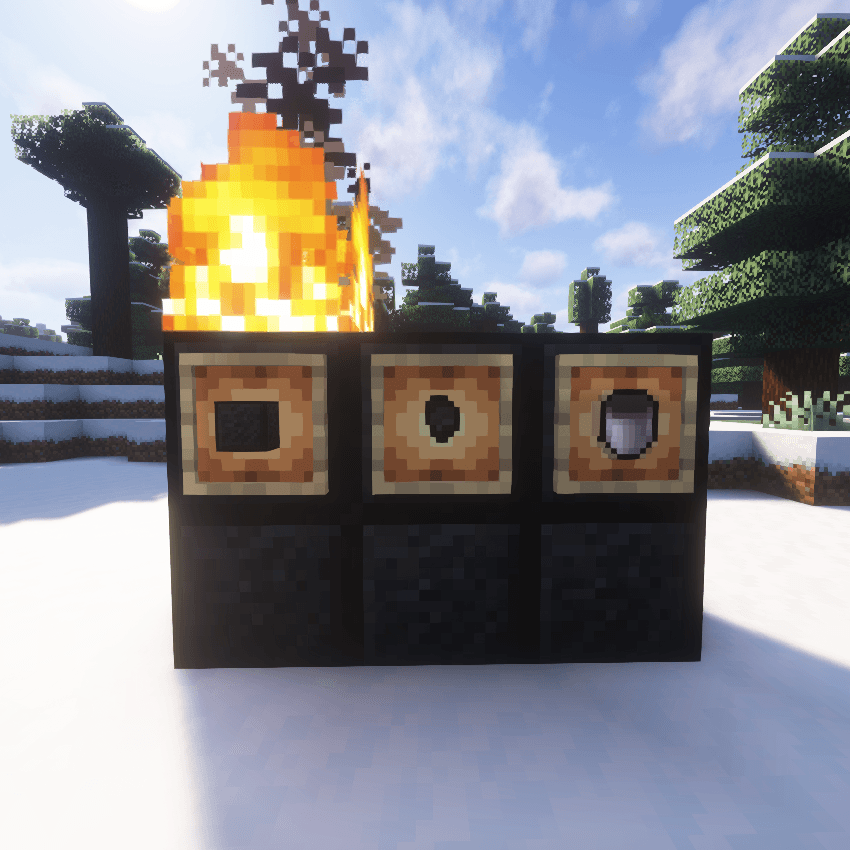
Petrol Mod - Features and Mechanics
Overview
The Petrol Mod introduces a new fuel system in Minecraft, allowing players to process bone blocks into petrol nuggets, which can then be crafted into petrol blocks. These petrol blocks, when combined with an empty bucket, create a petrol bucket that serves as a highly efficient fuel source for furnaces and other machines. Additionally, petrol blocks emit fire when placed, making them a unique fuel item that also enhances the aesthetic and utility of your Minecraft world.
Features
1. Petrol Nugget
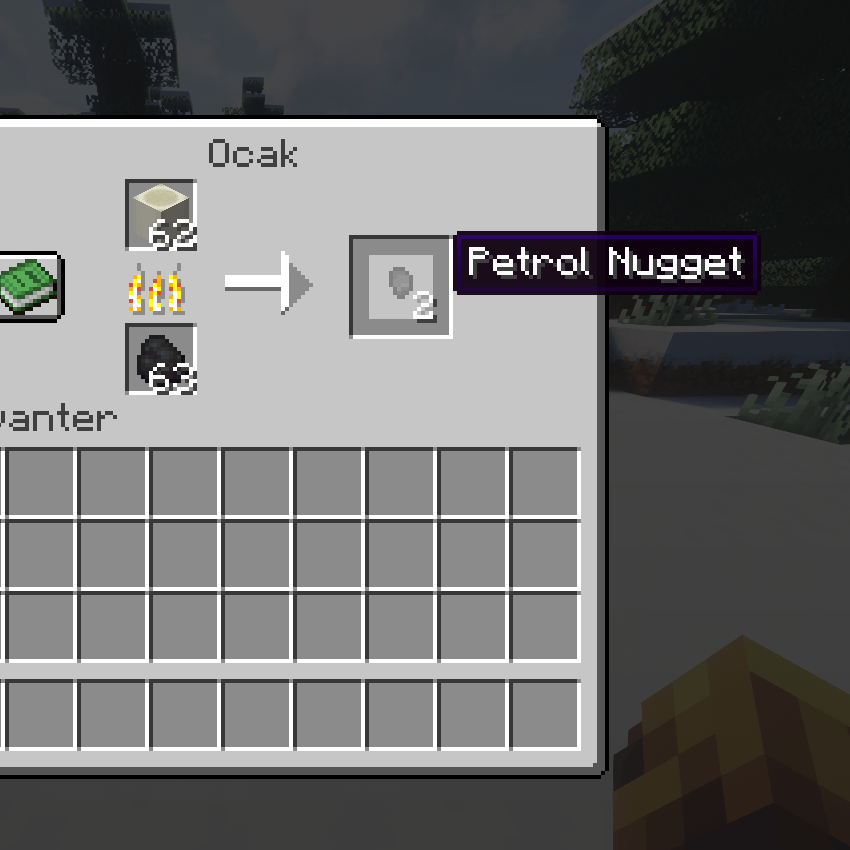
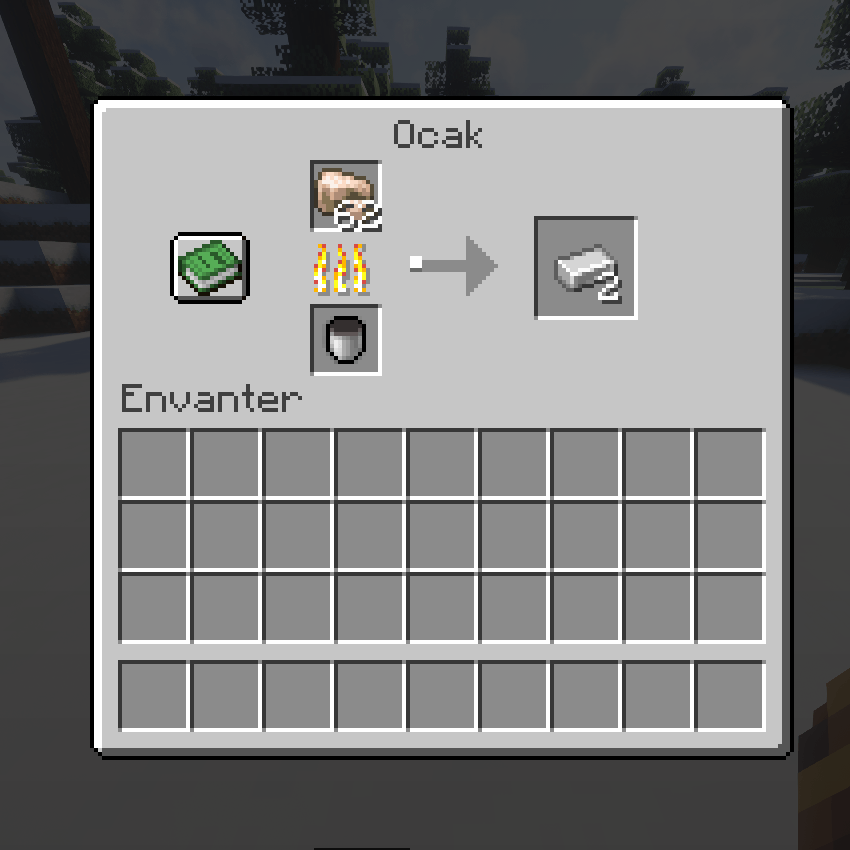
Obtaining: You can obtain Petrol Nuggets by smelting Bone Blocks in a furnace.
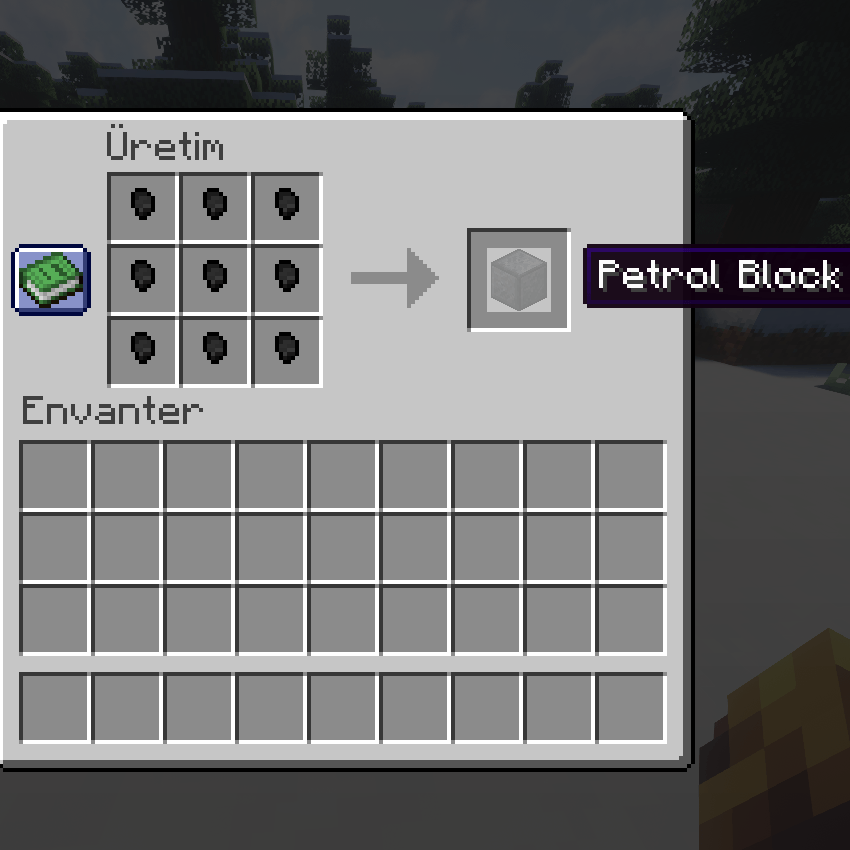
Crafting: 9 Petrol Nuggets can be crafted into a Petrol Block.
2. Petrol Block
Obtaining: Petrol Blocks are crafted by combining 9 Petrol Nuggets in a crafting table.
Usage: These blocks act as a high-efficiency fuel source in furnaces and other machinery.
Fire Effect: When placed, Petrol Blocks automatically set fire to the block above them, providing a constant source of fire unless extinguished.
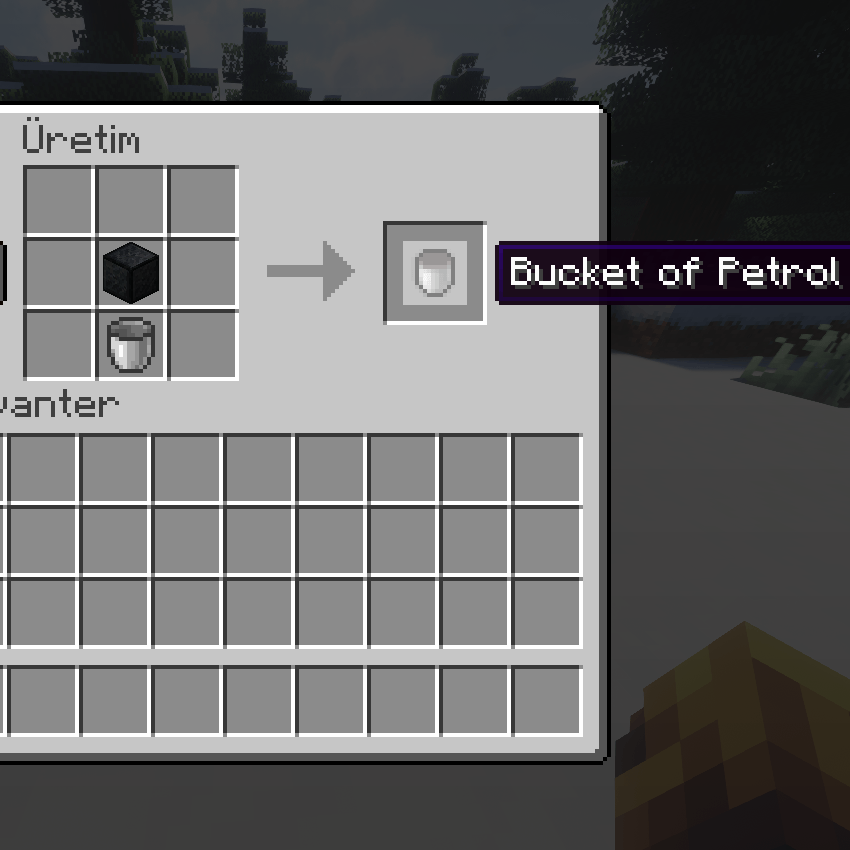
Crafting: The Petrol Block can be combined with an Empty Bucket to create a Petrol Bucket.
3. Petrol Bucket
Obtaining: To obtain a Petrol Bucket, combine a Petrol Block with an Empty Bucket in the crafting table.
Fuel Efficiency: Petrol Buckets act as high-efficiency fuel for furnaces and can smelt 3000 ticks worth of items (equivalent to 150 items).
Fire: A Petrol Bucket can also be used to ignite fires in your Minecraft world.
4. Smelting Process
Bone Block → Petrol Nugget: When smelting Bone Blocks in a furnace, you will receive Petrol Nuggets.
Petrol Nugget → Petrol Block: Combine 9 Petrol Nuggets to craft a Petrol Block in the crafting table.
Petrol Block + Empty Bucket → Petrol Bucket: Combine a Petrol Block with an Empty Bucket to create a Petrol Bucket.
5. Sustainable Fire
- Petrol Blocks and Fire: When placed, Petrol Blocks automatically set fire to the block above them. The fire will remain active indefinitely until manually extinguished. This provides a unique feature where players can create eternal flames simply by placing a Petrol Block.
How to Use the Mod
Smelting Bone Blocks: Place Bone Blocks in a furnace to create Petrol Nuggets.
Crafting Petrol Blocks: Combine 9 Petrol Nuggets to craft a Petrol Block.
Creating a Petrol Bucket: Combine a Petrol Block with an Empty Bucket in the crafting table to create a Petrol Bucket.
Using Petrol Blocks as Fuel: Place Petrol Blocks in a furnace to smelt items or use them as a source of eternal fire.
Fire from Petrol Blocks: Place a Petrol Block on the ground and it will set fire to the block above it, making it a perpetual source of fire in the game.
Crafting Recipes
Bone Block → Petrol Nugget: Smelt a Bone Block in a furnace to obtain Petrol Nuggets.
Petrol Nugget → Petrol Block: Craft 9 Petrol Nuggets into a Petrol Block in the crafting table.
Petrol Block + Empty Bucket → Petrol Bucket: Craft a Petrol Block with an Empty Bucket to create a Petrol Bucket.
Known Issues / Limitations
Petrol Blocks and Fire: While the fire from the Petrol Block is meant to stay indefinitely, it may still be extinguished by water, rain, or other mechanics within the game.
Recipe Compatibility: If you're using other mods that alter crafting or furnace recipes, compatibility issues might arise. Ensure that the mod is loaded correctly to avoid any conflicts.
Conclusion
The Petrol Mod introduces a new and immersive fuel system in Minecraft, with features such as smelting Bone Blocks into Petrol Nuggets, crafting them into Petrol Blocks, and using them for sustainable fire. Whether you're looking for a new fuel source or just want to add some interesting mechanics to your game, this mod adds a unique twist to the gameplay experience.
Project description from CurseForge.
Pick your setup
Petroleum by Minecraft version and loader
Choose the version and loader you play, then open the matching release.
Check the dependencies, then try the file in a copied instance before changing a world you care about.
Recent files
Petroleum versions and loaders
Petrol Mod-1.0.0.jar
Petro Mod-1.0.0.jar
27 Jul 2025
Client Source doesn’t say Server Source doesn’t say Dependencies No extras listed Listed on Release listing
Check the 1.20.1 · Forge setup 1.20.1Forge release
Looking for an older file? The official CurseForge project page is in Resources.
 mod
mod CurseForge + Modrinth · Minecraft
Resource Nether Ores
Add Vanilla ores to the Nether Dimension
 mod
mod Modrinth · Minecraft
RustyConnector
Register new servers without restarting Velocity!
 mod
mod CurseForge · Minecraft
[全周天驾驶舱]Omni Display
Build panoramic cockpits for Create and Sable vehicles with wraparound screens, surface-mounted panels, and a customizable spherical HUD.