Pehkui Needed by Create: Upsizing upsizing-1.2.0.jar
requiredMatching file found Matched file: [1.21] [NeoForge] Pehkui 3.8.3

CurseForge · Minecraft mod
A Create addon with a new tool: The Resizer!
Quick answer
Create: Upsizing upsizing-1.2.0.jar targets 1.21, 1.21.1-Snapshot, 1.21-Snapshot with NeoForge. The project page does not say whether this file belongs on the client, dedicated server, or both. All 2 required mods have matching files.
Where it goes
The project page does not say whether this file belongs on the client, dedicated server, or both.
The source does not explicitly classify this release as client-only or server-only.
upsizing-1.2.0.jar. Change the file and its required mods may change too.
Install Pehkui, Create first. We found matching files for this game-version and loader setup.
We only count dependency files that match this setup. A file for another loader does not fill the gap.
Before you install it
Built for Create: Upsizing upsizing-1.2.0.jar. Pick another file and the loader, install side or required mods may change.
Use upsizing-1.2.0.jar. It targets 1.21, 1.21.1-Snapshot, 1.21-Snapshot with NeoForge; another release may have different loader, side or dependency requirements.
Install Pehkui, Create first. We found matching files for this game-version and loader setup.
The project page does not say whether this file belongs on the client, dedicated server, or both.
Use the “Get this file” button beside upsizing-1.2.0.jar. It opens that exact file at the source.
About this project
Requires Pehkui to work!
(please note that although this mod is compatible with all 1.21.x versions of Minecraft, Pehkui currently only works for 1.21 and 1.21.1, so the mod will only be listed for those versions)
(external YouTube link): Create Mod Addons You NEED To Know About!
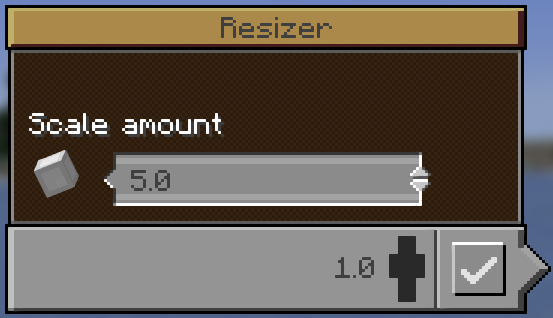
 Crafted with the new Orb Of Scale, this handheld redstone device is capable of changing the holder's size easily.
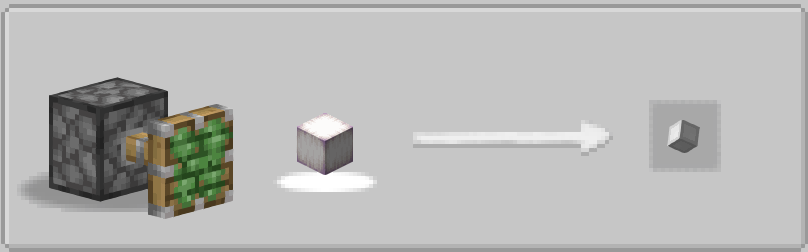 Stretching is an added recipe type, using a Sticky Piston to manufacture items
Project description from CurseForge.
Pick your setup
Choose the version and loader you play, then open the matching release.
Check the dependencies, then try the file in a copied instance before changing a world you care about.
Recent files
22 Sept 2025
21 Sept 2025
28 Jul 2025
Looking for an older file? The official CurseForge project page is in Resources.
 mod
Build working combustion engines from individual parts, from a crude single cylinder to a boosted precision V12, and turn them into Create rotation.
 mod
this mod adds powerful tools and armor made of nether stars
 mod
Configure your hotbar automatically