Minecraft version
Back to mods 
CurseForge · Minecraft mod
Attribute Modify
This mod allows the modification of item attributes, both vanilla and curios. Do you want to buff or nerf a weapon or curios? With this mod, you only need a datapack to do so.
Choose a version Pick your version below, then grab the matching file.
Quick answer
Which Attribute Modify release should I use?
Latest stable file neoattributemodify-1.2.5.jar
Game version 1.21.1
Loader NeoForge
Attribute Modify neoattributemodify-1.2.5.jar targets 1.21.1 with NeoForge. The project page does not say whether this file belongs on the client, dedicated server, or both. No extra mods listed for this file.
Where it goes
Is Attribute Modify required on the client, server, or both?
The project page does not say whether this file belongs on the client, dedicated server, or both.
Client Source doesn’t say
Dedicated server Source doesn’t say
Loader for this release NeoForge
Required install it here Optional supported, not mandatory Not supported do not install here Source doesn’t say do not assume
The source does not explicitly classify this release as client-only or server-only.
What else does Attribute Modify neoattributemodify-1.2.5.jar need?
neoattributemodify-1.2.5.jar. Change the file and its required mods may change too.
This file does not list any required mods. Do not add a library just because a different file uses it.
This file does not list any required or optional mods.
Before you install it
Add Attribute Modify without breaking your instance.
Built for Attribute Modify neoattributemodify-1.2.5.jar. Pick another file and the loader, install side or required mods may change.
- 01
Stick to this file
Use neoattributemodify-1.2.5.jar. It targets 1.21.1 with NeoForge; another release may have different loader, side or dependency requirements.
- 02
Bring the mods it needs
This file does not list any required mods. Do not add a library just because a different file uses it.
- 03
Put it on the correct side
The project page does not say whether this file belongs on the client, dedicated server, or both.
- 04
Pick the file you checked
Use the “Get this file” button beside neoattributemodify-1.2.5.jar. It opens that exact file at the source.
About this project
What does Attribute Modify add?
AttributeModify / NeoAttributeModify
Version 1.2.3 | Minecraft 1.20.1 Forge and Minecraft 1.21.1 NeoForge
Modify item attributes and related item behavior through datapacks. AttributeModify supports vanilla and modded attributes, mining overrides, durability changes, decorative item profiles, weighted quality data, and optional Curios or Accessories slots.
AttributeModify and NeoAttributeModify are distributed through the same CurseForge and Modrinth project pages. Install only the file that matches your Minecraft version and mod loader.
Available Versions
| Mod | Minecraft | Loader | Java |
|---|---|---|---|
| AttributeModify | 1.20.1 | Forge 47 | Java 17 |
| NeoAttributeModify | 1.21.1 | NeoForge 21.1 | Java 21 |
Forge and NeoForge files are not interchangeable.
Features
- Add, replace, set, or remove item attribute modifiers
- Remove a specific modifier operation without removing the others
- Override mining speed while preserving external speed multipliers
- Raise an item's harvest capability to vanilla or modded mining tier requirements
- Override durability and define custom durability triggers
- Disable functional behavior for decorative items without deleting unrelated player effects
- Roll weighted quality data during crafting, loot generation, or villager trades
- Generate datapack rules through an in-game editor
- Apply rules conditionally using NBT paths
- Support vanilla and modded items
- Apply changes in multiplayer environments
- Reload datapack rules using
/reload - Keep Curios and Accessories rule storage isolated
Requirements
AttributeModify — Minecraft 1.20.1
- Minecraft
1.20.1 - Forge
47.4.0or a compatible Forge 47 release - Java
17
Optional integrations:
- Curios
5.14.1+ - Accessories
1.0.0-beta.47+ - Apotheosis
7.4.8and its required Placebo dependency
NeoAttributeModify — Minecraft 1.21.1
- Minecraft
1.21.1 - NeoForge
21.1.220or newer - Java
21
Optional integrations:
- Curios
9.5.1+ - Accessories
1.0.0-beta.47+
Both versions start normally when the optional integration mods are absent.
Datapack Layout
Place the datapack inside:
<world>/datapacks/
Attribute rule files belong under:
data/<namespace>/item_attributes/
Example structure:
MyAttributePack/
|-- pack.mcmeta
`-- data/
    `-- my_namespace/
        `-- item_attributes/
            `-- tools.json
Run /reload after changing datapack files.
Datapack Formats
The required pack_format depends on the Minecraft version.
Minecraft 1.20.1
Use datapack format 15:
{
  "pack": {
    "pack_format": 15,
    "description": "My AttributeModify rules"
  }
}
Minecraft 1.21.1
Use datapack format 48:
{
  "pack": {
    "pack_format": 48,
    "description": "My NeoAttributeModify rules"
  }
}
In-Game Editor
Each version provides its own client command.
| Mod | Editor command | Generated datapack |
|---|---|---|
| AttributeModify | /attributemodify_editor |
AttributeModify_Editor |
| NeoAttributeModify | /neoattributemodify_editor |
NeoAttributeModify_Editor |
The generated datapack is written into the current world's datapack directory.
Saving requires either:
- Being the owner of the singleplayer world
- Having permission level
2or higher on a server
Support
Discord: https://discord.gg/NXVEtWqsnw
Project description from CurseForge.
Pick your setup
Attribute Modify by Minecraft version and loader
Choose the version and loader you play, then open the matching release.
Minecraft version
1.20.1
1 loader buildCheck the dependencies, then try the file in a copied instance before changing a world you care about.
Recent files
Attribute Modify versions and loaders
neoattributemodify-1.2.5.jar
2 Sept 2026
Client Source doesn’t say Server Source doesn’t say Dependencies No extras listed Listed on Release listing
Check the 1.21.1 · NeoForge setup 1.21.1NeoForge release
attributemodify-1.2.5.jar
2 Sept 2026
Client Source doesn’t say Server Source doesn’t say Dependencies No extras listed Listed on Release listing
Check the 1.20.1 · Forge setup 1.20.1Forge release
attributemodify-1.2.4.jar
6 Aug 2026
Client Source doesn’t say Server Source doesn’t say Dependencies No extras listed Listed on Release listing
Check the 1.20.1 · Forge setup 1.20.1Forge release
neoattributemodify-1.2.4.jar
6 Aug 2026
Client Source doesn’t say Server Source doesn’t say Dependencies No extras listed Listed on Release listing
Check the 1.21.1 · NeoForge setup 1.21.1NeoForge release
neoattributemodify-1.2.3.jar
5 Aug 2026
Client Source doesn’t say Server Source doesn’t say Dependencies No extras listed Listed on Release listing
Check the 1.21.1 · NeoForge setup 1.21.1NeoForge release
attributemodify-1.2.3.jar
5 Aug 2026
Client Source doesn’t say Server Source doesn’t say Dependencies No extras listed Listed on Release listing
Check the 1.20.1 · Forge setup 1.20.1Forge release
attributemodify-1.2.2.jar
3 Aug 2026
Client Source doesn’t say Server Source doesn’t say Dependencies No extras listed Listed on Release listing
Check the 1.20.1 · Forge setup 1.20.1Forge release
neoattributemodify-1.2.2.jar
3 Aug 2026
Client Source doesn’t say Server Source doesn’t say Dependencies No extras listed Listed on Release listing
Check the 1.21.1 · NeoForge setup 1.21.1NeoForge release
neoattributemodify-1.2.1.jar
1 Jul 2026
Client Source doesn’t say Server Source doesn’t say Dependencies No extras listed Listed on Release listing
Check the 1.21.1 · NeoForge setup 1.21.1NeoForge release
attributemodify-1.2.1.jar
1 Jul 2026
Client Source doesn’t say Server Source doesn’t say Dependencies No extras listed Listed on Release listing
Check the 1.20.1 · Forge setup 1.20.1Forge release
neoattributemodify-1.2.0.jar
18 Jun 2026
Client Source doesn’t say Server Source doesn’t say Dependencies No extras listed Listed on Release listing
Check the 1.21.1 · NeoForge setup 1.21.1NeoForge beta
attributemodify-1.2.0.jar
7 Jun 2026
Client Source doesn’t say Server Source doesn’t say Dependencies No extras listed Listed on Release listing
Check the 1.20.1 · Forge setup 1.20.1Forge release
Looking for an older file? The official CurseForge project page is in Resources.
 mod
CurseForge + Modrinth · Minecraft
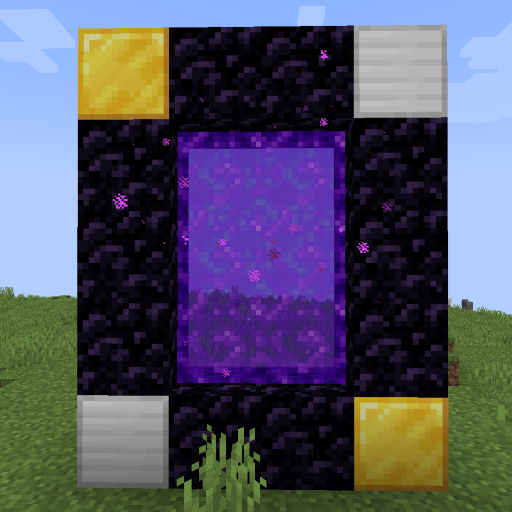
World Portal
Create custom world portal to travel between dimensions.
 mod
CurseForge · Minecraft
Realms of Reverie
Realms of Reverie Modpack Mod
 mod
CurseForge · Minecraft
Vercte's Satchels (Forge Port)
Unofficial Port for the Verte's Satchels 1.21.1 NeoForge mod. Mod Author: Vercte