Just Enough Items (JEI) Optional for Clutter No More 3.1.3 for 26.2 Neoforge
optionalMatching file found Matched file: 30.42.0.236 for NeoForge 26.2

CurseForge · Minecraft mod
Fixes the game's inventory clutter problem by unifying Stairs and Slabs into a single block: Transform your full blocks into other shapes with the press of a keybind!
Quick answer
Clutter No More 3.1.3 for 26.2 Neoforge targets 26.2 with NeoForge. The project page does not say whether this file belongs on the client, dedicated server, or both. No extra mods listed for this file.
Where it goes
The project page does not say whether this file belongs on the client, dedicated server, or both.
The source does not explicitly classify this release as client-only or server-only.
Clutter No More 3.1.3 for 26.2 Neoforge on 26.2. Every mod below is checked against that same setup.
This file does not list any required mods. Do not add a library just because a different file uses it.
7 extra mods were pulled in by other dependencies. Indented rows show who needs each one. We only count dependency files that match this setup. A file for another loader does not fill the gap.
Before you install it
Built for Clutter No More 3.1.3 for 26.2 Neoforge on 26.2. Pick another file and the loader, install side or required mods may change.
Use Clutter No More 3.1.3 for 26.2 Neoforge. It targets 26.2 with NeoForge; another release may have different loader, side or dependency requirements.
This file does not list any required mods. Do not add a library just because a different file uses it.
The project page does not say whether this file belongs on the client, dedicated server, or both.
Use the “Get this file” button beside Clutter No More 3.1.3 for 26.2 Neoforge. It opens that exact file at the source.
About this project
No more will your inventory be filled with a thousand slabs and stairs. All you need is a single block. By pressing [Left Alt], you will be able to change a held block's shape into Stairs, Slabs, or even new shapes, such as Vertical Slabs and Steps! No more crafting, no more inventory filling - everything merges with eachother as if they were the same item, and their shape can be changed always, whenever, both when handheld and when in your inventory.
It's quick, and solves the game's inventory clutter problems, a Builder's Best Friend.

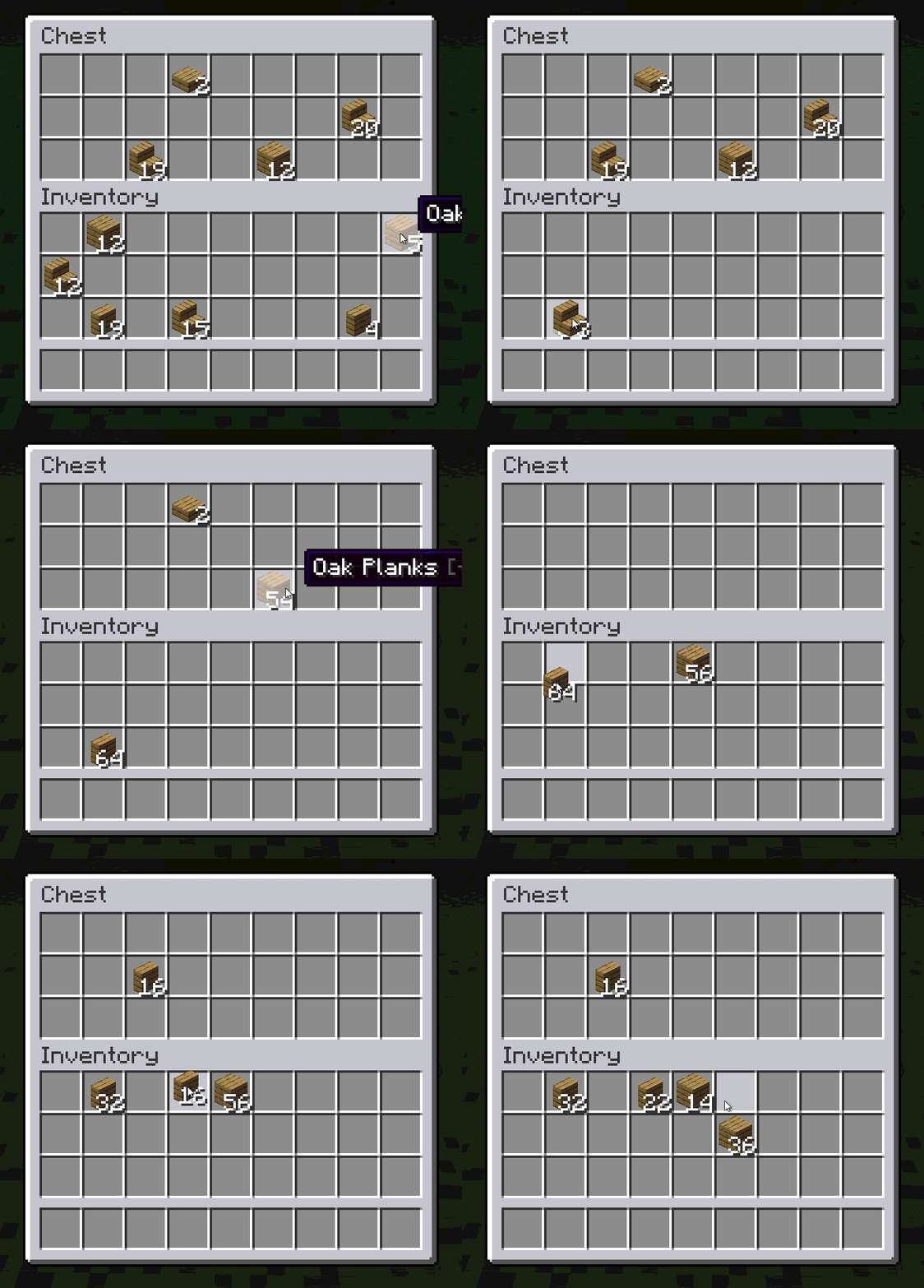
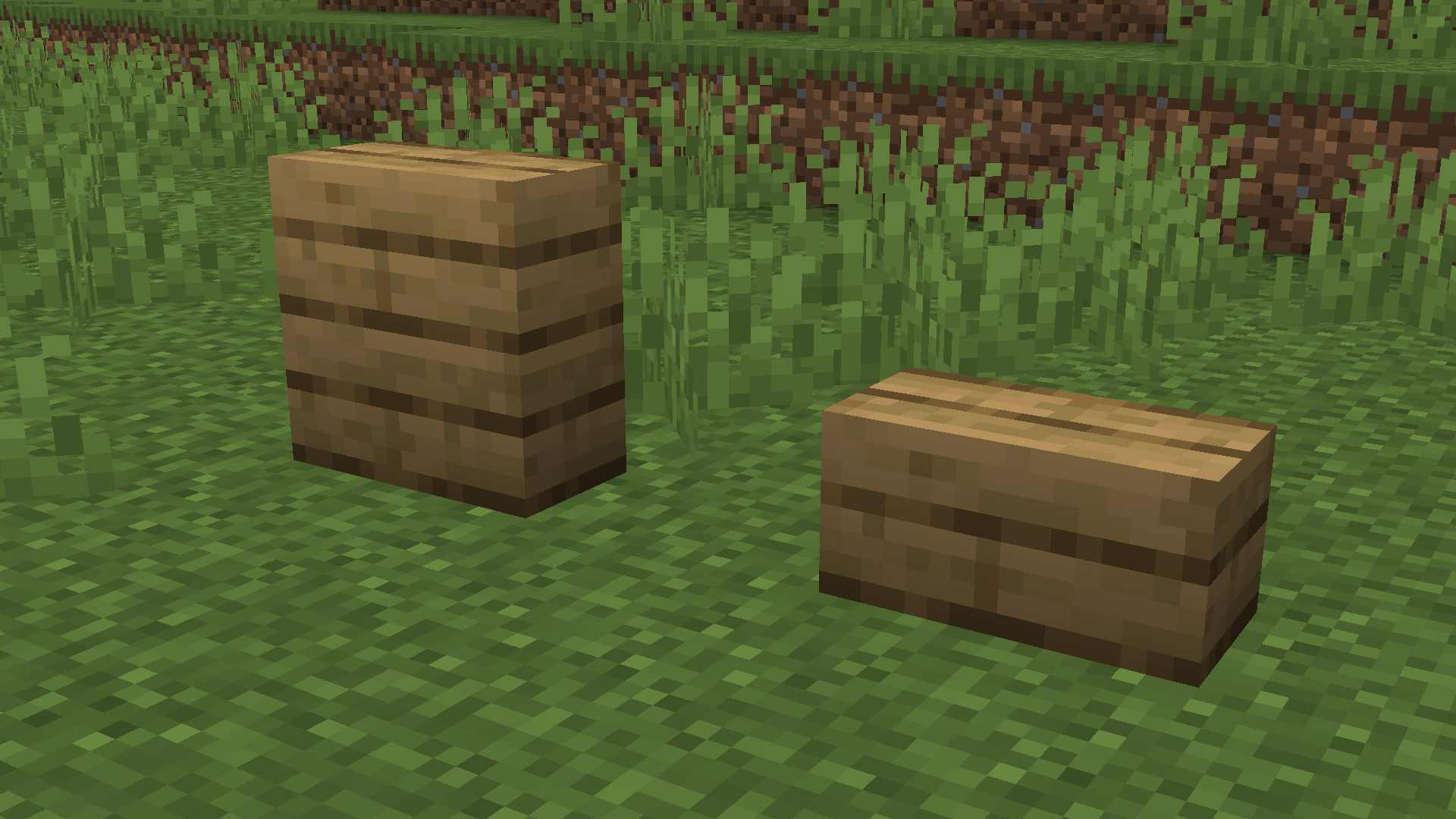
Vertical Stairs and Vertical Steps are also added, but must be enabled in config/clutternomore/startup.toml
Clutter No More also includes various accessibility settings found in the game's options menu or in config/clutternomore/client.toml
If you like this mod, have feedback for us, or just want to join our community, then join our Discord!
For another mod that enhances the building experience, check out Offgrid!
Project description from CurseForge.
Pick your setup
Choose the version and loader you play, then open the matching release.
Check the dependencies, then try the file in a copied instance before changing a world you care about.
Recent files
clutternomore-neoforge-3.1.3-26.2.jar
7 Nov 2026
clutternomore-fabric-3.1.3-26.2.jar
7 Nov 2026
clutternomore-neoforge-3.1.2-26.2.jar
6 Nov 2026
clutternomore-fabric-3.1.2-26.2.jar
6 Nov 2026
clutternomore-neoforge-3.1.1-26.2.jar
1 Nov 2026
clutternomore-fabric-3.1.1-26.2.jar
1 Nov 2026
clutternomore-neoforge-3.1.0+26.2.jar
28 Oct 2026
clutternomore-fabric-3.1.0+26.2.jar
28 Oct 2026
clutternomore-neoforge-3.0.3+26.2.jar
20 Oct 2026
clutternomore-fabric-3.0.3+26.2.jar
20 Oct 2026
clutternomore-neoforge-3.0.2+26.2.jar
19 Oct 2026
clutternomore-fabric-3.0.2+26.2.jar
19 Oct 2026
Looking for an older file? The official CurseForge project page is in Resources.
 mod
5th Version of the QDC Quantum Dis-Assembly Craft mod. Focusing on QOL Usability and other Mods Compatibility.
 mod
Well-rounded client-side optimization mod. Extremely compatible Vulkan backend for 1.21.11-26.1.2. By Polyfrost, best with OneClient.
 mod
Immersive audio, biome-aware ambient environments, footsteps, weather, and complementary effects for a more atmospheric Minecraft experience — Re-imagined from the original Dynamic Surroundings mod by OreCruncher.