Minecraft version
Back to mods 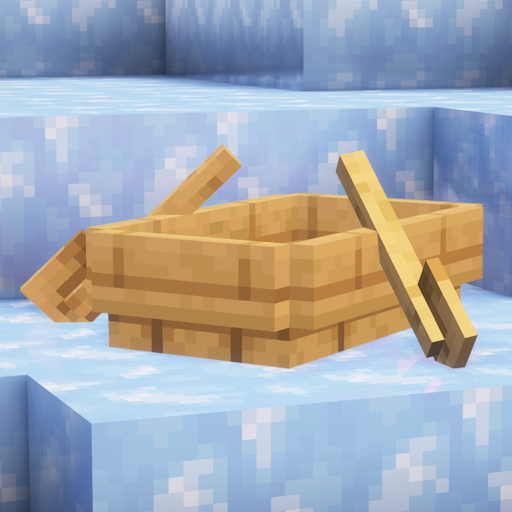
CurseForge · Minecraft mod
Hold That Chunk V2
Delays client chunk unloading
Choose a version Pick your version below, then grab the matching file.
Quick answer
Which Hold That Chunk V2 release should I use?
Latest stable file Hold-That-Chunk-V2-2.0.0+26.3.jar
Game version 26.3
Loader Fabric
Hold That Chunk V2 Hold-That-Chunk-V2-2.0.0+26.3.jar targets 26.3 with Fabric. The project page does not say whether this file belongs on the client, dedicated server, or both. No extra mods listed for this file.
Where it goes
Is Hold That Chunk V2 required on the client, server, or both?
The project page does not say whether this file belongs on the client, dedicated server, or both.
Client Source doesn’t say
Dedicated server Source doesn’t say
Loader for this release Fabric
Required install it here Optional supported, not mandatory Not supported do not install here Source doesn’t say do not assume
The source does not explicitly classify this release as client-only or server-only.
What else does Hold That Chunk V2 Hold-That-Chunk-V2-2.0.0+26.3.jar need?
Hold-That-Chunk-V2-2.0.0+26.3.jar. Change the file and its required mods may change too.
This file does not list any required mods. Do not add a library just because a different file uses it.
This file does not list any required or optional mods.
Before you install it
Add Hold That Chunk V2 without breaking your instance.
Built for Hold That Chunk V2 Hold-That-Chunk-V2-2.0.0+26.3.jar. Pick another file and the loader, install side or required mods may change.
- 01
Stick to this file
Use Hold-That-Chunk-V2-2.0.0+26.3.jar. It targets 26.3 with Fabric; another release may have different loader, side or dependency requirements.
- 02
Bring the mods it needs
This file does not list any required mods. Do not add a library just because a different file uses it.
- 03
Put it on the correct side
The project page does not say whether this file belongs on the client, dedicated server, or both.
- 04
Pick the file you checked
Use the “Get this file” button beside Hold-That-Chunk-V2-2.0.0+26.3.jar. It opens that exact file at the source.
About this project
What does Hold That Chunk V2 add?
Hold That Chunk V2
A clean, from-scratch re-implementation of the original idea behind Hold That Chunk updated for Minecraft 1.21+ with some extra configuration options.
Instead of dropping terrain the instant the server says “unload,” this mod keeps already-rendered chunks around and lets go of them later under your control: chunks are held and only removed later based on configurable rules. Great for keeping what you’ve already seen on screen—like your base on low render-distance servers.
Credit & inspiration: the original Hold That Chunk (created to help ice boat racing).
For 1.18–1.20.6, use the original: https://modrinth.com/mod/hold-that-chunk
✨ Features
Enable Hold That Chunk — master toggle.
Note: changes take effect when switching worlds or reconnecting.Ignore Server’s Render Distance
- True: your render distance can exceed the server’s render distance (vanilla fog may sit far out).
- False: your maximum render distance is capped to the server’s render distance.
Note: changes take effect when switching worlds or reconnecting.
Respect Server’s Render Distance — always honor server unloads immediately (no holding).
Link to Render Distance — uses your render distance as the hold limit.
Hold Distance (2–256) — set a custom limit if you don’t want to link to render distance.
Ignore Empty Chunks (keep visuals) — when the server sends a clear/empty chunkdata packet for a chunk you already have rendered, the client can ignore it and keep your current visuals.
Ignore Empty Chunks Distance (2–256) — if you’re farther than this disance, empty chunkdata is ignored (visuals kept). If you’re closer, the clear is allowed.
Restore Empty Chunks Distance (2–256) — once you move within this distance, any previously ignored “clear” for that chunk is applied so you don’t carry stale terrain up close.
Server Render Distance readout — see the server-reported distance in the config screen.
🧠 How it works
- When an unload packet arrives for a chunk you already rendered, the client holds it instead of removing it instantly.
- Every tick the mod decides whether each held chunk should be removed (based on your settings).
- Empty/clear chunkdata handling: if the server sends a “clear/empty” full-chunk packet for a chunk you already have rendered, the mod can ignore the clear and keep visuals if you’re farther than Ignore Empty Chunks Distance (and the chunk is currently loaded). Queue that clear and apply it later when you move within Restore Empty Chunks Distance, or when the chunk gets real updates, so nearby terrain doesn’t look stale.
- You can ignore the server’s distance (keep more of what you’ve seen) or cap yourself to it so fog matches.
This does not force the server to send new chunks or raise its view distance. It only changes how long the client keeps chunks you’ve already rendered.
🧩 In-game Configuration (Mod Menu + Cloth Config)
If you have Mod Menu and Cloth Config installed, this mod exposes a full settings screen:
- Open Mods → Hold That Chunk V2 → Configure (Mod Menu button).
- All options (enable toggle, ignore/cap server distance, link to render distance, hold distance, ignore empty chunks, ignore empty chunks distance, restore empty chunks distance) can be adjusted in-game.
Don’t have them? Install Mod Menu and Cloth Config to access the in-game UI. Otherwise, you can edit the JSON config file manually.
🔎 Notes & limitations
- Client-side only; does not increase server view distance or generate new data.
- Holding more chunks can use additional memory—tune Hold Distance to your preference.
- Options that change the client/server distance relationship (ignore/cap) typically apply after a world switch or reconnect because the server distance is negotiated on join.
- The mod does not work in Singleplayer (same limitation as the original).
- On pure vanilla servers the client may not receive the unload/forget-chunk packets this mod relies on, so the mod may appear inactive.
🙏 Credits
- Original mod: Hold That Chunk — by dlee13 (Modrinth) / The_TermiGator (CurseForge)
Modrinth: https://modrinth.com/mod/hold-that-chunk
CurseForge: https://www.curseforge.com/minecraft/mc-mods/hold-that-chunk
Project description from CurseForge.
Pick your setup
Hold That Chunk V2 by Minecraft version and loader
Choose the version and loader you play, then open the matching release.
Minecraft version
26.2
1 loader buildMinecraft version
26.1.2
1 loader buildMinecraft version
26.1.1
1 loader buildMinecraft version
26.1
1 loader buildMinecraft version
1.21.11
1 loader buildMinecraft version
1.21.10
1 loader buildMinecraft version
1.21.9
1 loader buildMinecraft version
1.21.8
1 loader buildMinecraft version
1.21.7
1 loader buildMinecraft version
1.21.6
1 loader buildMinecraft version
1.21.5
1 loader buildShowing the newest 12 of 17 game versions. Older files are in the list below.
Check the dependencies, then try the file in a copied instance before changing a world you care about.
Recent files
Hold That Chunk V2 versions and loaders
Hold-That-Chunk-V2-2.0.0+26.3.jar
18 Sept 2026
Client Source doesn’t say Server Source doesn’t say Dependencies No extras listed Listed on Release listing
Check the 26.3 · Fabric setup Fabric26.3 release
Hold-That-Chunk-V2-2.0.0+26.1.jar
27 Apr 2026
Client Source doesn’t say Server Source doesn’t say Dependencies No extras listed Listed on Release listing
Check the 26.2 · Fabric setup Fabric26.126.1.126.1.2 release
Hold-That-Chunk-V2-2.0.0+1.21.9.jar
30 Sept 2025
Client Source doesn’t say Server Source doesn’t say Dependencies No extras listed Listed on Release listing
Check the 1.21.11 · Fabric setup Fabric1.21.91.21.101.21.11 release
Hold-That-Chunk-V2-2.0.0+1.21.jar
25 Sept 2025
Client Source doesn’t say Server Source doesn’t say Dependencies No extras listed Listed on Release listing
Check the 1.21.8 · Fabric setup 1.211.21.5Fabric1.21.8 release
Hold-That-Chunk-V2-1.0.0+1.21.jar
3 Sept 2025
Client Source doesn’t say Server Source doesn’t say Dependencies No extras listed Listed on Release listing
Check the 1.21.8 · Fabric setup 1.211.21.5Fabric1.21.8 release
Looking for an older file? The official CurseForge project page is in Resources.