Back to mods
FlickView project artwork

CurseForge · Minecraft mod

FlickView

Snap the view to 360°, 180°, 90° or any custom angle. Smooth controls and a stylish UI deliver precise perspective shifts instantly

Choose a version Pick your version below, then grab the matching file.

Quick answer

Which FlickView release matches 26.2 Fabric?

Updated last month
Best match for your filters FlickView 3.6.0 - Fabric
Game version 26.2
Loader Fabric

FlickView 3.6.0 - Fabric targets 26.2 with Fabric. The project page does not say whether this file belongs on the client, dedicated server, or both. All 1 required mods have matching files.

Where it goes

Is FlickView required on the client, server, or both?

The project page does not say whether this file belongs on the client, dedicated server, or both.

Client Source doesn’t say
Dedicated server Source doesn’t say
Loader for this release Fabric
Required install it here Optional supported, not mandatory Not supported do not install here Source doesn’t say do not assume

The source does not explicitly classify this release as client-only or server-only.

What else does FlickView 3.6.0 - Fabric need?

FlickView 3.6.0 - Fabric on 26.2 Fabric. Every mod below is checked against that same setup.

All 1 required mods have matching files

Install Fabric API first. We found matching files for this game-version and loader setup.

Fabric API Needed by FlickView 3.6.0 - Fabric
required
Matching file found Matched file: [26.2] Fabric API 0.161.0+26.2

We only count dependency files that match this setup. A file for another loader does not fill the gap.

Before you install it

Add FlickView without breaking your instance.

Built for FlickView 3.6.0 - Fabric on 26.2 Fabric. Pick another file and the loader, install side or required mods may change.

  1. 01

    Stick to this file

    Use FlickView 3.6.0 - Fabric. It targets 26.2 with Fabric; another release may have different loader, side or dependency requirements.

  2. 02

    Bring the mods it needs

    Install Fabric API first. We found matching files for this game-version and loader setup.

  3. 03

    Put it on the correct side

    The project page does not say whether this file belongs on the client, dedicated server, or both.

  4. 04

    Pick the file you checked

    Use the “Get this file” button beside FlickView 3.6.0 - Fabric. It opens that exact file at the source.

About this project

What does FlickView add?

FlickView

Available for Fabric Available for NeoForge Available for Forge Available for Quilt

Available on Modrinth Available on CurseForge

FlickView - Adjust your view with precision

FlickView makes camera turns and character spins easy to control, with adjustable angles, optional smooth rotation, and simple in-game settings.

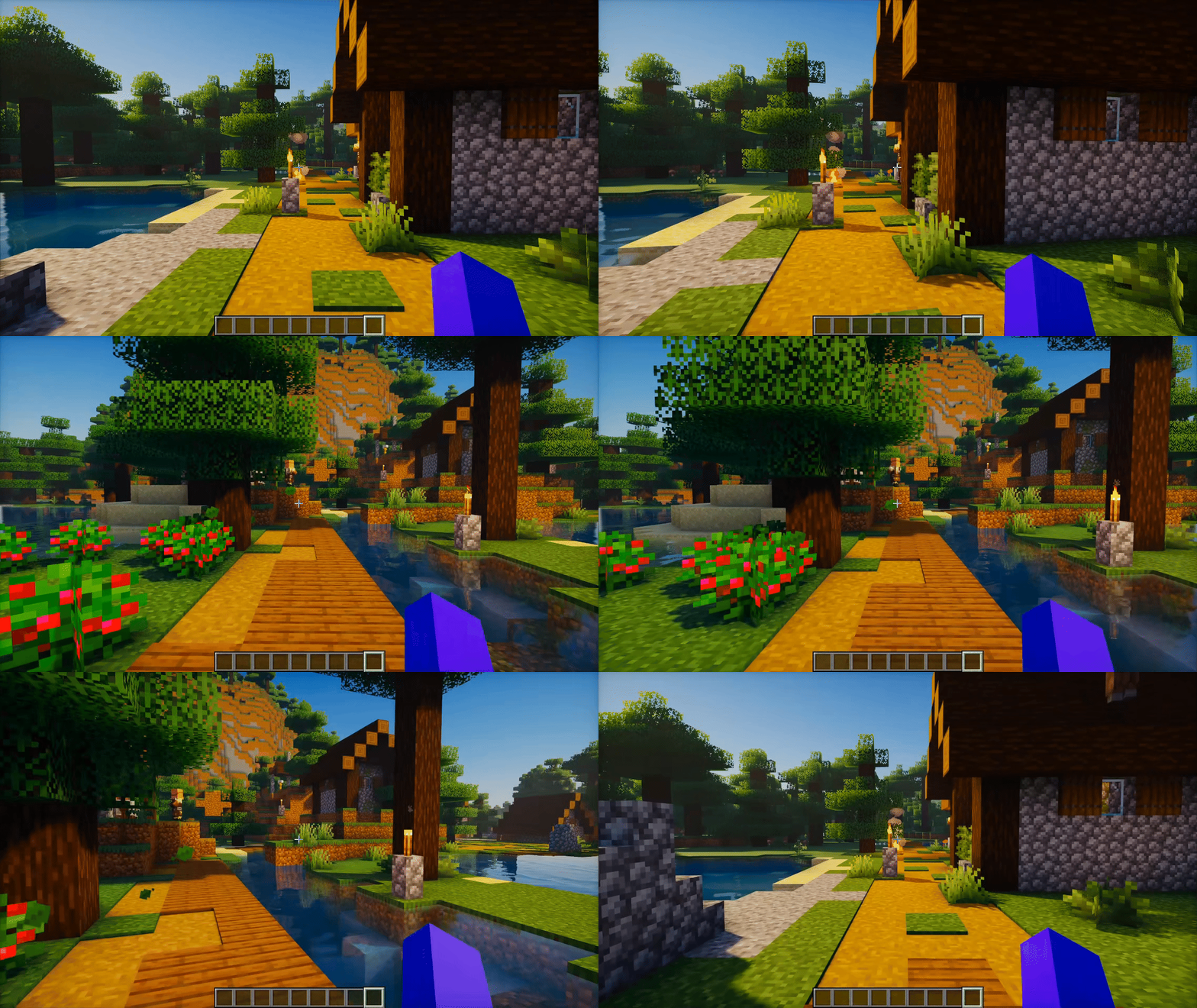
✨ Features

  • Yaw Rotation
    • Turn your view by 180°, 90°, or a custom angle with a single key press.
    • Repeated presses replace an unfinished smooth turn instead of queuing more turns.
  • Pitch Rotation
    • Press once to move to your chosen pitch; press again to return to the starting pitch.
  • Smooth Rotation
    • Enable smooth yaw turns and adjust their speed. Pitch changes always ease smoothly.
  • 360 Spin
    • Toggle continuous rotation with one key.
    • Choose the rotation direction and adjust its speed in Settings.
  • Spin Mode
    • Camera + Character: rotate the camera together with the character. This is the default mode.
    • Character Only: spin the character while looking around normally. Use third-person view to see the spin.
  • Auto Sneak Spin
    • Optionally alternate crouching while spinning. Your own crouch input remains available.
  • Spin Counter
    • Track accumulated full rotations with an optional on-screen counter.
    • Choose from six screen positions.
  • In-game Settings
    • Adjust angles, speed, direction, spin mode, counter placement, and status messages.
    • Save changes with Done, discard edits with Cancel, or stop motion and prepare defaults with Reset.
  • Client-side Only
    • Install FlickView on your client. No server installation is required.

🎬 Preview

360 Spin

3in1

Yaw Rotation with Smooth Rotation Enabled

smoothon

Check the Gallery for more previews.

📖 How to Play

  1. Press F6 to open Settings and adjust FlickView to your preference.
  2. Press K to enable or disable FlickView.
  3. Press U to move to your chosen pitch. Press it again to return to the starting pitch.
  4. Press Y to turn your view by the configured yaw angle.
  5. Press I to start continuous spin. Press it again to stop.

Rebind these keys in Minecraft's Controls menu. Existing saved keybindings are preserved when updating.

📜 License and permissions

  • All Rights Reserved (ARR). Standalone redistribution and re-uploads require permission.
  • Modpacks are allowed when the original mod is unmodified, credited as FlickView by Zynwro, and linked to the official project page.

Project description from CurseForge.

Pick your setup

FlickView by Minecraft version and loader

Choose the version and loader you play, then open the matching release.

50 available setups

Showing the newest 12 of 13 game versions. Older files are in the list below.

Check the dependencies, then try the file in a copied instance before changing a world you care about.

Recent files

FlickView versions and loaders

1 of 50 releases match
Clear filters

Looking for an older file? The official CurseForge project page is in Resources.