Minecraft version
Back to mods 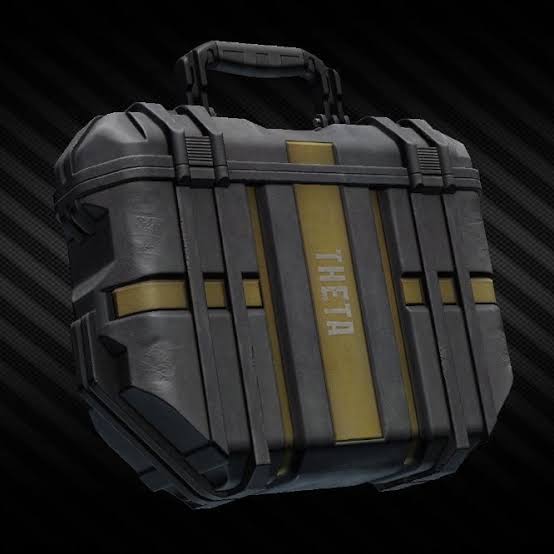
CurseForge · Minecraft mod
Secure Container
just like in Escape From Tarkov, you can store important stuffs in the security case(secure container) without losing them after your sudden death
Choose a version Pick your version below, then grab the matching file.
Quick answer
Which Secure Container release matches 26.2?
Best match for your filters securitybackpack-1.1.1.jar
Game version 26.2
Loader NeoForge
Secure Container securitybackpack-1.1.1.jar targets 26.2 with NeoForge. The project page does not say whether this file belongs on the client, dedicated server, or both. No extra mods listed for this file.
Where it goes
Is Secure Container required on the client, server, or both?
The project page does not say whether this file belongs on the client, dedicated server, or both.
Client Source doesn’t say
Dedicated server Source doesn’t say
Loader for this release NeoForge
Required install it here Optional supported, not mandatory Not supported do not install here Source doesn’t say do not assume
The source does not explicitly classify this release as client-only or server-only.
What else does Secure Container securitybackpack-1.1.1.jar need?
securitybackpack-1.1.1.jar on 26.2. Every mod below is checked against that same setup.
This file does not list any required mods. Do not add a library just because a different file uses it.
This file does not list any required or optional mods.
Before you install it
Add Secure Container without breaking your instance.
Built for Secure Container securitybackpack-1.1.1.jar on 26.2. Pick another file and the loader, install side or required mods may change.
- 01
Stick to this file
Use securitybackpack-1.1.1.jar. It targets 26.2 with NeoForge; another release may have different loader, side or dependency requirements.
- 02
Bring the mods it needs
This file does not list any required mods. Do not add a library just because a different file uses it.
- 03
Put it on the correct side
The project page does not say whether this file belongs on the client, dedicated server, or both.
- 04
Pick the file you checked
Use the “Get this file” button beside securitybackpack-1.1.1.jar. It opens that exact file at the source.
About this project
What does Secure Container add?
just like Escape from Tarkov, you can now secure some of your valuable stuffs in the security case. to make your security case larger, go to the server side and edit /config/securitybackpack-server.toml
Although the UI looks ugly, but it works well :)
There will be a extra Button in your Backpack UI, after klicking at it you can open the Secure Container. It is originally 2 blocks big and you can Upgrade it through using Diamonds. The stuffs in there will Always Be Safe.
Project description from CurseForge.
Pick your setup
Secure Container by Minecraft version and loader
Choose the version and loader you play, then open the matching release.
Minecraft version
26.1
1 loader buildMinecraft version
1.21.11
1 loader buildMinecraft version
1.21.10
1 loader buildMinecraft version
1.21.9
1 loader buildMinecraft version
1.21.8
1 loader buildMinecraft version
1.21.7
1 loader buildMinecraft version
1.21.6
1 loader buildMinecraft version
1.21.5
1 loader buildMinecraft version
1.21.4
1 loader buildMinecraft version
1.21.3
1 loader buildMinecraft version
1.21.2
1 loader buildShowing the newest 12 of 14 game versions. Older files are in the list below.
Check the dependencies, then try the file in a copied instance before changing a world you care about.
Recent files
Secure Container versions and loaders
securitybackpack-1.1.1.jar
3 Jul 2026
Client Source doesn’t say Server Source doesn’t say Dependencies No extras listed Listed on Release listing
Check the 26.2 · NeoForge setup NeoForge26.2 release
Looking for an older file? The official CurseForge project page is in Resources.
 mod
CurseForge · Minecraft
Remote Bot Fetch
Fabric mod for fetching items from Carpet fake players and checking storage counts in Litematica’s Material List.
 mod
CurseForge · Minecraft
Gulom
Gulom is a cute little guy with many secrets. He likes loot and will find some for you
 mod
CurseForge · Minecraft
JEI: Craft Directly from Chests, Shulkers & Ender Chest
A JEI fork (aka "MCdestined's Simple Storage") that turns your crafting table into a smart Crafting Station: auto-pull ingredients from connected chests, Ender Chests, and Shulker Boxes, or extract in-stock items in 1 click.