Minecraft version
Back to mods 
CurseForge · Minecraft mod
Synthetics
A modern take on cybernetics, inspired by Cyberware
Choose a version Pick your version below, then grab the matching file.
Quick answer
Which Synthetics release should I use?
Latest stable file Synthetics 1.0.2
Game version 1.21.1
Loader NeoForge
Synthetics 1.0.2 targets 1.21.1 with NeoForge. The project page does not say whether this file belongs on the client, dedicated server, or both. No extra mods listed for this file.
Where it goes
Is Synthetics required on the client, server, or both?
The project page does not say whether this file belongs on the client, dedicated server, or both.
Client Source doesn’t say
Dedicated server Source doesn’t say
Loader for this release NeoForge
Required install it here Optional supported, not mandatory Not supported do not install here Source doesn’t say do not assume
The source does not explicitly classify this release as client-only or server-only.
What else does Synthetics 1.0.2 need?
Synthetics 1.0.2. Change the file and its required mods may change too.
This file does not list any required mods. Do not add a library just because a different file uses it.
This file does not list any required or optional mods.
Before you install it
Add Synthetics without breaking your instance.
Built for Synthetics 1.0.2. Pick another file and the loader, install side or required mods may change.
- 01
Stick to this file
Use Synthetics 1.0.2. It targets 1.21.1 with NeoForge; another release may have different loader, side or dependency requirements.
- 02
Bring the mods it needs
This file does not list any required mods. Do not add a library just because a different file uses it.
- 03
Put it on the correct side
The project page does not say whether this file belongs on the client, dedicated server, or both.
- 04
Pick the file you checked
Use the “Get this file” button beside Synthetics 1.0.2. It opens that exact file at the source.
About this project
What does Synthetics add?
Synthetics
This mod allows the player to research and install new augments and body parts to themselves, giving them new abilities and passive benefits.
Additionally, this mod places emphasis on being as data driven as possible, with the ability to add entirely new augments, body parts and abilities through a datapack alone.
This page provides a brief overview of each feature, but please check out the wikifor more information.
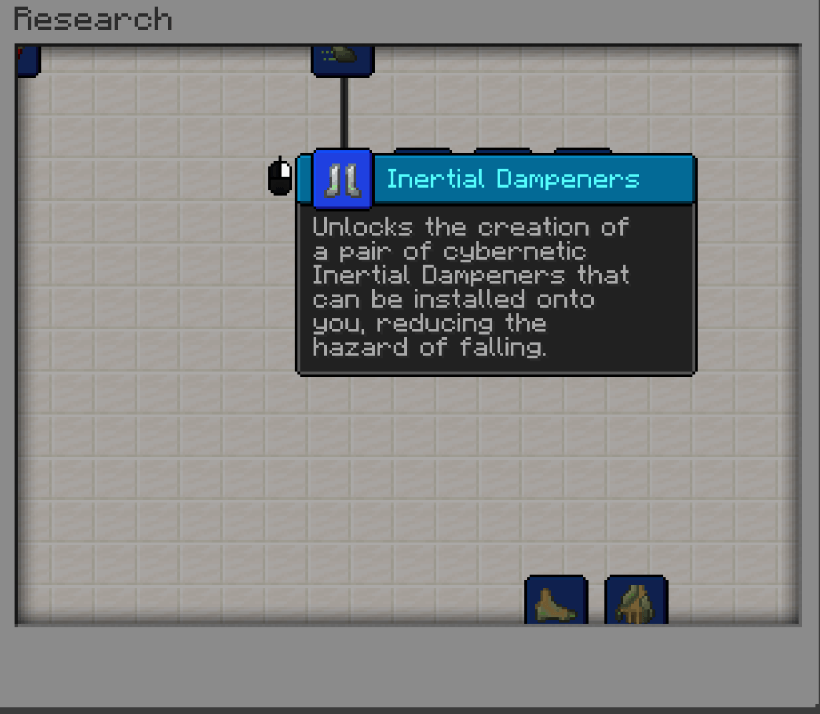
Research
New augments and parts first have to be researched. This is done using the Research Table, right-clicking on which will open the research screen.
Each research has a set of parts it unlocks, and also has a set of requirements that can be viewed by right-clicking.
If the requirements are met, and any parents are already researched, left-clicking will research it, consuming any items needed and using the required experience
Augmentation Chamber
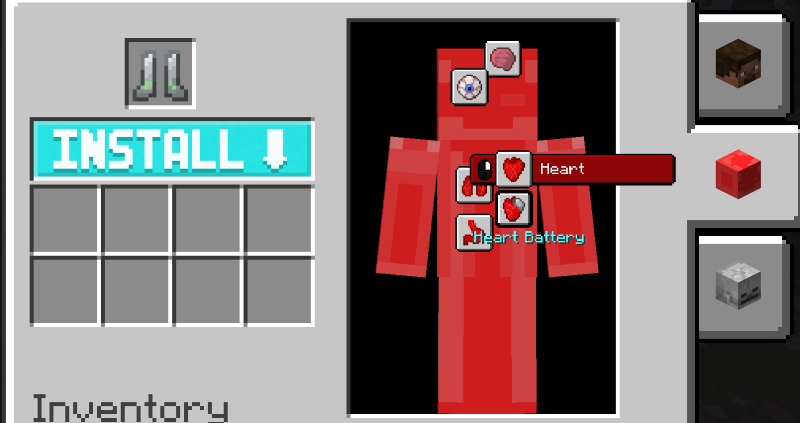
The Augmentation Chamber is where you can install or remove parts and augments.
To install something, put an installable item, such as an augment or body part, in the slot above the "Install" button.
Next, select a valid body part from the player display on the right.
Then, click the "Install" button. Any replaced or removed parts will be dropped into the output slots. If it is invalid for whatever reason, such as insufficient maximum complexity or too many of the same augment as installed, it will play a sound instead.
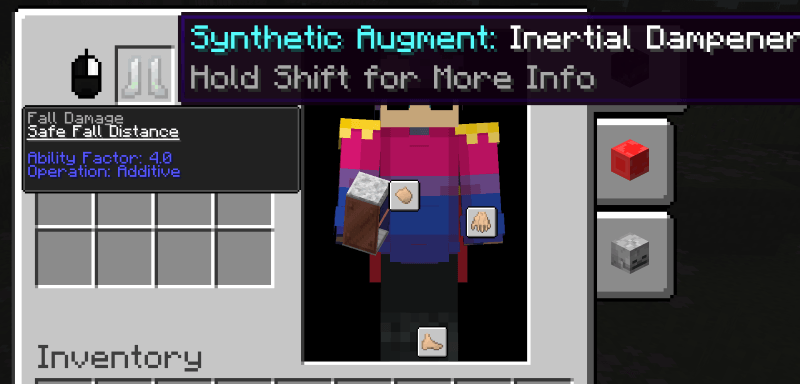
The menu on the right shows the installed body parts. Hovering over a body part will show what augments are attached to that body part.
To remove an augment, use scroll wheel to select it, then right click to remove it. It will be placed into the output slots.
On the left, hovering over a part you want to install will show a menu. Initially, it will show information about complexity, a body part or segment cannot have more complexity added to it than it's max.
Right-clicking will swap to the ability menu. This shows a list of abilities offered by the installable, and the stats of them. You can use the scroll wheel to navigate between abilities.
Synthetic Forge
The Synthetic Forge is where you can craft new parts. This mod supports JEI for recipe viewing.
The left meter on the Synthetic Forge represents lava. Each recipe requires some amount of lava to create, and the forge can be filled with either a bucket of lava or automated means.
Most recipes will also require a specific research. If required, this is displayed on the recipe in JEI. This means a player with that research must initiate crafting.
Once the recipe begins, it will take some time to complete, the progress is displayed on the arrow in the centre of the interface.
By default, the Synthetic Forge will not start a recipe without a player with the required research present.
However, this limitation can be bypassed with the usage of a Blueprint. To create a Blueprint, place an empty blueprint in the slot above the Synthetic Forge's output slot.
Then, begin the recipe normally, once completed it will replace the Blueprint with one with the required research to complete recipe.
Any blueprint with the required research to complete a recipe placed in that slot will allow a recipe to be completed without a player present.
Configuration
As this mod is data driven, configuration is done through datapacks. The abilities, and strength of those abilities, offered by parts and augment is controlled by the mod's datapack.
Project description from CurseForge.
Pick your setup
Synthetics by Minecraft version and loader
Choose the version and loader you play, then open the matching release.
Minecraft version
1.21
1 loader buildCheck the dependencies, then try the file in a copied instance before changing a world you care about.
Recent files
Synthetics versions and loaders
Synthetics 1.0.2
synthetics-1.0.2.jar
30 Oct 2025
Client Source doesn’t say Server Source doesn’t say Dependencies No extras listed Listed on Release listing
Check the 1.21.1 · NeoForge setup 1.21.1NeoForge release
Synthetics 1.0.1
synthetics-1.0.1.jar
19 Oct 2025
Client Source doesn’t say Server Source doesn’t say Dependencies No extras listed Listed on Release listing
Check the 1.21.1 · NeoForge setup 1.21NeoForge1.21.1 release
Synthetics 1.0.0
synthetics-1.0.0.jar
17 Oct 2025
Client Source doesn’t say Server Source doesn’t say Dependencies No extras listed Listed on Release listing
Check the 1.21.1 · NeoForge setup 1.21NeoForge1.21.1 release
Looking for an older file? The official CurseForge project page is in Resources.
 mod
CurseForge · Minecraft
Gasworks
Thirteen underground gases with real density and diffusion, moved through pipes under pressure. Runs on Forge Energy and registers every gas as a fluid, so it talks to the rest of your pack.
 mod
CurseForge + Modrinth · Minecraft
Simple Music Control
Reduced delay between music tracks, next track keybind, now playing widget and more
 mod
Modrinth · Minecraft
AnvilCraft
A technology mod centered around anvils